Buying Guide
Choosing among the best adobe fireworks web design books requires more than grabbing the newest title. Because Fireworks spans multiple Adobe and Macromedia versions, the right book depends on your software release, workflow goals, and whether you need standalone Fireworks training or a broader web design curriculum.
Scope and Capacity: Single-Title vs. Collection
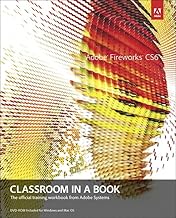
Fireworks books come in two primary shapes: dedicated volumes and suite collections. A dedicated title such as a Classroom in a Book spends every chapter on bitmap editing, vector tools, symbols, and web optimization. That focused capacity is ideal if you prototype user interfaces or export CSS and HTML directly from Fireworks. Collection titles bundle Fireworks with Dreamweaver and Flash. Those wider volumes sacrifice deep Fireworks granularity for integrated workflow context. If your projects demand round-trip editing between graphics and layout, a collection may offer better overall capacity. Consider your shelf space and study time accordingly; a four-hundred-page single-subject guide delivers depth, while a six-hundred-page suite manual delivers breadth.
Adobe Fireworks changed significantly across CS4, CS5, and CS6, and earlier Macromedia releases introduced foundational concepts under different interface layouts. A CS6 guide covers the final feature set and HTML5-oriented workflows, but it assumes you have access to that version. CS4 and CS5 titles remain highly relevant for core techniques—slicing, rollovers, and batch processing—because the underlying toolset stayed consistent. If you are working with legacy files or older corporate environments, a CS4 or CS5 book often provides the exact menu paths you need.
Format matters as well. Paperback editions let you annotate pages and keep the book beside your monitor during exercises. Hardcover options withstand heavy reference use in classrooms or studios. Kindle editions offer searchability and portability, which helps when you need a quick reminder about a specific tool while traveling. However, digital screenshots can be harder to scrutinize on small screens, so weigh your hardware against your study habits.
Lesson style is another tradeoff. Classroom in a Book titles follow a linear, project-based structure that builds skills sequentially. They work well if you have the matching software installed and can complete each chapter in order. How-To titles organize content by technique, letting you jump straight to topics like masking, animation, or optimization. That format suits working designers who need answers mid-project rather than a full course.
Installation and Setup Considerations
Before ordering any Adobe Fireworks web design book, confirm that you can run the software version it covers. Fireworks CS6 requires a compatible operating system, and older Macromedia releases may not install on modern hardware without virtualization. If you are studying for historical knowledge or file recovery, a legacy title is perfectly valid, but you may need an older workstation or emulator to follow along. For readers using current Creative Cloud subscriptions, note that Adobe discontinued Fireworks, so CS6 is the last version officially documented in print. Some all-in-one suite books cover companion programs that are still available, which extends their practical value even if the Fireworks sections serve mainly as reference.
Maintenance and Long-Term Value
Because Fireworks is no longer receiving updates, the shelf life of these books depends on how static your workflow remains. A CS6 guide remains accurate indefinitely for anyone maintaining existing Fireworks assets. If you expect to migrate designs to newer tools, prioritize titles that explain export settings, CSS generation, and asset extraction, since those skills transfer to modern design applications. Keep your books in a dry, accessible location if they are paperbacks, and back up any companion digital files to cloud storage so lesson assets remain available years after purchase.
Reliability Signals: Official Branding and Review Patterns
When comparing Adobe Fireworks web design books, look for official Adobe Press or Macromedia Press branding. These imprints typically include lesson files reviewed by the software team, reducing the risk of outdated screenshots or incorrect steps. High review counts with consistent four-star averages usually indicate that a broad audience succeeded with the material. Be cautious of titles with very few reviews or scattered complaints about missing companion files, because web design exercises depend heavily on having the correct source assets. Also check whether reviewers mention print quality; blurry interface screenshots can make a technical guide difficult to follow.
How to Compare Reviews Effectively
Start by filtering for the most recent reviews, then look for comments that mention the reader’s skill level. A beginner praising a book’s clarity means more than an expert calling it too basic, unless you are already an advanced user. Pay attention to mentions of software version alignment; a glowing review from a CS4 owner may not help you if you are running CS6. Cross-reference negative feedback for recurring themes such as typographical errors, broken download links, or outdated web standards. If several reviewers note that a collection spends too little time on Fireworks specifically, consider a dedicated title instead.
Final Recommendation: Matching the Book to Your Goal
If you want the most authoritative single-subject guide, choose an official Classroom in a Book that matches your installed version. It provides structured lessons, downloadable assets, and the confidence that procedures align with the software menus. For designers who work across multiple Adobe tools, a suite collection offers better context on how Fireworks fits into Dreamweaver and Flash workflows. If you need fast answers without reading cover to cover, a how-to reference with bite-sized techniques will serve you better than a linear course. Finally, if you are archiving knowledge or supporting legacy websites, a highly rated Macromedia-era title still delivers solid foundational principles. Match the book’s scope, version, and format to your real-world setup, and you will get lasting value from any of these ranked selections.