Buying Guide
Choosing the best easy-peel address labels starts with the physical job rather than the brand name. Address sheets differ in label dimensions, printer compatibility, adhesive behavior, quantity, and how much support they provide during feeding and peeling. The candidates here are printable office labels, not label makers or preprinted mail pieces, so you will generally need a compatible inkjet, laser printer, or copier and a template that matches the sheet layout.
Match the label size to the address
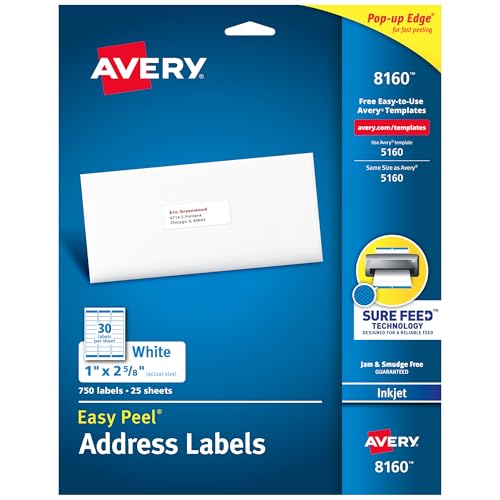
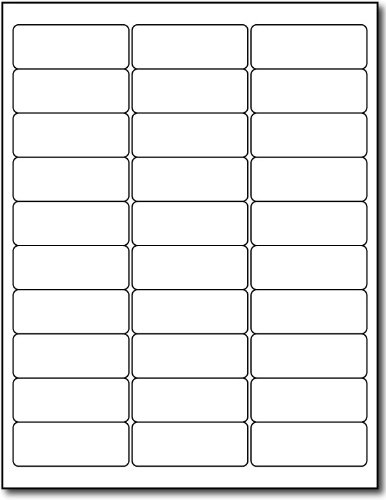
The common 1 x 2-5/8-inch rectangle is a flexible starting point for ordinary envelopes, packages, organization, and shipping. Avery 5160, Avery 18260, Avery 8160, Avery 5260, and Desktop Publishing Supplies’ removable labels all document that general format. It gives enough room for many standard address blocks without taking up as much surface area as a long label.
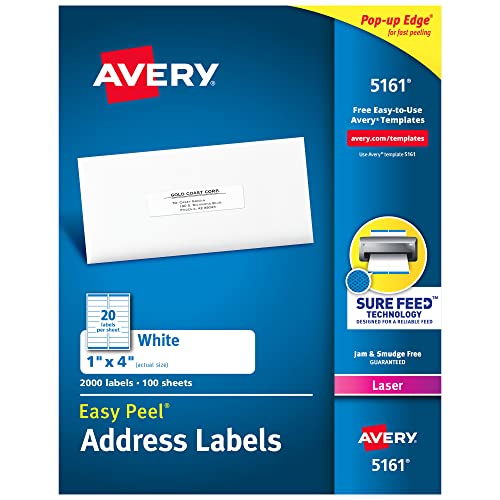
Longer formats can make sense when the address has more horizontal information. Avery 5161 measures 1 x 4 inches, while Avery 5262 measures 1-1/3 x 4 inches. These shapes may be useful for longer mailing lines, but they also require you to confirm that the envelope or package has adequate space. A larger label is not automatically better if it crowds nearby postage or design elements.
For return addresses, compact formats are more targeted. Avery 18294 and INJINEO both document a 2/3 x 1-3/4-inch size. Avery 8167, which was not selected for this comparison, is also listed as a return-address product, but it is not discussed here because the buying guide should focus on the selected products. Compact labels can look tidy on envelopes, although they leave less room for multi-line information.
Confirm your printer type
Printer compatibility is one of the most important specification checks. Avery 18260, Avery 5262, Avery 18294, Desktop Publishing Supplies, and INJINEO explicitly document compatibility with both laser and inkjet printers. That makes them useful in homes, schools, and offices where the available printer may change.
Other models are more printer-specific in their listings. Avery 8160 is described for inkjet printers, Avery 8660 is described as compatible with inkjet printers, and Avery 5160 and Avery 5161 emphasize laser printing. Do not assume that a similar-looking sheet is interchangeable across printer types. Before buying, compare the product’s stated printer guidance with the machine you will use.
Printing support also matters after the sheet enters the machine. Sure Feed technology appears on the selected Avery models and is described as helping reduce misalignments and printer jams. The listings also mention smudge or smear prevention for the applicable printer type. These are manufacturer-described design features, not results from an independent test, but they are useful distinctions when comparing specification sheets.
Decide between permanent and removable adhesive
Most mailing work calls for a label that stays attached. Avery 18294 and INJINEO explicitly describe permanent adhesive, and several other selected Avery models are presented as mailing labels intended for envelopes, packages, and smooth surfaces. Permanent stock is the more natural fit when the label should remain in place during ordinary handling.
Desktop Publishing Supplies takes a different approach with removable, repositionable adhesive. Its listing says the labels can be removed cleanly and reapplied on many smooth surfaces. That makes this option more appropriate for temporary identification, folders, bins, inventory work, or situations where the recipient may need to remove the label. Removable stock may not be the right choice when long-term adhesion is the priority.
A clear label is another design decision rather than an adhesive category. Avery 8660 uses matte clear stock and is described for white and light-colored envelopes, glassine, frosted glass, and related surfaces. Clear material can provide a less conspicuous appearance, but white stock generally offers a more predictable background for readable text. Consider the surface color and the contrast of the printed address before selecting a clear sheet.
Choose a quantity that fits your workload
Quantity affects convenience as much as storage. A 350-label pack such as Avery 5262 can suit occasional projects, while 600 or 750-label options provide more reserve without being the largest bulk choices. Avery 18294 provides 600 compact return-address labels, and Avery 8160, Avery 18260, Avery 5260, Avery 8660, and Desktop Publishing Supplies offer 750-label formats for different printer or adhesive needs.
For recurring mailing, Avery 5160 lists 3,000 labels and Avery 5161 lists 2,000. INJINEO lists 1,500 compact labels. Larger supplies reduce the need to reorder, but they also take more storage space and may be excessive if your address list changes often. If you print infrequently, a smaller pack can limit unused sheets and let you confirm the layout before committing to a larger quantity.
Template support helps prevent mismatched text and label boundaries. Avery’s selected products document Avery Design & Print tools, including templates and, on some listings, mail merge. Desktop Publishing Supplies provides downloadable templates and an online designer. INJINEO lists PDF and Microsoft Word templates.
If you already use a document workflow, choose the template format that fits it. Also check whether the product’s dimensions match the template exactly. A sheet can look similar while using a different number of labels or different margins. Handwriting is documented as an option on several products, but printed alignment is usually the more repeatable approach for address lists.
How this comparison was scored
The editorial criteria were created for printable easy-peel address labels: peel design, printer compatibility, feed and printing support, format utility, and quantity flexibility. We weighted peeling and printer fit most heavily because they directly affect whether the sheet matches the intended workflow. Format and quantity then distinguish specialized return-address, clear, removable, and bulk options.
Scores use only the supplied listing descriptions and specifications. They do not represent hands-on testing, measured adhesion, independent print trials, customer sentiment, or volatile marketplace information. Similar Avery models remain separate products here because each has a distinct parent grouping and a different size, printer emphasis, finish, or quantity.
Final Recommendation
Avery 18260 Easy Peel Labels, 750, Laser & Inkjet ranks first overall in this specification-based comparison under the published weighted criteria.
The final choice among the best easy-peel address labels depends on the documented features that match your intended use.
Avery 5160 is the first overall specification-based choice for shoppers who need standard-size labels, a substantial supply, Sure Feed support, and an easy-peel edge for recurring laser-printing work. Avery 18260 is the more flexible alternative when both laser and inkjet printers may be used.
For occasional inkjet printing, Avery 8160 keeps the familiar format while offering a smaller supply. Avery 5260 is another compact standard-format choice, while Avery 5161 and Avery 5262 provide longer label shapes for addresses needing more room. Avery 18294 and INJINEO are better suited to compact return addresses, with INJINEO offering a larger stated quantity and Avery 18294 documenting permanent adhesive.
Choose Desktop Publishing Supplies when removable stock is the priority, and select Avery 8660 when a matte-clear appearance is more important than a traditional white background. Among these top easy-peel address labels, the right model depends mainly on printer type, adhesive permanence, label dimensions, and expected volume. Verify the template and printer guidance before opening a bulk pack.
Frequently Asked Questions
What makes the best easy-peel address labels easier to separate?
The selected Avery products describe an Easy Peel with Pop-up Edge feature that raises the label edge for quicker separation. Desktop Publishing Supplies documents removable adhesive and INJINEO describes pre-peeled margins, but those are different design details and should not be treated as identical to Avery’s pop-up edge.
Which selected labels work with both laser and inkjet printers?
Avery 18260, Avery 5262, Avery 18294, Desktop Publishing Supplies, and INJINEO explicitly list laser and inkjet compatibility. Always check the exact product listing and printer instructions because similar label sizes can have different printer recommendations.
Are removable address labels suitable for permanent mailing?
Desktop Publishing Supplies labels are described as removable and repositionable, so they are best considered for temporary applications or smooth surfaces where later removal matters. For a label intended to stay attached, consider a product that explicitly documents permanent adhesive, such as Avery 18294 or INJINEO.
Should I buy a standard-size or return-address label?
Standard 1 x 2-5/8-inch labels offer a flexible format for ordinary mailing and shipping. Compact options such as Avery 18294 and INJINEO measure 2/3 x 1-3/4 inches and are more targeted to return addresses or smaller labeling spaces. Base the choice on the envelope area and the number of address lines you need.
What should I verify before printing a full sheet?
Confirm the printer type, label dimensions, sheet layout, template file, adhesive style, and orientation. Print a test on plain paper first and compare it with the label sheet by holding the pages together. The supplied listings document templates and printer guidance, but they do not provide independent alignment testing.