Buying Guide
When shopping for the best adobe certification books, start by deciding whether you need a single-app deep dive or a cross-application overview. Adobe offers separate certification exams for Photoshop, Illustrator, InDesign, Premiere Pro, and After Effects, so a book that tightly aligns with one exam usually provides the most efficient path to passing. However, if you are pursuing multiple certifications, a multi-exam prep guide can reduce redundancy and help you spot workflows that overlap between apps.
Format matters for how you study. Paperback editions are easy to annotate and keep open beside your workstation while you follow tutorials. Digital editions let you search for specific tools or exam objectives instantly, which is useful during quick review sessions. Some learners prefer to pair a physical reference with digital practice files, so consider whether the title you are eyeing includes downloadable project assets or companion web content.
Edition Dates and Software Versions
Adobe updates its Creative Cloud applications regularly, and certification exams eventually reflect those changes. A book tied to a recent release—such as a 2024, 2025, or 2026 edition—is more likely to cover the current interface, feature names, and export settings you will see on the test. Older editions can still teach core concepts, but you may waste time hunting for relocated menus or deprecated tools. Before purchasing, verify that the publication date aligns with the exam version you plan to take.
Evaluating Exam Alignment and Practice Material
Not every Adobe training book is written for certification. General user guides and beginner tutorials teach the software, but they may skip the specific domains, vocabulary, and timed-task formats used in ACA exams. Look for titles that explicitly mention “Adobe Certified Associate Exam Preparation” or “Certification Prep” in their descriptions. The strongest candidates divide chapters by exam objectives—such as setting up projects, organizing content, working with media, and exporting deliverables—and include review questions or practice quizzes at the end of each section.
If a book offers step-by-step solutions alongside practice questions, treat that as a strong reliability signal. It means the authors expect you to self-test, which is one of the most effective ways to prepare for a timed certification exam.
How to Compare Reviews and Ratings
Review volume and rating trends are useful, but they need context. A book with fifty reviews and a 4.8 average is generally more reliable than a title with one perfect review, because the larger sample size smooths out outliers. Read recent reviews first; early feedback may reflect a launch current Amazon listing detail rush or promotional copies rather than long-term study value.
Pay attention to reviewer backgrounds. Comments from design students, career switchers, or instructors tend to carry more weight than generic praise. Look for mentions of whether the projects match the actual exam difficulty, whether the screenshots are legible, and whether the book assumes any prior knowledge. If several reviewers note that a guide is too basic or too advanced for certification prep, adjust your expectations accordingly.
Study Setup and Workflow Integration
Before you commit to a book, set up a study environment that mirrors exam conditions. Install the same version of the Adobe software covered in the guide, and work through the tutorials on a machine that meets Creative Cloud system requirements. Some certification books assume you have a second monitor or a drawing tablet; others are written for standard laptops. If your hardware differs from what the author expects, you may need to adapt keyboard shortcuts or workspace layouts.
Time management is another practical consideration. ACA exams are timed, so use the book’s practice projects to build speed. Track how long it takes you to complete a chapter’s exercises, then try to beat that time on a second pass without looking at the instructions. This habit converts passive reading into active recall, which is exactly what certification tests measure.
Maintenance and Keeping Skills Current
Certifications can expire or fall out of sync with industry standards as Adobe releases new features. Even after you pass an exam, treat your study book as a reference manual rather than a disposable workbook. Revisit the chapters on color management, typography standards, or video codecs whenever you tackle a real client project. If Adobe announces a major interface overhaul, compare your book’s screenshots against the latest software release to identify gaps. Supplementing a trusted print guide with Adobe’s official online documentation is a sustainable way to keep your credentials relevant.
Final Recommendation: How to Choose Among the Ranked Products
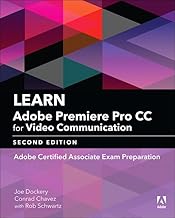
If you are pursuing a single ACA exam, prioritize the app-specific titles at the top of this list. The Illustrator and Photoshop ACA prep guides offer the clearest mapping to exam objectives, the highest review volumes, and project-based lessons that build both competence and confidence. For video-focused candidates, the Premiere Pro ACA prep guide provides the most direct path, while the After Effects title serves motion graphics specialists well.
If you need to certify in multiple apps, the multi-exam prep guide that covers Photoshop, Illustrator, and InDesign is a practical centerpiece for your study plan. Use it to identify shared concepts—such as layers, color modes, and file formats—then reinforce each app with the focused workbooks lower in the rankings.
Finally, if you are entirely new to Adobe’s ecosystem, start with the broad Creative Cloud foundation title to build visual literacy, then layer in a certification-specific guide once you are comfortable with the interface. The best adobe certification books are the ones that match your current skill level, your target exam, and the way you prefer to learn.