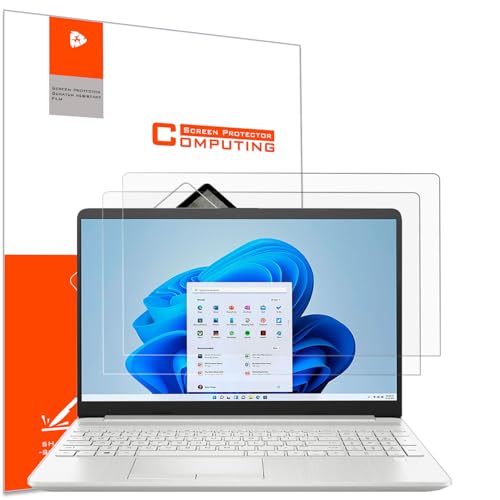
Buying Guide
The best anti-glare laptop screen protectors are not interchangeable sheets. A protector can be labeled for the right diagonal size yet still miss the display because the aspect ratio, visible-area dimensions, or model generation differs. Start by measuring the viewable panel without the bezel and compare that measurement with the listing.
Match the aspect ratio before the diagonal size
A 14-inch 16:9 screen and a 14-inch 16:10 screen do not have the same shape. F FORITO B01LEC2WLW is specified for 14-inch 16:9 panels and lists a 12.2-by-6.9-inch filter size. KEANBOLL B0C1B5BBL4 is intended for 14-inch 16:10 displays and lists approximately 11.9 by 7.4 inches. Those are different design targets, even though both products use a 14-inch label.
The same rule applies to larger displays. F FORITO B0C8D9P72M is for 16-inch 16:10 laptops, while the two 17.3-inch KEANBOLL and YINOVEEN products are aimed at particular HP screen families. Check the width, height, diagonal, and ratio together rather than relying on the laptop brand alone.
Choose matte construction for reflected light
Every selected product documents a matte or anti-glare surface. Matte films scatter incoming light rather than presenting a smooth reflective surface, which can make reflected windows or overhead lighting less distracting. The supplied evidence supports glare reduction, but it does not provide a standardized glare measurement, so the extent of the effect will depend on the screen and lighting environment.
The trade-off is that a frosted surface may look different from an uncovered glossy display. If preserving the original appearance is important, F FORITO B01LEC2WLW and B0C8D9P72M specifically state that the display’s original brightness, colors, or visual clarity are preserved. These are listing claims, not independent measurements.
Consider coatings and everyday protection
The selected films commonly document protection against scratches, dust, fingerprints, marks, or daily scuffs. YINOVEEN B0BF4SM3BL and B09ZDC2V3Z specify 5H scratch resistance, while F FORITO B0C8D9P72M and B0C8D9P72M list hydrophobic and oleophobic coatings. These features address different concerns: hardness relates to surface abrasion, while oleophobic or hydrophobic treatments are intended to make oil, water, and fingerprints easier to manage.
A coating does not make a laptop display immune to damage. It is better understood as an added surface layer for ordinary handling. Matte films from Supershieldz also document protection from dust, scrapes, and daily scratches, with Japanese PET identified as the film material.
Check touchscreen support
Touch compatibility matters for convertible laptops and touch-enabled notebooks. Supershieldz B0FNQ6LRSC, B0B3JSGJJN, and B09JXVGHB9 document real touch sensitivity. F FORITO B01LEC2WLW and the 14-inch KEANBOLL product also state touchscreen support. By contrast, some generic-size listings do not explicitly mention touch use. If your laptop has a touchscreen, favor a product whose supplied evidence addresses touch response rather than assuming every film behaves identically.
Decide whether blue-light filtering is needed
Several selected products combine anti-glare treatment with blue-light filtering. These claims are product specifications and should not be treated as medical advice or independent optical testing.
If glare reduction is the only goal, a standard matte PET film may be the more direct match. If you specifically want a documented blue-light layer, compare the claimed filtering design with your laptop’s dimensions and the visual characteristics you prefer.
Review the installation contents
Application quality depends heavily on dust control and alignment. F FORITO B01LEC2WLW lists cleaning tools and a nano-silicone layer intended to reduce bubbles. The KEANBOLL and YINOVEEN selections include mounting or installation kits, while several Supershieldz products emphasize easy installation and clean removal but do not list a kit.
Before applying any film, clean the display carefully, confirm orientation, and work slowly in a dust-free setting. A multi-pack can provide replacement pieces, but it does not remove the need to verify the fit first. Do not trim a protector unless the manufacturer explicitly supports that approach, since cutting can affect the intended coverage and edge alignment.
Final Recommendation
YINOVEEN Matte Protector for Lenovo Yoga 7 16 ranks first overall in this specification-based comparison under the published weighted criteria.
F FORITO B0C8DXY711 is the first overall specification-based choice among these products. It combines a clearly stated 16-inch 16:10 fit, matte glare reduction, nine-layer blue-light filtering, hydrophobic and oleophobic coatings, and a two-pack design. It is not a universal match, so the screen dimensions still need to be confirmed.
For model-specific coverage, Supershieldz B0FNQ6LRSC, B0B3JSGJJ, and B09JXVGHB9 are focused choices for Surface Laptop, MacBook Air, and MacBook Pro owners respectively. For 14-inch Windows laptops, compare the 16:9 F FORITO B01LEC2WLW with the 16:10 KEANBOLL B0C1B5BBL4. Lenovo Yoga 7 users have a dedicated option in YINOVEEN B0BF4SM3BL, while large HP laptops are covered by the 17.3-inch YINOVEEN and KEANBOLL products.
The top anti-glare laptop screen protectors in this comparison differ mainly in fit, coatings, touchscreen documentation, and blue-light features. Select the product whose evidence matches your panel rather than choosing by diagonal size alone. That approach gives the best anti-glare laptop screen protectors a realistic role: reducing reflected light while adding a compatible protective surface.
Frequently Asked Questions
How do I choose the best anti-glare laptop screen protectors for my laptop?
Confirm the visible screen width and height, diagonal size, aspect ratio, and model family. A 14-inch 16:9 protector such as F FORITO B01LEC2WLW is not the same shape as the 14-inch 16:10 KEANBOLL B0C1B5BBL4. Model-specific products can be easier to match when your laptop is explicitly listed.
Does a matte protector support touchscreen use?
Some do, but the evidence varies by listing. Supershieldz B0FNQ6LRSC, B0B3JSGJJ, and B09JXVGHB9 document touch sensitivity, as do F FORITO B01LEC2WLW and KEANBOLL B0C1B5BBL4. If touch input is important, select a product that states this feature directly.
Are blue-light filters the same as anti-glare protectors?
No. Anti-glare describes the matte surface intended to reduce reflections, while blue-light filtering refers to an additional optical filtering layer. Products such as F FORITO B0C8D9P72M document both features. The supplied listing claims do not constitute medical guidance or independent laboratory testing.
Why is aspect ratio important for a laptop screen protector?
Aspect ratio determines the panel’s shape. Two displays with the same diagonal measurement can have different widths and heights. A protector made for 16:9 may leave uncovered areas or fail to align on a 16:10 display, so compare the listed filter dimensions with the viewable panel before applying it.
What should I look for in the installation package?
Cleaning materials, mounting guides, and bubble-reduction features can make alignment more manageable. F FORITO B01LEC2WLW lists cleaning tools and a nano-silicone layer, while several KEANBOLL and YINOVEEN products include installation or mounting kits. Follow the supplied instructions and prepare the screen before application.