Buying Guide
The best printable blank bd-r discs are not defined by printability alone. A useful comparison starts with the surface type, then checks how much data each disc stores, which recording speeds are listed, and whether the product documents protection or compatibility features. The products here are write-once BD-R media, so the right choice depends on the recording workflow and the printer or burner already in use.
Choose the printable surface first
White inkjet surfaces appear throughout this selection. They are intended for compatible inkjet disc printers and are described in terms such as hub printable, full-surface, glossy, or rapid-dry. A hub-printable disc extends the printable area toward the center opening, while full-surface descriptions can indicate a wider edge-to-edge region. Optical Quantum’s 50GB dual-layer model gives a stated range of 23mm to 118mm, and the HP VBR260RP50SH1 lists 22–118mm.
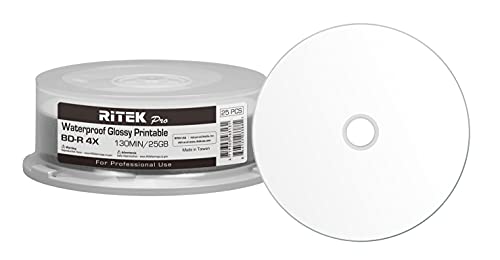
Surface finish also affects the design brief. The PlexDisc Water-Resistant Glossy model and Ritek Pro Water-Resistant model document glossy, water-resistant surfaces. Those specifications make them distinct from standard white inkjet media. Verbatim’s DataLifePlus disc instead emphasizes rapid-dry ink absorption, which may suit labels where drying time matters. Always confirm that the printer software and tray support the disc’s printable area before preparing a full batch.
Match capacity to the project
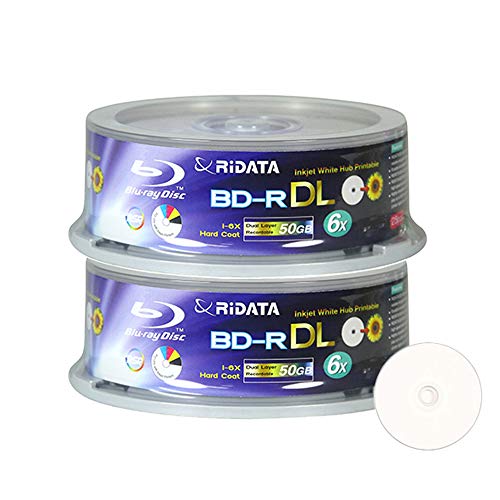
Most selected discs hold 25GB and use a single recording layer. That capacity is suitable for many photo, document, music, video, and backup jobs, but a larger project may need multiple discs. The Optical Quantum, Ridata, and HP dual-layer selections hold 50GB per disc. Dual-layer media can reduce the number of discs required for a large recording, but the burner and playback equipment must support BD-R DL.
The 100GB products in the supplied pool were not needed for this top 10 because the selected group already provides a more useful mix of documented 25GB and 50GB printable BD-R formats. A higher nominal capacity is not automatically the right fit if the intended hardware or software workflow is designed around single-layer or dual-layer media.
Compare recording-speed claims carefully
Listed speed is a maximum or supported range, not a promise that every burner will use that setting. Verbatim DataLifePlus lists support for writers up to 16X. MyEco lists up to 10X, while several selected products list 6X. Ritek Pro lists 4X, and its listing specifically presents the media for professional printing and recording.
The drive, firmware, recording software, and disc format all influence which speed can be selected. If a product gives a range, follow the manufacturer’s stated setup instructions. A lower listed speed may be preferable when the workflow or equipment is already configured for it, while a higher ceiling can be useful when the burner supports it.
Look for protection and storage-oriented features
Several selected products document a hard coat that helps resist scratches, fingerprints, or dust. Verbatim DataLifePlus, PlexDisc, Optical Quantum, PlexDisc Water-Resistant Glossy, and Ritek Pro provide this type of surface information. Water-resistant treatment is separately identified on the two glossy models, so it should not be assumed for every printable disc.
A protective surface does not replace careful storage. Keep written discs in suitable cases, handle them by the edges, and avoid touching the recording surface. The listings support claims about coatings and resistance, but they do not establish a universal service life under every storage condition. For archival projects, compare the product’s stated recording-layer or storage claims with your organization’s retention requirements.
Check printer, burner, and player compatibility
Compatibility has several parts. First, the disc must work with the burner and support the intended BD-R layer format. Second, the printable surface must suit the disc printer. PlexDisc and Optical Quantum list printer families including Primera, Microboards, Rimage, and DiscProducer. Ritek Pro also names Epson and Canon among compatible professional printer examples.
Playback is a separate consideration. PlexDisc and Optical Quantum list compatibility with many Blu-ray drives, players, and selected gaming systems. The Ridata and HP listings provide less detail, so buyers comparing playback equipment should verify the specific device separately. The term BD-R indicates write-once media; after recording, the disc is not designed for repeated rewriting.
Consider pack size and handling
Pack size ranges from 25 to 50 discs in the selected group. A 50-disc spindle is suited to repeated labeling or batch recording, while a 25-disc spindle may be easier to manage for a smaller project. Ridata’s dual-layer selection uses two 25-disc packs, which can be convenient when separating work batches. Packaging descriptions include spindle, cakebox, and similar formats; store unused media away from dust, heat, and direct light.
Final Recommendation
Verbatim DataLifePlus BD-R 25GB 50-Pack ranks first overall in this specification-based comparison under the published weighted criteria.
The final choice among the best printable blank bd-r discs depends on the documented features that match your intended use.
Verbatim DataLifePlus BD-R 25GB 50-Pack is the highest-scoring returned product and the first overall specification-based choice. It combines a rapid-dry white inkjet hub-printable surface, 25GB single-layer capacity, support up to 16X, hard-coat treatment, broad hardware compatibility, and a limited lifetime warranty.
For the top printable blank bd-r discs with more room per disc, Optical Quantum BD-R DL 50GB 6X 50-Pack is the clearest high-capacity alternative. Its full-surface printing range and 50GB double-layer format are useful for larger projects. PlexDisc BD-R 25GB 6X 50-Pack is a strong fit when playback and printer compatibility need to be documented across several device types.
Choose PlexDisc Water-Resistant Glossy or Ritek Pro when the surface design is central to the labeling workflow. Choose the Ridata or HP dual-layer products when 50GB capacity matters and the equipment supports BD-R DL. For basic 25GB hub printing, the Ritek, MyEco, and Optical Quantum single-layer packs provide clearly stated core specifications.
Frequently Asked Questions
What should I check before choosing the best printable blank bd-r discs?
Confirm the disc layer and capacity, the printer’s supported printable area, the burner’s compatible BD-R speed and layer format, and whether the player can read the recorded media. Also compare whether the listing documents a hard coat, water resistance, or other surface treatment.
Are 50GB BD-R DL discs better than 25GB BD-R discs?
They are different capacity options rather than universally better choices. A 50GB dual-layer disc can hold more data per disc, but the burner and playback equipment must support BD-R DL. A 25GB single-layer disc may be the simpler match for equipment built around that format.
Which selected discs have water-resistant printable surfaces?
PlexDisc Water-Resistant Glossy White Inkjet Printable BD-R and Ritek Pro Water-Resistant Glossy White Inkjet Printable Disc both document water-resistant glossy surfaces. Their listings also identify inkjet hub printing, while the Ritek Pro listing adds professional printer compatibility examples.
Can I use these discs in any disc printer?
No universal fit is established by the supplied evidence. Some listings name printer families, including Primera, Microboards, Rimage, DiscProducer, Epson, or Canon. Check the printer manufacturer’s supported media dimensions and surface type before printing.
Can printable BD-R discs be erased and reused?
The selected products are BD-R recordable media, and several listings describe them as single recording or non-rewritable. They should therefore be treated as write-once discs rather than reusable rewritable media.