Buying Guide
The best wired computer headsets should be matched to the computer ports, call environment, and wearing style you actually need. Wired models avoid battery management, but their connectors and control systems vary considerably. The selected products include USB-A, USB-C, 3.5mm, dual-connection, dual-ear, open-ear, and gaming-oriented designs.
Choose the connection first
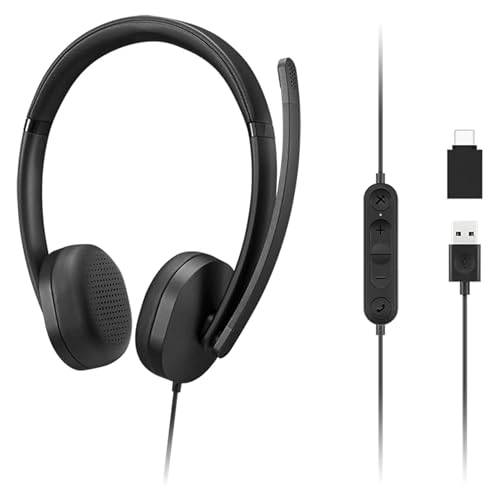
USB headsets are generally straightforward for computer calls because the audio hardware is integrated into the connection. The Logitech H390 is described as plug and play through USB-A, while the Jabra Evolve2 30 SE includes a combined USB-A and USB-C cable. The Poly Blackwire 3320 uses USB-C and includes a USB-A adapter. These designs are useful when a computer has no convenient analog audio port.
USB-C and USB-A support together can reduce adapter changes between newer laptops and older desktops. The Lenovo 115 and Acer OHW325 document both connector types. The Razer Kraken V4 X also uses a convertible Type-C and Type-A cable, making it a particularly flexible option for supported gaming devices.
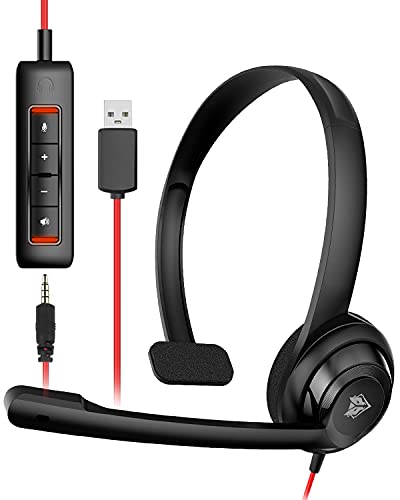
A 3.5mm headset can be useful when you want one analog connection for a computer, console, phone, or tablet. The HyperX Cloud Alpha and JBL Quantum 100M2 both document broad 3.5mm platform compatibility. The NUBWO HW02 goes further by combining 3.5mm audio with detachable USB inline controls. Check the ports on the host device before choosing, especially if it has only USB-C.
Match the microphone to your calls
For frequent meetings, look for a boom microphone and documented noise-management features. The Jabra Evolve2 30 SE specifies two microphones, while the Jabra Evolve 10 and Logitech H390 specify noise-canceling microphone designs. The Poly Blackwire 3320 uses a flexible boom, and the Acer OHW325 documents digital signal processing for filtering distracting background noise.
A detachable microphone makes a headset more adaptable when you also use it for listening. The HyperX Cloud Alpha and JBL Quantum 100M2 both document detachable microphones. The Razer Kraken V4 X uses a retractable microphone instead, allowing the microphone to move into the headset when it is not needed. Flip-to-mute or inline mute controls can also simplify calls; the Logitech H390, Lenovo 115, and NUBWO HW02 document convenient control options.
Compare dual-ear, single-ear, and on-ear designs
Dual-ear headsets can provide a more enclosed listening experience. The Jabra Evolve2 30 SE and Poly Blackwire 3320 are dual-ear office models, while the gaming selections generally use over-ear construction. The Razer Kraken V4 X documents close-fitting earcups, and the JBL Quantum 100M2 specifies over-ear memory-foam cushions.
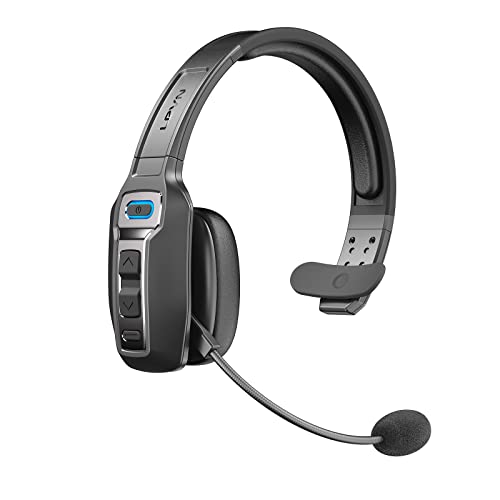
A single-ear design serves a different purpose. The Acer OHW325 documents an open-ear, single-ear format intended to keep users aware of colleagues, announcements, and the surrounding room. That can be useful in shared offices, but it will not create the same dual-ear immersion or isolation.
On-ear models may be lighter and less enclosing. The NUBWO HW02 is listed as a 60g on-ear headset. On-ear fit can be preferable for short calls or users who dislike fully enclosing earcups, while over-ear designs may be better suited to longer gaming or listening sessions.
Look at comfort details, not just padding
Weight, adjustability, and earcup materials all affect the practical fit. The Lenovo 115 is listed at 140g and uses memory-foam earcups. The Acer OHW325 is specified at 100g with leatherette cushions and an adjustable headband. The Logitech H390 documents an adjustable headband and swivel-mounted leatherette ear cushions. The Poly Blackwire 3320 adds a padded headband and pillow-soft ear cushions.
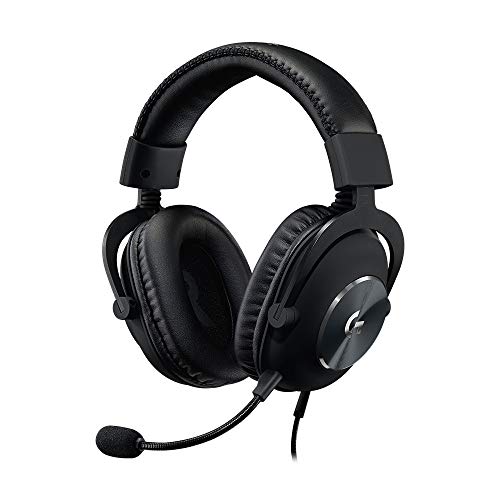
Gaming headsets often emphasize longer-session construction. The Logitech G PRO X combines memory-foam pads with leatherette or velour choices and uses a steel headband with an aluminum fork. The HyperX Cloud Alpha documents an aluminum frame and expanded headband. The Razer Kraken V4 X uses memory-foam cushions, while the JBL Quantum 100M2 specifies memory foam and breathable fabric. These details describe the intended design, but they do not replace checking dimensions and fit preferences.
Decide how much audio processing you need
For calls, clear voice transmission and simple controls may matter more than advanced audio modes. The Jabra and Poly office models emphasize collaboration and voice features. For gaming, surround or spatial processing can be more relevant. The Razer Kraken V4 X specifies 7.1 surround sound, the Logitech G PRO X documents next-generation 7.1 and object-based surround sound through its USB sound card, and the HyperX Cloud Alpha uses dual-chamber drivers.
Software requirements deserve attention. The Logitech G PRO X requires the included USB sound card, a Windows PC, and Logitech G HUB for its Blue Voice and surround-sound features. The Razer BlackShark V2 X, which is not in the selected 10, also documents software-dependent surround sound, so it is not used here as a recommendation. When you prefer fewer setup dependencies, a basic USB or 3.5mm design may be more appropriate.
Use controls that fit your routine
Inline controls can keep volume and mute functions within reach. The Logitech H390, Lenovo 115, and NUBWO HW02 document inline or control-box functions. The Acer OHW325 adds a dedicated Teams call button. On the Logitech G335, not selected here, the volume roller sits on the earcup; the selected Logitech G PRO X instead emphasizes its USB sound card and software controls.
For a final check, verify the connector, microphone style, earcup format, and operating-system requirements before choosing. The top wired computer headsets are not identical: the right match depends on whether your priority is office communication, open-room awareness, cross-platform gaming, or software-adjustable PC audio.
Final Recommendation
Among the top wired computer headsets, the ranked products differ under documented connection and compatibility, microphone and call features, audio capabilities, wearing comfort and adjustability, and controls and design flexibility.
Logitech G PRO X Wired Gaming Headset ranks first overall in this specification-based comparison under the published weighted criteria.
The Jabra Evolve2 30 SE is the highest-scoring returned product and the first overall specification-based choice. Its dual microphones, 28mm speakers, noise isolation, USB-A/USB-C cable, and meeting-platform compatibility give it the most complete documented office profile in this comparison.
Choose the Poly Blackwire 3320 if pivoting speakers, a flexible boom, and USB-C with a USB-A adapter fit your workstation better. The Logitech H390 is a simpler USB-A option with useful inline controls and a long cable. For a lightweight over-ear design, the Lenovo 115 is notable for its 140g listed weight and dual USB connector support. The Acer OHW325 is the specialized choice for a single-ear, open design and Teams button.
For gaming, the Razer Kraken V4 X is the most connection-flexible USB selection, while the Logitech G PRO X is aimed at PC users who want microphone processing and stored EQ profiles. The HyperX Cloud Alpha and JBL Quantum 100M2 are practical 3.5mm alternatives with detachable microphones. The NUBWO HW02 is the lightest documented option and combines 3.5mm audio with removable USB controls. Together, these best wired computer headsets cover the main documented designs without relying on customer sentiment or hands-on claims.
Frequently Asked Questions
Are wired computer headsets better with USB or 3.5mm?
Neither connection is universally better. USB models such as the Logitech H390, Jabra Evolve2 30 SE, and Poly Blackwire 3320 are designed for direct computer connectivity and may provide integrated controls or audio hardware. The HyperX Cloud Alpha and JBL Quantum 100M2 use 3.5mm connections and document broad compatibility with computers and other platforms. Choose based on the ports and devices you use.
What are the best wired computer headsets for meetings?
The Jabra Evolve2 30 SE, Poly Blackwire 3320, Logitech H390, Lenovo 115, and Acer OHW325 are the most meeting-focused selections in this list. Their supplied features include boom microphones, call controls, USB connectivity, platform support, or open-ear awareness. The Acer is the specific choice when hearing the room remains important because its design is single-ear and open.
Do wired gaming headsets work with computers?
Yes, the selected gaming headsets document computer compatibility. The Razer Kraken V4 X uses USB-C and USB-A, while the Logitech G PRO X includes a USB sound card and software features for Windows PCs. The HyperX Cloud Alpha and JBL Quantum 100M2 use 3.5mm connections. Confirm that your computer has the required port and check whether advanced audio features require software.
Is a detachable microphone useful?
A detachable microphone can make a headset more adaptable for listening without the boom attached. The HyperX Cloud Alpha and JBL Quantum 100M2 document detachable microphones. The Razer Kraken V4 X uses a retractable microphone instead. If you prefer a microphone that stays attached but moves aside, the Logitech H390 documents a rotating boom and the Poly Blackwire 3320 uses a flexible boom.
Which selected headset is designed for awareness of surroundings?
The Acer OHW325 is the clearest match because its supplied description identifies a single-ear, open-ear design that keeps users connected to nearby conversations and announcements. This design may be useful in a shared office, but it provides a different listening experience from the dual-ear and over-ear headsets in the list.