Buying Guide
The best wireless motion detectors differ mainly in how they communicate, how far they can sense movement, and what happens after detection. A smart sensor may send an app notification or trigger lighting, while a dedicated alarm system may sound a receiver or siren without an internet connection. Start by identifying the intended location and the type of response you need.
Choose the wireless architecture first
Smart-home sensors generally require a hub, bridge, or compatible ecosystem. The TP-Link Tapo T100 requires a Tapo hub and a secured 2.4GHz Wi-Fi network. The SONOFF SNZB-03P requires a Zigbee hub, while the THIRDREALITY sensor works with compatible Zigbee hubs and selected devices with built-in Zigbee. These products are useful when a motion event needs to trigger a light, plug, message, or other automation.
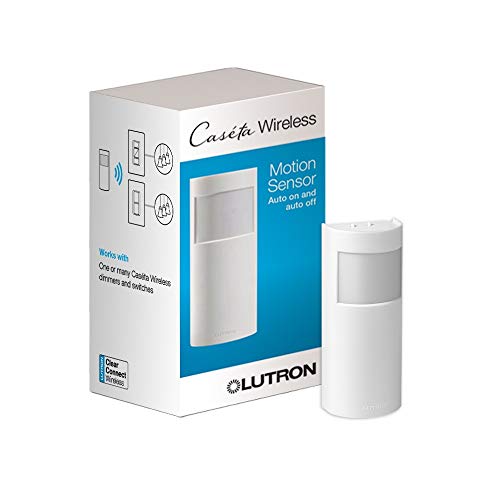
The Aqara FP300 supports Matter over Thread and Zigbee, giving it a broader documented integration path than a sensor tied to one brand. Thread and Zigbee still require compatible infrastructure, so confirm that your existing controller supports the chosen protocol. The Lutron Caseta sensor is similarly ecosystem-focused: it requires a Caseta Smart Hub but is designed to control Caseta switches, dimmers, fan controls, and Serena smart shades.
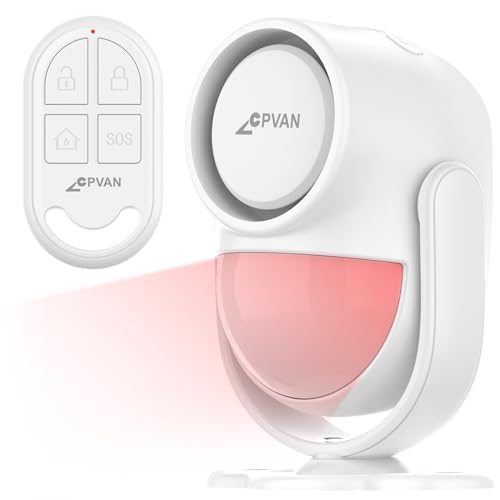
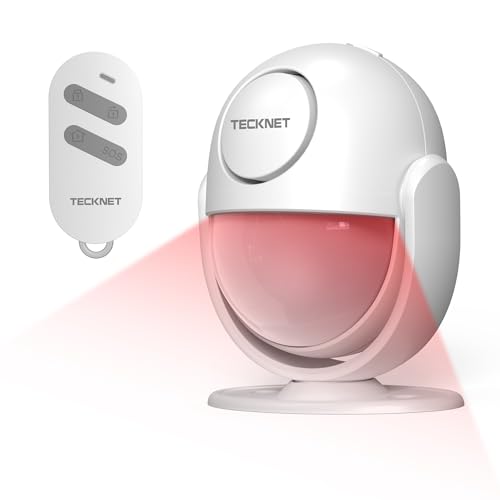
If you want a self-contained alert, consider a receiver or siren design. The CPVAN CP2 Pro and TECKNET alarm use a remote and built-in alert modes rather than an app-based system. The 1byone and Betterlink products pair motion sensors with dedicated receivers for property alerts. This approach can be simpler when smart-home integration is not required.
Match detection range to the location
Detection distance and transmission distance are different specifications. A sensor may detect movement within a room or driveway, while its wireless link must carry the event to a hub or receiver. The YoLink detector is notable for its listed one-quarter-mile LoRa range, which is aimed at large properties, multiple floors, and multiple buildings. Betterlink lists up to one-half mile between the sensor and receiver in an open area, while 1byone lists up to 1,000 feet in its open-area transmission specification.
For indoor rooms, shorter ranges can be more appropriate. Tapo lists detection up to 23 feet, THIRDREALITY lists up to 20 feet, and TECKNET lists a 16-to-26-foot detection distance with a 120-degree angle. These figures help with placement, but walls, trees, metal siding, and other obstructions can reduce communication distance. Position the sensor so the expected path crosses its field of view rather than pointing directly along the path.
Consider field of view and adjustment
A wider field of view can help cover a doorway, hallway, or open room. Lutron lists a 180-degree field of view, while Aqara lists 120 degrees and Tapo lists 120 degrees. The Tapo body can be adjusted, and Aqara includes a multi-axis adjustable mount for wall, ceiling, or corner placement. These features make aiming easier than a fixed installation.
The Betterlink, 1byone, and other driveway systems are intended to monitor approach areas rather than provide room-presence sensing. Their mounting locations should be selected with the driveway, gate, walkway, or property boundary in mind.
Review power requirements and service life
Battery design affects maintenance. Aqara lists up to three years in Zigbee mode, SONOFF lists more than three years from a CR2477 battery, and Tapo lists up to two years under stated usage. Lutron lists a typical 10-year battery life, which is unusually long for a smart lighting sensor. YoLink also documents low-power long-range communication, though its supplied evidence does not state a battery duration.
Outdoor installations need a different power review. Betterlink uses a solar panel to charge its battery and also supports USB-C charging. This can reduce routine battery replacement, but available sunlight and placement still matter. TECKNET can use AAA batteries or plug-in power, giving it flexibility for a temporary or semi-permanent indoor location. Always check whether batteries are included and whether the sensor can remain powered where it is mounted.
Decide how alerts should work
Smart sensors are most specification-aligned when motion is part of a larger automation. YoLink lists text, email, phone push notifications, lighting automation, and IFTTT. Tapo supports real-time app notifications and smart actions. THIRDREALITY can trigger Alexa routines, and SONOFF can activate local Zigbee scenes. Aqara combines motion and presence detection with lighting, climate, and security automation possibilities through its documented integrations.
Dedicated receiver systems provide a different type of response. The 1byone system offers sound, LED flash, or both. Betterlink provides audible, light, combined, or receiver alerts. CPVAN and TECKNET add built-in sirens, with chime modes for less urgent notifications. Select the alert method based on whether the event should reach a phone, operate a light, sound in another room, or produce an immediate local signal.
Check installation and expansion
Wireless installation avoids running signal cable, but each product has different mounting options. YoLink includes a built-in magnet. Tapo uses adhesive or magnetic mounting, Aqara has an adjustable mount, and Lutron can stand on a flat surface or mount to a wall or corner. Dedicated outdoor systems typically use wall, fence-post, or tree mounting.
Expansion is also important for larger areas. Check the included sensor count and receiver capacity before planning coverage across multiple entrances.
Final Recommendation
YoLink LoRa Smart Motion Detector ranks first overall in this specification-based comparison under the published weighted criteria.
The Aqara FP300 Presence Sensor is the first overall specification-based choice among these best wireless motion detectors because it combines PIR, mmWave, light, temperature, and humidity sensing with Matter over Thread and Zigbee support. For Caseta lighting, Lutron is the focused option; for a self-contained indoor alarm, CPVAN or TECKNET avoids hub and Wi-Fi requirements. The top wireless motion detectors are not interchangeable, so match the communication method, coverage, power source, and alert style to the installation.
Frequently Asked Questions
What should I check before choosing the best wireless motion detectors?
Confirm the sensing distance, field of view, wireless transmission method, power source, mounting style, and required hub or receiver. Also determine whether you need app notifications, lighting automation, a local siren, or a receiver in another room. A sensor that fits an indoor smart-home setup may not be appropriate for an outdoor driveway.
Do wireless motion detectors need a hub?
Some do and some do not. The Tapo T100 requires a Tapo hub, the SONOFF SNZB-03P requires a Zigbee hub, and the YoLink detector requires a YoLink hub for full functionality. Lutron requires a Caseta Smart Hub. By contrast, CPVAN and TECKNET use dedicated controls, while 1byone and Betterlink include receiver-based designs.
Which of the best wireless motion detectors is suited to outdoor use?
Betterlink is the clearest outdoor-focused choice in this selection because its sensor lists IP65 protection, solar-assisted power, and a one-half-mile open-area transmission range. The 1byone system is also designed for driveways, gates, walkways, and other outdoor approach areas. Transmission distance can vary with walls, trees, metal siding, and terrain.
Are mmWave and PIR sensors the same?
No. PIR detects changes associated with infrared heat from moving objects, while the Aqara FP300 also uses 60GHz mmWave presence sensing. The FP300 combines both technologies and adds light, temperature, and humidity sensors. This makes it different from the PIR-only or PIR-centered detectors in this comparison.
Can one receiver work with multiple motion sensors?
Some systems support expansion. The 1byone receiver can pair with up to five sensors, and Betterlink states that a receiver can handle up to 16 motion sensors. Expansion limits vary by product, so verify the receiver capacity before planning multiple entry points or property zones.