Buying Guide
Female HDMI cables in this category are generally male-to-female extension cables. The male plug connects to the source or display, while the female port accepts an existing standard HDMI cable. That makes them useful when a supplied cable is too short, a streaming stick sits in a cramped location, or a wall-mounted television leaves limited clearance around its HDMI socket. The best female hdmi cables should therefore be selected by the complete connection rather than by the extender alone.
Confirm the connector arrangement
Check both ends before choosing a cable. Every product in this comparison is described as male to female, but the female end does not connect directly to a source by itself. It accepts the male HDMI plug from another cable. This arrangement is useful for extending a fixed cable, moving a streaming stick away from a television, or repositioning a device without replacing the original lead.
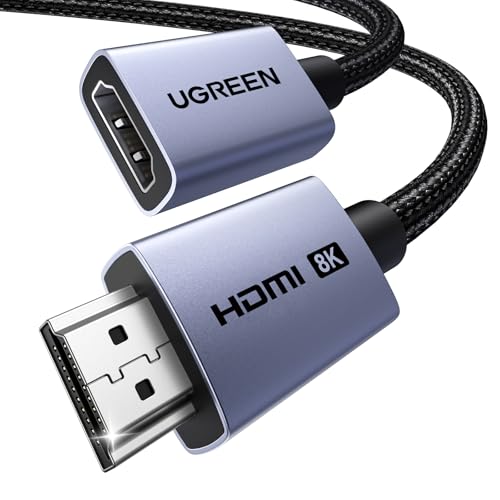
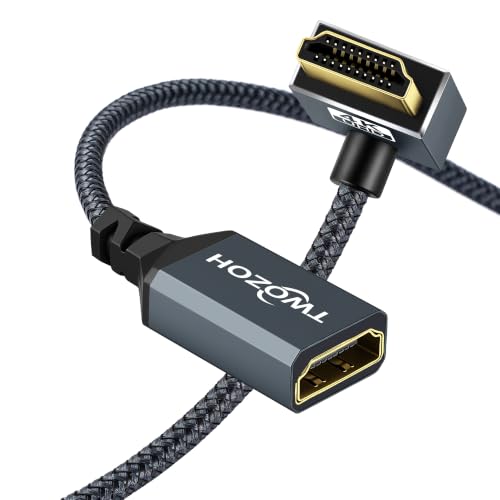
Also check the direction and shape of the male connector. The Twozoh right-angle model is designed for ports close to a wall or recessed panel, while the straight connectors on UGREEN, VCELINK, ApoJodly, UVOOI, Silkland, Highwings, Cable Matters, JSAUX, and Anbear suit conventional port placement. A right-angle design is not automatically better; it is better only when the port orientation and available clearance match.
Match bandwidth to the display system
Bandwidth is one of the clearest dividing lines in this list. The HDMI 2.1 models from UGREEN, VCELINK, ApoJodly, UVOOI, Silkland, and Highwings list up to 48Gbps. Their supplied specifications include 8K at 60Hz, while several also list 4K at 120Hz, 144Hz, or 240Hz. These details make them the logical candidates for newer gaming consoles, high-refresh monitors, and advanced home theater systems when the rest of the chain supports those features.
The Cable Matters, JSAUX, Anbear, and Twozoh selections are HDMI 2.0-oriented options. They list up to 18Gbps or comparable HDMI 2.0 capabilities and support 4K at 60Hz. That is a suitable specification profile for many 4K televisions, streaming devices, Blu-ray players, computers, and older consoles. It does not establish 8K or the full high-refresh feature set documented by the HDMI 2.1 products.
Remember that an extension becomes part of the complete signal path. The display, source, original HDMI cable, and extender all need to support the target resolution and refresh rate. A 48Gbps extender cannot by itself convert an HDMI 2.0 source into an HDMI 2.1 signal. Conversely, an HDMI 2.0 extender may become the limiting component in a system intended for 8K or high-refresh 4K.
Check refresh-rate and gaming features
Resolution alone does not describe a gaming connection. UGREEN lists 4K@240Hz, while VCELINK, ApoJodly, UVOOI, Silkland, and Highwings document combinations of 4K high-refresh support with features such as VRR, ALLM, QFT, or similar gaming-oriented functions. These terms are relevant when both the source and display provide them.
For a standard 4K television or streaming setup, the 4K@60Hz specifications on Cable Matters, JSAUX, Anbear, and Twozoh may be the more relevant match. Their listings emphasize common HDMI 2.0 features rather than 8K gaming modes. Select according to the signal you actually need, and avoid treating a larger resolution number as proof that every other feature is supported.
Review audio and return-channel support
Audio support matters when the HDMI path also carries sound to a television, receiver, or soundbar. UGREEN lists eARC and Dolby Atmos support. ApoJodly lists eARC and high-bitrate audio formats, while UVOOI and Silkland also identify eARC. Cable Matters lists ARC, 32-channel audio, and Dolby TrueHD 7.1. JSAUX and Anbear list ARC, and Twozoh describes HDMI 2.0 audio compatibility.
ARC and eARC are not interchangeable in every system. If your equipment specifically requires eARC, choose a product whose supplied listing names eARC, then confirm that the source, display, receiver, and connected cable also support it. A cable listing that mentions ARC alone should not be presented as an eARC specification.
Consider shielding and physical construction
Braided jackets, aluminum housings, gold-plated connectors, copper conductors, and shielding appear throughout the selected products. UGREEN lists triple tin shielding and a nylon braid. ApoJodly and UVOOI describe triple shielding, aluminum construction, and copper conductors. Silkland lists triple shielding and a braided jacket. VCELINK combines nylon braiding with an aluminum alloy shell and shielding, while JSAUX identifies a nylon braid, reinforced strain relief, and an aluminum alloy casing.
The HDMI 2.0 selections also document useful construction details. Cable Matters lists bare-copper conductors with foil-and-braid shielding. Anbear specifies triple shielding, and Twozoh lists bare-copper conductors and gold-plated connectors. These details describe the physical design; they should not be treated as proof of performance in every installation.
Measure the route and account for the original cable
Choose the shortest length that reaches comfortably without forcing a sharp bend. VCELINK is only 0.6 feet, Highwings is one foot, Twozoh is 1.6 feet, Anbear is two feet, and UGREEN and JSAUX are 3.3 feet. ApoJodly and UVOOI provide six-foot options, while Cable Matters supplies two six-foot cables.
Short cables can reduce slack behind a television, but they may not reach around a display or equipment cabinet. Longer cables provide more routing freedom but can create extra loops in a compact setup. Anbear specifically notes that the combined extension and connected cable should not exceed 16 feet for 4K at 60Hz, so account for the entire run rather than measuring only the extension.
Use the listing evidence carefully
This is a specification-based comparison using public listing data, not a hands-on test and not a summary of customer opinions. Resolution, bandwidth, refresh rate, audio, compatibility, connector geometry, length, and construction claims come from the supplied product information. Where a feature is not documented, it should not be assumed simply because the cable is labeled HDMI 2.1 or 4K.
Final Recommendation
UGREEN HDMI 2.1 Male-to-Female Extender ranks first overall in this specification-based comparison under the published weighted criteria.
The final choice among the best female hdmi cables depends on the documented features that match your intended use.
UGREEN HDMI 2.1 Male-to-Female Extender is the highest-scoring returned product and the first overall specification-based choice. It combines 48Gbps bandwidth, 8K@60Hz, 4K@240Hz, VRR, ALLM, Dynamic HDR, eARC, Dolby Atmos, braided construction, aluminum housing, and triple shielding in a 3.3-foot format. It is the most comprehensive match for a demanding gaming or home theater signal path based on the supplied evidence.
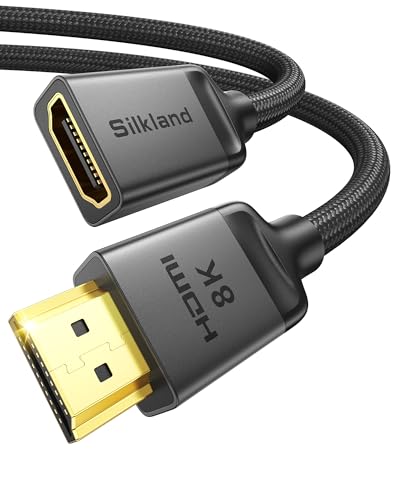
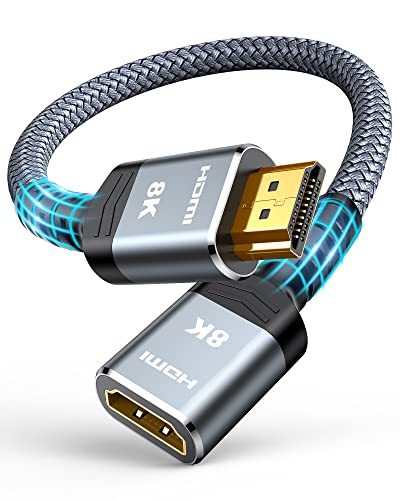
For a very short HDMI 2.1 connection, VCELINK is a good fit because its 0.6-foot length is designed for tight spaces. ApoJodly and UVOOI are better suited when six feet of reach is useful. Silkland offers a balanced 3.3-foot HDMI 2.1 profile, while Highwings focuses similar specifications into a one-foot cable.
The HDMI 2.0 choices remain practical for systems targeting 4K at 60Hz. Cable Matters is the only selected two-pack and documents broad audio and video compatibility. JSAUX adds a braided 3.3-foot design, Anbear provides a compact two-foot option with a stated total-length note, and Twozoh is the specialist choice for a 90-degree installation. Among the top female hdmi cables, the right pick depends on the signal specification, connector clearance, and total route length rather than on a single label.
Frequently Asked Questions
What is a female HDMI extension cable?
A female HDMI extension cable has a male HDMI plug on one end and a female HDMI port on the other. The male end connects to a source or display, and the female end accepts another standard HDMI cable. All ten selections in this comparison use that male-to-female extension format.
How do I choose the best female hdmi cables for 8K?
Start with a listing that documents 48Gbps bandwidth and 8K@60Hz support. UGREEN, VCELINK, ApoJodly, UVOOI, Silkland, and Highwings provide those specifications. Then confirm that the source, display, original cable, and other components support the same resolution and refresh rate. The extender alone cannot add 8K capability to an incompatible signal chain.
Are HDMI 2.0 extension cables suitable for 4K?
The selected HDMI 2.0 models from Cable Matters, JSAUX, Anbear, and Twozoh list 18Gbps or equivalent HDMI 2.0 support and 4K@60Hz capability. They can suit a 4K television, streaming player, console, computer, or projector when the complete connection is designed for those specifications. They do not document the 8K and higher-refresh features listed by the HDMI 2.1 selections.
When should I use a right-angle HDMI extender?
Use one when a straight connector would press against a wall, cabinet, or recessed display area. Twozoh documents a 90-degree right-angle design and a 1.6-foot length for close routing. Check whether the HDMI port faces upward, downward, or sideways before choosing the angle, because the correct geometry depends on the equipment layout.
Does cable length affect the choice?
Length affects routing and the total signal path. Compact models such as VCELINK, Highwings, Anbear, and Twozoh suit nearby connections, while ApoJodly and UVOOI provide six feet for more separated equipment. Add the extension length to the original HDMI cable when checking the complete run. Anbear specifically documents a 16-foot combined limit for 4K at 60Hz.