Buying Guide
Choosing among the best telephone headsets with mute buttons starts with the phone or device connection, not the headset shape. The supplied candidates divide into corded office-phone models and wireless work-call models. RJ9 designs connect to compatible desk phones, while Bluetooth and USB-dongle models target mobile devices, computers, or unified-communications platforms. A headset can have the right plug and still fail to work with a particular phone because handset wiring and system support vary.
Confirm the connection before comparing features
For a traditional office desk phone, begin with the phone model and headset port. The Beebang BNG612004, Voistek 388FRJ1, Arama A600C, and Wantek KX-UTG200B/KX-UTG300B all document RJ9 use. Their listings name different phone families, including Polycom, Avaya, Nortel, Yealink, Cisco, Toshiba, Mitel, and ShoreTel. That does not mean every RJ9 phone is interchangeable. The supplied descriptions repeatedly instruct users to verify the exact compatibility list.
Cisco users have several targeted options. The Arama A600C lists a wide range of Cisco IP models, while the Wantek KX-UTG200B/KX-UTG300B covers selected Cisco 6800, 6900, 7800, 7900, and 8800 series phones. The Calle[z] model was not selected, so it is not discussed as a recommendation here. For Avaya systems, the Plantronics HW540 bundle specifically identifies an HIS-1 cable with a mute button and lists numerous compatible Avaya models.
A 2.5 mm or 3.5 mm option may be more suitable when the calling setup uses a compatible cordless handset or mobile-phone cable. The EMAIKER Stereo 500QD2.5/3.5mm model lists both formats and names some Cisco, Polycom, and Panasonic desk phones, along with certain DECT and mobile devices. Check whether the required cable is included and whether the handset supports headset audio before relying on that flexibility.
Choose the mute style that fits your routine
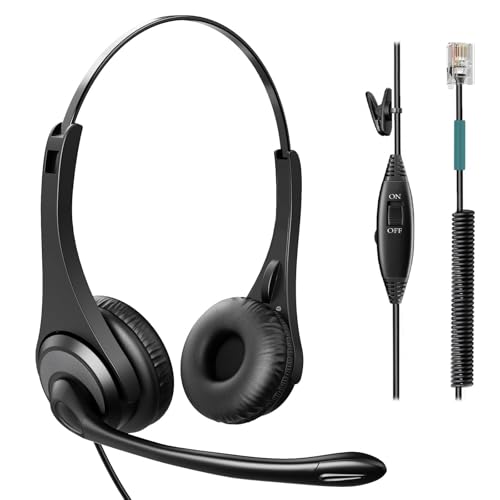
Mute controls are not identical across these products. Corded RJ9 models generally place microphone mute and volume controls on an inline controller. This keeps the control near the user without requiring a phone menu. The Beebang BNG612004, Voistek 388FRJ1, Arama A600C, and Wantek Cisco model all document this arrangement.
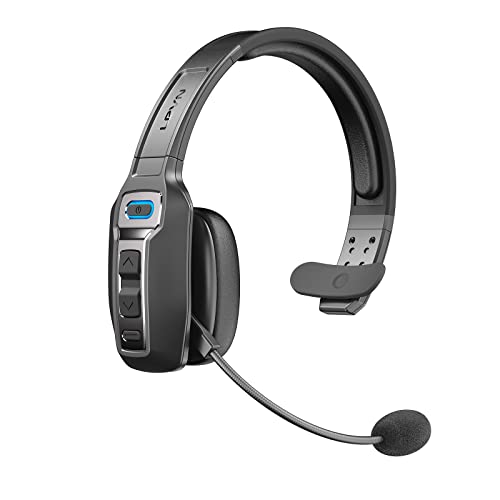
Wireless models may use a dedicated button, a boom-lift action, or both. The Yealink BH70 documents a physical mute button with an LED indicator and a flip-up microphone that also mutes. The Angteela M112 uses a flip-to-mute boom, while the DSAMMEA LE-BH010-GB and Beebang BNG891BTUS list dedicated mute buttons. A physical control is useful when the calling application is not immediately visible, but platform synchronization can differ. Yealink specifically lists synchronization with Teams and Zoom for its physical mute button.
The Plantronics HW540 is slightly different: the headset bundle includes a cable with the mute button. That arrangement can be convenient for a supported Avaya desk phone, but the mute function depends on the cable and phone combination. In every case, confirm how mute status is indicated and whether the control works with the intended phone or application.
Compare microphone and audio features carefully
Most selected products list some form of noise reduction. Corded models use noise-cancelling or passive noise-cancelling microphones, and several add wideband audio. The Wantek Cisco model, Voistek 388FRJ1, Beebang BNG612004, and Arama A600C all describe microphone features aimed at office conversations. The Plantronics HW540 lists a flexible noise-cancelling boom and wideband audio.
Wireless options offer additional microphone processing. The Yealink BH70 lists a three-MEMS-microphone Acoustic Shielding system. The Angteela M112 combines hybrid active noise cancellation with environmental noise cancellation, while the DSAMMEA model lists a noise-cancelling microphone for home and office distractions. Beebang’s BNG891BTUS lists AI noise cancellation and 40 mm audio drivers. These descriptions are specifications, not independent measurements, so they should be used to understand the intended design rather than to predict an exact call result in every environment.
Also consider whether you want mono or stereo coverage. Many office RJ9 models in this selection are mono, leaving one ear more open to the surrounding workplace. The DSAMMEA, Beebang BNG891BTUS, Angteela, and Yealink listings describe broader wireless work-headset designs, while the EMAIKER model is identified as stereo. A mono headset may suit a reception desk or shared office; stereo earcups may be preferable when concentration and consistent listening are priorities.
Match fit and wearing features to call length
For extended calls, look for an adjustable headband, soft ear cushions, and a flexible boom. These features appear throughout the selected field. The Beebang BNG612004 lists a protein-leather cushion and a 180-degree rotatable earpiece. The Voistek model adds replaceable ear cushions, which may be useful when the headset is used frequently. The Arama A600C and Wantek Cisco model both list lightweight construction and adjustable headbands.
Wireless designs add different fit considerations. The DSAMMEA LE-BH010-GB lists an on-ear, glasses-friendly fit and a 270-degree rotatable boom. The Angteela M112 lists breathable leather ear cushions, an adjustable headband, and a 270-degree microphone. Beebang’s BNG891BTUS lists cushioned earmuffs and a rotatable boom, while the Yealink BH70 uses a dual-ear format with a charging stand.
The Plantronics HW540 is described as convertible, adjustable, and lightweight. That may appeal to users who want more than one wearing configuration, though the listing does not provide a detailed description of every configuration. For a call-center desk, a long cable may matter more than wireless range; for a mobile or hybrid worker, the ability to move between phone and computer may matter more.
Decide whether wireless mobility is necessary
Corded models avoid charging and wireless pairing, but they keep the user close to the desk phone. The Voistek’s 6.5-foot reinforced cable and the Arama’s coiled cord provide some workspace movement. RJ9 headsets are a straightforward match when the phone system is fixed and compatible.
Bluetooth models support movement and can often pair with more than one device. The Yealink BH70, Angteela M112, DSAMMEA LE-BH010-GB, and Beebang BNG891BTUS all document wireless connectivity features. Several also include USB dongles for computers. The DSAMMEA lists Bluetooth 5.2, USB-A dongle support, and up to 49 feet of range; Angteela lists Bluetooth 5.4 and up to 33 feet. These figures are supplied specifications, and actual range can vary with the environment and connected equipment.
Battery claims also differ. Yealink lists up to 35 hours of talk time, DSAMMEA lists about 40 hours, and Beebang lists up to 30 hours of working time. A charging stand or base can simplify desk use, but it adds another piece of equipment. If the headset is used only at one desk phone, a corded model may be the simpler technical match.
Final Recommendation
Yealink BH70 with Stand ranks first overall in this specification-based comparison under the published weighted criteria.
Yealink BH70 with Stand is the first overall specification-based choice among these best telephone headsets with mute buttons. Its physical mute button, flip-to-mute boom, LED indication, Teams and Cisco support, three-microphone noise isolation, and stated 35-hour talk time give it the most complete feature set in this comparison.
For a wireless setup that moves between a computer and a phone, the Angteela M112 and DSAMMEA LE-BH010-GB provide Bluetooth plus USB-dongle connectivity and clear mute approaches. Beebang’s BNG891BTUS is another stereo wireless option with a charging base and dedicated mute button. These models are worth considering when RJ9 compatibility is not the central requirement.
For fixed office phones, the Beebang BNG612004, Voistek 388FRJ1, and Arama A600C offer direct RJ9 designs with inline controls. Cisco users should compare the Arama and Wantek compatibility lists against the exact phone model. Avaya users should examine the Plantronics HW540 bundle and its included HIS-1 mute cable. The EMAIKER model is the more flexible jack-based option when a compatible 2.5 mm or 3.5 mm setup is already established.
The top telephone headsets with mute buttons are not interchangeable simply because they share a microphone and mute function. Connection type, phone-system wiring, control behavior, and wearing style should determine the final selection.
Frequently Asked Questions
No. RJ9 describes the connector format, but phone systems can use different wiring and compatibility arrangements. The Beebang BNG612004, Voistek 388FRJ1, Arama A600C, and Wantek KX-UTG200B/KX-UTG300B each provide named compatibility information. Compare the exact desk-phone model with the headset listing before connecting it.
A mute button is a physical control pressed by the user, usually on the headset or inline controller. Flip-to-mute uses the boom position as the trigger. The Yealink BH70 documents both methods, while the Angteela M112 emphasizes its flip-to-mute boom. Button placement and status indication can vary, so choose the control style that is easiest to operate during calls.
Are wireless headsets suitable for telephone calls?
They can be, when their listed connection matches the calling device or platform. The Yealink BH70 documents Teams and Cisco support, while the DSAMMEA LE-BH010-GB, Angteela M112, and Beebang BNG891BTUS list Bluetooth and computer-oriented connections. A wireless model may not replace an RJ9 headset for a desk phone unless the phone system or an appropriate adapter supports it.
Which features matter for long calls?
Look for an adjustable headband, soft ear cushions, a flexible or rotatable boom, and a microphone designed for office noise. The Voistek lists replaceable ear cushions, the DSAMMEA model lists a glasses-friendly fit, and the Arama and Wantek Cisco models list lightweight adjustable designs. Battery capacity is also relevant for wireless headsets, while corded models avoid recharging.
Can one headset connect to a phone and a computer?
Some selected wireless models document that capability. The Angteela M112 lists Bluetooth and a USB-A dongle with dual connectivity, and the DSAMMEA model lists Bluetooth 5.2, USB-A dongle support, and dual-device use. Verify the operating system, application, and device requirements because the supplied evidence does not establish identical behavior across every computer or phone.