Buying Guide
The best ink cartridge packs are not interchangeable simply because they come from the same brand. Cartridge numbers, printer families, capacity tiers, and ink formulations all matter. Start with the identifier printed on your existing cartridge or in the printer manual, then compare it with the compatibility list supplied for the pack.
Match the cartridge number first
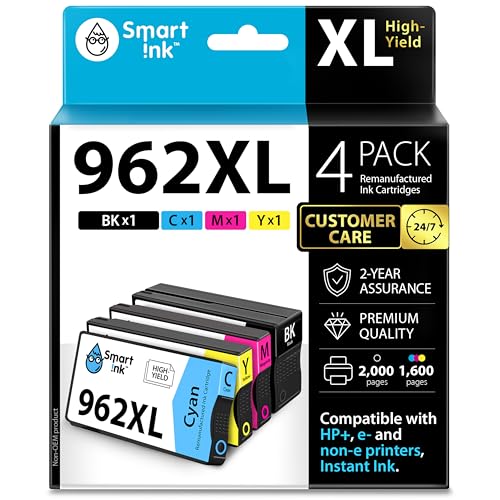
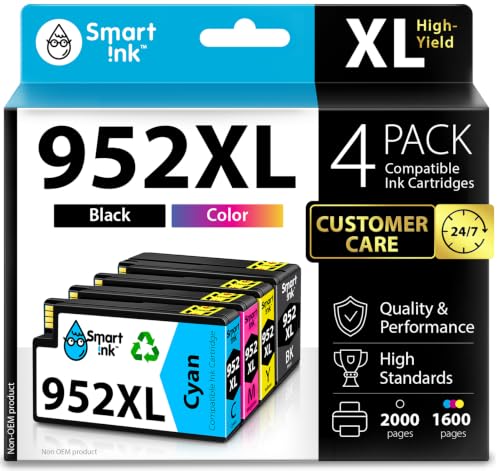
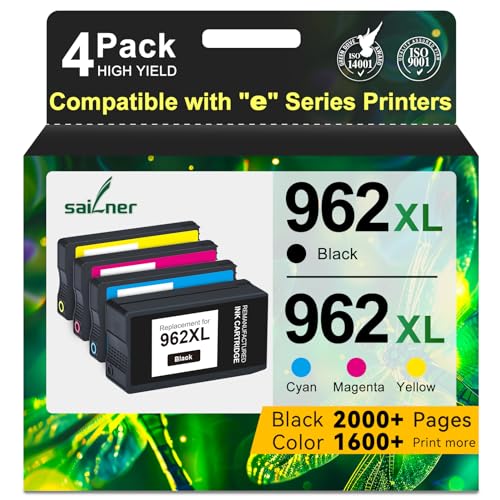
Compatibility is the first and most important filter. HP 962 and 952 cartridges are different families even when both are intended for OfficeJet Pro printers. The genuine HP 962/962XL pack and the Smart Ink 962XL pack cover OfficeJet Pro 9010 and 9020 series models, while the Smart Ink 952XL pack is intended for a different OfficeJet and OfficeJet Pro group. Do not assume that an XL suffix makes cartridges interchangeable.
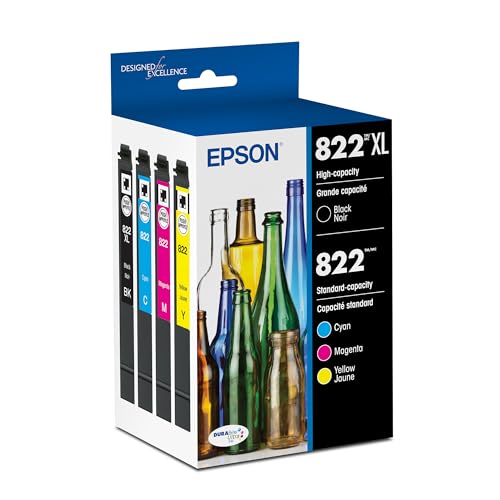
Canon follows the same pattern. The PG-240 XL and CL-241 XL pack is listed for a large selection of PIXMA, MAXIFY, and TS models, whereas the PGI-280 and CLI-281 set is for another group of TR and TS printers. The Epson 812, 822, and 252 packs likewise serve separate WorkForce families. Verify the complete printer model, including an “e” or Pro designation when present.
Compare capacity carefully
Yield figures are useful when they are supplied, but they are approximate and depend on page coverage. The HP 962 genuine pack lists 2,000 pages for black and 700 pages for each color cartridge, making it suited to heavier office printing. Its compatible Smart Ink counterpart lists up to 2,000 black pages and 1,600 pages for each color cartridge. Those are listing claims, not independent measurements, so treat them as planning figures rather than guarantees.
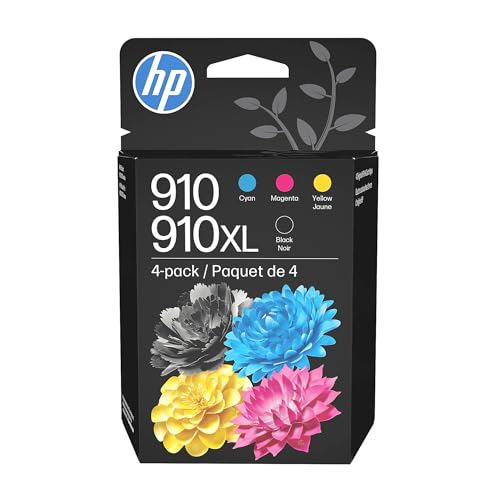
The Canon PG-240 XL and CL-241 XL pack gives a more modest but clearly documented 300-page black yield and 400-page color yield. HP 910 lists 825 black pages and 315 pages per color, while HP 64 lists 200 black pages and 165 tri-color pages. If a product does not publish yields, as with the Epson 812, 822, and 252 selections, compare its capacity label and intended printer class without inventing a page estimate.
Understand standard, XL, and mixed packs
A mixed-capacity pack can be sensible when black text is used more heavily than color. The HP 910, HP 962, Epson 812, Epson 822, and Epson 252 selections pair high-capacity black with standard color cartridges. This arrangement may reduce black-cartridge changes without requiring a high-capacity color set.
A full XL set has a different advantage. The Smart Ink HP 952XL and Smart Ink HP 962XL packs put XL cartridges in all four positions, which may suit users who print color documents frequently. Canon’s PGI-280/CLI-281 set is described as a full standard set rather than an XL pack. Check the pack contents, not only the word “combo,” because a combo can mean black plus color without indicating matching capacities.
Choose the ink design for your work
Pigment and dye descriptions can help distinguish intended use. Canon’s PGI-280/CLI-281 pack specifically combines pigment black for text with dye-based colors for photos and images. The Epson 812 and 822 listings describe fast-drying pigment ink for high-speed jobs, while Epson 252 lists pigment ink and smudge-, fade-, and water-resistant handling. These details make those packs more relevant to office documents and mixed workflows than a generic cartridge listing.
For photo-oriented Canon printing, the PGI-280/CLI-281 listing references the ChromaLife100 system when used with genuine Canon photo paper. That is a documented system claim, not a substitute for checking the paper and printer combination. The Canon PG-240/CL-241 pack instead emphasizes crisp black text and color photos through Canon’s FINE technology.
Decide between genuine and compatible cartridges
Genuine packs such as the HP, Canon, and Epson selections are designed by the printer manufacturer for specified models. Their listings generally provide a direct compatibility path, though Epson notes that its printing systems are designed for Epson genuine cartridges. Compatible and remanufactured packs can offer another route, but their listings may include extra instructions.
The Smart Ink HP 962XL listing describes a recognition period during first installation, while the Smart Ink HP 952XL listing recommends turning off auto-updates to avoid interruptions with compatible cartridges. These are important ownership considerations. If you choose a compatible product, confirm the printer family, read the installation directions, and keep the warranty information available.
Check whether the pack replaces every needed color
A four-cartridge pack is usually the most complete option for printers that use separate black, cyan, magenta, and yellow cartridges. The HP 910, HP 962 genuine, Epson 812, Epson 822, Epson 252, Smart Ink HP 952XL, and Smart Ink HP 962XL selections follow that general format. The HP 64 and Canon PG-240/CL-241 packs use separate black and tri-color or color cartridges instead.
Separate color cartridges can let you replace only the depleted channel, while a tri-color cartridge keeps the replacement simple but combines the color supply. Choose according to the design your printer already uses; the pack cannot change the printer’s cartridge architecture.
Final recommendation
Smart Ink Remanufactured HP 962XL 4-Pack ranks first overall in this specification-based comparison under the published weighted criteria.
The final choice among the best ink cartridge packs depends on the documented features that match your intended use.
The HP 962/962XL Genuine 4-Cartridge Pack is the highest-scoring returned product and the first overall specification-based choice. It combines the most specification-aligned documented yields in this comparison with a complete four-cartridge configuration and clear OfficeJet compatibility. Among the top ink cartridge packs, it is the most convincing fit for users who print frequently on supported HP office printers.
For a compatible alternative, the Smart Ink Remanufactured HP 962XL 4-Pack offers similarly substantial stated capacity plus chip-based level tracking, but its recognition step deserves attention. Epson WorkForce owners should compare the Epson 812 and Epson 822 based on their exact printer model and preference for a high-capacity black cartridge. Canon users printing both text and images should consider the PGI-280/CLI-281 set, while those seeking XL cartridges should check the PG-240/CL-241 family.
The right choice ultimately depends on the cartridge number, not the brand name alone. Confirm the printer model, cartridge family, capacity tier, and whether the listing is genuine, compatible, or remanufactured before purchase.
Frequently Asked Questions
How do I choose the best ink cartridge packs for my printer?
Start with the exact cartridge number and printer model. Then check whether the pack includes the required black and color configuration, whether its capacity is standard or XL, and whether the listing identifies a genuine, compatible, or remanufactured design. The HP 962 and HP 952 examples show why similar printer families do not automatically share cartridges.
Are XL ink cartridges always a better choice?
Not always. XL cartridges can be useful for higher-volume printing, but they may cost more initially and may not be available in the same capacity for every color. The HP 910, HP 962, Epson 812, Epson 822, and Epson 252 packs demonstrate mixed-capacity designs in which black is high capacity while colors are standard. Compare the documented yields with your actual printing pattern.
What is the difference between pigment and dye ink in these packs?
The supplied listings describe pigment ink as part of several office-oriented designs. Canon’s PGI-280/CLI-281 pack specifically uses pigment black for text and dye-based color for photos and images. Epson’s 812 and 822 listings specify fast-drying pigment ink. These descriptions indicate intended print roles, but they do not establish independent performance beyond the supplied product information.
Should I buy genuine or compatible cartridges?
Genuine cartridges are made for the printer brand’s specified models. Compatible and remanufactured products may provide broader pack choices or high-capacity configurations, but they can require additional steps. For example, the Smart Ink HP 962XL listing notes a recognition period, and the Smart Ink HP 952XL listing discusses auto-update settings. Review those requirements before selecting a compatible pack.
Does a combo pack include every color?
No. Pack names vary. A four-pack such as HP 910 or Smart Ink HP 952XL includes black, cyan, magenta, and yellow. A Canon PG-240/CL-241 pack includes black and color cartridges, while HP 64 uses black and tri-color. Always read the package contents and confirm that the configuration matches your printer.