Buying Guide
Choosing the best ink cartridges starts with the cartridge family printed on the old cartridge or listed in the printer manual. A cartridge that looks similar may still use a different chip, nozzle arrangement, or physical shape. The products in this comparison are compatible or remanufactured cartridges rather than products evaluated in a hands-on test. The recommendations therefore rely on supplied listing evidence: printer compatibility, stated yield, pack contents, chip features, and warranty or documentation.
Match the cartridge number first
The cartridge number is more important than the printer brand. HP models in this list use families such as 61XL, 67XL, and 962XL; Canon products use families including 240/241 and 245/246; Epson options use 220XL and 410XL; Brother options use LC406XL. These families cannot be treated as interchangeable.
Before buying, compare both the printer model and cartridge number. A broad compatibility list is useful only if your exact model appears in it.
Consider black-and-color versus separate-color packs
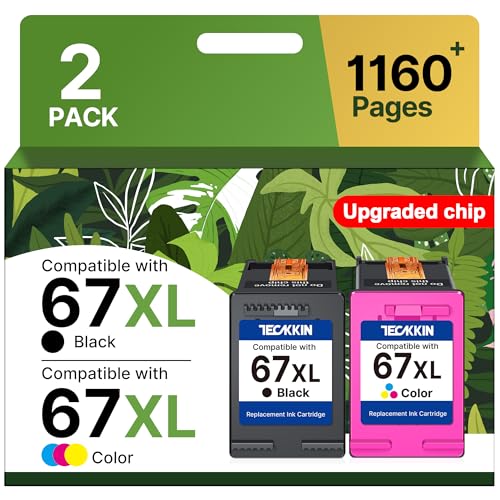
A black-and-tricolor combo is straightforward for printers that use one color cartridge. The selected HP 61XL, HP 67XL, Canon 245XL/246XL, and Canon 240XL/241XL products follow that format. It is a practical configuration when you need both cartridge positions replaced at the same time.
Other printers use separate cyan, magenta, and yellow cartridges. The MIOLAINZ Canon 280/281 set includes two black cartridges plus three colors, while the Epson 410XL, Epson 220XL, Brother LC406XL, and HP 564XL products provide separate color cartridges. Separate-color designs let you replace an individual color, but they require the correct full set for the printer family.
Use page yield as a planning figure
Page yield estimates are normally based on stated coverage, and actual use varies with document density, images, cleaning cycles, and printer settings. Treat the figures as a comparison of listing claims rather than a guarantee of pages.
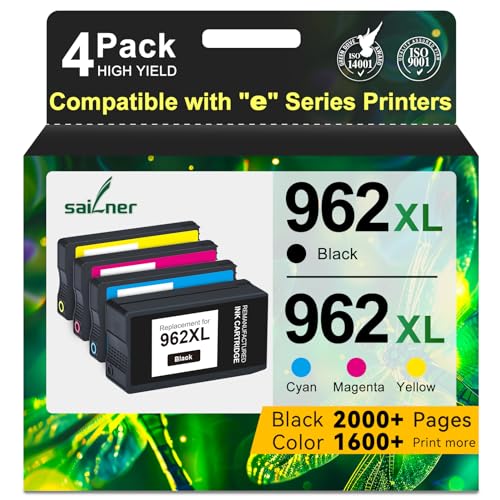
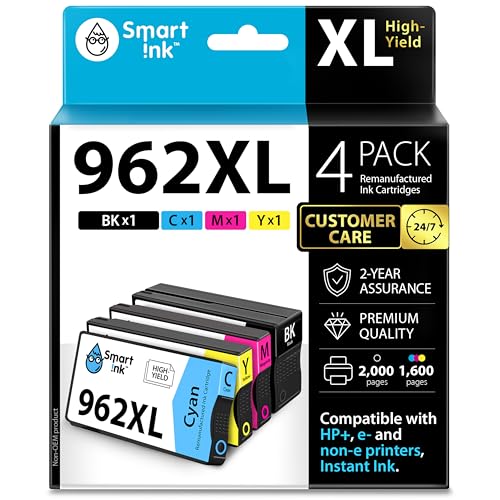
The highest stated yields in this selection belong to the Brother LC406XL and HP 962XL products. The Brother listing states up to 6,000 black pages and 5,000 color pages, while the HP 962XL listing states up to 2,000 black pages and 1,600 color pages. The Canon 280/281 five-pack also has a notable large-black figure of 1,800 pages. These formats may suit offices or users who print regularly.
For moderate use, the two-cartridge options still provide useful documented yields. The Canon 240XL/241XL pack lists up to 650 black and 560 color pages, and the HP 61XL pack lists up to 712 black and 430 color pages. Compare the black and color figures separately if your printing is mostly text or mostly graphics.
Check chip and printer-recognition details
Several best ink cartridges in this group document upgraded or intelligent chips. These features are described as supporting cartridge recognition or ink-level indication. The HP 67XL, HP 61XL, Canon 245XL/246XL, Canon 240XL/241XL, and Epson 410XL listings specifically mention chip-related functions.
Chip features do not remove the need for careful installation. Keep contacts and nozzles clean, avoid touching them, and follow the supplied instructions. Some compatible products may cause a non-original or low-ink prompt; the Brother LC406XL listing explicitly tells users how to proceed with such prompts. That is a compatibility consideration, not evidence of a hands-on performance result.
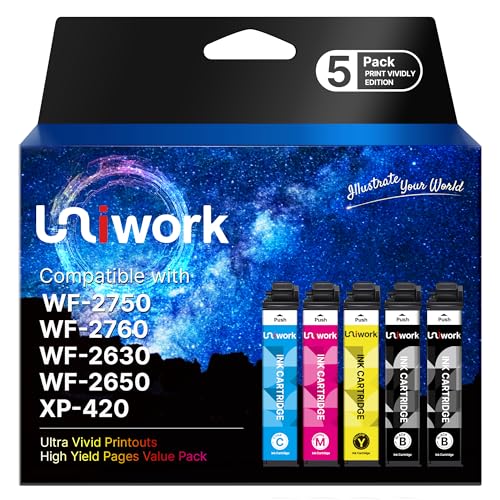
Warranty coverage can matter when selecting compatible ink. The HP 61XL, Canon 245XL/246XL, Brother LC406XL, and Epson 220XL listings provide two-year terms, while the Epson 410XL listing does not supply a warranty term in the provided specifications. The HP 962XL listing also documents two-year coverage.
Confirm the package contents before ordering. A five-pack may include an extra black cartridge, a photo-black cartridge, or a large black cartridge rather than five identical units. The Smart Ink HP 564XL set contains four black and six color cartridges, and the MIOLAINZ Canon set contains two black cartridges and three colors.
Account for compatible-cartridge trade-offs
The selected products are not presented as OEM cartridges. Many are described as compatible or remanufactured, and some list production standards, upgraded chips, or quality checks. Those details help describe the product design, but they do not replace checking printer compatibility or reading installation instructions.
The practical buying process is to identify the printer model, confirm the cartridge family, decide whether you need a combo or separate-color pack, compare the documented yield with your workload, and check the warranty. That approach is more reliable than choosing solely by pack size or a generic claim about print quality.
Final Recommendation
SAILNER HP 962XL 4-Pack ranks first overall in this specification-based comparison under the published weighted criteria.
SAILNER HP 962XL 4-Pack is the first overall specification-based choice in this comparison.
The final choice among the best ink cartridges depends on the documented features that match your intended use.
For Brother users, Toner Bank LC406XL is the better match because its listing states very high yields and supports several MFC models. Canon users who need five cartridges should consider the MIOLAINZ PGI-280/CLI-281 set, while Epson users can choose between the complete five-color E-Z Ink 410XL and Uniwork 220XL packs according to their printer model.
Among the top ink cartridges for everyday two-cartridge use, the TECKKIN HP 67XL and Valuetoner Canon 245XL/246XL provide broad documented compatibility and chip features. Always verify the exact model before ordering; the right cartridge family matters more than a general ranking.
Frequently Asked Questions
How do I identify the best ink cartridges for my printer?
Find the printer model and cartridge number in the printer menu, manual, or on the installed cartridge. Then match both details to the compatibility list. For example, a printer using HP 67 should not be matched to an HP 61 or HP 64 product merely because both use black and tri-color cartridges.
Are compatible and remanufactured cartridges the same as OEM cartridges?
No. The selected listings identify these products as compatible or remanufactured, and several explicitly state they are non-OEM. Their stated features, such as upgraded chips or quality checks, describe the listing evidence but do not make them OEM products.
Do XL or XXL cartridges always print the same number of pages?
No. XL and XXL labels indicate a higher-capacity version within a cartridge family, but yields differ by model and color. The listings here give separate estimates, such as 700 black and 450 color pages for the HP 67XL pack or 1,800 pages for the large black cartridge in the Canon 280/281 set. Use the supplied model-specific figures as planning estimates.
What is the benefit of a separate-color cartridge system?
A separate-color system lets you replace an individual cyan, magenta, or yellow cartridge instead of replacing a combined color unit. Products such as the Brother LC406XL, Epson 410XL, Epson 220XL, and HP 564XL use separate color cartridges. The trade-off is that you must buy the exact multi-cartridge family for your printer.
Should I worry if my printer shows a non-original cartridge message?
Compatible products may display such prompts. Follow the product instructions and verify that the cartridge is seated correctly, while avoiding contact with the chip and ink nozzles. The Brother LC406XL listing specifically provides instructions for continuing after a non-original prompt. If the message persists, consult the cartridge documentation or listed manufacturer support.