Buying Guide
The best usb pc gaming mice are not defined by one specification alone. A high DPI figure can be useful, but the sensor range matters most when it is paired with convenient sensitivity switching, a shape that suits your hand, and a cable or connector that fits your setup. This comparison uses the supplied public listings only. It does not include hands-on testing, measured latency, durability verification, or customer-opinion analysis.
Choose wired USB when consistency and simplicity matter
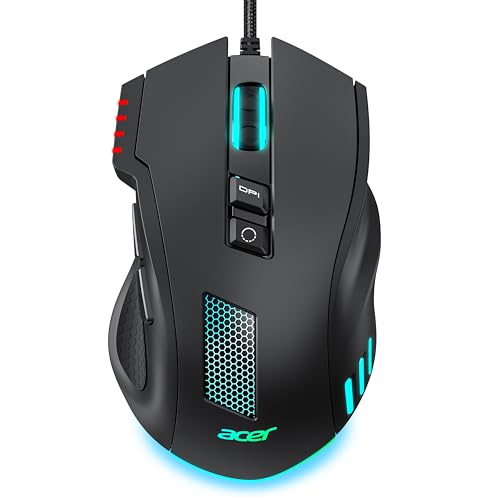
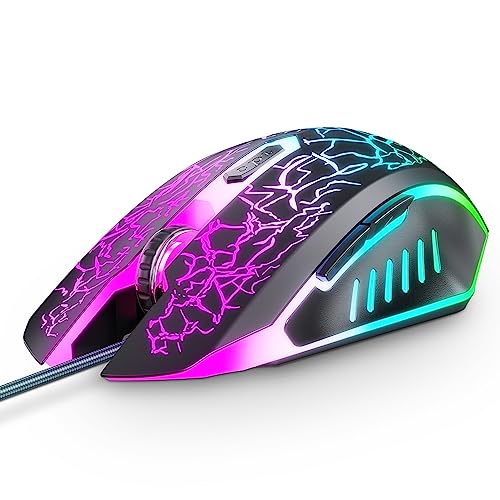
A wired USB mouse avoids battery charging and wireless pairing. The selected models are designed for direct computer connection, although the evidence varies in how much connector detail each listing provides. The Acer OMW317 explicitly uses USB-A and names Windows, macOS, and Linux support. The Logitech G203 also specifies USB Type-A and a 2.1-meter cable. VersionTECH lists USB 2.0 and 3.0 support and says no extra drivers or software are required.
A wired design can be especially practical for a fixed desktop station. There is no receiver to store or battery to monitor, but the cable remains part of the setup. Before buying, check where your PC ports are located and whether the listed cable information suits your desk. The MSI Clutch GM08 adds a gold-plated USB connector, while several other listings simply identify the product as wired without detailing the connector finish.
Match the sensor range to your play style
DPI is a sensitivity setting, not a direct guarantee of accuracy. The Razer Basilisk V3 and Logitech G502 Hero provide the highest documented sensitivity ceilings in this group, at 26,000 and 25,600 DPI respectively. Those ranges give users considerable room to tune cursor movement, but many players may use substantially lower settings.
The Acer OMW317 reaches 12,800 DPI through software, while the ASUS TUF Gaming M3 Gen II reaches 8,000 DPI and offers four sensitivity levels. The Logitech G203 also reaches 8,000 DPI and can cycle through up to five settings. These models may be easier to understand for users who want a focused set of selectable profiles rather than an extensive range.
The VersionTECH model has four choices from 1,200 to 3,600 DPI, and the MSI Clutch GM08 reaches 4,200 DPI. Those figures are less expansive, but they still document adjustable sensitivity for everyday gaming. The WEEMSBOX T7 adds a listed polling-rate range from 125 to 1,000Hz, which provides another setting to consider when comparing basic wired mice.
Button count is useful when a game benefits from shortcuts, but more controls are not automatically better. The Basilisk V3 and G502 Hero each list 11 programmable buttons. The Redragon M612 also lists 11 editable buttons, including side macro controls. These layouts suit users who want to place commands, push-to-talk, pings, or other actions close to the hand.
The Redragon M602 provides nine programmable buttons, while the Acer OMW317 lists eight and the WEEMSBOX T7 lists seven. Six-button models such as the ASUS TUF Gaming M3 Gen II, Logitech G203, and VersionTECH mouse offer a more restrained arrangement. Consider whether you need additional commands or would rather reduce the chance of pressing an unwanted side button.
Wheel behavior can matter too. The Razer Basilisk V3 has a hyperscroll wheel with free-spin and tactile modes. The G502 Hero has a dual-mode hyper-fast scroll wheel. These features are documented as useful for switching between fast scrolling and more controlled movement, but the listings do not establish which wheel feel will suit every user.
Prioritize shape, weight, and grip details
Hand fit is highly personal, so treat ergonomic claims as design information rather than a promise of comfort. The ASUS model is explicitly right-handed and weighs 59 grams. That makes it the clearest lightweight choice in this selection based on the supplied evidence. The Razer Basilisk V3 documents a thumb rest, and the Redragon M602 describes an ergonomic shape intended to accommodate different hand sizes and grips.
The Redragon M612 uses a claw-grip-oriented form with a frosted coating and left-side rubber texture. The WEEMSBOX T7 lists an ergonomic contour and rubber surface. MSI uses a symmetrical design with side anti-slip grips, while the G502 Hero provides removable weights so users can adjust balance. These are different approaches: lightweight construction, grip texture, shape, and balance control each address handling in different ways.
Decide how much customization you need
RGB lighting is common across this category, but its implementation differs. The Basilisk V3 lists 11 lighting zones and support for Chroma-integrated games. Logitech’s G502 Hero and G203 use LIGHTSYNC, while the Acer mouse lists 12 RGB options and software control. Redragon’s M602 provides seven RGB modes, and the M612 lists five backlit modes.
Software can also control buttons, macros, DPI, and lighting. Razer Synapse, Logitech G HUB, and Acer’s driver are named in the supplied evidence. By contrast, VersionTECH emphasizes plug-and-play use without extra software. A simpler setup may be preferable if you do not want to configure profiles, while software-based customization is more useful when you want separate settings for different games.
Consider protection and physical construction
The ASUS TUF Gaming M3 Gen II is the only selected model with a documented IP56 dust and water-resistance rating. It also lists an antibacterial surface treatment and PTFE feet. These are specification differences that may matter in a busy gaming area, but the listing does not establish performance under every environment.
Switch and cable details also vary. Razer specifies Gen 2 optical switches and up to 70 million clicks; the G502 Hero and G203 document mechanical primary-button tensioning. Acer lists a braided cable, while Logitech’s G203 provides a cable length. These details help explain design intent, but they should not be treated as independent durability test results.
Final Recommendation
Razer Basilisk V3 ranks first overall in this specification-based comparison under the published weighted criteria.
Razer Basilisk V3 is the highest-scoring returned product and the first overall specification-based choice. Its 26K DPI sensor, 11 programmable buttons, thumb rest, hyperscroll wheel, optical switches, and zoned RGB make it the most complete option for users who want extensive control from a wired mouse.
The Logitech G502 Hero is a close alternative for adjustable balance and a large control layout. Choose the ASUS TUF Gaming M3 Gen II if low weight, right-handed shaping, and IP56 protection are more important. The Logitech G203 is a sensible focused option, while Acer’s OMW317 stands out for USB-A connectivity, onboard memory, and broad operating-system support.
Among the remaining top usb pc gaming mice, the Redragon M612 and M602 emphasize remapping and ergonomic shaping, respectively. MSI adds adjustable weights in a simpler design. VersionTECH is the easiest plug-and-play choice, and WEEMSBOX adds polling-rate adjustment to a basic seven-button layout. The best usb pc gaming mice for your desk will therefore depend on whether your priority is control depth, low weight, simple setup, or physical adjustability.
Frequently Asked Questions
Are these best usb pc gaming mice wired?
Yes. The selected products are wired gaming mice intended for USB computer connections. The Acer OMW317 explicitly lists USB-A, the Logitech G203 specifies USB Type-A, and VersionTECH lists USB 2.0 and 3.0 support. Other listings identify their products as wired USB gaming mice but provide fewer connector details.
The Razer Basilisk V3, Logitech G502 Hero, and Redragon M612 each list 11 programmable or editable buttons. Their designs differ, so button count alone should not determine the choice. The Basilisk V3 adds a thumb rest and tilt wheel, the G502 Hero adds adjustable weights, and the M612 emphasizes remapping and claw-grip handling.
Is a higher DPI maximum always better for PC gaming?
No. A higher maximum provides more sensitivity range, but it does not by itself establish better real-world accuracy. The best usb pc gaming mice should be compared using sensor documentation, available sensitivity steps, button layout, shape, and connection details together.
Which mouse is the lightest in this comparison?
The ASUS TUF Gaming M3 Gen II is specified at 59 grams. Its listing describes a right-handed ergonomic shell and PTFE feet. Weight preference is personal, so users should also consider shape and grip style rather than choosing by weight alone.
Do all selected models require gaming software?
No. VersionTECH states that its mouse is plug and play and requires no extra drivers or software. Razer, Logitech, and Acer document software-based controls for functions such as button mapping, sensitivity, or lighting. Check the model’s listing when software support is important to your setup.