Buying Guide
The best usb trackballs differ less by basic pointer function than by ball position, hand orientation, controls, and connection method. A trackball stays in place while the ball moves the cursor, so desk clearance is usually less important than the shape around the hand and the location of the operating ball. The products in this comparison document thumb, finger, or index-finger control, giving shoppers several distinct layouts to consider.
Choose the ball position first
Thumb-control designs place the ball near the side of the body. The ELECOM IST, Nulea M509, and PORLEI wired model all document thumb operation. This layout can feel familiar to people moving from a conventional mouse, while the stationary body keeps arm movement limited. Thumb placement also leaves the index and middle fingers available for primary buttons and scrolling.
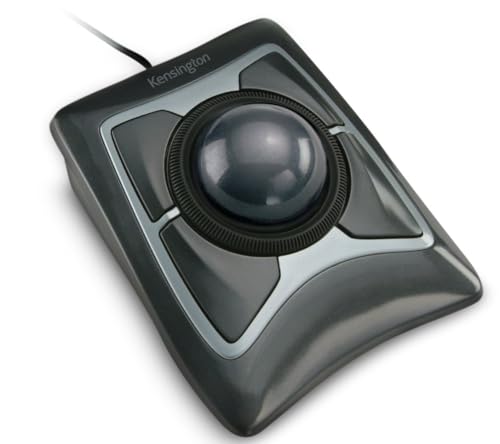
Index- or finger-control designs place more emphasis on the ball itself. The Kensington Expert uses a large 55mm ball, while the Kensington Orbit uses a 40mm ball and scroll ring. The ELECOM DEFT PRO and X-keys O-Trac also use a central trackball arrangement. A larger ball may offer more room for finger movement, but the larger chassis can require more desk space. Compare the listed dimensions with the area beside your keyboard before selecting one.
Left-handed shoppers should pay close attention to the body shape. The ELECOM EX-G Left-Handed Trackball is explicitly designed for left-handed use. Kensington’s Expert and Orbit models document ambidextrous designs, making them more suitable for shared workstations or users who alternate hands. A right-handed thumb layout is not automatically interchangeable with a left-handed one, even when the general product type looks similar.
Compare tracking and ball hardware
Optical tracking appears on the Kensington Expert, Kensington Orbit, ELECOM DEFT PRO, ELECOM EX-G, ELECOM IST, and PORLEI models. The X-keys O-Trac documents opto-mechanical tracking. These terms describe the tracking approach supplied in the listings, not a hands-on performance result. Adjustable DPI or cursor speed is useful when you want to switch between slower, more controlled movement and faster screen travel.
The documented adjustment ranges vary. The Expert and DEFT PRO list cursor or DPI settings, while the EX-G offers 750 and 1500 DPI. The PORLEI wired model lists five levels from 100 to 1200 DPI, and the Nulea listing states adjustable DPI without giving the levels. If exact speed steps matter, favor a model whose listing provides the actual settings rather than assuming all trackballs offer the same range.
Ball-bearing details can also help distinguish otherwise similar designs. The DEFT PRO and EX-G use three artificial ruby ball bearings, while the IST uses a steel roller bearing and documents interchangeable bearings. Kensington’s models describe spherical balls and optical tracking. These specifications help explain the mechanical design, but they do not substitute for personal testing of feel or noise.
Check USB connection details
A wired USB connection is the simplest route for a fixed computer. The Kensington Expert, Kensington Orbit, Perixx PERIMICE-520, ELECOM IST, PORLEI wired model, and Logitech Trackman Marble all document wired USB operation. Wired models do not require a battery or wireless pairing, and they can be a practical fit for a desk where the computer remains nearby.
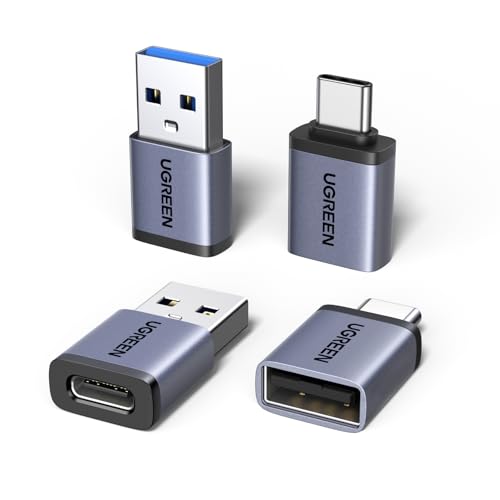
The Nulea M509 is notable for documenting both Type-A and Type-C interfaces. That can help when a computer or laptop has a newer USB-C port alongside, or instead of, a traditional USB-A port. Cable length is also worth checking: Nulea lists a 5.9-foot cable, while PORLEI lists a 1.8-meter cable.
Some of the top usb trackballs use a USB receiver while also supporting wireless or Bluetooth operation. The ELECOM DEFT PRO and EX-G provide multiple connection types, but their USB functionality is receiver-based rather than a permanently attached cable. This can reduce cable clutter, although it introduces another component to keep track of. Confirm which connection mode your computer supports before choosing a multi-mode model.
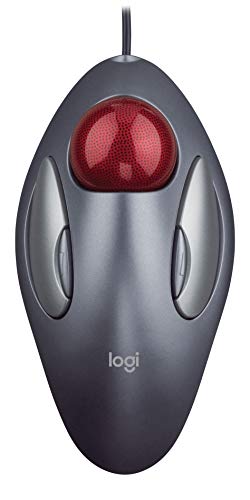
Button quantity matters most when you use frequent navigation commands or application shortcuts. The Perixx PERIMICE-520 lists eight buttons with six programmable controls. The DEFT PRO lists eight functional buttons and downloadable customization software. The EX-G lists six buttons with software customization, while the Trackman Marble lists four programmable buttons.
Not every extra button is programmable. Nulea states that all buttons are non-programmable, and PORLEI also states that its buttons cannot be programmed. Those models can still provide back and forward navigation, DPI switching, or scrolling, but they are less suited to workflows that depend on custom commands. The X-keys O-Trac takes a simpler approach with three buttons and a middle-button drag or scroll-lock function.
Scrolling is another practical distinction. Kensington’s Orbit and Expert models document scroll rings. Perixx documents a tilt-scroll wheel that supports horizontal and vertical scrolling. The ELECOM EX-G documents tilt scrolling as well. If you work with wide spreadsheets or long documents, a dedicated horizontal-scroll control may be more relevant than a high button count.
Match the design to your workspace
A stationary pointing device can be useful on a crowded desk because the main body does not need to travel across a mouse mat. The listed products include compact options such as the ELECOM IST and broader designs such as the Kensington Expert. Perixx adds detachable angle stands, while the PORLEI model documents use on surfaces including a leg, sofa, bed, or carpet. These are supplied design claims, not independent test results, so consider them as intended-use information.
Wrist support is documented on the Kensington Expert, Kensington Orbit, and Logitech Trackman Marble through their respective ergonomic or sculpted designs. The Expert and Orbit specifically list detachable wrist rests. Adjustable angles appear on the Perixx model, and the ELECOM IST lists a 28-degree angled body. These features may help you compare posture options, but hand size and preferred grip still determine which shape is most suitable.
Operating-system support is not uniform. The Perixx listing focuses on Windows versions, while Logitech, Nulea, ELECOM, and PORLEI listings document combinations of Windows and macOS support. PORLEI notes that its back and forward buttons are not compatible with Mac OS. Kensington notes that ChromeOS users receive basic HID functions but cannot customize through its software. Read the compatibility notes if you need software-controlled buttons or special scrolling functions.
Final recommendation
Among the top usb trackballs, the ranked products differ under documented tracking precision and adjustment, usb connection practicality, ergonomic design, controls and customization, and workspace and device compatibility.
Kensington Expert Trackball Mouse ranks first overall in this specification-based comparison under the published weighted criteria.
Kensington Expert Trackball Mouse is the highest-scoring returned product and the first overall specification-based choice in this comparison. Its 55mm ball, optical tracking, scroll ring, detachable wrist rest, ambidextrous body, customizable buttons, and wired USB-A connection cover the broadest mix of documented desktop needs.
The best usb trackballs for customization are the ELECOM DEFT PRO and Perixx PERIMICE-520. The DEFT PRO offers eight buttons and three connection types, while Perixx adds six programmable buttons and three angle positions. For a shared station, the Kensington Orbit’s ambidextrous design and scroll ring are practical. Left-handed users should start with the ELECOM EX-G Left-Handed Trackball, which is explicitly shaped for that use.
Choose the Nulea M509 when Type-A and Type-C flexibility is important, or the PORLEI wired model when five DPI settings and a long cable are more useful. The Logitech Trackman Marble remains a straightforward wired option with four programmable buttons. The ELECOM IST emphasizes a compact angled design and steel roller bearing, while the X-keys O-Trac keeps its control layout simple and clearly defined.
Frequently Asked Questions
What should I look for in the best usb trackballs?
Start with ball position, hand orientation, connection type, and the controls you will actually use. Thumb models such as the Nulea M509 and ELECOM IST differ substantially from central-ball models such as the Kensington Expert. Then check whether the listing documents wired USB, a USB receiver, USB-C support, programmable buttons, DPI settings, or a scroll ring.
Are wired USB trackballs suitable for compact desks?
Yes, the stationary design can reduce the side-to-side clearance required by a conventional mouse. Wired models such as the Kensington Orbit, Perixx PERIMICE-520, and Logitech Trackman Marble still need space for the device and cable, but the body itself stays in one place. Compare the listed dimensions and cable length with your desk layout.
Which selected model is designed for left-handed use?
The ELECOM EX-G Left-Handed Trackball is explicitly designed for a left-handed person. Kensington’s Expert and Orbit models document ambidextrous designs, which may be preferable when more than one person uses the same workstation. A dedicated left-handed shape and an ambidextrous shape are different approaches, so select based on the hand that will operate the device most often.
No. The Perixx PERIMICE-520, ELECOM DEFT PRO, ELECOM EX-G, and Logitech Trackman Marble document programmable or customizable controls. Nulea states that all buttons are non-programmable, and PORLEI states the same for its wired model. The X-keys O-Trac documents a specific middle-button function rather than broad software customization.
Is USB-C available among these selected trackballs?
The Nulea M509 explicitly documents a dual Type-A and Type-C interface. Other selected wired products specify USB or USB-A, while the ELECOM DEFT PRO and EX-G list USB receiver connectivity alongside other modes. Check the exact connector or receiver supplied for the model you choose, especially when using a laptop with limited ports.