Buying Guide
Choosing among the best 30-pin usb cables starts with identifying the device and the port on the charger, computer, car adapter, or power bank. The products in this comparison are designed around the older 30-pin dock connector used by earlier iPhone, iPad, and iPod models. Most selected cables terminate in USB-A, while the comparison evidence also includes other connector formats that should be considered only when they match the rest of your setup.
Confirm the device generation
Check the exact device before ordering. The selected listings commonly name iPhone 3G, 3GS, 4, and 4S; iPad generations 1 through 3; and older iPod touch, nano, and Classic models. Compatibility lists vary. Herfair, for example, states that some early iPod Classic models using FireWire are not supported.
Connector shape is equally important. A USB-A-to-30-pin cable is the conventional choice for a computer, older wall adapter, car charger, or power bank with a USB-A socket. If your power source uses another connector, verify that the cable format matches it rather than assuming that every 30-pin cable works with every modern charger.
Decide whether you need charging, syncing, or both
Some listings describe charging only, while the stronger choices explicitly support both charging and data synchronization. MIRAREED, Aibocn, Belcompany, sarmert, LBSC, pzoz, HUAZHUN, and AGVEE all provide charging-and-sync language in the supplied evidence.
Current ratings in the listings should be treated as product specifications, not as a guarantee that an older device will charge at that rate. The device and power source determine the practical result. The same principle applies to claims about transfer speed: a listing may state a technical figure, but this guide does not independently test it.
Choose the right cable length
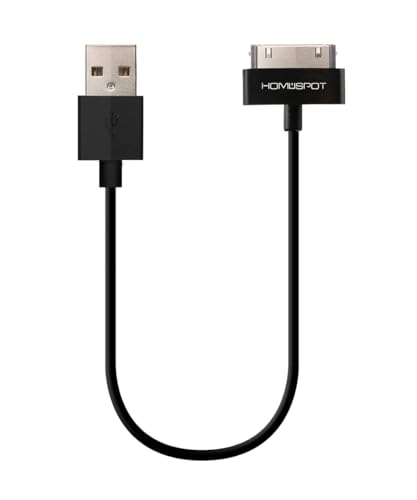
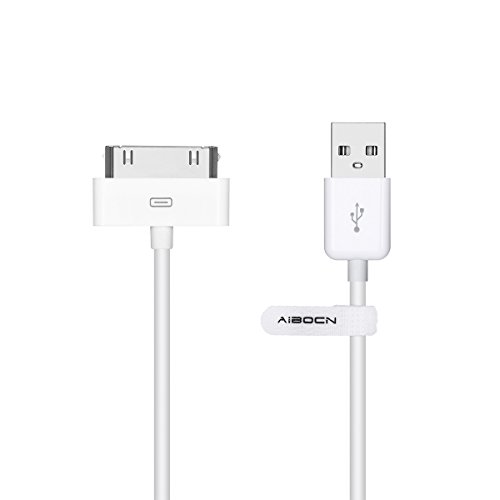
Length affects convenience more than headline specifications. HomeSpot’s 8-inch cable is designed for close-range connections, making it suitable for a power bank, desktop, or multi-port adapter without a long loose cord. Standard options around 3 to 4 feet, including MIRAREED, Aibocn, sarmert, LBSC, pzoz, and AGVEE, are more flexible for bedside tables, desks, and ordinary charging locations.
A longer cable can help when the outlet or adapter is farther away, but extra length creates more cable to manage. Measure the distance from the power source to the device and allow enough slack for normal handling.
Look at connector design and materials
A slim dock connector can matter if the device stays inside a protective case. Aibocn, sarmert, HomeSpot, and AGVEE describe slim or case-friendly designs. This feature depends on the particular case opening, so it is best understood as a useful design indication rather than a universal fit guarantee.
Material descriptions can help distinguish otherwise similar cables. Nylon coverings appear on LBSC, pzoz, and AGVEE, while sarmert lists TPE and a pure copper core. HomeSpot specifies copper wiring and gold-plated contacts. HUAZHUN describes PVC construction. These details indicate how each product is presented, but they do not replace independent testing of bending life, electrical performance, or connector retention.
Consider certification and warranty evidence
Other selected cables may still fit the listed devices, but their supplied evidence does not state MFi certification. If avoiding compatibility warnings is important, prioritize a listing that clearly documents certification rather than inferring it from the connector shape.
Warranty terms also vary. Herfair and LBSC list 18-month coverage, Belcompany lists a one-year limited warranty, pzoz lists one-year coverage, and HomeSpot provides a stated warranty period. A warranty cannot prove that a cable will last, but it gives the buyer a clearer support reference when comparing otherwise similar specifications.
Match the package to your routine
A multipack can be useful when you want one cable in more than one location. Belcompany and HUAZHUN provide two-cable packages, while the other selected products are single-cable options. A single cable may be preferable when you want to limit unused accessories or need one specific length. For travel, a second cable can reduce the need to move the only cord between a home setup and a bag.
Final Recommendation
Herfair 30-pin Charger Cable ranks first overall in this specification-based comparison under the published weighted criteria.
HomeSpot 30-pin Short Charger Cable is the highest-scoring returned product and the first overall specification-based choice among the best 30-pin usb cables. Its MFi certification, copper wiring, gold-plated connector, and compact 8-inch format make it especially suitable for close-range charging and syncing. It is not the right pick for a distant outlet, so buyers needing ordinary room-to-room reach should consider HUAZHUN, Herfair, or Aibocn instead.
For certified backup coverage, HUAZHUN is a strong alternative because it supplies two cables and documents MFi certification, charging, syncing, and broad legacy-device compatibility. Herfair is the better fit when a braided cable, broad iPod coverage, and an 18-month warranty matter. Aibocn and sarmert are sensible case-friendly choices, while MIRAREED keeps the design simple and certified.
The top 30-pin usb cables are not interchangeable in every situation. Verify the device model, confirm whether your power source uses USB-A, select a practical length, and decide whether you need data synchronization. These checks are more useful than relying on a generic label or an unverified assumption about compatibility.
Frequently Asked Questions
Do the best 30-pin usb cables work with every old iPhone, iPad, and iPod?
No. Compatibility depends on the device generation and, for some iPod models, the charging technology used. The selected listings commonly cover iPhone 3G through 4S, iPad 1 through 3, and several older iPod families, but coverage differs by product. Herfair specifically notes exclusions involving early iPod Classic models that used FireWire. Check the exact model against the cable’s supplied compatibility list.
Can these cables transfer data as well as charge?
Several selected products explicitly state both functions. MIRAREED, HUAZHUN, Aibocn, Belcompany, sarmert, LBSC, pzoz, and AGVEE describe charging and data synchronization. A cable’s ability to sync also depends on the device, computer, operating system, and connection setup. This guide reports the supplied listing evidence and does not independently verify transfer performance.
Is MFi certification necessary for a 30-pin cable?
HomeSpot, MIRAREED, Aibocn, Belcompany, sarmert, and HUAZHUN explicitly identify MFi certification in their listings. The absence of a certification statement does not establish that a cable cannot work; it simply gives the buyer less supplied evidence on that point.
What length should I choose?
Choose based on where the power source sits. HomeSpot’s 8-inch design suits close connections such as power banks and desktops. A 3- to 4-foot cable is a more flexible everyday length for many desks and bedside tables. Longer cables can help when the outlet is farther away, but they may leave more slack to manage. Measure your setup before selecting a cable.
Do I need a case-friendly 30-pin connector?
Only if the device normally remains in a case while charging or syncing. Aibocn, sarmert, HomeSpot, and AGVEE describe slim or case-friendly connector designs. The actual result depends on the size and opening of the case, so treat the feature as helpful guidance and check the connector dimensions or return terms where available.