Buying Guide
Choosing among the best flat usb cables starts with the ports on both devices. A flat cable is a shape, not a universal connection standard, so identify whether you need USB-A to USB-C, USB-C to USB-C, USB-A to Micro-USB, or a male-to-female extension. The connector arrangement determines whether the cable can connect your charger, computer, camera, controller, or phone.
Match the connector types
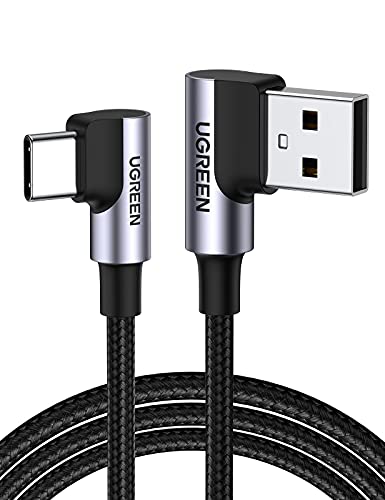
USB-A to USB-C cables are useful when the source is an older wall charger, computer, vehicle port, or power bank with a USB-A socket. The Monoprice, ANLINK, UNIDOPRO, UGREEN, and MEOU selections use this arrangement. USB-C to USB-C is different: the DbillionDa cable is intended for two USB-C ports and documents 60W power delivery.
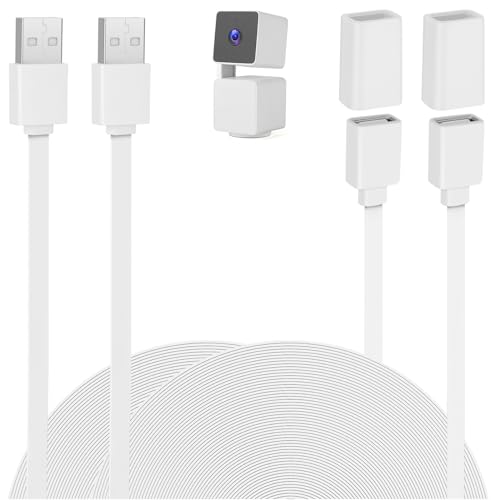
Micro-USB remains relevant for older phones, controllers, media devices, and other legacy equipment. The Pagaloce pair is the selected Micro-USB option, but its connector should not be confused with USB-C. A male-to-female extension also serves a different purpose. The Itramax camera choices extend an existing connection and should be evaluated for power-only limitations and camera compatibility.
Check charging claims carefully
Charging figures should be read alongside the source, device, and charging protocol. The Monoprice listing specifies up to 3A from a USB-A source, while ANLINK lists 5V/2A. The DbillionDa USB-C cable documents 60W power delivery, and MEOU states up to 60W with compatible protocols and adapters. Those figures describe listed cable capability; they do not indicate that every connected device will charge at that level.
For camera installations, power-only designs can be appropriate because data communication is not needed. Itramax explicitly identifies its 10-foot camera cable as power-only. That makes it unsuitable for a webcam, IP camera requiring communication, phone sync, or another application that needs digital data.
If you transfer files, use Android Auto, or sync a device, look for a stated data capability. UNIDOPRO lists up to 10Gbps and explicitly mentions Android Auto. Monoprice lists up to 5Gbps. UGREEN and the Pagaloce Micro-USB pair list 480Mbps, while LANMINGLEL also identifies USB 2.0 transfer up to 480Mbps. The DbillionDa cable supports data transfer but does not provide a numeric speed in the supplied listing.
Do not infer video support from a charging or data claim. UGREEN states that video transmission is not supported, and MEOU states that it does not support CarPlay for iPhone series. These limitations matter when the cable is intended for a vehicle or display-related setup.
Use flat and angled designs strategically
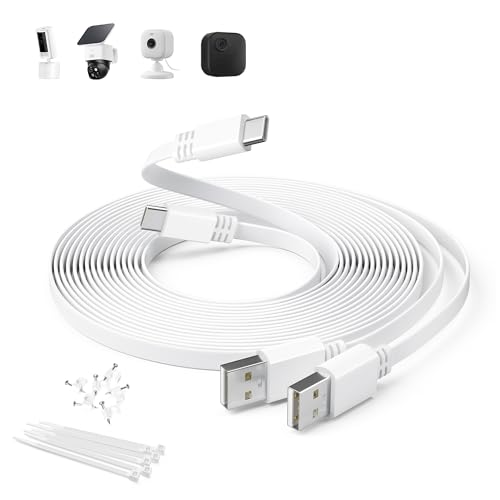
The principal reason to choose the best flat usb cables is often routing. A low-profile cable can sit closer to a wall, floor, door edge, or window frame than a conventional round cable. ANLINK includes nail-in clips and cable ties, while the camera-oriented Itramax and UYODM listings describe hardware or features intended to organize longer runs.
Right-angle connectors can reduce the space needed beside a phone, controller, or laptop. DbillionDa, UGREEN, MEOU, and LANMINGLEL document angled USB-C ends. UNIDOPRO’s flat dimensions are especially specific at 2mm thick and 8mm wide. For a compact travel setup, LANMINGLEL’s 30cm length avoids a large loose loop. For a desk or camera route, six to ten feet may be more practical.
Select the right length and package
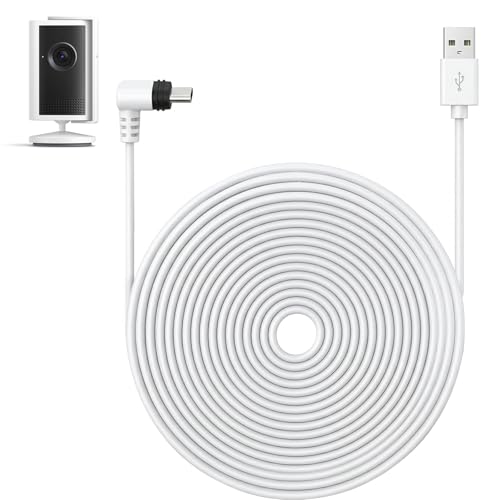
Measure the route before ordering. A 30cm cable is convenient when the devices are close together but can be restrictive across a desk. The 1-meter UNIDOPRO model fits many car connections, while Monoprice, DbillionDa, and UGREEN provide roughly six-foot reach. ANLINK, Itramax, and UYODM provide 10-foot options for longer paths.
Also check whether you are buying a complete cable or an extension. A USB-A male-to-female product adds reach but does not replace a source-to-device cable. A two-pack may be useful for multiple cameras or rooms, but it can be unnecessary if only one connection is needed. Included clips, ties, or protective connector covers can be more useful than extra cable when the installation is permanent.
Final recommendation
DbillionDa Flat 90-Degree USB-C to USB-C Cable ranks first overall in this specification-based comparison under the published weighted criteria.
Monoprice Flat USB-C to USB-A 3.2 Cable is the first overall specification-based choice among the best flat usb cables because it combines up to 5Gbps data, up to 3A charging, a reversible USB-C connector, and a six-foot length. For USB-C to USB-C charging, choose DbillionDa’s 60W, 90-degree design. UNIDOPRO is the more targeted pick for Android Auto and its stated 10Gbps data speed, while ANLINK is better for a longer routed installation.
The top flat usb cables are not interchangeable in every setup. Use Itramax or UYODM for the documented camera-routing niches, Pagaloce for Micro-USB devices, and LANMINGLEL when a short angled cable is the priority. Confirm port type, required data function, length, and whether the connection needs power only before choosing.
Frequently Asked Questions
Are flat USB cables better for tight spaces?
They can be more convenient for routing because their low-profile shape is designed to sit close to surfaces and pass through narrower gaps. ANLINK, UNIDOPRO, Itramax, and UYODM specifically describe flat designs for routing or installation. However, connector size and bend direction still affect whether a particular path works.
Which of the best flat usb cables has the highest listed data-speed claim?
UNIDOPRO lists a numeric 10Gbps data-speed claim. Monoprice lists up to 5Gbps. Several other cables list 480Mbps, including UGREEN, LANMINGLEL, and the Pagaloce Micro-USB pair. A device and source must also support the relevant standard for that capability to be useful.
Can a power-only flat cable transfer camera data?
No. The Itramax security-camera cable is explicitly identified as power-only and not for data transfer. It should not be selected for webcams, IP cameras requiring communication, phone syncing, or other data applications. Check whether the camera needs only power before using this type of cable.
Is a right-angle USB-C cable useful for gaming or reading?
It may be useful when the device is held while charging because the connector points away from the port area. DbillionDa, UGREEN, MEOU, and LANMINGLEL document 90-degree USB-C designs. The choice still depends on port direction, case clearance, cable length, and the required charging or data specification.
Can I use a USB-C cable with a Micro-USB device?
Not automatically. USB-C and Micro-USB are different connector formats. The Pagaloce pair is designed for Micro-USB devices, while the other USB-C products use USB-C at one end or both ends. Check the device port and the cable’s connector description before ordering.