Buying Guide
Choosing the best male-to-female modem cables starts with identifying the port family on both devices. The products in this comparison fall into three documented groups: DB9 and DB25 serial cables, RJ45 Ethernet extensions, and F-type coaxial cables. These groups are not interchangeable. A cable can have the right male-to-female description and still use the wrong connector, wiring pattern, or signal type for a particular modem or computer.
Start with the connector shape and gender
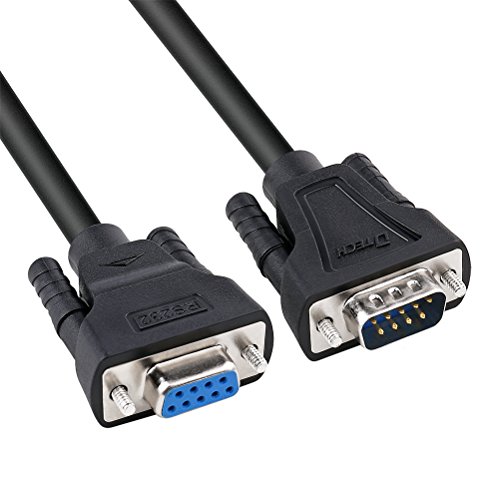
Inspect both ports before selecting a cable. DB9 connectors are compact nine-pin serial connectors commonly associated with older computers, modems, printers, routers, switches, and specialized equipment. DB25 connectors are larger 25-pin serial connectors. The StarTech SCNM925FM and C2G 3019 each join DB9 and DB25 formats, but they use different connector genders and should be matched to the actual ports rather than to the product name alone.
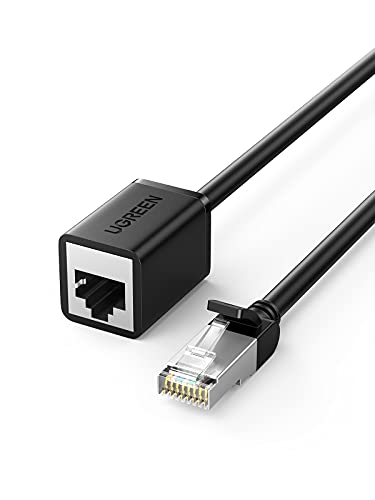
RJ45 is the familiar modular connector used for Ethernet network connections. The UGREEN cable in this list is an RJ45 male-to-female Cat6 extension and is documented for routers, modems, switches, computers, and other network devices. F-type coaxial connectors are threaded and are used by the uxcell RG6 cable for cable modems and similar coaxial equipment. An F-type cable cannot replace an RJ45 or serial cable simply because both may be described in relation to a modem.
Check straight-through versus null-modem wiring
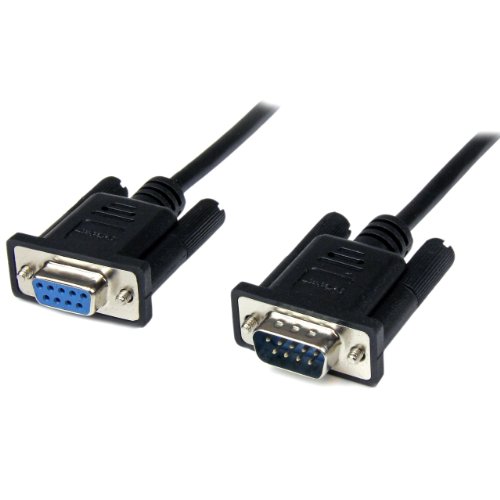
For serial equipment, wiring function is often more important than length. A straight-through cable keeps corresponding pins connected in order. The StarTech MXT1001MBK and XANHAM SC902S08FM are examples with straight-through documentation. The KENTEK DB9-to-DB25 model also states that it uses a straight-through configuration.
A null-modem cable crosses selected lines so two devices of the same general communication role can communicate directly. The StarTech SCNM9FM2MBK and SCNM9FM are identified as null-modem cables. DTECH’s six-foot model is more specific: it uses a simple three-wire crossover with TX, RX, and signal ground, without hardware handshaking. That limitation matters if the equipment expects RTS, CTS, DTR, or DSR control lines.
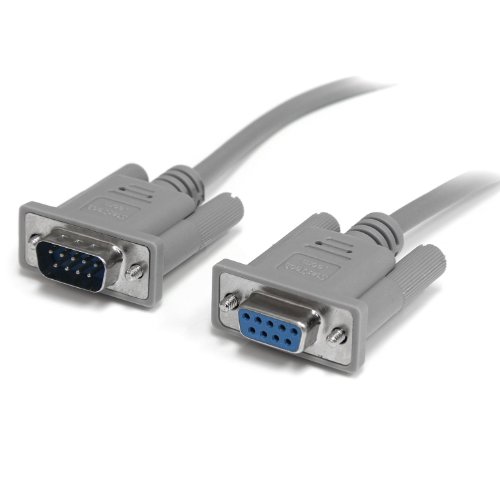
Do not assume that every DB9 male-to-female cable is a null-modem cable. The StarTech MXT1001MBK is explicitly straight-through, while the StarTech SCNM9FM2MBK is explicitly null-modem. If the source listing does not provide the wiring arrangement, confirm the device requirements before connecting it.
Match cable type to the modem connection
A serial modem connection generally calls for a DB9 or DB25 RS-232 cable with the correct pin arrangement. The listings for the StarTech, DTECH, XANHAM, C2G, and KENTEK models mention serial devices or RS-232 equipment. These cables may also be listed for printers, scanners, routers, switches, plotters, cameras, barcode equipment, or test equipment, but those applications do not eliminate the need to verify the port and wiring.
A cable modem or coaxial modem connection may instead use a 75-ohm F-type coaxial cable. The uxcell model is the selected product with this documented design. It has a solid center conductor, dielectric insulation, three layers of aluminum shielding, and a PVC outer layer. Check whether the equipment uses F-type connectors and whether a 4-foot run reaches the wall outlet or device without excessive tension.
For a network modem or router, choose an RJ45 Ethernet extension. UGREEN’s 3-foot cable is specified as Cat6 and includes four pairs of pure copper conductors. It is also described as backward compatible with Cat5e and Cat5. The intended connection is a network port, not a serial port or coaxial input.
Choose an appropriate length
Length should solve the layout without creating unnecessary loops. The 1-meter StarTech MXT1001MBK is suited to a short serial extension. The 2-meter StarTech and XANHAM models provide more working room, while six-foot options from DTECH, C2G, KENTEK, and UGREEN cover common nearby arrangements. The StarTech SCNM9FM and SCNM925FM extend to 10 feet for equipment separated across a room or rack.
Longer is not automatically better. Extra cable can add clutter and place more weight or leverage on connectors. Conversely, a cable that is too short may pull on a port or require the equipment to be repositioned. Measure the route between ports, account for the direction of each connector, and leave enough slack for a gentle bend rather than a sharp turn.
Look at shielding and physical construction
Shielding is especially relevant around serial and coaxial connections because several listings identify protection from electromagnetic or radio-frequency interference. The StarTech MXT1001MBK uses Al-Mylar shielding and shielded metal shells. XANHAM documents both metal braiding and aluminum foil. The C2G cable lists foil shielding, while the uxcell coaxial cable lists three layers of aluminum shielding.
Construction details also help distinguish a cable intended for repeated installation from a minimally described cord. Molded connectors and strain relief appear in several selected listings. The XANHAM cable lists double injection molding, and the C2G model lists rugged overmolded construction. UGREEN uses a PVC outer cover and solid connector pins. These details describe design features; they do not establish a hands-on durability result.
Verify the exact device requirement
Before ordering, compare the modem or equipment manual with the cable’s documented connector and wiring type. For serial devices, determine whether the connection needs straight-through, simple null-modem, or a fuller handshaking arrangement. For network devices, confirm that the port is RJ45 Ethernet. For coaxial equipment, confirm the F-type connector and coaxial signal path.
Also check gender on both ends. A DB9 female-to-DB25 male cable is different from a DB25 male-to-DB9 female cable even when both connect the same connector families. If a device needs a different gender, a cable alone may not provide the required connection. Avoid treating an adapter, converter, or visually similar connector as a substitute for a complete cable.
Final recommendation
XANHAM SC902S08FM 2m DB9 Straight-Through Cable ranks first overall in this specification-based comparison under the published weighted criteria.
The StarTech MXT1001MBK is the first overall specification-based choice among these best male-to-female modem cables because it documents a DB9 male-to-female layout, straight-through wiring, shielding, strain relief, thumbscrews, and a manageable 1-meter length. It is the clearest fit when compatible RS-232 equipment needs a straight-through extension.
For a null-modem connection, the StarTech SCNM9FM2MBK offers a compact 2-meter format, while the DTECH six-foot model provides more detail about its simple three-wire crossover. If the connection must span DB9 and DB25 ports, the StarTech SCNM925FM and C2G 3019 are strong specification-based matches, with the KENTEK model serving the distinct straight-through requirement.
The top male-to-female modem cables are not one universal design. Choose the uxcell RG6 when the modem path uses F-type coax, or the UGREEN Cat6 extension for an RJ45 network connection. Confirm connector gender, wiring, and signal type first; then select the shortest documented cable that suits the layout.
Frequently Asked Questions
Are male-to-female serial cables all wired the same way?
No. The StarTech MXT1001MBK and XANHAM SC902S08FM are documented as straight-through, while the StarTech SCNM9FM2MBK, StarTech SCNM9FM, and C2G 3019 are null-modem designs. DTECH’s six-foot model is a simple three-wire null-modem cable without hardware handshaking. Check the required pin arrangement before connecting serial equipment.
Can a DB9 cable connect to a DB25 modem port?
Yes, if the cable has the correct connector genders and wiring for the equipment. The StarTech SCNM925FM and C2G 3019 provide DB9-to-DB25 null-modem connections. The KENTEK KT-DB9F-DB25M is documented as a straight-through DB9-to-DB25 cable. These functions are different, so select based on the device requirement rather than connector size alone.
Is an RJ45 modem extension the same as a serial modem cable?
No. The UGREEN cable is an RJ45 Cat6 Ethernet extension for compatible network ports. The DB9 and DB25 models are RS-232 serial cables. Their connectors, signal paths, and wiring purposes differ, so an RJ45 extension should not be used as a replacement for a serial cable.
What should I check before choosing the best male-to-female modem cables?
Confirm the port family, male-to-female orientation, required wiring pattern, and cable length. For serial equipment, identify straight-through or null-modem needs. For coaxial equipment, check F-type connectors and the 75-ohm RG6 design documented by uxcell. For network equipment, verify that both devices use RJ45 Ethernet ports.
Does more shielding prove that a cable will work with every modem?
No. Shielding is only one specification. A cable can have foil, braid, or metal-shell shielding and still have the wrong connector or pin arrangement. The selected listings document different designs, including shielded DB9 serial cables, DB9-to-DB25 cables, F-type coax, and RJ45 Ethernet. Compatibility must be confirmed from the complete connection requirements.