Buying Guide
The best hdmi male-to-male hdmi-to-vga adapters in this comparison are active conversion cables, not simple passive wiring. HDMI carries a digital signal, while VGA carries an analog video signal, so each selected cable documents a built-in chip or active conversion approach. That distinction matters when connecting a modern laptop, desktop, streaming box, or game device to an older monitor, projector, or VGA-equipped display.
Confirm the connector arrangement
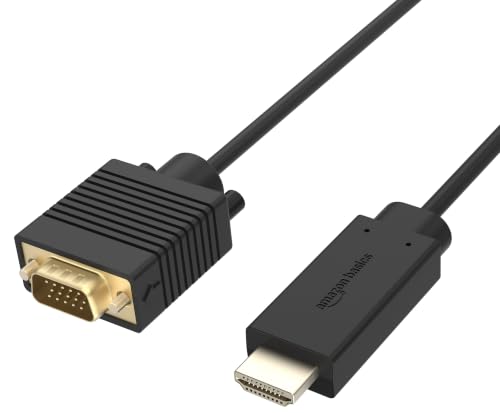
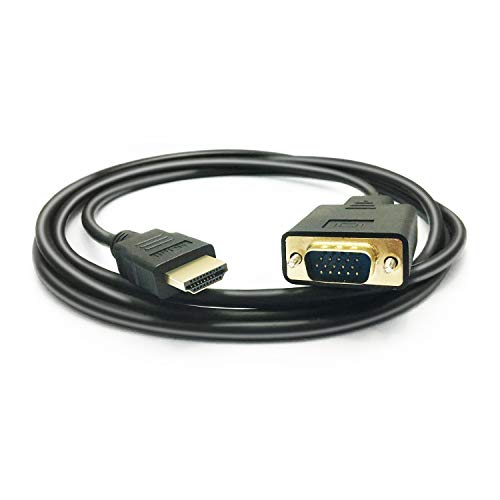
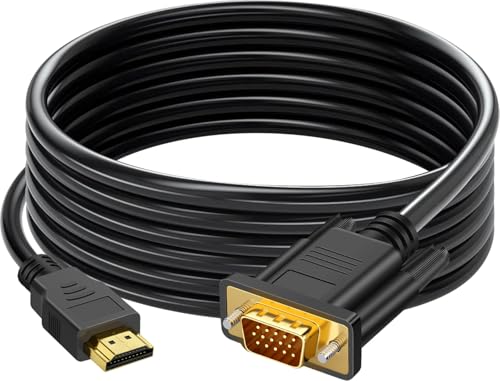
Every product selected here has male HDMI and male VGA ends. That makes it suitable when the source has an HDMI output and the display has a VGA input. The BENFEI HDMI to VGA 6 Feet Cable and the Amazon Basics HDMI to VGA Cable, 6 Feet both state this source-to-display arrangement directly. The direction is not interchangeable: these cables are not designed to take a VGA source and feed an HDMI display.
Check the ports on both devices before choosing a cable. A male-to-male cable will not replace a male-to-female adapter. It also may not fit a setup where the display has a permanently attached VGA lead or where the source has only a VGA output. The URELEGAN HDMI to VGA Cable, 3.3 Feet is an example of the same male-to-male design in a shorter format.
Match the resolution
Most of the selected cables document support up to 1920x1080 at 60Hz, commonly written as 1080p@60Hz. The SWITCHFLUX HDMI to VGA Cable, Metal Case also lists 720p, 1600x1200, and 1280x1024 compatibility. The PeoTRIOL HDMI to VGA Cable, 6 Feet goes further by listing input and output formats from 480i through 1080p at 60Hz.
A stated maximum is not a promise that every source-display combination will use that mode. The source, VGA display, graphics hardware, and software settings all affect the available output modes. For a basic 1080p monitor or projector connection, compare the documented ceiling with the display’s own specification. For older equipment, the additional 720p, 1280x1024, or 1600x1200 entries can be useful clues, but they do not remove the need to confirm the display’s accepted formats.
Account for one-way operation
One-way conversion is the defining limitation of these products. The HDMI connector belongs at the source, and the VGA connector belongs at the display. The SAISN HDMI to VGA Cable, 6 Feet and AKWOR HDMI to VGA Cable, 6 Feet both describe this direction as HDMI source to VGA monitor. The FEMORO HDMI to VGA Cable, 6 Feet also identifies the cable as unidirectional.
This is especially important when replacing an older cable or shopping from a short product title. Look for wording such as “HDMI source to VGA display,” “one-way,” or “unidirectional.” If the intended setup is VGA output from a computer to an HDMI television, none of these selected cables is the correct design.
Check device exclusions
Compatibility lists are useful, but the exclusion notes deserve equal attention. Several listings identify Blu-ray players and low-power HDMI ports as potential incompatibilities. The BENFEI HDMI to VGA 6 Feet Cable lists computers, Chromebooks, Raspberry Pi, Roku, Xbox devices, and other HDMI sources, but also notes exclusions for Blu-ray and low-power devices. The Meliya HDMI to VGA Cable, 6 Feet gives similar compatibility guidance.
Some sources do not provide enough HDMI power for an active cable to operate as listed. If the source is a low-power device, review its output requirements and the product’s specific notes rather than relying only on the connector shape. The URELEGAN HDMI to VGA Cable, 3.3 Feet and FEMORO HDMI to VGA Cable, 3 Feet both include additional low-power-device warnings.
Plan for audio separately
Standard VGA carries video, not audio. Most selected cables explicitly state that they do not transmit sound. That includes the Amazon Basics HDMI to VGA Cable, 6 Feet and SWITCHFLUX HDMI to VGA Cable, Metal Case. If sound is needed, plan a separate audio path from the source to speakers, headphones, or a compatible display input.
The products in this top 10 are male-to-male cables. Do not assume that a VGA connection will carry sound merely because video appears on the display.
Choose the appropriate length and construction
Six feet is the dominant length in this group and generally offers more flexibility between a laptop or desktop and a monitor or projector. The shorter URELEGAN and FEMORO three-foot options make more sense for close desk layouts, where a longer cable could leave excess slack. The exact distance between ports should guide the choice.
Construction details vary. The SWITCHFLUX model documents an aluminum-alloy shell and braided cable. The FEMORO six-foot model documents foil-and-braid shielding, while the AKWOR model describes a bold PVC cable. Gold-plated connectors appear across several listings, including Amazon Basics, PeoTRIOL, and SAISN. These are specification differences, not evidence of a hands-on durability test, so treat them as design attributes rather than performance findings.
Final recommendation
BENFEI HDMI to VGA 6 Feet Cable ranks first overall in this specification-based comparison under the published weighted criteria.
BENFEI HDMI to VGA 6 Feet Cable is the first overall specification-based choice among these best hdmi male-to-male hdmi-to-vga adapters. Its listing combines an active conversion chip, 1080p at 60Hz support, broad compatibility examples, plug-and-play operation, a six-foot length, and an 18-month warranty. It is a practical starting point for a computer, Chromebook, Raspberry Pi, projector, or VGA monitor, provided the source is HDMI and the display is VGA.
The Amazon Basics HDMI to VGA Cable, 6 Feet is a close alternative when clear core specifications and a conventional six-foot cable are the priority. Choose SWITCHFLUX if the documented aluminum-alloy case and braided cord matter more. PeoTRIOL is useful when detailed input and output formats are important. Meliya, SAISN, and AKWOR cover similar six-foot computer and projector use cases with active chips and 1080p support.
For a shorter connection, URELEGAN HDMI to VGA Cable, 3.3 Feet and FEMORO HDMI to VGA Cable, 3 Feet reduce excess cable. For a longer layout with more construction detail, FEMORO HDMI to VGA Cable, 6 Feet documents foil-and-braid shielding. Across the top hdmi male-to-male hdmi-to-vga adapters, the deciding checks remain the same: HDMI source, VGA display, supported resolution, one-way direction, audio needs, excluded devices, and sufficient cable length.
Frequently Asked Questions
Are these best hdmi male-to-male hdmi-to-vga adapters bidirectional?
No. The selected products are directional HDMI-to-VGA converters. Connect the HDMI male end to an HDMI source and the VGA male end to a VGA display. They cannot normally convert a VGA source into an HDMI display connection.
Will an HDMI-to-VGA cable carry sound?
Generally, no. VGA is a video-only interface, and the selected cables either explicitly state that audio is unsupported or do not document audio output. A separate audio connection is needed when the setup requires sound. Confirm the source and display audio options before installation.
What resolution do these cables support?
The selected listings commonly specify up to 1920x1080 at 60Hz, or 1080p@60Hz. Several also list 720p, 1600x1200, and 1280x1024. Actual available modes depend on the source, display, and their supported signal formats.
Do these cables work with every HDMI device?
No. Listings commonly exclude Blu-ray players and some low-power HDMI devices. Certain products also list specific Apple, Sony, gaming, or docking-device limitations. Check the exact compatibility notes for the selected cable and source rather than assuming that matching connectors guarantee operation.
Should I choose three feet or six feet?
Choose three feet for a close desk connection, such as a nearby laptop and monitor. Choose six feet when the display or projector is farther away or when the setup needs more routing flexibility. Measure the path between the ports and allow enough slack for the connectors without excessive looping.