Buying Guide
The best hdmi to vga adapters share a common job: converting a digital HDMI signal from a laptop, desktop, streaming stick or game console into an analog VGA signal for an older monitor or projector. Because VGA does not carry audio natively and HDMI is one-directional in most consumer uses, choosing the right model means matching resolution, audio routing, power and physical form to your setup. This guide walks through the specification areas that matter most when comparing the top hdmi to vga adapters in this category.
Resolution and Refresh Rate
Most HDMI to VGA adapters in this comparison support a maximum output of 1920x1080 at 60Hz, often listed as 1080p Full HD. Some, like the StarTech.com HD2VGAE3, also list 1920x1200 support for slightly higher desktop resolutions. If your source device outputs at 4K, the adapter will downscale to the supported ceiling, so matching the adapter to the native resolution of your VGA display helps avoid scaling artifacts.
Backwards compatibility with 720p, 1600x1200 and 1280x1024 is commonly listed across these adapters. Refresh rate is fixed at 60Hz for 1080p output in nearly every model here, which is appropriate for office work, presentations and most legacy projector setups.
Build Quality and Connectors
Build quality shows up in three places: connector plating, housing material and cable jacket. Gold-plated HDMI connectors are common and resist corrosion over repeated insertion cycles. Aluminum alloy housings, such as on the SWITCHFLUX and UANTIN cables, add rigidity and improve heat dissipation compared with all-plastic shells.
If you are running a VGA cable to a fixed display, screw-locking VGA support is worth looking for. The StarTech.com HD2VGAE3 and the DTECH HDMI to VGA Adapter with 3.5mm Audio Port both support VGA screw-locking cables, which can prevent accidental disconnects in workstations or mounted installations.
Audio and Power Handling
VGA cannot carry audio, so any sound has to be routed separately. Several models solve this with a built-in 3.5mm audio jack.
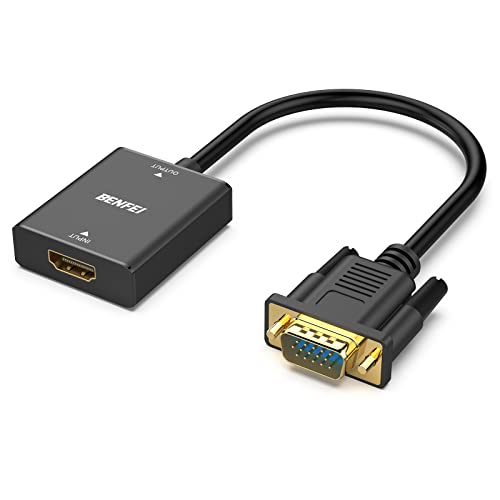
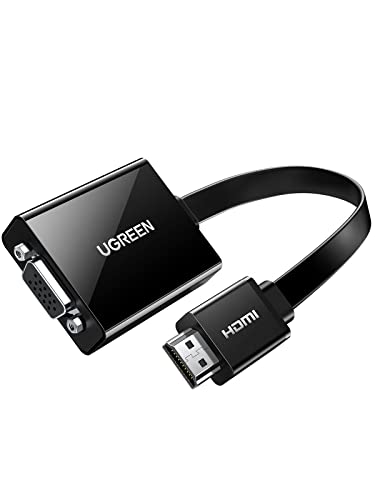
Power handling is the other half of the audio story. Some HDMI sources, such as Mac Mini, Apple TV and Raspberry Pi, have lower-power HDMI outputs. Active adapters like the UGREEN and BENFEI audio models include a micro USB port and, in some cases, a micro USB cable for supplemental power. Pure cable-style adapters such as the BENFEI 6-foot cable or the SWITCHFLUX 6FT rely on the HDMI source’s power and may have limitations with low-power devices.
Device Compatibility
Compatibility lists across these adapters cover most modern HDMI sources: Windows and macOS laptops, desktops, Chromebooks, ultrabooks, Raspberry Pi, set-top boxes, Xbox One, Xbox 360, PS3 and Roku. There is near-universal agreement that Blu-ray players and low-power HDMI ports (Mac Mini, Apple TV, MacBook Pro with Retina, PS4, PS5) may not work with passive HDMI to VGA cables. If your source is in that list, an active adapter with an audio jack and micro USB power is usually the safer specification choice.
The category splits into two physical designs. They remove the need for a second VGA cable and are convenient for fixed routes between a computer and a monitor or projector.
Dongles are more portable and easier to pack, but they usually require a separate VGA cable to reach the display.
Warranty and Support
When comparing the hdmi to vga adapters, longer warranty windows are a useful tiebreaker if specifications are otherwise similar.
Final recommendation
StarTech.com Active HDMI to VGA Adapter HD2VGAE3 ranks first overall in this specification-based comparison under the published weighted criteria.
For a pure specification-based pick, the UGREEN Active HDMI to VGA Adapter with 3.5mm Audio Jack stands out among the top hdmi to vga adapters because its active chipset, dedicated audio output and included micro USB power cable address the three most common limitations in this category: low-power HDMI sources, missing audio routing and unstable signal conversion. If you do not need audio and prefer a driver-free, OS-flexible solution with screw-locking VGA support and a long warranty, the StarTech.com HD2VGAE3 is the most specification-aligned alternative. Together, these four models represent the practical center of the best hdmi to vga adapters in this category.
Frequently Asked Questions
Do HDMI to VGA adapters carry audio?
No. VGA is a video-only analog standard.
Will an HDMI to VGA adapter work with my Mac Mini, Apple TV or PS4?
It depends on the adapter. Many HDMI to VGA adapters in this category explicitly note that low-power HDMI ports such as those on Mac Mini, Apple TV, MacBook Pro with Retina display and Sony PS4 may not provide enough power for a passive cable. Active adapters with a micro USB power port, like the UGREEN and BENFEI audio models, are designed to handle these sources.
What resolution should I expect from the best hdmi to vga adapters?
The most common maximum output is 1920x1080 at 60Hz, also written as 1080p Full HD. Several models, including the StarTech.com HD2VGAE3, also support 1920x1200. Lower resolutions such as 720p, 1600x1200 and 1280x1024 are typically listed as backwards compatible. The adapter cannot upscale beyond what the VGA display accepts.
Do I need a separate VGA cable with an HDMI to VGA adapter?
It depends on the form factor.
Are HDMI to VGA adapters plug-and-play?
Most models in this comparison are plug-and-play with no driver installation required. Power comes either from the HDMI port itself or, on active models, from an optional micro USB connection for low-power sources.