Buying Guide
Choosing the best male-to-male vga cables starts with confirming that both devices use standard female 15-pin VGA ports. VGA is an analog video connection, so these cables are intended for direct VGA-to-VGA links between compatible equipment. They do not convert HDMI or DisplayPort signals, and a VGA connection does not carry audio.
Confirm the connector type
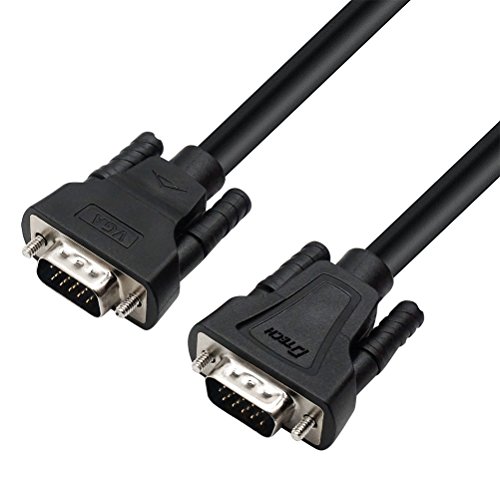
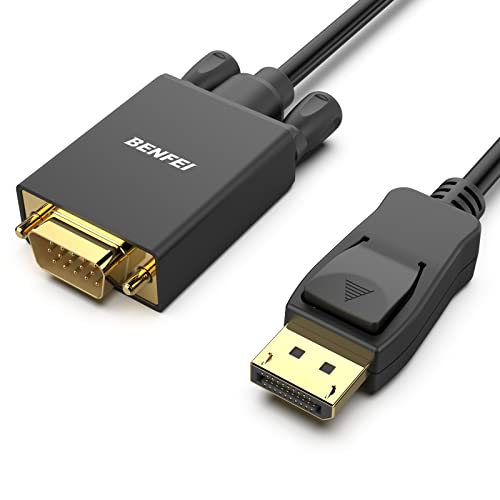
A genuine male-to-male VGA cable has a 15-pin plug at each end. Cable Matters, BENFEI, URELEGAN, PASOW, DTECH, UV-CABLE, UVOOI, and Kado all document this direct VGA arrangement in the selected products. This is different from HDMI-to-VGA and DisplayPort-to-VGA products, which contain conversion hardware and are designed for one-way connections between different interfaces.
Check the ports on the source and display before selecting a cable. A desktop computer with a VGA output and an older monitor with a VGA input can use a direct cable. If the computer has only HDMI or DisplayPort, a direct male-to-male VGA cord will not provide the required conversion.
Match the cable length to the layout
Length affects routing more than image quality. A 3-foot cable such as the DTECH V001 is suited to a computer and monitor placed close together. Five- and six-foot options, including Kado and PASOW, work well for ordinary desk arrangements. The BENFEI and UV-CABLE selections provide 6-foot reach, while UVOOI extends to 8 feet and Cable Matters and URELEGAN reach 10 feet.
For a projector or a display positioned well away from the computer, the 25-foot DTECH flat cable provides the most reach among these selections. Long cables can create more slack, so plan the route before connecting the equipment. Avoid sharp bends around the plugs and leave enough room to tighten the thumbscrews without pulling the cord.
Consider flat construction for tight spaces
The DTECH 6-foot and 25-foot models use an ultra-thin flat design. The supplied listings specifically describe routing beneath carpets, along walls, and behind furniture. This shape can be useful when a conventional round cable would be more difficult to conceal or would create a raised section across a walkway.
Flat construction is a routing feature, not a universal indication of better video performance. If the cable will remain visible or needs a more substantial physical profile, a standard cord with molded strain relief may be easier to handle. The selected Cable Matters and BENFEI cables document molded strain relief and grip treads for plugging and unplugging.
Look for shielding when the cable passes near electronics
VGA carries analog video, so shielding is a relevant specification when the cord runs near power cables, computers, displays, or other electronics. Cable Matters and BENFEI list foil-and-braid shielding plus dual ferrite cores. UV-CABLE and UVOOI also document foil-and-braid shielding, while the DTECH short cable lists an aluminum-foil shield. These details indicate design attention to EMI, RFI, or crosstalk suppression, but the comparison does not represent hands-on interference testing.
Gold-plated connectors appear in several selected listings, including Cable Matters, BENFEI, UV-CABLE, UVOOI, and the DTECH flat 6-foot model. Other products specify nickel-plated connectors or do not identify the plating. Connector plating is one part of the construction specification; it should be considered alongside the cable’s shielding, conductors, strain relief, and connection hardware.
Compare stated resolution support
The best male-to-male vga cables in this comparison list support for common formats such as 800x600, 1024x768, 1600x1200, and 1920x1080. Cable Matters and BENFEI additionally document support up to 1920x1200. UV-CABLE lists several less-common wide formats, while Kado specifically states 1920x1080 at 60Hz.
Resolution support is not a guarantee that every device will display every listed format. The source computer and monitor must both support the selected resolution and refresh rate. Check the display specifications and graphics settings if a particular format is important.
Plan for audio separately
VGA is a video-only connection. The UVOOI listing explicitly notes that it does not support audio, and the UV-CABLE listing also explains that sound remains through the device’s built-in speakers. A direct VGA cable therefore cannot replace a separate audio connection when the setup requires sound. This distinction is especially important when connecting a computer to a television or projector.
Use the selection method carefully
This article is a specification-based comparison using public listing data, not a hands-on test and not a summary of customer opinions. Products were screened for a direct male-to-male VGA design, then compared on connector and cable build, signal-protection details, stated resolution support, length practicality, and documented device compatibility. The scores reflect the supplied specifications only; they do not claim measured image quality, durability, or compatibility with every VGA device.
Final Recommendation
BENFEI VGA to VGA Cable with Ferrites, 6ft ranks first overall in this specification-based comparison under the published weighted criteria.
The final choice among the best male-to-male vga cables depends on the documented features that match your intended use.
Cable Matters VGA Cable with Ferrites, 10ft is the highest-scoring returned product and the first overall specification-based choice. It combines support up to 1920x1200 with gold-plated connectors, bare copper conductors, molded strain relief, screw-secured plugs, foil-and-braid shielding, and dual ferrite cores.
For a shorter general-purpose setup, BENFEI VGA to VGA Cable with Ferrites, 6ft provides a similarly detailed construction profile in a more manageable length. UV-CABLE VGA Cable, 6ft, Gold-Plated is a strong fit when the documented resolution list matters, while DTECH Ultra Thin Flat VGA Cable, 25ft is the practical selection for a long concealed route.
The top male-to-male vga cables should still be matched to the actual port type, required distance, supported display format, and separate audio needs. For close desktop placement, the 3-foot DTECH cable or 5-foot PASOW and Kado models can limit unnecessary slack. For a room-side display, UVOOI, URELEGAN, or Cable Matters provide more reach.
Frequently Asked Questions
What are the best male-to-male vga cables for a monitor?
For a monitor with a standard 15-pin VGA input, Cable Matters and BENFEI offer the most complete documented specifications, including high-resolution support, shielding, copper conductors, and screw-secured connectors. A shorter DTECH or PASOW cable may be more suitable when the computer and monitor are close together.
Do male-to-male VGA cables carry sound?
No. VGA carries analog video only. The selected UVOOI and UV-CABLE listings explicitly identify the lack of audio transmission. Use the equipment’s built-in speakers or a separate audio connection when sound is required.
Can a direct VGA cable connect HDMI to VGA?
No. A direct male-to-male VGA cable requires VGA ports on both devices. HDMI-to-VGA products are a separate category because they convert a digital HDMI source to an analog VGA display. They are also directional, so they should not be treated as ordinary VGA-to-VGA cords.
What length should I choose?
Choose the shortest length that comfortably spans the equipment without tension. Three feet suits a close desktop arrangement, five or six feet fits many standard setups, and 8- or 10-foot models help with separated equipment. The 25-foot DTECH flat model is intended for a much longer route and includes cable ties for organization.
Is shielding important for VGA?
Shielding is a useful specification to compare because VGA transmits an analog video signal. Foil-and-braid shielding and ferrite cores are documented on several selected cables, including Cable Matters and BENFEI. These features support the design goal of reducing interference, but this article does not report independent testing.