Buying Guide
The best lcd laptop replacement screens are selected by compatibility first and display characteristics second. A replacement can have the correct diagonal measurement yet still fail to work if its resolution, connector, touch function, mounting arrangement, or model compatibility differs from the original. The listings in this comparison repeatedly instruct users to compare the existing panel before installation, so the original screen label and laptop model should be treated as essential reference points.
Start with the exact laptop model
Laptop naming is not precise enough by itself. The LCDBros screens for the Dell Inspiron 15 3511 and Dell Inspiron 15 3515 are separate products even though the series names are similar. The Acer Aspire 5 A515-45-R74Z listing likewise warns that similar model names can represent different hardware. Use the complete model designation from the laptop case or system information, then compare it with the compatibility list.
The same principle applies to Chromebook families. The SCREENARAMA HP Chromebook 14a screen names two specific models, while the FirstLCD Lenovo 100e and 100w screen lists multiple generations and several panel references. Broader compatibility lists can help, but they do not remove the need to compare the existing display.
Match size and resolution
Screen size is only one part of the match. Selected products range from 11.6 inches on the Lenovo replacement to 13.3 inches on the JYYSCRN MacBook Pro assembly, 14 inches on several panels, and 15.6 inches on the Dell, Acer, and HP options. A panel with the wrong physical size may not fit the lid or mounting points.
Resolution must also match the original configuration. FHD products in this guide use 1920x1080, while HD options use 1366x768. The JYYSCRN assembly lists 2560x1600. Do not treat a higher or lower resolution as an automatic substitute.
Verify the connector
Many selected products use a 30-pin connector, but that does not make them interchangeable. The LCDBros Dell Inspiron 15 3511, LCDBros ASUS VivoBook 14 X1404Z, and JHK Dell Latitude panel all document 30-pin interfaces while serving different laptop designs.
Compare the original connector count, position, and panel label. For a replacement such as the FirstLCD Lenovo panel, mounting brackets are also specified. For the NBPCLCD HP panel, the absence of tabs is part of the fit information. These mechanical details can be as important as the screen’s resolution.
Check touch function and surface finish
Touch and non-touch panels should be treated as different configurations. Most selected products are explicitly non-touch, including the ASUS, Dell, Acer, and Chromebook options. The NBPCLCD listing clearly excludes touch versions. The JYYSCRN product is a complete MacBook Pro display assembly, so its assembly format should be compared with the original part rather than with a bare panel.
Finish is another useful matching detail. Matte surfaces appear on the ASUS, Dell, Acer, and SCREENARAMA products, while the LCDBros HP Stream listing in the candidate data documents a glossy design but is not part of this top 10. A matte replacement may look different from an original glossy panel, even when the size and resolution match. Select the documented finish that corresponds to the original screen and your laptop’s physical design.
Decide between a bare panel and an assembly
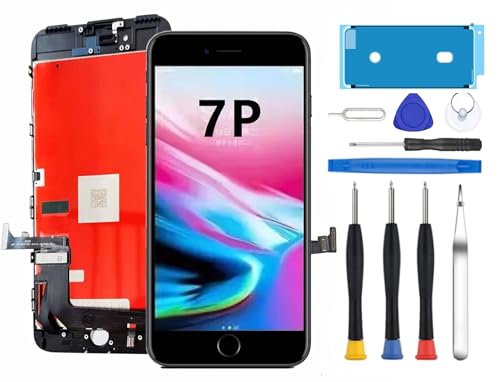
Most products here are screen-only replacements. The JHK Dell Latitude listing says that no bezel, back cover, control board, instructions, or tools are included. The ASUS, Dell, Acer, and Chromebook listings similarly focus on the display component, with tools or tape included only where expressly stated.
The JYYSCRN MacBook Pro A2338 product is different: it is a top assembly with front glass, back cover, cables, webcam, and hinges. It also includes a screwdriver, cleaning brush, and guide. An assembly may require a different repair process and should be selected only when the original laptop and color match the documented specifications.
A screen replacement is a component-level repair. The JHK listing advises disconnecting power and the battery connection before installation. Several listings say to retain original parts because the replacement package may contain only the screen. Others document included tools and double-sided tape, but those items should not be assumed for products that do not list them.
Test the display before final installation when the instructions support that process. The JYYSCRN assembly specifically advises connecting and testing the display before final installation and cautions against bending cables or pressing the LCD surface. These are listing-based instructions, not a hands-on assessment, so follow the supplied product guidance and the laptop manufacturer’s service information.
Compare warranty and documentation
Warranty terms vary across the selected products. The SCREENARAMA options list two years, the LCDBros products state lifetime coverage against manufacturer defects, and the FirstLCD Lenovo replacement lists 90 days. Other products list three months, six months in the description, or a stated defect warranty. Check the exact coverage and exclusions for the chosen item, particularly restrictions concerning installation damage or physical damage.
Final Recommendation
LCDBros ASUS VivoBook 14 X1404Z Screen ranks first overall in this specification-based comparison under the published weighted criteria.
The final choice among the best lcd laptop replacement screens depends on the documented features that match your intended use.
The LCDBros ASUS VivoBook 14 X1404Z Screen is the highest-scoring returned product and the first overall specification-based choice. Its exact model reference, 14-inch FHD resolution, matte non-touch format, 30-pin connector, included tools, and stated warranty create a particularly complete listing for a like-for-like repair.
Among the top lcd laptop replacement screens, the LCDBros Dell Inspiron 15 3511 and 3515 options are similarly well documented for their respective laptops. The LCDBros Acer Aspire 5 panel is the more targeted choice for its exact Acer variant, while the JHK Dell Latitude panel adds IPS detail for compatible 14-inch systems. The SCREENARAMA products are notable for their supplied tools and two-year warranty, but both remain HD panels.
For smaller education-focused laptops, the FirstLCD Lenovo panel is the most detailed compact option because it lists brackets and numerous compatible panel references. For a premium Mac repair, the JYYSCRN A2338 assembly is the specialized choice because it includes the surrounding display components rather than only the LCD. In every case, confirm the model, resolution, connector, touch status, finish, and physical mounting details against the original screen before installation.
Frequently Asked Questions
How do I choose the best lcd laptop replacement screens for my laptop?
Begin with the exact laptop model and the label on the original display. Compare screen size, resolution, connector count, touch or non-touch function, finish, connector position, and mounting details. The listings for the Dell Inspiron 15 3511, Dell Inspiron 15 3515, and ASUS VivoBook 14 X1404Z demonstrate why model-specific matching matters.
Does a 30-pin connector guarantee compatibility?
No. A 30-pin connector is only one matching requirement. The laptop model, panel dimensions, resolution, connector position, touch function, and mounting design must also correspond. The selected 30-pin products serve different Dell, Acer, ASUS, HP, Lenovo, and Mac configurations, so connector count alone is insufficient.
What is the difference between an HD and FHD replacement screen?
The selected HD products list 1366x768, while FHD products list 1920x1080. These are different display configurations and should not be substituted without confirming that the laptop supports the replacement specification. The NBPCLCD HP 14-DQ listing specifically excludes FHD versions.
Are these replacement screens touch-capable?
Most selected products are explicitly non-touch, including the ASUS, Dell, Acer, HP, and Lenovo panels. Touch and non-touch versions should not be treated as interchangeable. The Surface Laptop candidate documents a touch display, but it was not selected for this comparison; therefore, do not infer touch support from any selected product unless its listing states it.
It depends on the listing. The LCDBros and SCREENARAMA products selected here document tools or tape, while the JHK Dell Latitude panel says it includes the screen only and no bezel, back cover, instructions, or tools. The JYYSCRN MacBook Pro product is a complete top assembly with several surrounding components. Always check the package description for the exact product.