Buying Guide
Choosing among the best usb print servers starts with the printer, network, and operating systems already in use. A print server is not simply a USB adapter: it must expose the printer over a network using a method the printer and computers can handle. The supplied products divide into wired single-printer units, wireless models, and multi-port devices that can share several printers.
Match the printer connection
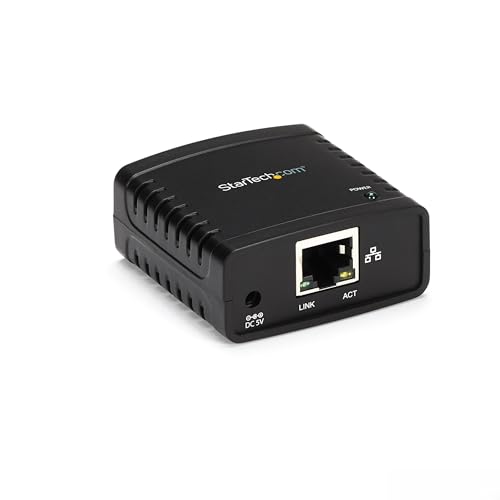
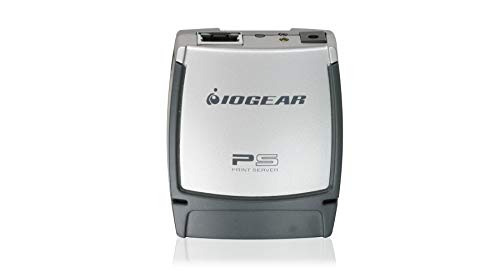
Check that the server has the required USB printer port and that the printer uses a standard connection. USB 2.0 is the dominant specification in this comparison. The IOGEAR GPSU21 also supports USB 1.1, while the StarTech.com PM1115U2 states compatibility with most USB 2.0 printers using standard drivers. That same StarTech listing excludes USB hubs, multifunction printers with proprietary drivers, and printers requiring full bidirectional communication.
The Xiiaozet LK300W specifically requires standard Raw mode or IPP printing and warns that proprietary protocols may be incompatible. The Quxas LP-N110W also lists model-specific exclusions, including some Canon, HP, Epson, SNBC, Sharp, Toshiba, and Ricoh devices. Treat broad compatibility percentages or brand counts as screening information rather than a substitute for checking the exact printer model.
Choose wired or wireless networking
Wired Ethernet is generally the clearest fit when the printer can sit near a router or switch. The IOGEAR GPSU21, StarTech.com PM1115U2, X-MEDIA XM-PS110U, and Jesscasday NP330 all document Ethernet connections, while the NETGEAR PS121 uses a 10Mbps Ethernet port. The IOGEAR, StarTech.com, and X-MEDIA models specify 10/100 networking; the Jesscasday NP330 specifies a 10/100Mbps RJ45 port.
Wireless designs can place a printer farther from the networking equipment. Xiiaozet supports Wi-Fi and wired LAN, Quxas documents 2.4 GHz wireless and two wired ports, and GOWENIC provides wired, 2.4 GHz wireless, and standalone modes. EIMSOAH also documents wireless multi-user sharing. Wireless capability does not remove compatibility checks or installation steps, so confirm the printer protocol and computer operating system first.
Consider how many printers must be shared
A single-port server is appropriate when one USB printer is the only device to connect. The IOGEAR, StarTech.com, X-MEDIA, NETGEAR, and Jesscasday models are single-printer choices based on their supplied descriptions. They can still support multiple computers; the distinction is the number of attached printers, not the number of users.
For several printers, select a model that explicitly documents multiple USB ports or multi-printer sharing. Xiiaozet lists three USB printer ports. GOWENIC states that it can share up to four printers, and its closely matching multi-mode design provides wired, wireless, and standalone operation. Do not interpret storage references in some listings as extra printer ports: a stated storage limit is not evidence of printer-sharing capacity.
Review setup and management requirements
Setup varies considerably. StarTech.com requires manual network configuration through a web interface, using a static IP or DHCP and the LPR queue named LP1. That is useful for a controlled network but requires intermediate network knowledge according to the listing. IOGEAR documents DHCP, Telnet, and web management, while X-MEDIA describes simple setup and management.
Quxas requires the device to be connected to the same local network as the computer and tells users to follow the manual during first use. Xiiaozet describes a two-step process involving network configuration and adding the printer, with a Windows installation tool and supporting guides. GOWENIC documents a user-friendly web interface. These details make the best usb print servers different in practice: a model with more documented administration controls may suit an office, while a simpler unit may be adequate for one home printer.
Verify operating-system and protocol support
Operating-system coverage should be checked on both the server listing and the printer-driver side. StarTech.com documents Windows and macOS compatibility, LPR printing, and Bonjour Print Services, while Quxas lists Windows, macOS, Linux, and SNMP. The CCYLEZ listing names Linux 3.4 or later, Android, and iOS. EIMSOAH also lists Android and Linux support.
Some listings use broad phrases such as multi-OS or mainstream operating systems without naming every protocol. X-MEDIA states multi-protocol and multi-OS support, whereas Xiiaozet identifies Raw mode and IPP. If your environment depends on a particular queue method, choose the product with that method explicitly documented rather than assuming all USB print servers behave alike.
Check physical placement and power
Compact dimensions can help when the server must sit beside a printer or network switch. IOGEAR, StarTech.com, NETGEAR, Jesscasday, and the compact adapter-style models are described as small or space-saving. Several newer adapters use Type-C power, including EIMSOAH and CCYLEZ. GOWENIC and other wireless designs may need a suitable position for both the printer cable and network connection.
The supplied evidence does not establish wireless range, print speed, queue throughput, or hands-on reliability for any model. Those characteristics should not be inferred from USB 2.0 or 100Mbps labels. This is a specification-based comparison, so use the documented ports, protocols, operating systems, and compatibility statements as the decision points.
Final Recommendation
Xiiaozet LK300W Wireless Print Server ranks first overall in this specification-based comparison under the published weighted criteria.
The final choice among the best usb print servers depends on the documented features that match your intended use.
The Xiiaozet LK300W Wireless Print Server is the highest-scoring returned product and the first overall specification-based choice. It offers three USB printer ports, Wi-Fi and wired LAN, automatic queue management, and documented Raw and IPP support. For a single wired printer, StarTech.com PM1115U2 is the more focused alternative because its LPR, Bonjour, DHCP, and compatibility boundaries are clearly stated.
GOWENIC is the clearest fit when four-printer sharing matters, while Quxas LP-N110W is a strong match for Windows, macOS, and Linux networks that need both wireless and wired connections. X-MEDIA is worth considering when its stated model coverage matches the printer. Jesscasday and NETGEAR keep the design simple for basic wired sharing, although their documentation is narrower. The top usb print servers should be selected by exact printer compatibility and network method, not by a generic assumption that every USB printer supports every server.
Frequently Asked Questions
What should I check before choosing one of the best usb print servers?
Confirm the printer model, USB standard, required protocol, operating systems, and whether the device must connect by Ethernet or Wi-Fi. Check exclusions carefully: StarTech.com does not support USB hubs or some proprietary multifunction printers, Xiiaozet warns about proprietary protocols, and Quxas lists specific printer families that are excluded.
Can one print server connect several printers?
Only some selected products document that capability. Xiiaozet lists three USB printer ports, while GOWENIC states support for up to four printers. The IOGEAR, StarTech.com, X-MEDIA, NETGEAR, Quxas, EIMSOAH, CCYLEZ, and Jesscasday listings do not provide the same multi-port figure in the supplied evidence, so treat them as single-printer or unspecified designs unless their documentation confirms otherwise.
Is wireless required for network printer sharing?
No. IOGEAR GPSU21, StarTech.com PM1115U2, X-MEDIA XM-PS110U, NETGEAR PS121, and Jesscasday NP330 document wired Ethernet connections. Wireless is useful when the printer cannot be placed near a router or switch, but it introduces another network configuration step and does not guarantee compatibility with a particular printer.
Which selected model documents mobile operating-system support?
CCYLEZ explicitly lists Android and iOS alongside Linux 3.4 or later. EIMSOAH lists Android and Linux. The other selected products primarily document Windows, macOS, Linux, or multi-OS support without the same mobile-platform detail. Check the printer driver and the server’s setup instructions before relying on mobile printing.
Do USB 2.0 and 100Mbps guarantee faster printing?
No. They identify interface capabilities, not a measured printing result. The supplied evidence does not include hands-on speed tests, queue throughput measurements, or reliability testing. Use those specifications to confirm connection compatibility and network fit, then consult the product documentation for printer-specific behavior.