Buying Guide
The best magnetic stylus pens fall into two broad groups: active iPad pencils and passive capacitive styluses. Active models such as the HATOKU iPad Pencil A16, Metapen Pencil A8, and JEDOUBAL Stylus Pen for iPad use rechargeable electronics and document features such as palm rejection, tilt sensitivity, battery indicators, or fine POM tips. Passive models such as the Accokids, STYLUSLINK, and OASO use a conductive tip and work without charging or Bluetooth.
Check the device list first
Magnetic attachment does not automatically mean universal compatibility. The HATOKU iPad Pencil A16, Metapen Pencil A8, and JEDOUBAL Stylus Pen for iPad list specific iPad generations and sizes. Check the exact tablet model before ordering, especially when using an iPad Air, iPad Pro, or iPad mini. The DOGAIN Power-Display Stylus Pen and passive models make broader compatibility claims across iOS, Android, phones, tablets, and other capacitive screens, but their listings also identify exceptions.
A passive stylus may work wherever a finger works, but that does not give it active-pencil functions. The OASO, Luntak, Kenkor, and STYLUSLINK listings describe capacitive use rather than palm rejection or tilt sensitivity. This distinction matters if you plan to write extensively, draw with changing line width, or rest your hand on the display.
Choose active or passive operation
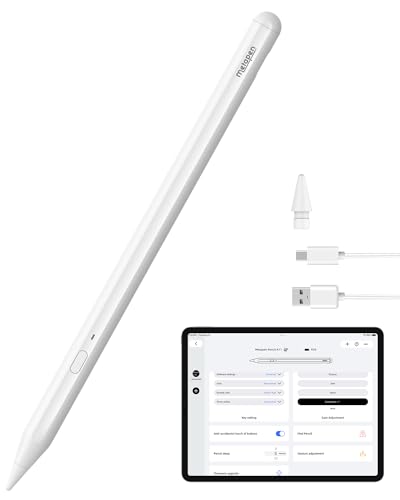
Active pens need charging but can provide a more pen-like feature set. The HATOKU iPad Pencil A16 states a 15-minute fast charge and up to 11 hours of use. Metapen lists a 30-minute full charge and up to 10 hours, while JEDOUBAL states a 13-minute full charge and more than 10 hours of continuous use. These claims are specifications from the supplied listings, not independent measurements.
Passive pens are simpler for browsing, casual notes, and shared devices. Accokids, STYLUSLINK, Bopomofo, Kenkor, Luntak, and OASO do not require a battery or Bluetooth connection according to their listings. That removes charging and pairing from the setup, but passive designs generally offer fewer advanced writing controls.
Compare tip designs
Tip design affects how a stylus is intended to be used. Active models in this comparison use fine tips: HATOKU and JEDOUBAL list 1.5 mm tips, while Metapen states a 0.1 mm precision claim. These products are positioned for notes, drawing, annotations, and editing.
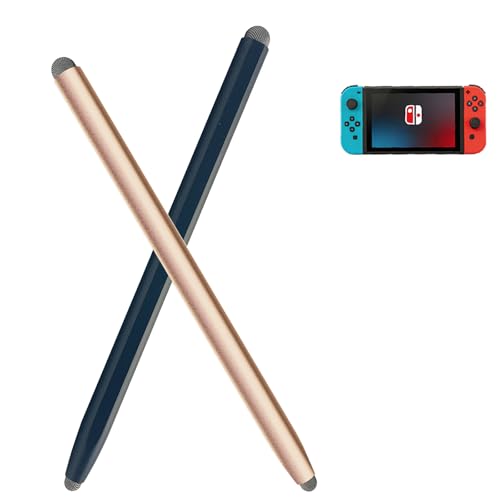
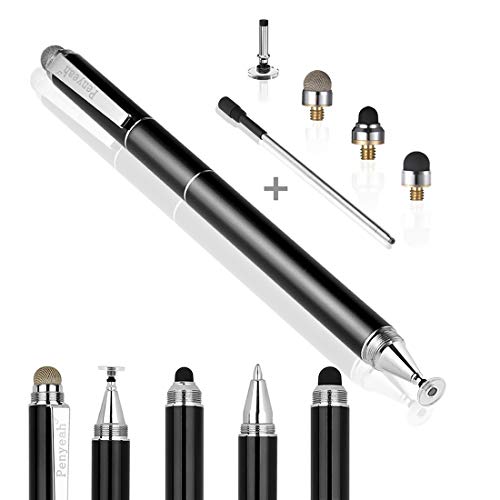
Disc tips make the contact point visible. Accokids lists a 6 mm transparent disc, and both Luntak and OASO describe disc-tip designs for accurate pointing. Fiber or rubber ends are more suited to navigation, scrolling, and general touch input. Bopomofo and Luntak combine a fiber end with a disc end, while Kenkor uses two mesh-tip sizes. A two-in-one body can be useful when one pen must cover both browsing and more deliberate pointing.
Consider storage and cap protection
Magnetic storage can mean different things. Active iPad pens such as HATOKU, Metapen, and JEDOUBAL are described as attaching to compatible iPads. DOGAIN also documents magnetic attachment on its aluminum body. Passive designs may use a magnetic body, a magnetic cap, or both. Accokids uses a rotating hidden disc tip, OASO and Luntak use magnetic caps, and STYLUSLINK describes a magnetic body and tip.
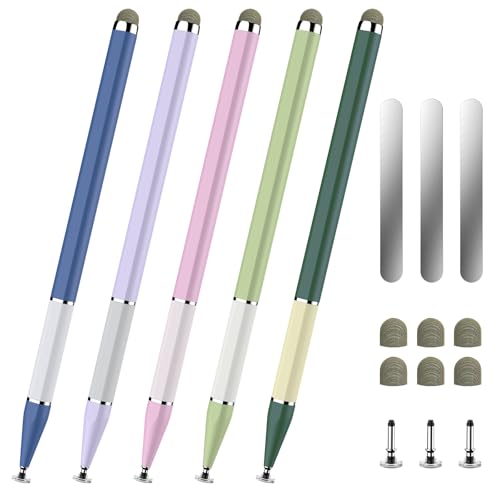
If the device does not have a suitable magnetic edge, Bopomofo includes three magnetic sheets for placement on desks, notebooks, or drawing boards. This is a different storage approach from attaching directly to a tablet and may be useful for shared work areas.
Look at replacement support
Replacement parts can extend the useful life of a stylus, but the supplied contents vary. HATOKU and JEDOUBAL list three replacement tips. Metapen includes two polymer nibs, and Accokids includes extra disc and rubber tips. Luntak lists two extra disc tips, while OASO includes one spare disc tip. Bopomofo lists multiple fiber and disc tips with its five-pen set.
The STYLUSLINK listing specifies four replacement rubber tips, whereas Kenkor does not specify replacement tips in the supplied evidence. If a tip wears or is misplaced, this difference may matter more than the number of headline features.
Match the set size to your use
A single active pencil is appropriate when one person has one compatible iPad. Multi-pen passive sets are more useful for families, classrooms, or multiple devices. Bopomofo includes five styluses, and STYLUSLINK, Kenkor, and Luntak include two. The OASO package is a single stylus with a case and spare disc tip. Consider whether you need several pens or simply want one compact tool that stays with a tablet.
Final Recommendation
Accokids 2-in-1 Magnetic Stylus ranks first overall in this specification-based comparison under the published weighted criteria.
HATOKU iPad Pencil A16 is the first overall specification-based choice among these best magnetic stylus pens. It combines broad listed iPad compatibility, palm rejection, tilt sensitivity, a fine POM tip, fast USB-C charging, a battery indicator, and three replacement tips. It is the most specification-aligned general fit for iPad users who want active-pen features without Bluetooth pairing.
Choose Metapen Pencil A8 if its stated precision claim, metal barrel, and dual magnets are more important. JEDOUBAL is a strong alternative when rapid charging is the priority. For phones, Android tablets, and mixed capacitive devices, Accokids offers the most flexible tip arrangement, while DOGAIN adds a visible energy display.
The top magnetic stylus pens are not all interchangeable. STYLUSLINK, Kenkor, Luntak, and OASO are better understood as battery-free capacitive tools, while Bopomofo is a practical multi-pen option. Review the compatibility notes, tip type, and storage method before choosing. For shoppers comparing the best magnetic stylus pens, the right pick depends primarily on the device and whether active writing features are required.
Frequently Asked Questions
Are magnetic stylus pens compatible with every iPad?
No. Magnetic attachment and electronic compatibility are separate considerations. HATOKU, Metapen, and JEDOUBAL list supported iPad generations and models, so compare those lists with the exact iPad you own. Passive capacitive pens may work on more screens, but their magnetic storage may only be described for some iPad models.
Do these styluses need Bluetooth?
The active HATOKU, Metapen, and JEDOUBAL models state that Bluetooth pairing is not required. The passive Accokids, STYLUSLINK, Kenkor, Luntak, and OASO models also work without Bluetooth according to their listings. No-pairing operation does not mean every model has the same writing features.
Which of the best magnetic stylus pens is best for drawing?
For iPad drawing, HATOKU, Metapen, and JEDOUBAL document active features such as fine tips, palm rejection, or tilt sensitivity. For general capacitive drawing, Accokids and Luntak provide disc tips, while Bopomofo offers both disc and fiber ends. The evidence supports feature comparisons, not independent drawing-performance conclusions.
What is the advantage of a disc tip?
A transparent disc tip lets the user see more of the contact position on the screen. Accokids lists a 6 mm disc, and Luntak and OASO describe disc-tip designs for pointing, writing, or drawing. Disc tips are passive capacitive components and do not provide the active functions documented for some iPad pencils.