Buying Guide
The best touchscreen stylus pens in this comparison are mostly passive capacitive models. That means they are designed to work by touch rather than through an active digital-pen protocol. The public listings emphasize immediate use, broad compatibility, and simple replacement parts, but they do not establish pressure sensitivity, palm rejection, tilt recognition, or app-specific shortcut support. If you need those features, confirm them separately before buying.
Choose the tip design first
Tip construction is the biggest practical difference among the selected products. Rubber tips are common and straightforward for tapping, scrolling, gaming, and ordinary notes. Smaller rubber ends can make keys or icons easier to target, as documented for the MEKO 6 mm model and the dual-size sets from DAXINGXING and GCHMDE.
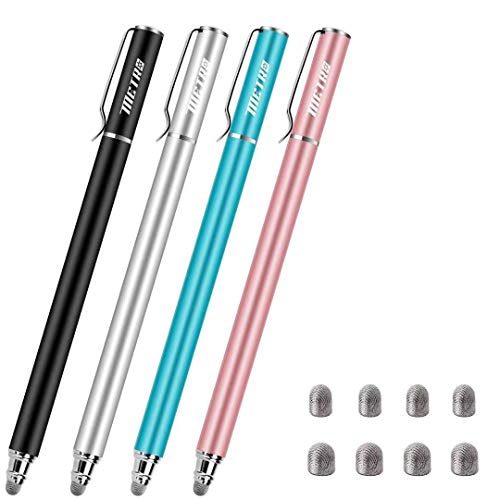
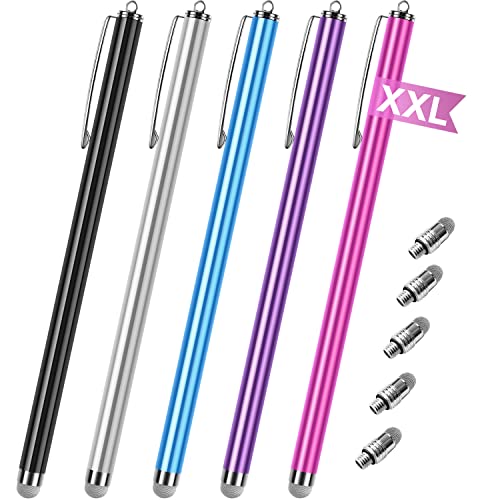
Fiber and mesh tips are another passive option. METRO uses different-size fiber tips, while GUUGEI and CCIVV use mesh-style tips. The supplied listings describe mesh as smooth-gliding and suitable for screen protectors, and GUUGEI specifically documents a 185 mm extended body. These designs may appeal to users who want a pen-like feel for navigation across a larger display.
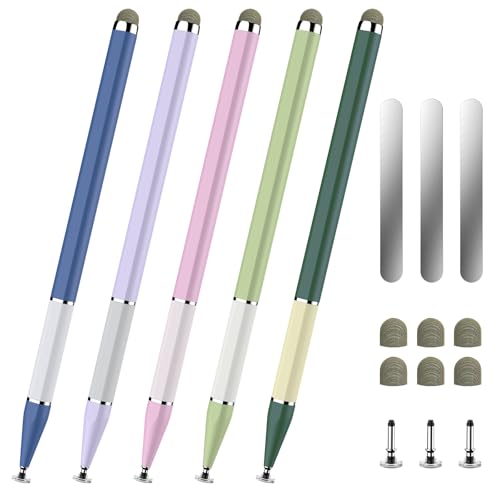
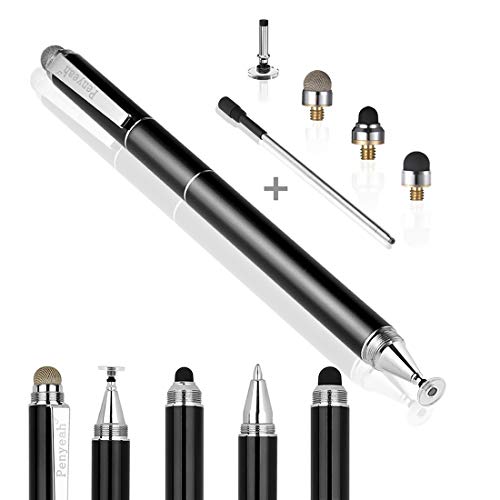
Disc tips are the most precision-oriented design documented here. AmberVec, Bopomofo, and LINFANC pair a disc with another tip type. A transparent disc can keep the contact area more visible during writing or drawing, while a rubber or fiber end is more convenient for swiping and general navigation. The evidence supports choosing these models for varied tasks, but it does not support calling them professional drawing tools.
Check your device type
Nearly every selected model states compatibility with capacitive touchscreens. Common examples in the listings include iPhone, iPad, Android phones and tablets, Samsung Galaxy devices, Chromebooks, Microsoft Surface products, e-readers, and Nintendo Switch systems. This broad compatibility is useful for households with mixed devices, but it is still worth checking your particular screen and case setup.
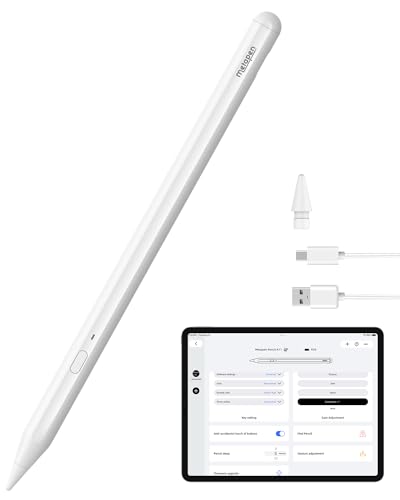
Do not confuse a universal passive capacitive stylus with an active iPad pen. It also gives troubleshooting instructions involving Bluetooth. Those details make it more specialized than the battery-free options, but the listing limits magnetic support to particular iPad Pro models.
Decide whether you need charging
Battery-free pens are the simplest to operate. METRO, Bopomofo, MEKO, GUUGEI, and the selected bulk sets state or imply ready-to-use passive operation without Bluetooth pairing or charging. This is convenient for quick tapping and for keeping spare pens in several locations.
A rechargeable model can provide a different feature set, but it introduces charging and compatibility considerations. Consider an active-style option only when its documented controls and charging behavior match your device.
Compare replacement support
Replacement tips matter because soft contact surfaces are consumable parts. METRO includes eight extra fiber tips for four pens. DAXINGXING includes 20 rubber nibs for ten pens, and MEKO also lists 20 replacement tips for ten styluses. GUUGEI includes five spare mesh tips, while AmberVec documents eight extra fiber tips and replaceable ends.
Some products only document that tips can be replaced without specifying a generous spare supply. Before choosing a small pack, check whether replacement nibs are included, whether both ends can be changed, and whether the replacement part is identified clearly. A large supply is particularly useful for classrooms, offices, children, or anyone likely to misplace a stylus.
Match the body to your routine
Length and material can affect carrying and handling. CCIVV lists a 5.6-inch body and describes it as comfortable for larger hands. GUUGEI is substantially longer at 185 mm, which may be useful on large tablets but less convenient in a pocket. MEKO lists a shorter 4.7-inch length and adds a top hole and pen-holder design for carrying.
Alloy bodies appear in several selected models, including AmberVec, Bopomofo, LINFANC, and CCIVV. Plastic appears in the five-pack AmberVec listing, which emphasizes low weight and portability. These material descriptions help set expectations, but they do not prove durability beyond the specific warranty or construction claims supplied.
Consider pack size and storage
A two- or three-pack can provide a backup without creating much clutter. Larger ten-packs are more appropriate when several people share devices or when you want pens in different rooms. Color variety can make ownership easier to track, while clips, hooks, magnetic caps, and magnetic patches offer different storage approaches.
Pack size should not be treated as a substitute for tip quality. A ten-pack with one rubber-tip style may be a better fit for routine navigation than a smaller dual-tip set if you mainly need spares. Conversely, a disc-and-fiber model may be more suitable when one pen must cover both detailed marks and scrolling.
Final Recommendation
AmberVec 2-in-1 Disc and Fiber Stylus, 3-Pack ranks first overall in this specification-based comparison under the published weighted criteria.
AmberVec 2-in-1 Disc and Fiber Stylus, 3-Pack is the highest-scoring returned product and the first overall specification-based choice among the best touchscreen stylus pens. Its documented transparent disc tip, fiber tip, hidden spare tips, magnetic cap, lightweight aluminum body, and broad capacitive compatibility create the most balanced feature set in this comparison.
For a larger shared supply, DAXINGXING and GCHMDE provide ten pens with dual rubber sizes, while MEKO adds 20 replacement tips and a compact body. Choose GUUGEI or CCIVV if mesh tips or a longer pen are more important. Bopomofo is the stronger choice when magnetic placement and disc-plus-fiber flexibility matter. The top touchscreen stylus pens here are differentiated by documented specifications, not customer sentiment or hands-on testing, so use the compatibility and tip details as the final check for your device.
Frequently Asked Questions
Are these best touchscreen stylus pens compatible with iPhones and Android devices?
The selected passive models generally state compatibility with capacitive touchscreens, including iPhones, iPads, Android phones, Android tablets, and Samsung devices. Exact behavior can still depend on the screen, protector, case, and app. Review the device list for the specific model before ordering.
Do touchscreen stylus pens need Bluetooth or charging?
Most selected products are passive and are listed as ready to use without Bluetooth pairing or charging. Choose passive operation for simplicity, or verify the active model’s requirements first.
Which selected stylus has the most replacement tips?
DAXINGXING and MEKO each document 20 replacement rubber tips in their ten-pen packs. METRO lists eight extra fiber tips, GUUGEI lists five spare mesh tips, and AmberVec lists eight extra fiber tips. These figures come from the supplied product listings and are not independent durability tests.
Are disc tips better for drawing than rubber tips?
The listings describe disc tips as more precise or suitable for drawing and detailed work, while rubber and fiber tips are commonly positioned for browsing, scrolling, notes, and games. That supports a task-based preference, not a universal performance claim. A disc tip may also require more careful handling because its transparent contact surface is more specialized.
What should I choose for a classroom or family?
A larger pack such as DAXINGXING, GCHMDE, MEKO, or LINFANC provides multiple pens for shared use. Prioritize replacement-tip supply, color differentiation, and storage features. If users need both detailed input and general navigation, a dual-tip design such as AmberVec or Bopomofo may be more flexible than a single rubber-tip style.