Buying Guide
Choosing among the best sata ii hard drive enclosures starts with identifying the drive itself. SATA II describes the internal storage interface, but it does not identify the physical size. A 2.5-inch notebook drive and a 3.5-inch desktop drive use different enclosure dimensions, and a dual-bay dock has different handling requirements from a closed portable case. Check the drive’s width, thickness, connector arrangement, and whether it is a standard SATA disk rather than SAS, IDE/PATA, M.2, or NVMe.
Match the enclosure to the drive size
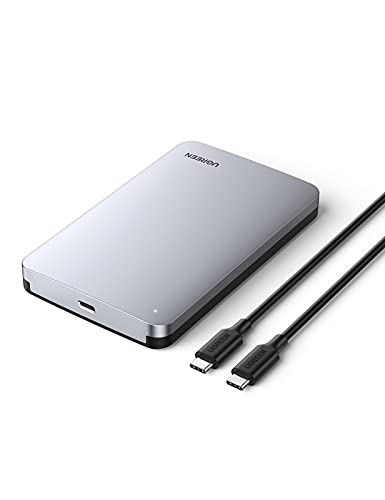
A 2.5-inch case is the compact option for notebook HDDs and many SATA SSDs. The BENFEI 000346black, UGREEN 70499, ORICO 2139U3, and Tccmebius TCC-S9 listings identify support for 7mm and 9.5mm drives. The GODO enclosure also accepts two 2.5-inch drives, making it appropriate when two disks must be installed together.
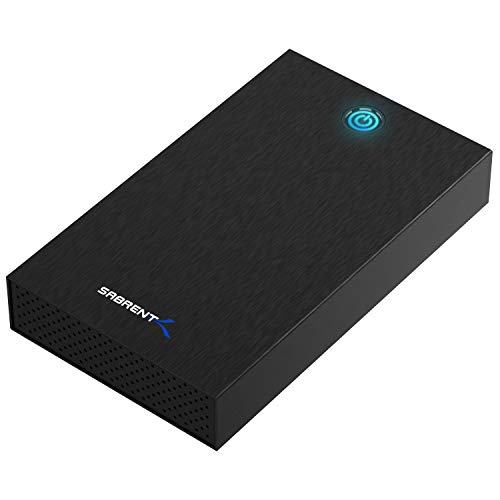
A 3.5-inch drive normally needs a larger enclosure and external power. The ORICO 3588US3, SABRENT EC-KSL3, and StarTech S351BMU33ET are designed for desktop-size SATA drives. The SABRENT EC-KSL3 and ORICO 3588US3 also document 2.5-inch support, so they can cover both common form factors. When a listing specifies a power adapter, use that adapter as part of the setup rather than assuming USB power is sufficient.
Consider the host connection
USB 3.0 is common across this group and is backward compatible with older USB standards where documented. UASP support appears on many selections and is a host-and-enclosure protocol feature; it requires compatible hardware and software to operate as described. It should not be treated as a typical real-world transfer rate.
USB-C can simplify connection to newer laptops. The UGREEN 70499 uses a USB-C enclosure port, while the BENFEI model documents Type-C and Type-A connection options. The UGREEN CM198 includes a USB B-to-USB-C cable. By contrast, the SABRENT EC-KSL3 uses USB-A and may need an adapter for a USB-C-only computer. StarTech’s S351BMU33ET adds eSATA alongside USB 3.0, which is useful only when the host has a compatible eSATA port.
Choose a case, dock, or RAID enclosure
Closed cases protect the drive during ordinary handling and are generally easier to carry. Tool-free sliding or click-in designs appear on the SABRENT EC-KSL3, BENFEI 000346black, ORICO 2139U3, and Tccmebius TCC-S9. These designs avoid screws and drivers according to their listings, but the drive still needs to be inserted carefully so the SATA connector aligns correctly.
Docks leave the drive accessible from the top. The WAVLINK ST341UA and UGREEN CM198 each provide two bays, which is useful for copying or comparing two disks. Both also document offline cloning, but cloning is a directional process: confirm the target drive has adequate capacity and understand that the operation can overwrite existing data.
The GODO 2.5 Dual Bay Raid Enclosure is the specialist option. Its listing identifies RAID 0, RAID 1, JBOD, and normal modes. RAID 1 mirrors data across two drives, while RAID 0 and JBOD have different data-layout behavior. Select a mode only after checking how it affects data and whether the host system recognizes the resulting volume.
Review protection and heat features
Thermal and physical design vary considerably. The SABRENT EC-KSL3 lists an aluminum shell and shock-absorbing tray. The UGREEN 70499 uses aluminum alloy and identifies heat dissipation. The ORICO 3588US3 includes an ABS body, anti-shock sponge, and thermal pads. The GODO model combines aluminum construction with a fan.
The StarTech S351BMU33ET is fanless, which may appeal to users who prefer a simpler enclosure design. The UGREEN CM198 lists surround cooling, a dust cover, and anti-slip pads. These are documented design features, not evidence of a particular operating temperature or drop-test result. Leave ventilation around powered enclosures and avoid moving a spinning hard drive unnecessarily.
Check compatibility before installation
Operating-system support is listed for Windows, macOS, Linux, or combinations of those systems across the selected products. Device support can vary by host port, operating-system version, permissions, and drive format. A case can provide the physical and electrical connection without automatically making an unreadable or damaged disk accessible.
Also check exclusions. The SABRENT EC-KSL3 explicitly does not support SAS, M.2 NVMe, M.2 SATA, NVMe PCIe, or IDE/PATA drives. A SATA II label on an enclosure does not mean it accepts every storage format. Confirm the drive uses a standard SATA data and power interface.
Final recommendation
UGREEN Dual-Bay Docking Station CM198 ranks first overall in this specification-based comparison.
UGREEN Dual-Bay Docking Station CM198 is the first overall specification-based choice among these best sata ii hard drive enclosures. Its two bays, support for 2.5-inch and 3.5-inch SATA drives, backward compatibility with SATA II and SATA I, offline cloning, USB-C cable, cooling, and dust cover create a broad feature set. The top sata ii hard drive enclosures also include the WAVLINK ST341UA for offline cloning, ORICO 3588US3 for mixed drive sizes, and StarTech S351BMU33ET for USB and eSATA hosts.
For a portable 2.5-inch setup, UGREEN 70499 is a logical fit when the computer uses USB-C, while BENFEI 000346black is useful when both USB-C and USB-A connections are needed. Choose GODO 2.5 Dual Bay Raid Enclosure only when its two-drive RAID or JBOD modes match the intended storage layout. For a conventional 3.5-inch desktop disk, ORICO 3588US3, SABRENT EC-KSL3, or StarTech S351BMU33ET provide the relevant form-factor support documented in their listings.
Frequently Asked Questions
Among the best sata ii hard drive enclosures, are SATA II drives compatible with these enclosures?
Yes. The selected models document SATA II support directly or identify backward compatibility with SATA II. SATA I and SATA III support is also listed for several products. The enclosure’s host connection, drive power needs, and physical dimensions still need to match the specific disk.
Do SATA II enclosures require external power?
It depends on the design and drive size. The SABRENT EC-KSL3 and ORICO 3588US3 include 12V power adapters for their 2.5-inch and 3.5-inch compatibility. The WAVLINK ST341UA and UGREEN CM198 also use external power for their dual-bay designs. Compact 2.5-inch cases such as ORICO 2139U3 are described as requiring no extra power supply.
Can a SATA II enclosure use a USB-C computer?
Yes, when the enclosure provides USB-C directly or an appropriate adapter or cable is used. UGREEN 70499 has a USB-C enclosure connection, and BENFEI 000346black documents Type-C and Type-A options. The SABRENT EC-KSL3 uses USB-A, so a USB-C-only computer needs a compatible adapter that is not included.
Is a docking station the same as a closed hard drive enclosure?
Both provide access to a SATA drive, but their physical designs differ. A closed case surrounds the drive, while a dock leaves the drive accessible in a bay. The WAVLINK ST341UA and UGREEN CM198 are dual-bay docks with offline cloning features. They are suited to desk-based drive access rather than the same portable handling as a slim 2.5-inch case.
Can these products accept IDE, NVMe, or SAS drives?
Not according to the supplied evidence for the selected SATA models. The SABRENT EC-KSL3 specifically excludes SAS, M.2 NVMe, M.2 SATA, NVMe PCIe, and IDE/PATA. Check the drive interface before installation; a physically similar drive is not necessarily electrically compatible with a SATA enclosure.