Buying Guide
The best 4-bay hard drive enclosures differ mainly in how they connect drives to the host computer and how much control they provide over those drives. A four-slot chassis can be a simple individual-disk DAS, a RAID enclosure, or a hybrid unit that combines SATA and NVMe storage. Start by deciding whether you need separate disks, a managed array, or more than one storage technology.
Match the bays to your drives
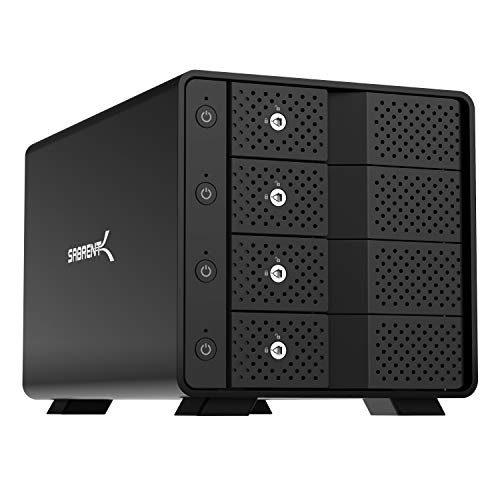
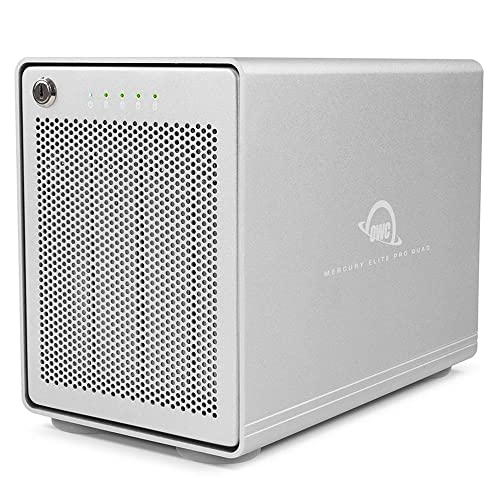
Check the supported physical format before considering interface speed. Several selected models accept both 2.5-inch and 3.5-inch SATA devices, including the WAVLINK RapidFire H4, OWC Mercury Elite Pro Quad, SABRENT DS-SC4B, and CENMATE 804TC. That flexibility is useful when a setup mixes laptop-size SSDs with larger desktop HDDs.
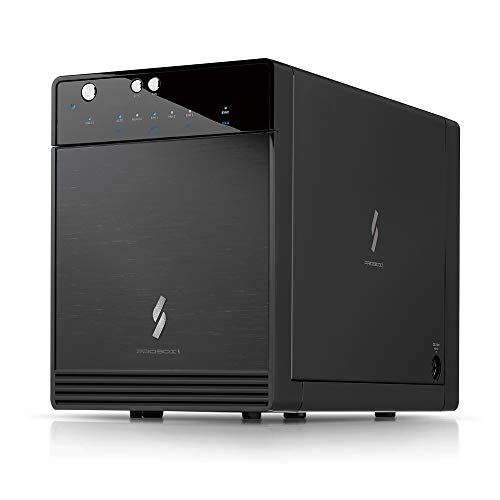
Other enclosures are more specialized. The ORICO 9948C3 and MAIWO K35284A listings focus on 3.5-inch SATA drives, while the Mediasonic HF7-SU31C centers on 3.5-inch SATA I, II, and III support. The ACASIS H004 takes a different approach with two SATA bays and two NVMe bays, supporting several M.2 lengths. Capacity claims also vary, so compare the stated per-drive limit with the capacity of the disks you intend to install rather than relying only on the number of bays.
Choose DAS, RAID, or hybrid storage
Direct-attached storage presents drives to a computer through a cable. The TerraMaster D4-320 explicitly supports four individual disks and does not provide RAID. The SABRENT DS-SC4B likewise describes a JBOD-style arrangement rather than hardware RAID. These designs suit users who want separate volumes and straightforward disk access.
RAID-capable models add selectable storage layouts. The ACASIS H004 documents hardware RAID 1 for its HDD section and software RAID 0 for its NVMe section. RAID modes have different capacity, redundancy, and setup implications, so verify how the enclosure handles mode changes and whether your operating system supports the required software. A RAID label alone does not explain every workflow.
Hybrid designs can be useful when active files and archive files have different requirements. The ACASIS H004 places NVMe and SATA storage in one enclosure, but its listing also notes that the highest USB4 speed depends on RAID mode and compatible NVMe drives. That qualification is important when matching a specification to a real system.
Compare the host connection
USB 3.2 Gen 2 and USB-C 10Gbps appear across several of the selected models. WAVLINK RapidFire H4, TerraMaster D4-320, OWC Mercury Elite Pro Quad, SABRENT DS-SC4B, CENMATE 804TC, and Mediasonic HF7-SU31C all document a 10Gbps-class connection. The USB connector shape and the underlying protocol are not identical considerations, so check the included cable and the ports on the host computer.
The ACASIS H004 moves to USB4 with a stated 40Gbps capability under specified NVMe RAID conditions. Older or lower-bandwidth host ports can limit the connection, even when the enclosure supports a faster interface. The ORICO 9848RU3, meanwhile, uses USB 3.0 at up to 5Gbps, which may be adequate for individual-disk access but is a different class of connection from the 10Gbps models.
Look at cooling and power
Four populated bays place more thermal and power demands on a desktop enclosure than a single-drive adapter. Aluminum bodies, vents, and fans are common in this category. ORICO 9948C3 lists an 80mm fan and a 150W built-in power supply, while ORICO 9848RU3 also lists an 80mm fan and 150W supply. SABRENT DS-SC4B specifies a 92mm fan and a 100–240V external adapter.
Temperature-aware behavior is another useful distinction. WAVLINK RapidFire H4 states that its fans activate at 48°C, and MAIWO K35284A gives the same activation temperature. Mediasonic HF7-SU31C lists a smart fan with a thermal sensor. CENMATE 804TC supplies a fan-noise figure of about 40–50 decibels, which is worth noting if the enclosure will sit close to a workstation.
Power specifications should be read alongside the drive types and number of disks. ACASIS H004 lists a 96W supply, and MAIWO K35284A lists 84W. These figures describe the enclosure’s stated power design; they do not by themselves establish the behavior of every possible drive combination.
Check handling and operating-system support
Tool-free trays, trayless insertion, hot swapping, independent switches, locks, and activity indicators can make daily management easier. TerraMaster D4-320 uses tool-free trays and push-lock retention. SABRENT DS-SC4B adds per-bay switches, activity LEDs, a locking key, and a Kensington slot. WAVLINK RapidFire H4 gives each bay an independent power switch, while CENMATE 804TC lists hot swap and tool-free access.
Compatibility is also important. TerraMaster D4-320, SABRENT DS-SC4B, CENMATE 804TC, Mediasonic HF7-SU31C, and MAIWO K35284A list support for Windows, macOS or Mac OS, and Linux. The exact operating-system versions differ, so review the supplied platform wording when connecting to an older computer. Plug-and-play claims generally describe basic enclosure recognition; RAID configuration or specialized features may require additional setup.
Consider extra ports and expansion
Some of the best 4-bay hard drive enclosures do more than expose storage. WAVLINK RapidFire H4 includes an additional USB-C port and HDMI output up to 4K at 60Hz. ACASIS H004 lists 8K at 60Hz video output. ORICO 9948C3 includes a USB-C hub and supports daisy chaining, while MAIWO K35284A documents daisy-chain expansion and 4K HD output.
These features can reduce cable changes in a workstation, but they should not replace checking the host requirements. Video output depends on the stated display protocol and compatible computer connections, and daisy-chain expansion depends on the enclosure and host arrangement described by the manufacturer.
Final Recommendation
ACASIS H004 USB4 4-Bay Hybrid Enclosure ranks first overall in this specification-based comparison under the published weighted criteria.
ACASIS H004 is the highest-scoring returned product and the first overall specification-based choice among the best 4-bay hard drive enclosures. Its two-SATA, two-NVMe layout, USB4 host interface, RAID options, active cooling, and 8K output give it the broadest documented role.
For a conventional four-disk DAS, TerraMaster D4-320 is the clearest fit because it explicitly supports individual disks, tool-free trays, hot swapping, and multiple desktop operating systems. Choose WAVLINK RapidFire H4 when HDMI and an extra USB-C port matter, or ORICO 9948C3 when daisy-chain expansion and a built-in 150W supply are central requirements. For RAID configuration variety, ORICO 9848RU3 documents the widest mode selection. These are the top 4-bay hard drive enclosures in this comparison when matched to their distinct specifications rather than treated as interchangeable products.
Frequently Asked Questions
How do I choose among the best 4-bay hard drive enclosures?
Begin with drive format and storage architecture. Confirm whether you need 2.5-inch, 3.5-inch, or both; then decide between individual-disk DAS, RAID, and hybrid SATA/NVMe storage. After that, compare the host interface, cooling, power supply, operating-system support, and any display or daisy-chain features.
Do all four-bay enclosures support RAID?
No. TerraMaster D4-320 and SABRENT DS-SC4B are documented as individual-disk or JBOD-style DAS products without hardware RAID. By contrast, ORICO 9848RU3 lists eight RAID and disk-management modes, and ACASIS H004 documents separate RAID approaches for its HDD and NVMe sections. Always check the exact model’s RAID behavior before installing drives.
Can a four-bay enclosure use both 2.5-inch and 3.5-inch drives?
Some can, but not all. WAVLINK RapidFire H4, OWC Mercury Elite Pro Quad, SABRENT DS-SC4B, and CENMATE 804TC list support for both sizes. Mediasonic HF7-SU31C, ORICO 9948C3, and MAIWO K35284A emphasize 3.5-inch SATA drives in the supplied evidence. The ACASIS H004 supports 2.5-inch and 3.5-inch SATA drives in its SATA section and also has separate NVMe bays.
Is USB4 necessary for a four-bay storage enclosure?
USB4 is not necessary for every setup. Several 10Gbps USB-C enclosures provide a lower interface class that may fit general multi-drive access. USB4 becomes more relevant when the enclosure’s documented design uses NVMe storage and RAID to support higher transfer capability, as with ACASIS H004. The computer, cable, drives, and selected mode must all support the intended connection.
What cooling features should I look for?
Look for a fan, vents, and a chassis designed to move heat away from populated bays. Temperature-controlled or sensor-based fans are documented on WAVLINK RapidFire H4, MAIWO K35284A, and Mediasonic HF7-SU31C. CENMATE 804TC states an approximate fan-noise range, while ORICO 9948C3 and SABRENT DS-SC4B specify larger active-cooling hardware. Match the cooling design to the number and type of drives you plan to install.