Buying Guide
The best touch-control table fans in this comparison differ less by basic fan function than by the way they handle adjustment, power, and placement. Every selected model documents touch-based operation, but the control experience ranges from three preset speeds to 120-level adjustment. Start with the setting that matters most to your room: precise airflow, quiet bedside use, cordless mobility, or a stable fan for a permanent desk.
Match the control range to your routine
A three-speed fan can be easier to operate because the choices are clear. The KONSIDEN F6 and Warmco DS1 both document three speeds, making them suitable when low, medium, and high are enough. The F6 uses a bladeless design, while the DS1 uses a conventional seven-blade layout and a removable back cover.
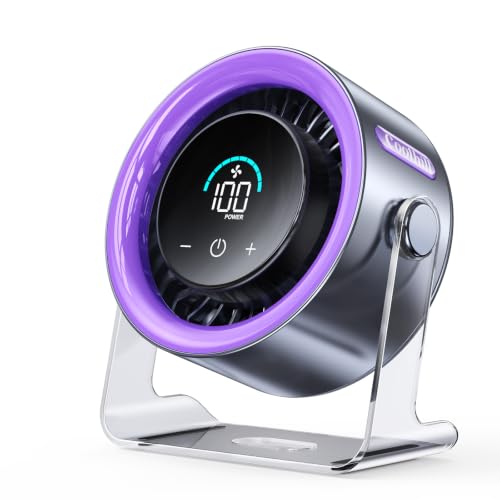
For finer adjustments, the Aecooly, Coolhill, FRONTSUN, hYwecy, and KIMMOO models document 100 or more settings. These options make more sense when a small change in airflow is important for work, sleep, or close-range personal cooling. The hYwecy lists 1–120 speeds, while the KIMMOO, FRONTSUN, and Coolhill list 1–100 ranges. Aecooly also provides 100-speed control through its touch display.
A wide number of settings does not automatically mean a better fit. It can take longer to find a preferred level, and the extra controls may be unnecessary for a basic office desk. Buyers who want quick operation may prefer the five-speed Gaiatop or HAGEDAWN models.
Decide whether you need cordless power
Rechargeable models are the more flexible choice when the fan may move between a desk, nightstand, kitchen, or travel bag. Aecooly lists an 8,000mAh battery; hYwecy and KIMMOO list 4,000mAh batteries; and Coolhill lists a 3,000mAh battery. Gaiatop, FRONTSUN, HAGEDAWN, and KONSIDEN F13 also document rechargeable operation.
Battery specifications should be read alongside the stated runtime. Gaiatop lists up to 11.5 hours depending on speed, while KIMMOO lists up to 12 hours and Coolhill lists three to ten hours. These are listing claims, not independent measurements, and actual use can vary with speed and features. A rechargeable fan is useful for mobility, but it also introduces charging time and battery dependence.
The Warmco DS1 is different: its listing explicitly identifies it as USB-powered with no battery. That can be an advantage for a permanent workstation because there is no recharge cycle to manage. It supports both USB-A and USB-C through its integrated connector. KONSIDEN F6 is also described as USB-connected, although it is still compact and portable for moving near a suitable power source.
Consider oscillation, rotation, and tilt
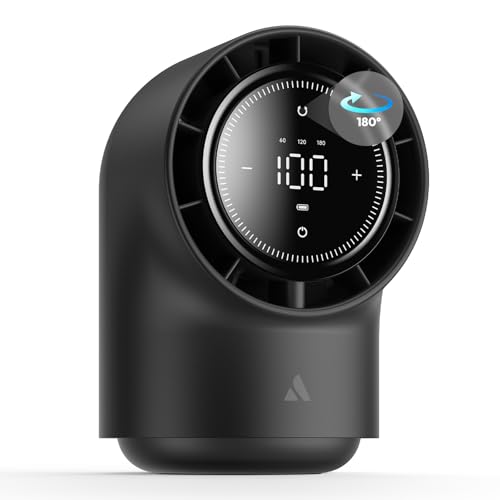
Direction control determines whether the breeze stays on one person or reaches a broader area. Aecooly documents three oscillation angles: 60°, 120°, and 180°. KONSIDEN F13 lists 120° oscillation, and Coolhill lists 120° oscillation. These are useful when the fan needs to sweep across a desk or shared space.
The hYwecy F21C lists 360° rotation, while Gaiatop and FRONTSUN document 360° tilt. Tilt is especially useful for directing airflow upward or downward from a nightstand or desk. HAGEDAWN also lists 360° tilt and adds wall-mount capability, which can free a crowded work surface.
A fixed or corded fan can still be useful if its head angle matches the intended location. Warmco’s 120° vertical tilt is suitable for a focused desk breeze, and the KIMMOO’s 360° rotation works with its clip, stand, and mount configurations. Before choosing, consider whether the fan needs to move air across a room or simply point at one seat.
Prioritize sleep-oriented features when needed
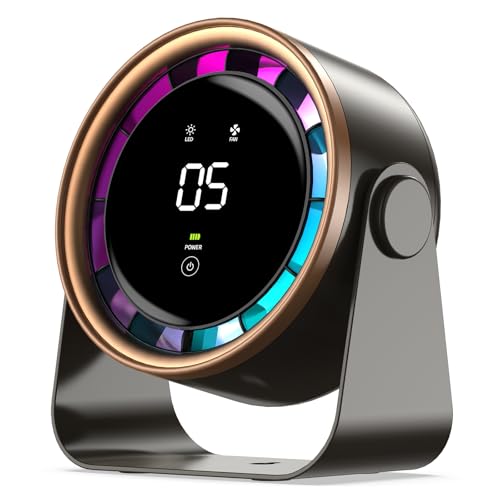
For a bedroom, look beyond the touch panel. KONSIDEN F13 lists a nine-hour timer, four speeds, a soft night light, and auto display-off. The hYwecy F21C lists a one-to-five-hour timer and multicolor LED lighting. These features can be useful when the fan will run during rest, but lighting preferences vary, so a night light is not automatically an advantage.
Noise claims are also presented in the supplied listings, but they are manufacturer-stated specifications rather than independent test results. The F13 lists operation as low as 30 decibels, Gaiatop lists as low as 35 decibels, and KIMMOO lists as low as 26 decibels. Warmco lists as low as 50dB. Treat these figures as comparable only with caution because operating conditions and measurement methods are not provided.
A display that turns off can reduce visual distraction. Gaiatop says its display turns off after five minutes, and F13 documents auto display-off. If the fan will sit beside a bed, those details may matter more than having the highest speed count.
Compare bladeless and conventional designs
Bladeless construction appears on the KONSIDEN F6 and F13. Their listings describe the design as easier to clean and intended to reduce access to moving blades.
Conventional blade designs can provide useful maintenance features too. Warmco lists seven streamlined blades and a removable back cover, while its base includes anti-slip pads. A conventional design is not inherently a poor choice; it simply has a different cleaning and safety profile. Choose based on the supplied design details and the location where the fan will be used.
Final recommendation
hYwecy F21C Circulation Desk Fan ranks first overall in this specification-based comparison under the published weighted criteria.
The final choice among the best touch-control table fans depends on the documented features that match your intended use.
Aecooly TB01 is the highest-scoring returned product and the first overall specification-based choice. Its 100-speed touch control, three oscillation angles, 8,000mAh battery, and tilt adjustment give it the broadest documented combination of precision and flexibility.
Among the top touch-control table fans, KONSIDEN F13 is the most specification-aligned alternative for a bedroom because it adds a timer, night light, auto display-off, and 120° oscillation to a rechargeable bladeless design. Gaiatop AF-04 is a better match for a smaller desk or nightstand, while KIMMOO ZH27P is the more adaptable choice for clipping, standing, or mounting.
Choose Coolhill or FRONTSUN when 100-level control is important, and choose hYwecy when the 1–120 range and 360° rotation are more useful. HAGEDAWN is worth considering when wall mounting can save space. For a fixed USB workstation, Warmco DS1 is the straightforward option; KONSIDEN F6 offers a similarly simple approach with a bladeless design.
Frequently Asked Questions
Touch control can provide a smooth interface and may be easier to wipe clean, but it does not by itself determine airflow quality. Compare the number of speeds, directional movement, power source, and timer features. The best touch-control table fans for one desk may be different from the best choice for a bedside table.
Which selected fan offers the most speed settings?
The hYwecy F21C lists 1–120 wind speeds. Aecooly, KIMMOO, FRONTSUN, and Coolhill each document 100-level adjustment. These ranges support more precise selection than three- or five-speed models, although some users may prefer the simplicity of preset levels.
Which fan is suitable for a desk without a nearby outlet?
Rechargeable options include Aecooly, KONSIDEN F13, Gaiatop, Coolhill, FRONTSUN, hYwecy, HAGEDAWN, and KIMMOO. Battery capacity and listed runtime differ, so check those specifications against how long the fan needs to operate between charges.
Is a bladeless fan easier to clean?
KONSIDEN F6 and F13 describe their bladeless designs as easy to clean. Warmco DS1 takes a different approach and lists a removable back cover for access to its blades. Both designs have documented maintenance-related features, so the better choice depends on your preferred construction.
Which fan is best for a small or crowded desk?
Gaiatop AF-04 is specifically described as compact and space-saving. HAGEDAWN Hagedawn-5000 can be placed on a tabletop or mounted on a wall, while Warmco DS1 has a slim desk format. Check the listed dimensions and whether the fan’s tilt or oscillation range suits the available space before buying.