Buying Guide
Choosing among the best 4k upscaling tvs starts with identifying the kind of source material you watch. A television can advertise 4K resolution while still receiving cable broadcasts, older streaming programs, DVDs, or game content below 4K. The models selected here document processing intended to enhance lower-resolution material, but the supplied listings do not provide standardized side-by-side measurements. Treat the ranking as a specification comparison, not a laboratory result.
Start with the upscaling processor
Upscaling is the central category requirement. LG’s selected models identify AI Super Upscaling or AI 4K Super Upscaling and pair it with Alpha 7, Alpha 8, Alpha 9, or Alpha 11 processors. The LG OLED evo G5 lists an Alpha 11 AI Processor Gen2, while the C6 models list Alpha 11 Gen3. Samsung’s S90F names the NQ4 AI Gen3 processor and says it uses 128 neural networks to upscale content to 4K. Samsung’s QN70H also explicitly describes 4K upscaling for lower-quality sources.
These descriptions establish processing intent, but they do not promise that every source will look native 4K. Compression, broadcast quality, the original resolution, and viewing distance still matter. If most of your content is older or lower resolution, prioritize a model with an explicit upscaling statement rather than choosing on screen size alone.
Choose the panel design for your room
OLED is represented by the LG OLED evo G5, LG OLED evo C5, LG OLED evo C6, Samsung OLED S90F, and Samsung OLED S84F. The listings describe self-lit pixels, perfect black, or deeper contrast. That makes OLED an appealing design for film-oriented viewing and dark-scene detail, based on the supplied specifications. The LG G5 additionally lists Brightness Booster Max and a UL discomfort-glare-free verification, which is useful evidence for bright-room placement.
Mini LED and related LCD designs appear in the Samsung QN70H, LG QNED evo QNED84B, LG QNED QNED73B, and LG Nano NU85. Mini LED is described as supporting brighter highlights and deeper blacks on the LG QNED models, while Samsung’s QN70H combines Quantum Mini LED with Quantum Dot color. The Nano NU85 is the large-screen LCD-style choice and adds Nano Detail Enhancer processing. These designs may be preferable when you want vivid color, a very large screen, or an alternative to OLED.
Match screen size to seating
The selected range runs from 55 to 85 inches. A 55-inch model, such as the LG OLED evo C6 or LG QNED evo QNED84B, can be easier to place in a bedroom, office, or moderate living room. A 65-inch television offers a middle ground, with options including the LG OLED evo C5, Samsung OLED S90F, Samsung QN70H, and LG QNED QNED73B.
The LG OLED evo G5 and Samsung OLED S84F are 77-inch choices, while the LG Nano NU85 reaches 85 inches. Larger screens can make 4K detail more visible at a greater seating distance, but they also require more wall or furniture space. Check the listed width and height, then account for the stand, viewing angle, and cable access before choosing.
Compare HDR and color support
HDR features help a television handle brighter highlights, darker areas, and more varied color, but format names are not a guarantee of identical results across models. Dolby Vision is listed on the LG OLED models and Dolby Atmos is listed on those models as well. The Samsung S90F lists HDR+ and HDR-like treatment for SDR content. Samsung’s QN70H lists Quantum Dot color and 100% color volume, while the LG QNED73B lists Dynamic QNED Color and certified 100% Color Volume.
HDR10 Pro appears on the LG QNED and Nano models. Filmmaker Mode is widely represented and is intended to preserve the director’s original colors, settings, and frame rates according to the listings. If your priority is movies, compare the available HDR formats with the apps and sources you actually use rather than assuming that one label determines the entire picture.
Check motion and gaming specifications
Gamers should look for more than upscaling. The LG OLED evo C6 models list a 165Hz refresh rate, while Samsung’s S90F lists up to 4K 144Hz. The LG QNED evo QNED84B also lists up to 144Hz, VRR, AMD FreeSync Premium, and ALLM. Other selected models document 120Hz, FreeSync, G-Sync, or gaming modes, but not every listing supplies a refresh-rate figure.
A higher listed refresh rate can be relevant to compatible gaming hardware, while VRR, ALLM, G-Sync, and FreeSync address different parts of the gaming setup. Confirm that your console or PC can use the stated features. For sports and live action, Samsung’s S90F specifically describes motion processing for fast-moving balls and text.
Consider the smart and audio extras
All selected products are smart TVs, with LG models using webOS and Samsung models using Samsung’s smart-TV platform. LG listings mention Google Gemini, Microsoft Copilot, and LG Channels; Samsung’s S84F lists Samsung TV Plus channels. These services can be useful, but availability and app support can change, so verify the services you need.
Audio features also differ. Dolby Atmos is listed on the LG OLED models, while Samsung’s S84F describes virtual 3D surround sound and AI-tailored audio. A television’s audio processing is not the same as a full soundbar or home-theater system, so plan for external audio if room-filling sound is important.
Final Recommendation
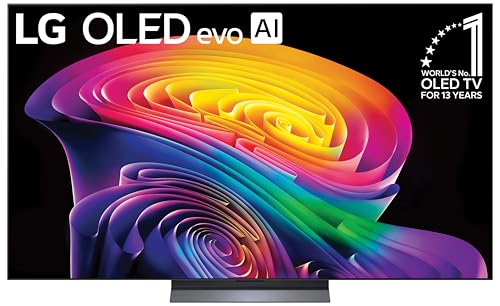
LG 55-inch OLED evo C6 ranks first overall in this specification-based comparison under the published weighted criteria.
LG 77-inch OLED evo G5 is the first overall specification-based choice among these best 4k upscaling tvs. Its documented Alpha 11 processing, AI Super Upscaling, self-lit OLED pixels, Brightness Booster Max, Dolby Vision, Dolby Atmos, and gaming support create the most complete large-screen package in this comparison. The Samsung OLED S90F is the better fit for buyers emphasizing 144Hz gaming, while the LG OLED evo C6 is a strong choice when its 165Hz specification is a priority. For a Mini LED alternative, consider the LG QNED evo QNED84B or Samsung QN70H. Those are practical top 4k upscaling tvs options when you prefer that panel direction, vivid color features, or a different screen-size mix.
The final decision should reflect source quality, room size, viewing distance, gaming hardware, and preferred HDR formats. Public listing data can identify useful specifications, but it cannot replace checking connections, dimensions, software compatibility, and installation requirements for your space.
Frequently Asked Questions
What makes a TV suitable for upscaling?
A suitable model should document a processor or feature designed to convert lower-resolution material toward 4K output. In this comparison, examples include AI Super Upscaling on the LG models and explicit 4K Upscaling on the Samsung QN70H. Upscaling improves the displayed image, but it cannot restore detail that was never present in the original source.
Are OLED TVs good choices for lower-resolution content?
They can be, provided the TV also has documented processing features. The LG OLED evo G5, LG OLED evo C5, LG OLED evo C6, Samsung OLED S90F, and Samsung OLED S84F all pair OLED panel technology with AI-enhanced or AI Super Upscaling descriptions. Their listings also emphasize contrast or self-lit pixels, which can support a cinema-oriented presentation.
Is Mini LED an alternative to OLED?
Mini LED is a documented alternative in the selected LG QNED, LG Nano, and Samsung QN70H models. The listings describe brighter highlights, deeper blacks, improved contrast, or Quantum Dot color. The choice depends on which specifications matter most to you; this article does not claim that one panel type always performs better in every room or with every source.
Which of the best 4k upscaling tvs is suited to gaming?
The LG OLED evo C6 models list up to 165Hz, while the Samsung OLED S90F and LG QNED evo QNED84B list up to 144Hz. Several models also document VRR, G-Sync, FreeSync Premium, or ALLM. Match those features with your gaming device, supported resolution, and available inputs before buying.
How large should my TV be?
Use seating distance and room layout as the starting points. The selected products range from 55 to 85 inches, so there are choices for smaller spaces and very large rooms. Measure the available width and height, allow for the stand or mounting hardware, and consider whether a 77- or 85-inch screen would dominate the room.