Buying Guide
The best usb network antennas are USB Wi-Fi adapters that use an external or integrated antenna to add wireless networking to a computer. They are not automatically signal boosters or repeaters. The adapter receives a router connection through the computer’s USB port, and the router, distance, walls, USB interface, and operating system all affect the result. Begin by checking the computer’s operating system and the router’s wireless generation before comparing antenna details.
Match the wireless generation
Wi-Fi 7 is the newest documented generation in this selection. The WAVLINK BE6500 and NETGEAR Nighthawk support tri-band operation, including 6GHz, while the WAVLINK model also lists MLO, OFDMA, and 4K-QAM. These features make the two models relevant when the computer runs Windows 11 or another supported Windows version and the network includes a compatible router. The NETGEAR listing specifically says that Wi-Fi 7 and 6GHz require Windows 11.
Wi-Fi 6 is the main middle tier. TP-Link Archer TX20U Plus, BrosTrend AX1800, WAVLINK AX1800, DragoBud AX1800, Tenda U11 Pro, and UGREEN AX900 all document Wi-Fi 6 support. Their stated rates vary, so do not treat the Wi-Fi 6 label alone as a complete comparison. For example, the AX1800 listings state higher band rates than the AX900 listings. Actual connection speed remains dependent on the router and network conditions.
The Nineplus N12 and ALFA Network AWUS036ACS use 802.11ac, commonly called Wi-Fi 5. That older generation can still be appropriate when the computer or router does not use Wi-Fi 6 or Wi-Fi 7, or when operating-system support matters more than the newest standard.
Compare antenna layout and adjustment
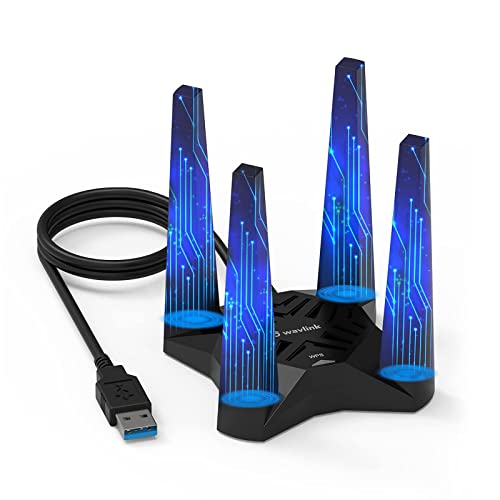
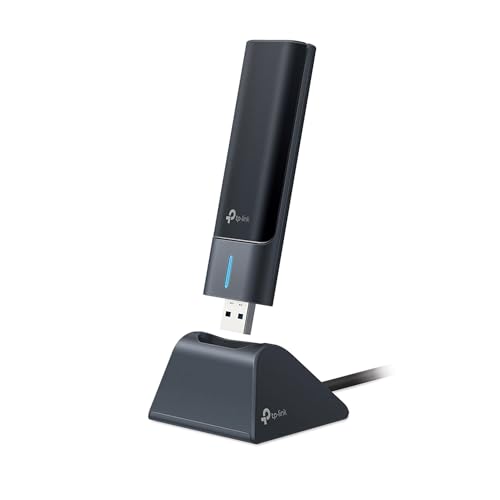
Antenna configuration is one of the important differences among these products. WAVLINK BE6500 uses four 5dBi foldable antennas, while the TP-Link Archer TX20U Plus uses two adjustable high-gain antennas with beamforming. BrosTrend AX1800 also lists two 5dBi antennas and is supplied with a desktop extension cable. These designs give users more ways to orient the adapter than a small fixed dongle.
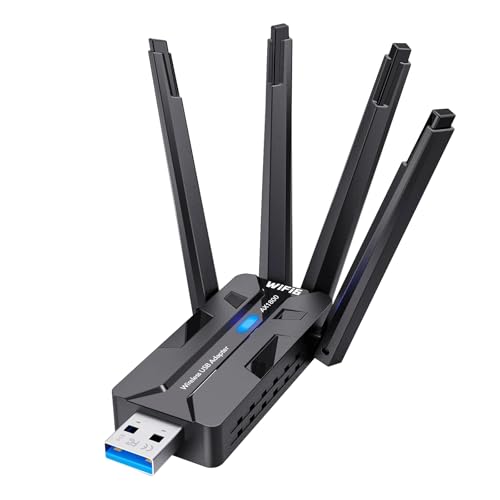
WAVLINK AX1800 uses four 3dBi antennas and adds a magnetic base. That combination is useful when the computer sits under a desk or in another position where moving the adapter away from the chassis may help placement. DragoBud uses four external 2dBi antennas, while Tenda U11 Pro lists one rotating 6dBi omnidirectional antenna. UGREEN also lists one adjustable 6dBi antenna. The number of antennas and the dBi figure describe hardware design; they do not by themselves establish a particular connection speed or range.
Compact options have different priorities. ALFA Network AWUS036ACS documents a high-sensitivity external antenna while retaining a compact form. Nineplus N12 provides two 5dBi antennas but does not document the same cable-based desktop placement described by BrosTrend or WAVLINK.
Check USB connection and placement
USB 3.0 is explicitly listed for WAVLINK BE6500, TP-Link Archer TX20U Plus, BrosTrend AX1800, WAVLINK AX1800, DragoBud AX1800, and Nineplus N12. TP-Link specifically recommends using a USB 3.0 port. A USB extension cable or cradle can be useful for desktop placement because it allows the antenna assembly to sit away from the rear of the PC. BrosTrend AX1800 includes a 3.3-foot cable, and WAVLINK AX1800 includes a 1-meter cable with a magnetic base.
Not every listing provides a detailed interface description beyond USB adapter terminology. For those models, focus on the documented antenna arrangement and compatibility rather than assuming a particular cable length, cradle, or port speed. A laptop user may prefer a compact unit such as ALFA Network AWUS036ACS, while a desktop user with a crowded or enclosed computer area may favor the cable and base designs.
Confirm operating-system support
Compatibility is a deciding factor. WAVLINK BE6500 and TP-Link Archer TX20U Plus list Windows 10/11 support. NETGEAR Nighthawk is designed for Windows 11 PCs. BrosTrend AX1800 and WAVLINK AX1800 also restrict support to Windows 10/11. These are poor matches if the computer uses MacOS, Linux, or an older Windows release.
DragoBud AX1800 lists Windows 7, 10, and 11. Tenda U11 Pro lists Windows 7, 10, and 11 as well. Nineplus N12 covers Windows 7 through 11, but excludes MacOS, Linux, and Chromebook. ALFA Network AWUS036ACS has the widest documented platform coverage here, including Windows, MacOS, and Linux. UGREEN is limited to Windows 10/11, with MacOS, Linux, and older Windows versions excluded.
Driver setup also varies. WAVLINK BE6500, WAVLINK AX1800, DragoBud AX1800, UGREEN, and several other models document built-in or preloaded drivers. NETGEAR includes drivers on a USB drive. TP-Link directs users to obtain the required driver. Read the current listing and verify the intended operating system before connecting the adapter.
Consider network and security features
Several selected products support a hotspot or access-point mode. WAVLINK BE6500, WAVLINK AX1800, DragoBud AX1800, Tenda U11 Pro, and UGREEN document ways to share a wired computer connection over Wi-Fi. Tenda specifies that its AP mode uses the 5GHz band and can connect up to eight devices. These features are useful only when the computer and operating system support the required mode.
WPA3 is documented for WAVLINK BE6500, NETGEAR Nighthawk, TP-Link Archer TX20U Plus, WAVLINK AX1800, Nineplus N12, and several other selections. UGREEN lists WPA and WPA2 encryption modes instead. Security support should be compared with the router’s settings rather than treated as a substitute for other network protections.
Final Recommendation
WAVLINK BE6500 Wi-Fi 7 USB Adapter ranks first overall in this specification-based comparison under the published weighted criteria.
The final choice among the best usb network antennas depends on the documented features that match your intended use.
WAVLINK BE6500 Wi-Fi 7 USB Adapter is the first overall specification-based choice. Its four foldable 5dBi antennas, tri-band 2.4GHz/5GHz/6GHz operation, USB 3.0 interface, WPA3, and receive or hotspot modes give it the broadest documented feature set in this comparison. It is suited to Windows 10/11 users who have a compatible router and want Wi-Fi 7 features.
The NETGEAR Nighthawk is an alternative for Windows 11 users who prefer a flip-up antenna and a stated throughput of up to 5Gbps. For Wi-Fi 6, TP-Link Archer TX20U Plus is a balanced option with two adjustable antennas and beamforming, while BrosTrend AX1800 and WAVLINK AX1800 are suitable when cable-based desktop placement matters. The top usb network antennas are not interchangeable in every computer: operating-system support, router generation, antenna arrangement, and USB placement should determine the final match.
For older Windows systems, DragoBud AX1800, Tenda U11 Pro, or Nineplus N12 offer broader Windows coverage than the Windows 10/11-only choices. For MacOS or Linux, ALFA Network AWUS036ACS is the selected model with clearly documented support for both platforms. UGREEN is a compact Windows 10/11 alternative with one adjustable 6dBi antenna.
Frequently Asked Questions
What are the best usb network antennas for a Windows 11 desktop?
WAVLINK BE6500 and NETGEAR Nighthawk are the leading documented Wi-Fi 7 choices for Windows 11. If the router uses Wi-Fi 6 rather than Wi-Fi 7, TP-Link Archer TX20U Plus, BrosTrend AX1800, or WAVLINK AX1800 offer dual-band Wi-Fi 6 specifications with external antennas. Check the router’s supported generation before selecting a Wi-Fi 7 adapter.
Do USB Wi-Fi adapters improve a computer’s wireless connection?
They add or upgrade Wi-Fi capability through USB, and external antennas may provide more positioning flexibility than an internal antenna. The listings do not establish a particular range or speed increase. Router capability, distance, walls, USB port, drivers, and interference can all affect the connection. These products should not be assumed to be Wi-Fi extenders or repeaters.
Which selected adapter supports MacOS or Linux?
ALFA Network AWUS036ACS explicitly documents support for Windows, MacOS, and Linux. The other selected products have narrower documented support: several are Windows 10/11 only, while Nineplus N12 excludes MacOS and Linux. UGREEN also excludes MacOS and Linux. Verify the exact operating-system version and driver requirements before use.
Are more antennas always better?
Not necessarily. More antennas can provide a different hardware configuration, but the listing alone does not establish a particular result. WAVLINK BE6500 documents four 5dBi antennas, WAVLINK AX1800 lists four 3dBi antennas, and Tenda U11 Pro lists one rotating 6dBi antenna. Placement, router compatibility, wireless standard, and driver support remain important alongside antenna count.
When is a USB extension cable useful?
A cable can move the adapter away from the computer and place its antennas in a more suitable position. BrosTrend AX1800 includes a 3.3-foot USB 3.0 extension cable, while WAVLINK AX1800 includes a 1-meter cable and magnetic base. The cable does not establish a faster connection, but it can make desktop placement more flexible when the PC is enclosed or positioned beneath a desk.