Buying Guide
Choosing among the best gigabit network cards starts with the computer rather than the advertised transfer rate. Every selected model documents 10/100/1000Mbps Ethernet, but the useful differences are the PCIe interface, number of RJ45 ports, operating-system coverage, chassis fit, and network-management features. Confirm those details before selecting a card for a desktop, workstation, or server.
Match the port count to the job
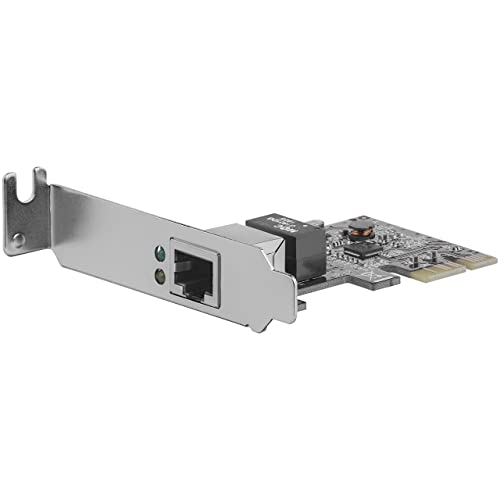
A single-port adapter is usually the simplest way to add wired networking to a desktop. The StarTech ST1000SPEX2L, TP-Link TG-3468, 10Gtek Intel I210-T1, C&N ST729, and GLOTRENDS LE8111H each document one RJ45 port. That layout is appropriate when the computer needs one Ethernet connection and does not require separate network paths.
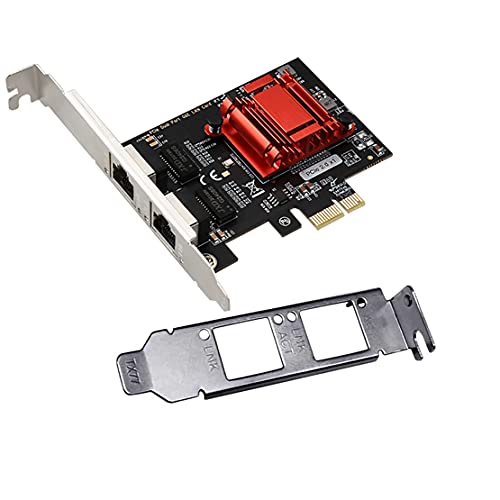
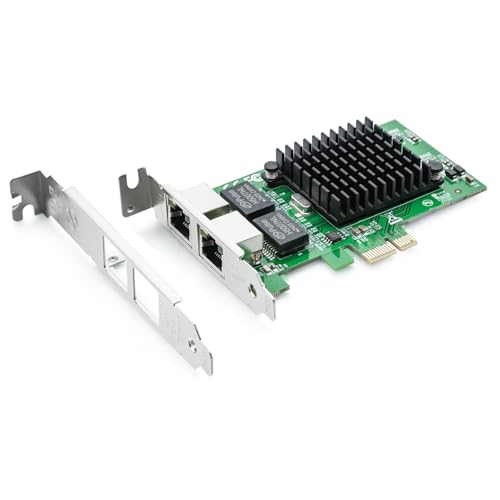
Dual-port cards provide more flexibility for servers, firewalls, storage systems, and virtualized hosts. The H!Fiber.com Intel 82576 card and ULANSeN Intel 82575/82576 card each document two ports. A dual-port design can support separate connections or network roles, but the exact configuration depends on the operating system and network software.
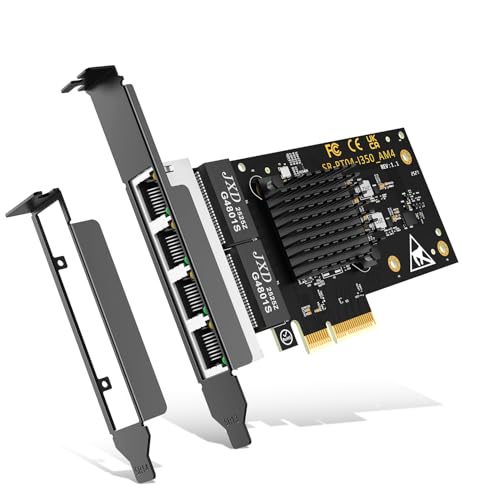
For several physical links, a four-port adapter is more appropriate. The StarTech ST4000SPEXI, ULANSeN Broadcom BCM5719 adapter, and NICGIGA NIC-I350-T4 each document four Gigabit ports. The StarTech model specifically lists link aggregation and redundancy features, while the Broadcom model documents four independent ports and simultaneous line-rate operation in its listing.
Check the PCIe interface
These are internal PCIe cards, not PCI cards and not USB adapters. The TP-Link TG-3468 and GLOTRENDS LE8111H are examples of single-port cards using an x1-oriented design. Several server models also list x1 compatibility while allowing installation in larger x4, x8, or x16 slots. A larger physical slot can accept a smaller PCIe card, but the motherboard still needs an available PCIe slot and sufficient clearance.
The NICGIGA and StarTech four-port models use a broader multi-port design, while the Broadcom card specifies PCIe x4 compatibility with x8 and x16 slots. Check the motherboard manual when the only open slot is near a graphics card or other expansion hardware. The supplied listings establish slot compatibility, but they do not establish fit for every individual case or motherboard layout.
Consider the operating system
Operating-system support varies substantially. The TP-Link TG-3468 lists Windows XP through Windows 11, making it a notable option for mixed Windows systems. GLOTRENDS lists Windows, Linux, and macOS, while the C&N ST729 lists Windows 8.1, Windows 10/11, Windows Server editions, Ubuntu, Debian, RHEL, and SLES.
Server-focused models provide longer operating-system lists. The ULANSeN Broadcom BCM5719 adapter documents compatibility with Windows Server, multiple Linux distributions, VMware ESX and ESXi, VMware vSphere, and Hyper-V. The H!Fiber.com card also lists Windows Server, CentOS, RHEL, Ubuntu, Debian, FreeBSD, and VMware ESXi 5/6. Read the exclusions carefully: the H!Fiber.com and ULANSeN dual-port listings specifically limit VMware ESXi support, and GLOTRENDS says ESXi 7.0 or newer requires a driver.
Look for the right network features
Basic home networking does not require every enterprise feature. Wake-on-LAN on the TP-Link TG-3468 and StarTech ST1000SPEX2L can help a supported computer respond to a remote wake request. Auto MDI/MDIX, flow control, and duplex support are also useful documented Ethernet functions on selected single-port cards.
Advanced environments should look at the controller and feature list. The StarTech ST4000SPEXI documents VLAN tagging, link aggregation, full-duplex flow control, jumbo frames, Intel VT-c, and IEEE 1588 time sync. The ULANSeN dual-port card lists PXE remote boot, iSCSI boot, IPMI pass-through, VLAN filtering, SNMP, and RMON. The C&N ST729 is the specialized choice for IEEE 802.1Qav audio-video bridging and IEEE 1588/802.1AS precision timestamping.
Do not assume that a feature on one controller exists on another. For example, the NICGIGA card clearly documents the Intel I350 controller and broad OS support, but its supplied listing does not specify link aggregation. Base the selection on the feature list for the exact model.
Confirm the bracket and chassis fit
A standard-height bracket suits many tower and workstation cases, while a low-profile bracket is important for slim desktops and some server chassis. The TP-Link TG-3468, GLOTRENDS LE8111H, 10Gtek Intel I210-T1, H!Fiber.com dual-port card, and NICGIGA four-port card explicitly document both standard and low-profile options. The StarTech ST1000SPEX2L is identified as low profile, and the Broadcom BCM5719 listing includes a low-profile bracket.
Bracket documentation does not replace checking the case opening, card length, neighboring slots, and motherboard clearance. Multi-port server cards can have different physical requirements from compact one-port adapters, even when both use PCIe.
Review cabling and network equipment
A Gigabit card can negotiate with 10Mbps or 100Mbps equipment when the listing documents backward compatibility, but a Gigabit connection also depends on the connected switch or router and the Ethernet cable. Several listings mention Cat5e support, and the 10Gtek card recommends Cat5e, Cat6, Cat6A, or higher. Use the cable category and network hardware appropriate to the intended connection. The card alone does not change the capabilities of a non-Gigabit network path.
Final Recommendation
ULANSeN Broadcom BCM5719 Quad-Port Adapter ranks first overall in this specification-based comparison under the published weighted criteria.
The final choice among the best gigabit network cards depends on the documented features that match your intended use.
StarTech ST4000SPEXI is the highest-scoring returned product and the first overall specification-based choice for buyers who need four Gigabit ports, link aggregation, redundancy, and server-oriented controls. It is more specialized than a one-port adapter, but its documented feature set is unusually complete.
For a four-port alternative with broad server and virtualization coverage, the ULANSeN Broadcom BCM5719 adapter is a suitable fit. The NICGIGA NIC-I350-T4 is another flexible multi-port option with broad OS coverage and both bracket sizes. For two connections, choose the H!Fiber.com Intel 82576 or the ULANSeN dual-port card according to whether general server compatibility or remote-boot and management tools matter more.
Among the top gigabit network cards for one-port desktops, the TP-Link TG-3468 stands out for Windows coverage and bracket flexibility. The StarTech ST1000SPEX2L suits low-profile cases, while the 10Gtek Intel I210-T1 and C&N ST729 offer named Intel controllers with more specialized server or timing features. GLOTRENDS is a straightforward option when macOS support and simple installation are priorities.
Frequently Asked Questions
What should I check before installing one of the best gigabit network cards?
Confirm that the computer has an available PCIe slot, not an older conventional PCI slot. Then check the card’s bracket type, case clearance, operating-system support, and the network equipment and cable connected to the RJ45 port. Multi-port cards may require more physical room or a larger PCIe interface than simple one-port models.
Are all Gigabit network cards limited to one port?
No. The selected products include single-port, dual-port, and four-port designs. The H!Fiber.com and ULANSeN Intel cards document two ports, while the StarTech ST4000SPEXI, ULANSeN Broadcom BCM5719, and NICGIGA NIC-I350-T4 document four. Port count should match whether the system needs one connection, separate network links, or multiple physical interfaces.
Do Gigabit network cards support older operating systems?
Some do, but support is model-specific. TP-Link TG-3468 lists Windows XP through Windows 11, and the 10Gtek Intel I210-T1 includes several older Windows versions. Other cards focus on newer Windows Server or Linux releases. Check the exact driver and OS list before installation, especially for VMware ESXi or macOS.
What is the benefit of a low-profile bracket?
A low-profile bracket helps a PCIe card fit the shorter expansion openings used by slim desktop cases and some server chassis. Several selected cards include both standard and low-profile brackets, while StarTech ST1000SPEX2L is specifically identified as low profile. The bracket does not change the card’s documented Ethernet speed or port count.
When do advanced features matter?
Features such as PXE, iSCSI boot, VLAN filtering, SNMP, RMON, link aggregation, and precision timing are mainly relevant to managed servers, virtualized hosts, storage systems, and specialized networks. For a basic desktop connection, a documented Gigabit port, compatible PCIe interface, supported operating system, and suitable bracket may be the more important specifications.