Buying Guide
The best wall-mountable digital picture frames should be evaluated as display devices as well as connected photo viewers. A frame may have an attractive feature list, but the right choice depends on the wall location, viewing distance, content sources, and how often different people will send photos. The selected models document several combinations of screen size, resolution, wireless apps, local storage, mounting formats, and controls.
Start with wall size and viewing distance
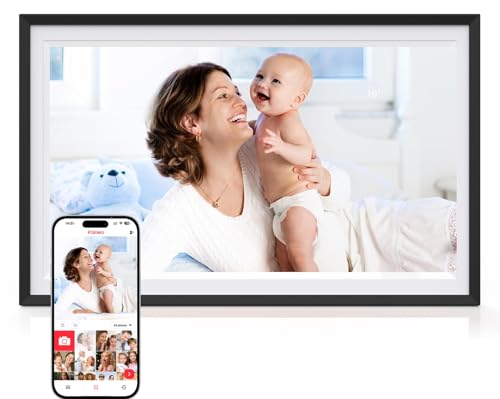
Screen size is the clearest dividing line in this category. The Arktronic model has a 24-inch screen, while the Akimart model measures 21.6 inches. These large formats are better suited to a living-room feature wall, reception area, office, event display, or family gallery that needs to be visible across the room. KPKUE, Glusine, and MUISOO use screens from 15.6 to 16 inches, providing a middle ground for a prominent display without the footprint of the very largest frames.
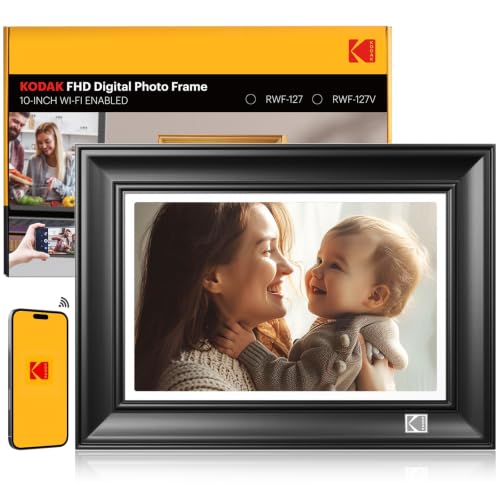
Compact 10.1-inch frames such as MaxAngel, BIGASUO, and Dragon Touch are easier to place in a bedroom, hallway, office, kitchen, or smaller family area. They can still be wall mounted, but their image area is more appropriate for closer viewing. Check the listed frame dimensions before installation, not just the diagonal screen measurement. Also account for the power cable, the frame border, and enough clearance to interact with a touchscreen.
Compare resolution and panel type
IPS panels appear throughout the selected range and are described as providing wide viewing angles. For large frames, Full HD 1920x1080 resolution is documented on Arktronic, Akimart, KPKUE, Glusine, MUISOO, YunQiDeer, and Canupdog. That resolution is useful when a frame will be viewed from several positions or placed in a large room. The 10.1-inch models generally use 1280x800 displays, which can still suit a compact installation but provide less image area.
Touch control is common among the smaller and mid-size selections. It can make browsing, brightness changes, album organization, and slideshow control direct from the frame. Arktronic is different: its listing identifies a non-touch display and includes a remote control. That arrangement may suit a high-mounted or large-format frame where reaching the screen would be inconvenient. A non-touch design also means the remote becomes a central part of operation.
Check the mounting method
“Wall mountable” does not describe one universal installation method. Several selected listings confirm wall mounting without naming a standard, so the installer should review the included hardware and the frame’s rear layout. KPKUE gives more detail by identifying two hanging holes and four anchor points. Akimart specifically documents VESA mounting, which can simplify compatibility with a suitable VESA bracket. Arktronic includes a wall-mount kit and supports dual orientation.
Auto-rotation is useful when a frame may switch between portrait and landscape content. It is documented on every selected product except that the Arktronic listing describes auto-rotate as a feature while also emphasizing dual-orientation mounting. Canupdog adds a motion sensor, and Glusine identifies a gravity sensor with 360-degree rotation. These features can reduce the need to manually reorient individual photos, but they do not replace careful physical mounting.
Match the sharing method to your household
Wireless sharing is a major reason to choose a connected frame. Frameo appears on many selected models, including Arktronic, Akimart, KPKUE, Glusine, YunQiDeer, MaxAngel, and BIGASUO. Dragon Touch uses VPhoto, while MUISOO uses AiMOR. The listings describe sending photos and short videos from mobile apps over WiFi, often from a different location. Confirm that the app named for your chosen model matches the phones and users who will contribute content.
Some frames document privacy or access controls. BIGASUO describes sharing through invited users, while MUISOO identifies encrypted cloud storage. These statements explain the supplied feature claims, but they should not be treated as independent security testing. If several relatives will send images, look for multi-user or multi-frame support.
Consider local storage and transfer options
Built-in storage varies in the supplied evidence. Arktronic and KPKUE list 64GB, while several others list 32GB. MaxAngel, BIGASUO, and KPKUE also document USB or SD-based transfer options. Local transfer can be useful when a computer, USB drive, or memory card is the preferred source, or when importing a prepared album without sending each image through an app. KPKUE supports USB and SD expansion up to 128GB, and Glusine documents microSD expansion up to 128GB.
Do not compare storage numbers without checking what the listing actually supports. YunQiDeer documents 32GB storage but does not state expandable storage in the supplied evidence. Dragon Touch does not state a built-in storage capacity here. Those omissions do not automatically disqualify either frame, but they make them less suitable when a large offline library is a central requirement.
Look for useful secondary functions
The frame can serve as more than a slideshow. YunQiDeer documents calendar synchronization with iCloud, Google, Outlook, and Yahoo, plus collage layouts for up to six photos. MaxAngel identifies calendar, weather, clock, collage, and brightness tools. Dragon Touch lists calendar, weather, music playback, clock, and alarm functions. Arktronic includes captions, brightness adjustment, background music, zoom, and sleep scheduling. KPKUE documents albums, live widgets, sleep mode, speakers, and a headphone jack.
These functions matter most when the frame will stay active in a shared room. For a simple gallery, they may be unnecessary. For a kitchen, office, or family room, a clock, calendar, weather display, or scheduled sleep mode can make the device more integrated into the space.
Final recommendation
Arktronic 24-Inch WiFi Wall-Mount Frame ranks first overall in this specification-based comparison under the published weighted criteria.
The final choice among the best wall-mountable digital picture frames depends on the documented features that match your intended use.
Arktronic 24-Inch WiFi Wall-Mount Frame is the first overall specification-based choice among these selections. Its 24-inch anti-glare IPS Full HD screen, 64GB storage, USB and microSD support, remote, and included wall-mount kit give it the broadest documented feature set for a prominent installation. It is especially well suited to a large room or business-style display.
The top wall-mountable digital picture frames are not all large-format models. Choose Akimart when VESA mounting and a 21.6-inch screen are priorities. Choose KPKUE for extensive local-media connections and 64GB storage, or Glusine for a 15.6-inch display with gravity-sensor rotation. MUISOO and YunQiDeer are strong family-oriented options, with multilingual support or calendar integration respectively.
For a smaller wall, MaxAngel offers the most distinctive finish and broad transfer support, while BIGASUO keeps video playback with sound in a compact format. Canupdog adds motion sensing to a 16-inch wooden frame. Dragon Touch is the simpler everyday choice when calendar, clock, weather, and multi-user VPhoto access matter more than a stated storage capacity. In every case, confirm the rear mounting layout, power access, screen orientation, and app requirements before installation.
Frequently Asked Questions
Among the best wall-mountable digital picture frames, what screen size should I choose for a wall-mounted digital picture frame?
Choose a 10.1-inch model for a hallway, bedroom, office, or other close-viewing location. A 15.6-inch or 16-inch model is more prominent in a family room, while the 21.6-inch and 24-inch options are intended for larger walls or viewing from farther away. The wall area and the listed frame dimensions matter as much as the diagonal screen measurement.
Do wall-mountable digital picture frames need WiFi?
WiFi is needed for the remote-sharing features described by the selected products. Frameo, VPhoto, and AiMOR models use their named apps to send photos or short videos to the frame. Some selected products also document USB, SD, or microSD transfer, which can provide a local alternative for importing media. Check the individual listing because storage and port support differ.
Is VESA mounting better than a standard wall mount?
VESA mounting provides a named mounting standard and is specifically documented for the Akimart frame. Other products document wall mounting through hanging holes, anchor points, or a supplied kit without naming VESA compatibility. Neither approach is automatically better; the important factors are bracket compatibility, frame weight, orientation, power access, and secure attachment to the wall.
Can these frames display portrait and landscape photos?
The selected listings commonly document auto-rotation. Akimart supports a detachable stand and VESA wall mounting, while Canupdog identifies auto-rotation with a motion sensor and Glusine identifies a gravity sensor with 360-degree rotation. Auto-rotation changes the displayed orientation, but the physical installation still needs to allow the frame to be mounted securely in the intended position.
What features help a digital frame work in a family room?
Large IPS screens, wide viewing angles, wireless sharing, multiple-user access, albums, captions, brightness controls, and sleep scheduling are useful for shared spaces. Calendar and weather tools add another role, as documented by YunQiDeer, MaxAngel, and Dragon Touch. If the frame will be mounted high or viewed from across a room, a remote control such as the one listed for Arktronic may be more convenient than touch-only operation.