Buying Guide
The best wi-fi electrical outlet switches differ mainly in where they are installed, how many loads they control, and which smart-home systems they support. The products in this comparison include replacement in-wall outlets, indoor plug-in units, and outdoor switches. They are not interchangeable: an in-wall model requires electrical work, while a plug-in model can be added without replacing the existing receptacle.
Choose the installation type
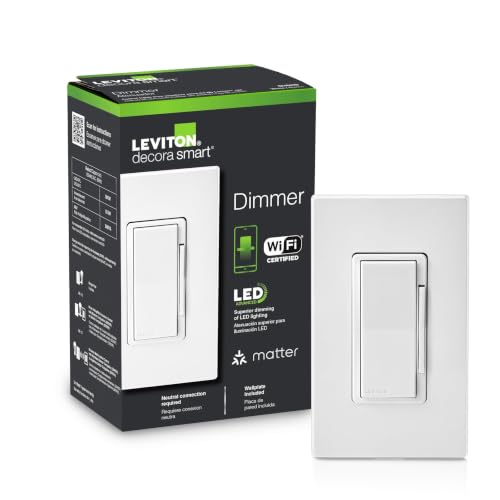
An in-wall outlet creates a built-in appearance and can free the adjacent socket from the bulk of a plug-in adapter. The MOES outlet adds USB-A and USB-C charging ports, while the Kasa KP200 and Tapo P210M provide two in-wall receptacles. The Tapo listing specifically requires neutral wiring, so wiring compatibility should be confirmed before purchase. The supplied evidence does not establish installation requirements for every in-wall model, so consult the product instructions and local electrical requirements rather than assuming a direct replacement is suitable.
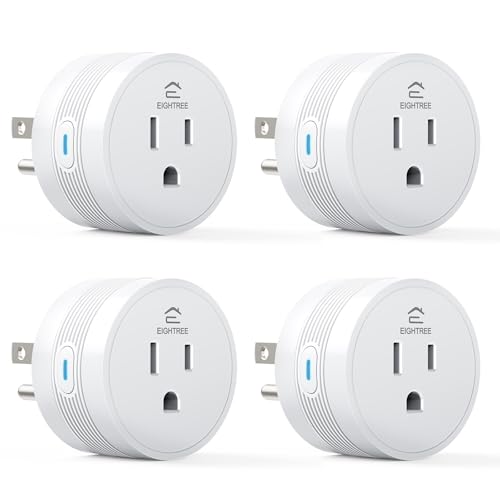
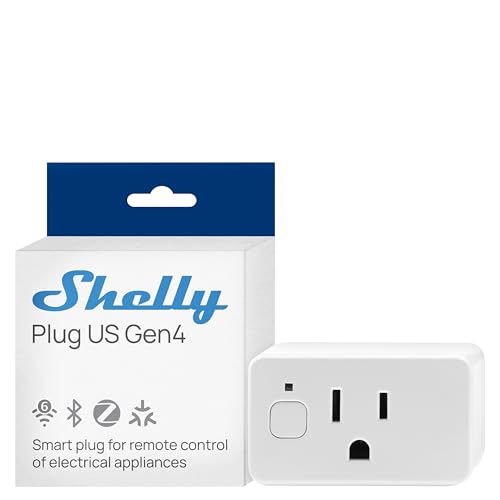
Plug-in models are simpler for renters, temporary setups, and appliances that move between rooms. Govee, EIGHTREE, and the GHome models connect to an existing receptacle. Their compact bodies are useful when furniture or nearby plugs limit available space. A plug-in switch does, however, occupy the socket into which it is inserted, and its connected appliance remains subject to the smart plug’s stated electrical limits.
Match the electrical rating to the load
Check voltage, amperage, wattage, and the appliance type before connecting anything. Several selected products list 15A ratings: the Govee H5086 is listed at 15A and 120V, EIGHTREE at 15A/1800W, and the outdoor Kasa models at up to 15A/1875W. The indoor Kasa KP200 lists 1875W maximum total output, not 1875W for each receptacle. The MOES listing gives AC input figures of 100V/15A and 250V/10A, so its stated electrical details should be read carefully for the intended US installation.
A higher stated rating does not mean every appliance is automatically appropriate. Motors, heaters, pumps, and other loads can have different starting or inductive demands. Always follow the manufacturer’s load guidance.
Confirm Wi-Fi requirements
Most selected products require 2.4GHz Wi-Fi. That band generally has broader household-device support, but setup can be inconvenient if a router combines bands or temporarily hides the 2.4GHz network. The GHome 5G model is the exception in this selection: its listing documents both 5GHz and 2.4GHz support and Bluetooth setup. If dual-band operation is important, verify that the exact model supports it.
Bluetooth can make initial pairing easier, but it does not replace the product’s documented Wi-Fi requirement for remote control. The Govee H5086 also lists Wi-Fi and Bluetooth connectivity, while EIGHTREE and both GHome entries describe Bluetooth-assisted setup. Network compatibility should be checked before installation, especially for an in-wall product that is more difficult to remove.
Remote on/off control is common across the selected products, but the details vary. The MOES outlet can control its outputs individually and also includes physical buttons. The Tapo P210M and Kasa KP200 independently control two receptacles. By contrast, the Feit outdoor model controls its two outlets together. That distinction matters when two outdoor devices need different schedules.
Schedules and countdown timers are useful for lamps, coffee makers, holiday displays, and other routine loads. Kasa’s outdoor listings add sunrise and sunset offsets, while the Kasa KP200 includes scenes and away mode. Govee, EIGHTREE, and GHome provide schedules, timers, or group control. The Tapo P210M adds smart actions and energy-related information. Choose the feature set that matches the routine you want to automate instead of assuming every app offers the same options.
Alexa and Google Assistant appear across much of the selection, but platform breadth is not identical. Matter gives the Tapo P210M wide named ecosystem support in the supplied evidence, including Apple HomeKit and Samsung SmartThings alongside Alexa and Google Home. MOES supports Alexa and Google Assistant. Kasa, Govee, EIGHTREE, GHome, and Feit also list voice-assistant compatibility, usually after setup in the relevant manufacturer app.
Matter does not remove every setup requirement: the Tapo listing still calls for neutral wiring and 2.4GHz Wi-Fi. Likewise, GHome’s listing says Alexa and Google Home cannot be connected directly and must be configured through the GHome app first. Read the setup sequence carefully when selecting a product for an existing smart-home system.
Consider outdoor protection
Outdoor placement needs more than wireless control. The Feit and Kasa outdoor models document weather-related protection: Feit identifies the product as wet-location rated, while both Kasa outdoor listings specify IP64 weather resistance and waterproof covers. These details support the outdoor use cases stated in their listings, including landscape lighting, holiday lights, fountains, ponds, and similar equipment.
An IP or wet-location designation does not make an installation universally safe. Position the device as directed, keep unused outlets covered when applicable, and confirm that the connected equipment and extension arrangement are suitable for outdoor use. Indoor-only products such as the Govee and EIGHTREE plugs should not be treated as outdoor alternatives simply because they use Wi-Fi.
Use energy monitoring when measurement matters
Energy monitoring is a specialized feature rather than a standard part of every smart outlet. The Govee H5086 reports real-time power, current, and voltage and supports daily, weekly, and monthly history for up to one year. The Tapo P210M also lists energy monitoring. These functions can help users inspect appliance consumption, but the supplied evidence does not establish measurement accuracy or savings outcomes.
If you only need scheduled on/off control, a model without monitoring may be sufficient. If you want usage information, select a product that explicitly documents it rather than relying on a generic smart-plug description.
Final Recommendation
Govee Smart Plug with Energy Monitoring ranks first overall in this specification-based comparison under the published weighted criteria.
The final choice among the best wi-fi electrical outlet switches depends on the documented features that match your intended use.
MOES Smart In-Wall Outlet with USB-C and USB-A is the first overall specification-based choice among these selected products. It combines individually controlled receptacles, physical buttons, remote app operation, voice support, and built-in charging in one in-wall design. The top wi-fi electrical outlet switches for other needs are the Tapo P210M for Matter and energy monitoring, Govee H5086 for power tracking, and Kasa KP401 for outdoor scheduling and IP64 protection.
Choose the Kasa KP200 when two indoor outlets need separate names and schedules. Select the GHome 5G four-pack when dual-band Wi-Fi is a priority, or EIGHTREE when a compact four-pack with a stated 15A/1800W rating fits the plan. For outdoor use, compare the Feit model’s together-controlled outlets with Kasa’s single-load outdoor format. These recommendations reflect listed specifications only, not hands-on testing.
Frequently Asked Questions
What should I check before buying the best wi-fi electrical outlet switches?
Confirm whether you need an in-wall replacement or a plug-in unit, then check wiring, Wi-Fi band, load rating, smart-home platform, and indoor or outdoor suitability. In-wall products may require neutral wiring or electrical installation. Also distinguish independent outlet control from outlets that operate together.
Do these smart outlet products work without a hub?
Several selected plug-in products explicitly state no hub is required, including the EIGHTREE model and the GHome WP3. The MOES outlet also states no hub is required. Hub requirements can vary by model and platform, so verify the exact setup instructions.
Can I use a 5GHz network with these products?
Most selected products specify 2.4GHz Wi-Fi only. The GHome Smart 5G four-pack documents both 5GHz and 2.4GHz support. Bluetooth-assisted setup on some models does not necessarily mean the product supports 5GHz for normal network operation. Check the router band and the product’s setup requirements before pairing.
Which selected models support outdoor use?
The Feit dual-outlet model is identified as wet-location rated. The Kasa KP401 models list IP64 weather resistance and waterproof covers. These are the selected products with explicit outdoor protection evidence. Indoor models should not be placed outdoors unless their own documentation specifically permits it.
Which models provide energy monitoring?
The Govee H5086 documents real-time power, current, and voltage monitoring with historical views in its app. The Tapo P210M also lists energy monitoring. Other selected models provide switching, scheduling, grouping, or voice features but do not document energy monitoring in the supplied evidence.