Buying Guide
Choosing the best wi-fi wall outlets starts with identifying what is actually being replaced. An in-wall smart receptacle replaces a wall-mounted duplex outlet, while a plug-in smart accessory simply occupies an existing receptacle. The products in this comparison are selected as wall-mounted outlets or wall-unit combinations, not ordinary plug-in adapters. Always follow the product manual and applicable electrical rules when replacing a wired receptacle.
Decide between a standard duplex outlet and a combination unit
Most selected products are duplex receptacles with two AC sockets. That arrangement is useful when you want to control a lamp and a fan separately, or schedule two appliances on different routines. Kasa Smart KP200, Tapo P210M, Leviton D215R-1RW, ELEGRP, TOPELER, QIACHIP, and Amazon Basics all document separate or flexible control of their outlet positions.
A combination unit changes the decision. KEYGMA pairs a smart light switch with a Wi-Fi outlet in a two-gang design, so it is aimed at a location that needs both lighting and receptacle control. It documents single-pole and 3-way switch functions, plus separate control of the switch and outlet. This design is not a direct substitute for every standard duplex receptacle, so confirm box layout and wiring before purchase.
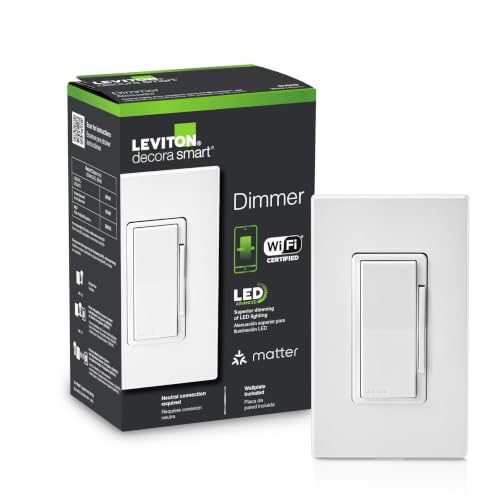
Platform compatibility can matter more than a small difference in feature lists. Leviton D215R-1RW lists My Leviton, Alexa, Google Assistant, Apple Home/Siri, SmartThings, and Sonos. Tapo P210M uses Matter and lists compatibility with Alexa, Apple HomeKit, Google Home, and Samsung SmartThings. These are flexible choices for households that may use more than one ecosystem.
Kasa Smart KP200, MOES, Lumary, ELEGRP, TOPELER, and QIACHIP list Alexa and Google Assistant support. Amazon Basics is explicitly an Alexa-only product in the supplied evidence. That focused approach may suit households using Alexa, but it is less suitable if Apple Home or another platform is important.
Check whether both sockets are independently controlled
Independent control is a major practical difference among wall outlets. It lets one socket follow a schedule while the other remains available for manual use. Kasa, Tapo, ELEGRP, MOES, TOPELER, QIACHIP, Lumary, and Amazon Basics document independent outlet control. Some products also allow grouped operation when both sockets should respond together.
Some products go beyond two AC sockets. MOES adds USB-A and USB-C ports, while Lumary adds two USB ports. Those charging ports can make a receptacle more useful beside a bed, desk, or kitchen counter. MOES states 5V/2.1A maximum USB and USB-C output, with shared limits when both ports are used. Lumary also lists 5V/2.1A USB ports. These are charging conveniences, not evidence of a particular fast-charging standard.
Electrical ratings should be matched to the connected device rather than treated as a general performance promise. Kasa states a 1875W total maximum. QIACHIP states a combined 16A/1920W limit at 120V AC. Lumary lists 15A at 110V, while MOES provides AC input information of 100V/15A and 250V/10A. Amazon Basics identifies a 15-amp specification. Leviton gives separate guidance for general use, LED/CFL, incandescent, and motor loads.
Certification language also varies. Kasa identifies ETL certification; Tapo identifies ETL certification; ELEGRP lists UL and CSA certification; TOPELER lists ETL and FCC; Lumary lists ETL and FCC; and QIACHIP specifies indoor use. Treat these as listing claims and verify the exact product documentation, wiring instructions, and local requirements before installation. Do not assume that a stated maximum makes every appliance appropriate.
Confirm wiring, box, and Wi-Fi requirements
The clearest installation constraints come from Amazon Basics, which requires a neutral wire, a standard outlet box at least 2 inches deep, and 2.4GHz Wi-Fi. Tapo also requires neutral wiring and 2.4GHz Wi-Fi. TOPELER documents side and back wiring, while KEYGMA accepts back and side wiring and up to 12AWG copper or copper-clad wire.
Many other listings specify 2.4GHz Wi-Fi only, including Kasa, MOES, Lumary, and TOPELER. A phone or router that normally uses a different band may need a compatible setup path. Leviton offers an extensive platform list, but the supplied evidence does not state its wiring requirements, so consult its installation instructions rather than guessing.
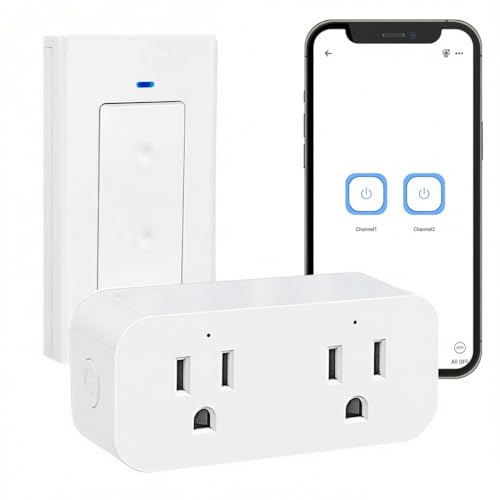
Remote app control and schedules are common across the category. Leviton adds vacation randomization and auto-shutoff; Kasa adds away mode; and QIACHIP includes a matching wireless wall switch for nearby control. That included switch is useful when you want a physical control point without opening a phone, but QIACHIP is listed for indoor use only.
Energy information is more specialized. Tapo P210M documents energy monitoring, and Lumary documents real-time power-use checking. For an actual wall replacement, Tapo and Lumary are the evidence-supported choices in this comparison for monitoring-oriented features.
Final recommendation
Tapo P210M Matter-Compatible In-Wall Outlet ranks first overall in this specification-based comparison under the published weighted criteria.
Tapo P210M Matter-Compatible In-Wall Outlet is the first overall specification-based choice among the best wi-fi wall outlets. Its Matter compatibility, energy monitoring, independent socket control, and documented app functions give it the highest result under the published criteria.
Leviton Decora Smart Outlet D215R-1RW is a strong alternative when broad platform support is the priority. Its automation tools, load guidance, and optional wire-free companion provide useful flexibility. Choose Kasa Smart KP200 if clearly documented dual-socket control is more important, or Tapo P210M if Matter compatibility and energy monitoring matter most.
MOES and Lumary suit charging-heavy locations because they add USB ports. ELEGRP is a logical black tamper-resistant option, while TOPELER suits multi-room projects and QIACHIP is useful when an included wireless switch matters. For a two-function wall location, KEYGMA is the relevant design. Amazon Basics remains a focused Alexa option when its neutral-wire and deep-box requirements are satisfied. Together, these are the top wi-fi wall outlets for different installation and smart-home priorities, not the result of hands-on testing or customer-opinion analysis.
Frequently Asked Questions
Are these best wi-fi wall outlets tested hands-on?
No. This is a specification-based comparison using the supplied public listing features and specifications. It does not claim hands-on testing, installation verification, measured performance, or customer-sentiment analysis.
Do smart in-wall outlets require a neutral wire?
Some do. Tapo P210M and Amazon Basics explicitly require a neutral wire. The supplied evidence does not establish the wiring requirement for every selected model, so check the individual installation manual before removing an existing receptacle.
Can I use these outlets with 5GHz Wi-Fi?
Several selected products specify 2.4GHz Wi-Fi only, including Kasa, MOES, Lumary, and TOPELER. Tapo and Amazon Basics also list 2.4GHz requirements. Do not assume 5GHz compatibility unless the product documentation explicitly provides it.
Which selected outlet includes energy monitoring?
Tapo P210M documents energy monitoring and power-use tracking. Lumary documents real-time power-usage checking as well. These features can help track connected-device consumption, but the supplied evidence does not establish measurement accuracy or savings results.
Which product combines a wall outlet with a light switch?
KEYGMA is the selected combination product. It pairs a Wi-Fi receptacle with a touch light switch and documents separate control of both functions, along with single-pole or 3-way switch support. Verify box configuration and wiring compatibility before installation.