Buying Guide
Finding the best windows 7 guides in 2026 starts with knowing how you plan to use them. Some readers want a friendly first tour, others need a deep technical reference, and many simply want a printed sheet by the keyboard. The titles below were chosen because each one offers a distinct way into Windows 7, and together they cover the spectrum from absolute beginner to professional edition.
Match the Guide to Your Experience Level
Readers who have never used Windows 7 before benefit most from titles that explain the desktop, taskbar, and basic settings without jargon. Windows 7 For Dummies and Windows 7 Fast Start: A Quick Start Guide both center on essential navigation and everyday tasks, while The Complete Idiot’s Guide to PC Basics, Windows 7 Edition extends that approach to include broader PC concepts. For someone setting up a new computer alongside the operating system, PCs For Dummies, Windows 7 Edition pairs hardware decisions with Windows 7 walkthroughs in a single paperback.
Choose Between Reference Depth and Quick-Start Brevity
If you want sustained reference value rather than a quick orientation, the deeper titles come into play. Windows 7 Bible is structured as a long-form Wiley reference, Windows 7 Tweaks: A Comprehensive Guide targets users who already know the basics and want to customize performance and security, and Windows 7: No Problem! organizes its chapters around solving common issues. Among these, Windows 7 All-in-One For Dummies sits in the middle by gathering several topic areas into a single approachable volume, which is useful when you do not yet know which Windows 7 topics matter most to you.
Decide on Edition Specificity
Windows 7 came in several editions, and not every guide addresses all of them equally. Most general titles focus on the standard Home and Professional experience, while Windows 7 Professional: The Little Black Book explicitly targets the Professional edition and its business-oriented features. If your computer runs Professional and you need guidance on features such as domain join, Remote Desktop, or advanced backup, an edition-specific title may be more useful than a generic one.
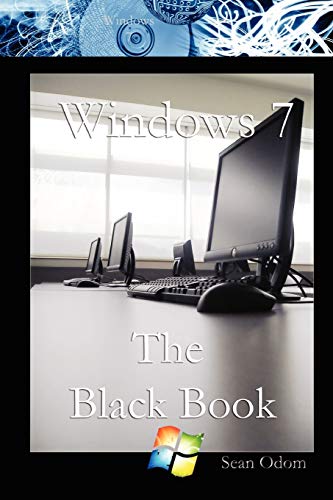
Format affects how you will actually use a guide day to day. Kindle editions such as Windows 7 For Dummies and Windows 7 Bible make searching inside the book easy and keep your library portable. Paperback titles like Windows 7 Tweaks: A Comprehensive Guide and Windows 7: No Problem! stay open on a desk and support quick page-flipping. Compact paperbacks such as Windows 7 The Black Book and Windows 7 Professional: The Little Black Book travel well between workstations. Choosing the format that matches where and how you read often matters as much as the table of contents.
Look for Publisher Pedigree and Series Consistency
Wiley titles in this set, including Windows 7 Bible, Windows 7 Tweaks: A Comprehensive Guide, and Windows 7: No Problem!, share an editorial style that emphasizes thorough explanations and structured chapters. For Dummies titles, from Windows 7 For Dummies and Windows 7 All-in-One For Dummies to PCs For Dummies, Windows 7 Edition, follow a recognizable instructional pattern with icons, step lists, and friendly tone. Independent imprints, such as the Lulu Black Book series, can still be useful but tend to be shorter and more narrowly focused.
Use Troubleshooting Titles Alongside Foundational Ones
Many readers pair a foundational guide with a troubleshooting-focused title. Starting with Windows 7 For Dummies or Windows 7 Fast Start: A Quick Start Guide builds the baseline understanding, then adding Windows 7: No Problem! or Windows 7 Tweaks: A Comprehensive Guide gives you somewhere to turn when specific issues arise. This combination tends to be more durable over time than any single book.
Final Recommendation
Windows 7 All-in-One For Dummies ranks first overall in this specification-based comparison under the published weighted criteria.
Windows 7 For Dummies stands out as the first overall specification-based choice among the best windows 7 guides because it pairs strict Windows 7 focus with the approachable For Dummies instructional style and suits the broadest range of new users. Readers who want wider coverage should layer Windows 7 All-in-One For Dummies on top, while users seeking Professional-edition guidance will find Windows 7 Professional: The Little Black Book a focused companion. Together, these three represent a practical path through the top windows 7 guides for most home and small-office readers.
Frequently Asked Questions
Are the best windows 7 guides still useful if Microsoft no longer supports the OS?
Yes. The operating system still runs on many existing machines, and printed guides remain valuable for setup, troubleshooting, and learning the interface even without active updates from Microsoft. A good guide explains concepts that do not change with vendor support cycles.
Which title should a true beginner pick from the best windows 7 guides?
For a complete newcomer, Windows 7 For Dummies is the most accessible starting point, with Windows 7 Fast Start: A Quick Start Guide as a shorter companion if time is limited. Readers setting up a computer at the same time may prefer PCs For Dummies, Windows 7 Edition.
Do any of the best windows 7 guides focus on the Professional edition?
Yes. Windows 7 Professional: The Little Black Book is specifically framed around the Professional edition and its business-oriented features, making it a useful supplement to the more general titles.
How do I decide between a Kindle edition and a paperback among the best windows 7 guides?
Kindle editions make searching inside the book easy and keep titles portable across devices, while paperback guides such as Windows 7 Tweaks: A Comprehensive Guide and Windows 7: No Problem! stay open on a desk. Many readers keep one of each format for different reading situations.
Can a single guide cover both basic and advanced Windows 7 topics?
Several titles try to, and Windows 7 All-in-One For Dummies is the clearest example, combining networking, multimedia, and maintenance topics in one volume. For deeper customization, pairing it with Windows 7 Tweaks: A Comprehensive Guide provides more specialized coverage.