Buying Guide
Choosing the best x 8 photo quality paper starts with confirming the physical sheet size and then matching the surface to the way the print will be viewed. The products in this comparison are 8 x 10 options, while the evidence also shows meaningful differences in finish, coating, weight, and ink requirements. This guide uses the supplied public listings only; it is not a hands-on test and does not summarize customer opinions.
Confirm the actual paper size
An 8 x 10 sheet is a convenient format for standard frames, albums, portraits, and small wall displays. Several selected products state 8 x 10 directly in the title or specifications. The Koala, Uinkit, Finestra Art, Pikapoka, and other selected listings likewise identify the requested size.
Check the printer driver before loading a pack. Select the closest matching 8 x 10 setting, choose the correct paper type, and confirm whether borderless printing is supported by the printer. Canon SG-201 is included because its title and description identify an 8 x 10 semi-gloss product, but its specification section contains a conflicting size entry. That makes a settings check especially important for that listing.
Pick the finish for the viewing environment
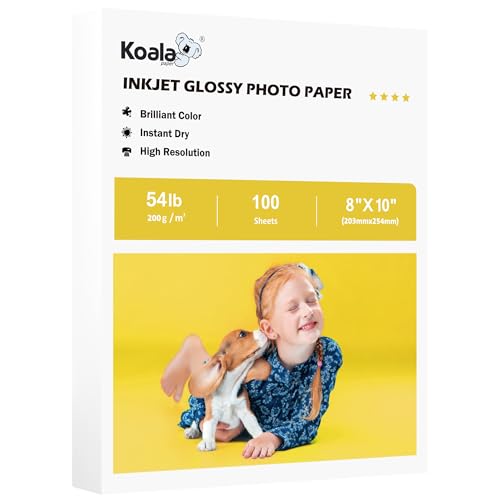
Glossy paper is the most represented design here. Epson Premium Photo Paper Glossy, Pikapoka Ultra-Premium Glossy, Koala Resin-Coated Glossy, Uinkit Premium Glossy, and Koala Glossy 54 lb all document glossy surfaces. Glossy coatings are a logical fit when vivid shine and a reflective photographic appearance are priorities, but reflections can be distracting near windows or strong lights.
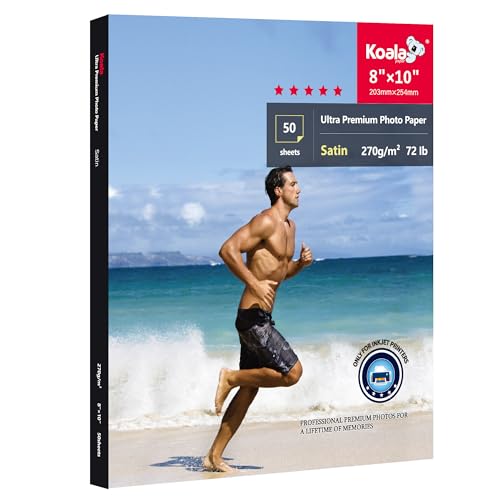
Semi-gloss, satin, and luster provide alternatives. Canon SG-201 is described as sitting between matte and glossy. Koala Resin-Coated Satin emphasizes a fine satin texture and fingerprint resistance, making it a sensible choice for portraits, wedding images, or artwork handled often. Finestra Art Premium Luster is another middle-ground option for buyers who want sheen without selecting a full-gloss design.
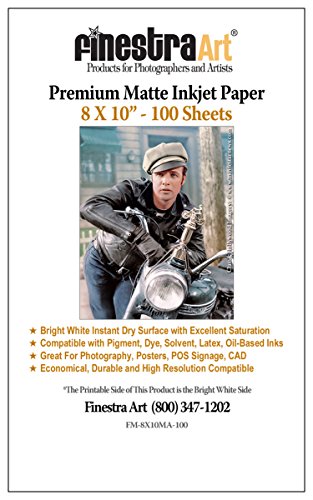
Matte is the better documented direction for low-glare work. Finestra Art Premium Arctic Matte is bright white, acid-free, and listed as compatible with lamination. Matte surfaces can suit presentations, artwork, text-heavy creative prints, and displays where reflections are unwelcome. The trade-off is that matte paper will not produce the same shiny appearance as glossy stock.
Compare coating and drying claims
Resin-coated paper deserves attention when handling and surface protection matter. Epson Premium Photo Paper Glossy, Pikapoka Ultra-Premium Glossy, and both Koala resin-coated products document resin-coated construction. Pikapoka also lists waterproof protection, while Koala describes extra protection compared with ordinary photo paper. These are listing claims, not independent durability tests, so they should be treated as specifications rather than guarantees of a particular lifespan.
Quick-dry or instant-dry language appears across several products. Epson lists a quick-dry surface, Uinkit describes fast drying and smudge resistance, and the Koala glossy products also specify fast-dry handling. A fast-drying coating may be useful when prints need to be handled soon after output, although actual results can depend on the printer, ink, and selected driver setting.
Match the paper to the ink
Ink compatibility is one of the most important purchase checks. Finestra Art Premium Luster and Finestra Art Premium Arctic Matte explicitly state compatibility with both dye and pigment-based printers. Pikapoka Ultra-Premium Glossy also lists both dye and pigment inkjet compatibility. These are the most flexible choices in the selected group when the printer’s ink type is not limited to one category.
Several glossy products specify dye ink only. Always follow the paper and printer instructions. A finish that looks appropriate is not enough if the coating is not designed for the installed ink system.
Use weight as a handling guide
Paper weight helps describe the feel and stiffness of a sheet, but it should not be treated as a complete measure of print quality. Koala Glossy Heavyweight is listed at 230gsm and the current price, making it the heaviest explicitly specified option in this group. Koala Glossy 54 lb lists 200gsm, and Uinkit lists 180gsm and the current price. Pikapoka matte lists 200gsm and the current price.
Heavier paper may feel more substantial for framed prints, cards, menus, portfolios, or craft work. It can also require a printer with a suitable feed path. Check the printer manual for supported media thickness before choosing a heavyweight pack. Finestra products provide useful finish and compatibility details but do not state a gsm or mil figure in the supplied evidence, so their physical weight should not be inferred.
Decide how much paper you need
Pack size affects the most practical choice. Several selected products provide 50 sheets, while Uinkit, Finestra Art, and Koala’s 54- and 61-pound glossy options list 100 sheets. A larger pack is convenient for repeated projects, but a smaller pack can reduce unused stock when you are still evaluating a finish or printer setting.
Final Recommendation
Pikapoka Ultra-Premium Glossy RC 8 x 10 ranks first overall in this specification-based comparison under the published weighted criteria.
Epson Premium Photo Paper Glossy is the first overall specification-based choice for the best x 8 photo quality paper because it combines the correct size with a bright resin-coated glossy surface, quick-dry handling, and stated resistance to smudges and water. It is a strong fit for frames and albums.
For the top x 8 photo quality paper with broader ink flexibility, Pikapoka Ultra-Premium Glossy is the more adaptable alternative because its listing names both dye and pigment inkjet printers. Koala Resin-Coated Glossy is a compelling option for buyers who prioritize a stiff, high-definition resin-coated sheet, while Koala Resin-Coated Satin is the better directional pick for a less reflective presentation.
Choose Finestra Art Premium Arctic Matte when glare reduction, acid-free construction, and lamination compatibility matter most. Finestra Art Premium Luster is a good middle-ground design with stated dye and pigment compatibility. For heavyweight everyday glossy printing, Koala Glossy Heavyweight offers the clearest weight specification. Uinkit and Koala Glossy 54 lb are practical larger-pack choices for dye-ink users. Before ordering, verify the printer’s supported media, ink type, and preferred finish setting.
Frequently Asked Questions
What should I look for in the best x 8 photo quality paper?
Start with exact 8 x 10 sizing, then check whether the finish suits the display environment. Glossy favors shine and vivid presentation, while satin, luster, semi-gloss, and matte reduce or soften reflections. Also verify ink compatibility, coating claims, paper weight, and pack size. The printer’s media settings and feed path should support the selected stock.
Is resin-coated paper better for photo printing?
Resin-coated paper is a design feature, not an automatic guarantee of better results. In the supplied listings, resin coating is associated with protection, stiffness, ink absorption, or handling benefits. Epson Premium Photo Paper Glossy, Pikapoka Ultra-Premium Glossy, and Koala’s resin-coated glossy and satin products document this construction. Compare those stated features with your printer, ink type, finish preference, and intended use.
Which finish is best for portraits?
The answer depends on lighting and handling. Glossy can provide a reflective photographic appearance, while Canon SG-201 is described for portraits and gallery displays with a semi-gloss surface. Koala Resin-Coated Satin is also specifically positioned for portraiture and wedding photos and is described as fingerprint-resistant. For a low-glare portrait display, satin, semi-gloss, luster, or matte may be more suitable than full gloss.
Can I use pigment ink with every selected paper?
No. Finestra Art Premium Luster, Finestra Art Premium Arctic Matte, and Pikapoka Ultra-Premium Glossy explicitly list dye and pigment inkjet compatibility. Uinkit Premium Glossy and the selected Koala standard glossy products specify dye ink. Other listings provide less detailed ink information. Check the product instructions and printer documentation before using a paper with pigment ink.
Does heavier paper always produce a higher-quality photo?
Not necessarily. Weight affects feel and handling, but finish, coating, printer compatibility, and ink settings also matter. Koala Glossy Heavyweight lists 230gsm and the current price, while Koala Glossy 54 lb and Uinkit list lighter specifications. A heavier sheet may suit framing or craft projects, but the printer must support the media thickness.