Buying Guide
The best automatic backup external hard drives differ less in the basic storage medium than in the backup software, security controls, connection type, capacity, and enclosure design. The products selected here are conventional external HDDs with listing evidence for backup software or automatic scheduling. This is a public-specification comparison rather than a hands-on performance test.
Start with the backup method
Look for the level of automation that matches your routine. WD My Passport models and the WD My Book list included device-management software with backup functions and ransomware defense. Their supplied evidence does not state specific daily or weekly intervals, so confirm the software setup before relying on a particular schedule.
Seagate Backup Plus and Seagate One Touch provide more explicit scheduling information. Both list single-click backups and automatic daily, weekly, or monthly backups. That makes them especially relevant when recurring intervals matter more than built-in encryption.
A scheduled backup is useful only when the drive is connected and the software is configured. Check the supported operating system, choose the folders to protect, and verify that the destination has enough free space. For a laptop that is often disconnected, a portable drive can be easier to reconnect than a desktop unit.
Match capacity to the data set
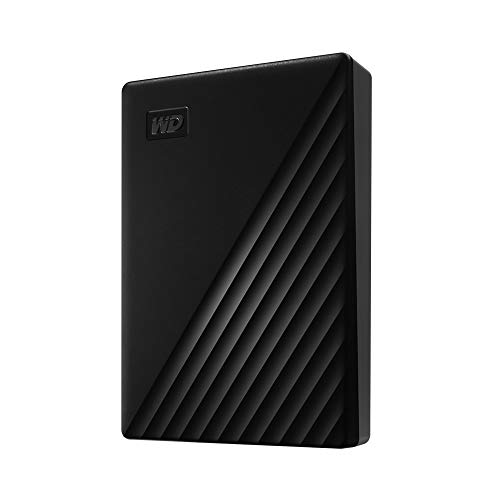
Capacity should cover the files being protected plus room for future additions. The compact WD 1TB and 2TB models fit focused document and photo collections. WD 4TB and 5TB My Passport versions, along with the 5TB Seagate models, provide more space for mixed personal files and media. WD 6TB My Passport offers the largest documented capacity among the portable models selected here.
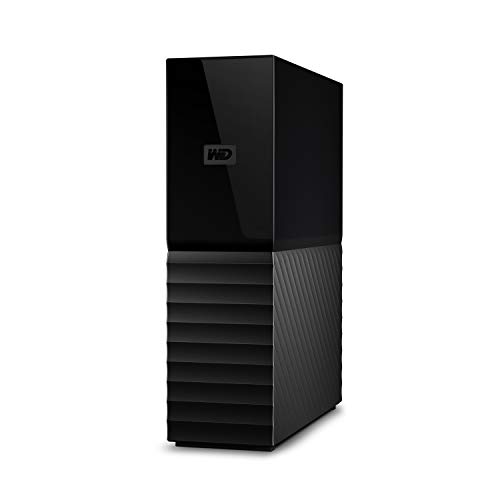
For a stationary archive, WD 14TB My Book is the capacity-oriented choice. Its desktop design is substantially different from the slim portable drives, so it is better suited to a desk or home office. Capacity alone does not create a backup plan: organize folders, retain important originals separately, and periodically check that the intended files are being copied.
Consider security features
Security varies considerably across the list. WD My Passport models document password protection, hardware encryption, and ransomware defense through their backup or device-management software. WD My Book specifies password protection and 256-bit AES hardware encryption, making its security documentation particularly detailed.
By contrast, the Seagate Backup Plus and One Touch listings document backup scheduling and recovery-service coverage but do not state hardware encryption. Do not treat a backup schedule as a substitute for access controls; choose a product whose documented protection features fit the sensitivity of the files.
Check ports and operating-system fit
USB compatibility is an important practical detail. WD My Passport models list USB 3.1/USB 3.0 compatibility, while WD My Book lists USB 3.0 and USB 2.0 compatibility. These interfaces can fit many existing computers, but the host port and cable still determine the connection arrangement.
WD My Passport for Mac is specifically described as Mac-ready and USB-C compatible. Seagate Backup Plus and One Touch support Windows and Mac, but both listings caution that reformatting may be required for Time Machine. Confirm the intended computer and backup application before setting up the drive.
Choose portable or desktop construction
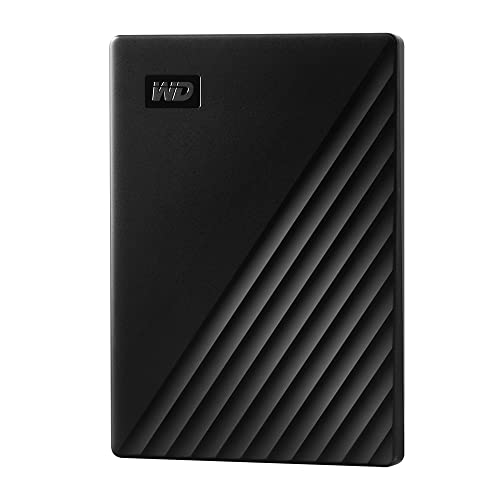
Portable models are slim and easier to move between a laptop and another computer.
A desktop unit such as WD My Book prioritizes capacity over travel convenience. It is a better fit when the drive can remain in one location and the archive is large. The enclosure type should therefore follow the backup location: portable for mobile workflows, desktop for a fixed archive.
How to use this comparison
Rankings emphasize category-specific specifications: backup automation, security, capacity, connectivity and compatibility, and physical design. Scores are editorial assessments of the supplied listing evidence. They are not laboratory results, and the list does not claim transfer speeds, durability outcomes, or software behavior beyond what the listings state.
Final Recommendation
WD 6TB My Passport ranks first overall in this specification-based comparison under the published weighted criteria.
The final choice among the best automatic backup external hard drives depends on the documented features that match your intended use.
Users with large portable archives should consider WD 6TB My Passport, while those building a stationary archive can consider WD 14TB My Book.
Among the top automatic backup external hard drives with clearly stated backup intervals, Seagate Backup Plus 5TB and Seagate One Touch 5TB are notable alternatives because both list daily, weekly, and monthly scheduling. WD My Passport models suit users who prioritize hardware encryption and ransomware-defense documentation in a portable enclosure. WD My Passport for Mac is the targeted choice when Mac readiness and USB-C compatibility are central requirements.
Frequently Asked Questions
Which are the best automatic backup external hard drives for scheduled intervals?
Seagate Backup Plus 5TB and Seagate One Touch 5TB explicitly list single-click backups plus automatic daily, weekly, or monthly schedules.
Which selected drive offers the most portable capacity?
WD 6TB My Passport has the largest documented capacity among the selected portable models. It also lists backup software, ransomware defense, password protection, and hardware encryption. Its USB 3.1/USB 3.0 interface should be matched with the computer and cable being used.
Which option is designed for a Mac?
WD 2TB My Passport for Mac is explicitly described as designed for Mac, Mac-ready, and USB-C compatible. Seagate Backup Plus and One Touch support Windows and Mac, with possible reformatting required for Time Machine.
Is a desktop drive suitable for automatic backup?
WD 14TB My Book lists backup and device-management software, so it can suit a stationary automatic backup setup when configured correctly. Its desktop enclosure is less convenient to move than a portable model, but its capacity is suited to large fixed archives.
What security features should I compare?
WD My Passport models list password protection, hardware encryption, and ransomware defense. WD My Book lists 256-bit AES hardware encryption and password protection. The Seagate Backup Plus and One Touch listings emphasize scheduling and recovery services but do not state hardware encryption.