Buying Guide
The best solid-state usb flash drives are best compared by the connection standards and storage tasks they support, not by the word “SSD” alone. The products in this list vary from conventional USB-A flash drives to stick-format solid-state models with two connectors. Start by matching the drive to the ports on the devices you actually use, then consider speed, capacity, construction, and any documented protection software.
Choose the connector layout first
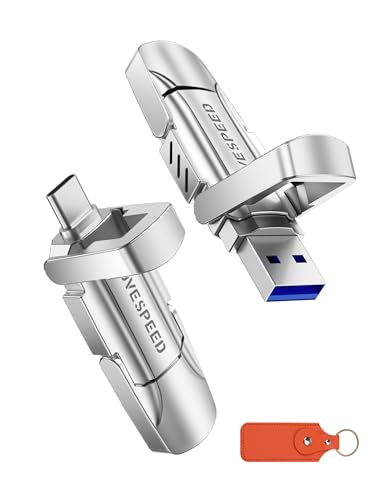
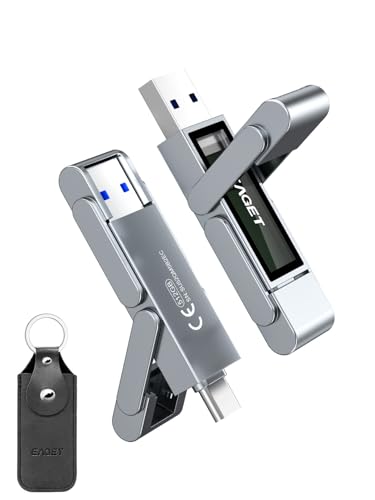
A dual-port drive has USB-C and USB-A connectors built into the same body. That design is useful when files move between a modern phone, tablet, or laptop and older desktop hardware. The SanDisk Extreme PRO Dual Drive, Transcend ESD310, MOVE SPEED 1TB, EAGET SU52, SSK SD301, Lexar D50E, and Orlian model all document this type of flexibility. It also avoids carrying a separate adapter or cable for ordinary transfers.
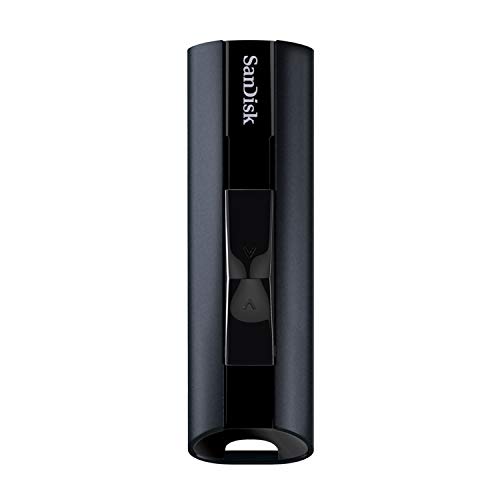
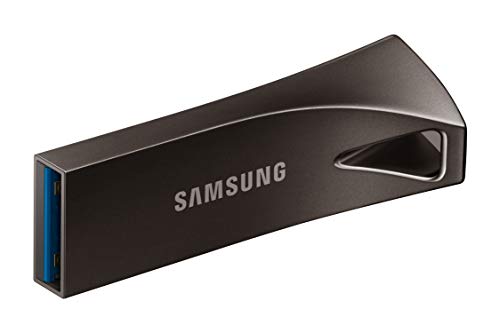
A single-connector drive can still make sense when your equipment is consistent. The SanDisk Extreme PRO USB 3.2 and Samsung BAR Plus are USB-A-oriented selections in the supplied evidence. The Samsung model is especially focused on a compact metal body and integrated keyring, while the SanDisk model emphasizes 512GB capacity and encryption software. Check the host port before selecting either type.
Listed speed is an important separator, but it is not a guarantee of the same result in every setup. The Transcend ESD310 documents up to 1,050MB/s read and 950MB/s write, while the SanDisk Extreme PRO Dual Drive lists up to 1,000MB/s read and 900MB/s write. Those figures are the highest in this selection, but the host device and connection standard still affect actual transfers.
The Orlian drive lists up to 1,000MB/s read and 800MB/s write. MOVE SPEED’s 1TB model lists up to 570MB/s read and 520MB/s write, and the BUFFALO stick lists up to 600MB/s. The SSK SD301 and EAGET SU52 sit in a similar practical range, with listed read figures of up to 550MB/s and 560MB/s respectively. For ordinary documents, the connector layout may matter more than the maximum number; for large video or game files, both speed and capacity deserve attention.
Match capacity to the file types
The 128GB models are appropriate for documents, moderate photo collections, device transfers, and smaller working sets. They include the Transcend ESD310, SSK SD301, Lexar D50E, and Samsung BAR Plus. The 512GB options, such as the SanDisk Extreme PRO USB 3.2 and EAGET SU52, provide more room for media libraries without moving to a 1TB body.
The MOVE SPEED 1TB, BUFFALO 1TB, and Orlian 1TB are the largest capacities selected. They are better aligned with large video collections, game data, and frequent backups where 128GB could fill quickly. Capacity specifications describe the nominal size; usable space can be lower after formatting and system allocation.
Consider physical protection and portability
Metal construction appears across several selected products. The SanDisk Extreme PRO Dual Drive uses a metal design, the SanDisk Extreme PRO USB 3.2 specifies aluminum metal casting, and the SSK SD301, EAGET SU52, MOVE SPEED, and Orlian models document zinc-alloy housings. These materials may suit users who carry a drive in a pocket or bag, but a metal case does not replace a separate backup of important files.
Retractable or integrated-cover designs help protect exposed connectors. The BUFFALO stick uses a retractable form, while the Samsung BAR Plus includes an integrated keyring and the dual-port designs generally describe built-in protection for their interfaces. The Transcend ESD310 is especially compact by its listed dimensions and weight. Review the body shape as well as the capacity if the drive will remain attached to a laptop, phone, or console.
Review software and compatibility details
Several products document plug-and-play use, but operating-system support still varies. Transcend lists exFAT formatting and support across Windows, Linux, macOS, and Android. SSK also lists exFAT and broad compatibility. SanDisk provides SecureAccess encryption on the Extreme PRO USB 3.2 and encryption technology on the Extreme PRO Dual Drive. Transcend documents OTP protection through Transcend Elite software, while Lexar lists a photo-backup function for iOS and Android on its dual-drive products.
Phone recording claims also require a compatible device and port. MOVE SPEED documents 4K ProRes HDR recording support for specified iPhone Pro models, while other dual-port products describe direct phone access or file transfer. Confirm the phone model, operating system, and required file format before relying on a drive for camera storage.
Final Recommendation
SanDisk Extreme PRO Dual Drive 256GB ranks first overall in this specification-based comparison under the published weighted criteria.
The final choice among the best solid-state usb flash drives depends on the documented features that match your intended use.
SanDisk Extreme PRO Dual Drive 256GB is the highest-scoring returned product and the first overall specification-based choice. Its combination of 1,000MB/s read speed, 900MB/s write speed, USB-C and USB-A connectors, metal construction, and encryption technology gives it the most complete documented feature set in this comparison.
The Transcend ESD310 is a strong alternative when compact size and even higher listed speed figures matter more than capacity. For 1TB storage in a stick format, Orlian and MOVE SPEED provide different speed and construction profiles, while the BUFFALO model adds documented PS4 and PS5 compatibility. EAGET and SSK offer balanced dual-port options, and SanDisk Extreme PRO USB 3.2 and Samsung BAR Plus remain useful for USB-A-focused setups.
Among the top solid-state usb flash drives, the right choice depends on the ports, capacity, and file types involved. Use the scoring table as a specification comparison, then verify device compatibility and software requirements for your intended workflow.
Frequently Asked Questions
What makes the best solid-state usb flash drives different from ordinary flash drives?
The selected products use flash-based storage in compact USB formats, and several explicitly describe solid-state SSD construction or SSD-grade chips. Their documented speed figures are generally higher than basic USB drives, but actual results depend on the host device, port standard, file sizes, and operating system. A conventional flash drive can still be suitable for lighter transfers when its connector and capacity match the task.
Should I choose USB-C, USB-A, or a dual-port drive?
Choose USB-C when your phone, tablet, or laptop uses that connector. Choose USB-A when your computers and other equipment use the traditional rectangular port. A dual-port model such as the SanDisk Extreme PRO Dual Drive, SSK SD301, or Lexar D50E is more flexible for moving files between both connector types without an additional adapter. Confirm that the device supports direct external storage before using a phone-oriented workflow.
Is 128GB enough for a USB solid-state drive?
128GB can be enough for documents, moderate photo transfers, and a portable working folder. It may be less suitable for repeated 4K video recording, large game files, or an extensive media library. The selected 512GB and 1TB products provide more working space, although nominal capacity is not identical to usable capacity after formatting and system allocation.
Do faster listed speeds work on every computer?
No. Maximum figures such as those documented for the Transcend ESD310 and SanDisk Extreme PRO Dual Drive require compatible host hardware and connection standards. A slower USB port can limit transfers, and performance can vary by device, file type, and operating conditions. Treat the supplied speed figures as manufacturer-listed specifications rather than a universal result.
Do these drives replace a backup system?
No. A portable drive is useful for file transfer and additional storage, but it should not be the only copy of important photos, documents, or project files. Encryption, protective housings, and stated resistance features can help with handling and access, yet they do not eliminate the risk of loss, damage, or accidental deletion. Maintain another copy of important data.