Buying Guide
Shopping for the best usb 3.0 external hard drives means weighing capacity, interface speed, physical size, and durability against the way you actually move data. The list above covers portable 2.5-inch models, rugged field drives, and high-capacity 3.5-inch desktop units, so start by deciding which form factor matches your routine before you compare specs.
Match the Interface to Your Ports
USB 3.0 and USB 3.2 Gen 1 both refer to the same 5 Gbps SuperSpeed bus, and every drive in this comparison supports that baseline. Several models, including the WD 2TB Elements, WD 5TB Elements, and LaCie Rugged USB-C 5TB, explicitly list SuperSpeed USB 3.2 Gen 1 (5 Gbps), while Seagate drives such as the Seagate Portable 2TB, Seagate Expansion Desktop 8TB, and Western Digital 6TB My Book label the same connection as USB 3.0. If your computer only has USB-A, look for a model that ships with the appropriate cable, like the Seagate Portable 2TB with its included 18-inch USB 3.0 cable.
Choose Capacity With Room to Grow
Capacities in this comparison range from 1TB to 8TB, and the right pick depends on what you plan to store. A 1TB or 2TB drive is usually enough for documents, school projects, and a modest photo library, which is why options such as the Toshiba Canvio Basics 1TB, Seagate Portable 2TB, and WD 2TB My Passport remain popular travel companions. For video collections, large game libraries, or full system image backups, the 4TB to 8TB tier is the practical choice. The WD_BLACK 8TB D10 Game Drive, Seagate 8TB Expansion Desktop, and Western Digital 6TB My Book all sit at that high end and pair the larger capacity with desktop-friendly enclosures or active cooling.
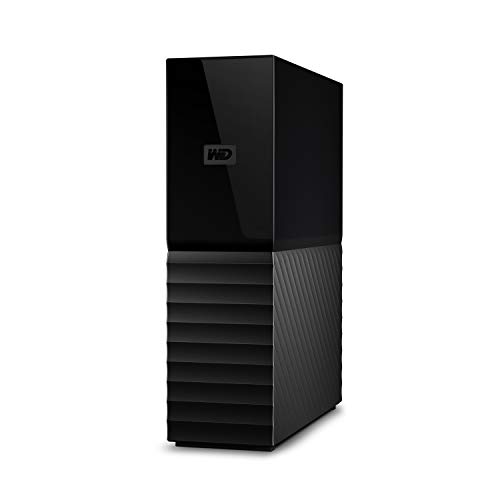
Portable 2.5-inch drives such as the WD 2TB Elements, Seagate Portable 2TB, and LaCie Rugged USB-C 4TB are bus-powered and small enough to slip into a laptop bag. They trade raw speed for mobility, and most rely on a single USB cable for both data and power. Desktop 3.5-inch drives such as the Seagate 8TB Expansion Desktop and Western Digital 6TB My Book ship with a dedicated power adapter and a heavier chassis, but they typically offer higher capacities in larger enclosures and faster sustained transfers because of their larger mechanisms.
Look at Build Quality for Travel Use
If your drive will leave the house, build quality matters as much as speed. The LaCie Rugged USB-C 4TB and LaCie Rugged USB-C 5TB document resistance to drops, shock, dust, and rain, which is unusual at this capacity tier. The WD_BLACK 8TB D10 Game Drive adds active cooling technology to manage thermals during long gaming sessions. For desk-only use, a standard enclosure from the WD Elements, WD My Passport, or Seagate Expansion lines is usually enough.
Compatibility shapes how useful a drive will be on day one. The Seagate Portable 2TB is documented for PC, Mac, PlayStation, and Xbox. The WD 2TB My Passport adds password protection with hardware encryption and ransomware-aware backup software, and the Western Digital 6TB My Book extends the same 256-bit AES hardware encryption to a desktop capacity. If you only need straightforward file storage, the WD Elements family and Toshiba Canvio Basics keep things simple with no bundled utilities.
Weigh Warranty and Support
Warranty length is a useful tiebreaker between drives that look similar on paper. The WD_BLACK 8TB D10 Game Drive and the WD 2TB My Passport both list a 3-year manufacturer’s limited warranty, which is the longest coverage in this comparison. WD Elements portable models and the Western Digital 6TB My Book list 2-year coverage, while the Seagate 8TB Expansion Desktop also lists a 2-year manufacturer warranty. The Toshiba Canvio Basics 1TB lists a 1-year term, and several Seagate models bundle Rescue Data Recovery Services alongside their limited warranty.
Final recommendation
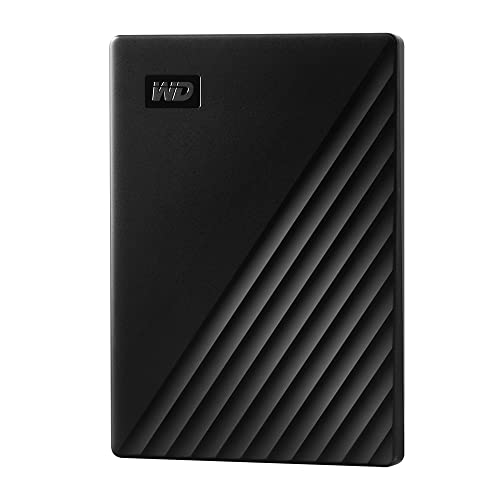
WD 2TB My Passport Portable External Hard Drive (WDBYVG0020BBK-WESN) ranks first overall in this specification-based comparison under the published weighted criteria.
The final choice among the best usb 3.0 external hard drives depends on the documented features that match your intended use.
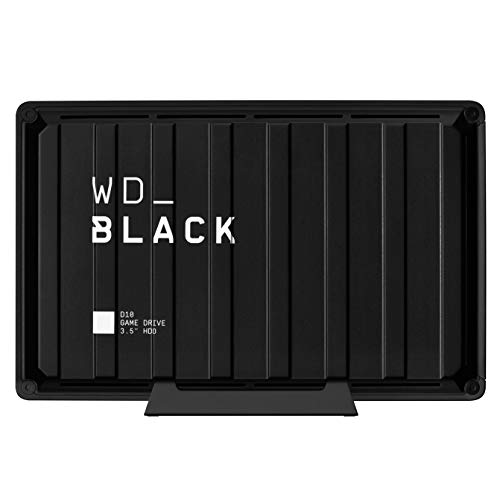
The WD_BLACK 8TB D10 Game Drive is the first overall specification-based choice in this comparison because it combines the highest listed capacity, a 7200 RPM mechanism rated up to 250 MB/s, active cooling, and a 3-year limited warranty in one enclosure. For users who need a more travel-friendly pick, the WD 2TB My Passport offers the same family of features at 2TB with password protection, hardware encryption, and the longest warranty in the portable tier. Together, these two drives cover the top usb 3.0 external hard drives for both stationary and on-the-go workflows, while the Seagate 8TB Expansion Desktop and Western Digital 6TB My Book remain strong picks when raw capacity or hardware encryption is the priority. The rest of the list, from the WD Elements portable family to the LaCie Rugged USB-C 5TB, fills in the middle of the range with focused form factors and security options.
Frequently Asked Questions
What is the difference between USB 3.0 and USB 3.2 Gen 1 on these external hard drives?
For the external hard drives in this list, USB 3.0 and USB 3.2 Gen 1 refer to the same SuperSpeed 5 Gbps interface. That is why drives like the WD 5TB Elements label the port as SuperSpeed USB 3.2 Gen 1 (5 Gbps) and Seagate drives like the Seagate 8TB Expansion Desktop label the same connection as USB 3.0.
Which of the best usb 3.0 external hard drives is best for gaming?
For console storage, the WD_BLACK 8TB D10 Game Drive is the best usb 3.0 external hard drives pick for PC and multi-platform gaming because of its 8TB capacity, 7200 RPM speed, and active cooling. The Seagate Portable 2TB and WD 2TB Elements also document compatibility with PlayStation and Xbox alongside PC and Mac.
Do I need a rugged drive if I only travel occasionally?
A rugged drive is most useful when drops, dust, or weather are real risks. The LaCie Rugged USB-C 4TB and LaCie Rugged USB-C 5TB document resistance to drops, shock, dust, and rain. For light travel, a standard portable drive such as the WD 2TB Elements or Toshiba Canvio Basics 1TB is usually sufficient.
Can these drives be used with both Mac and Windows?
Many of these USB 3.0 drives work with both operating systems, though some ship pre-formatted for one platform. The Toshiba Canvio Basics 1TB is pre-formatted NTFS for Windows and notes that Mac use requires reformatting. The WD Elements family, Seagate 8TB Expansion Desktop, and Seagate Portable 2TB document automatic recognition on both Windows and Mac, with reformatting noted for Time Machine use.
How do I choose between the top usb 3.0 external hard drives in the 4TB to 8TB range?
Focus on three trade-offs: capacity versus portability, encryption versus simplicity, and warranty versus accessory list. The Seagate 8TB Expansion Desktop and WD_BLACK 8TB D10 Game Drive lead on capacity and speed, the Western Digital 6TB My Book adds 256-bit AES hardware encryption, and the LaCie Rugged USB-C 4TB keeps things simple in a rugged portable chassis.