Buying Guide
The best bluetooth usb network adapters are small USB radios that add Bluetooth connectivity to a compatible computer. The right choice depends on the documented combination of Bluetooth generation, host operating system, device count, radio design, and physical size. The products above are ranked from supplied specifications and listing features; this is not a hands-on test and does not assess customer opinion.
Start with the host operating system
Operating-system support is the first filter. Several selected products are Windows-focused. The UGREEN Bluetooth 6.0 adapter lists Windows 11, 10, and 8.1 with no driver installation, while the TP-Link UB500 lists plug-and-play support for those systems and a driver path for Windows 7. ORICO likewise specifies Windows 8.1, 10, and 11. These models suit a standard Windows desktop or laptop that does not need macOS or Linux support.
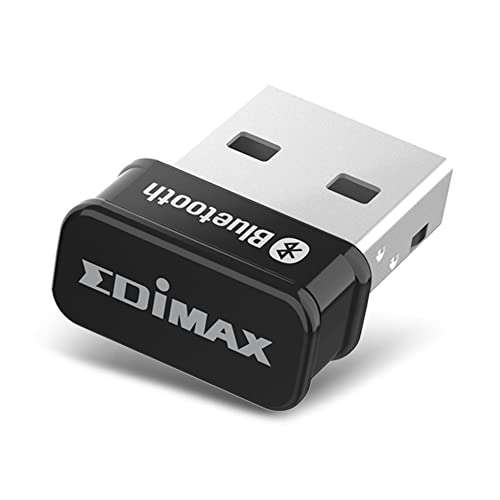
Linux users have clearer documented options in the ASUS USB-BT600, Edimax BT-8500, and Hakimonoe BT09. ASUS lists Windows 10/11 and Linux. Edimax gives more detail, naming Linux kernel 5.8 or newer, Mint 21, and downloadable support for older kernels. Hakimonoe says it supports some Linux systems, so its compatibility should be matched against the particular distribution. The listing data does not establish universal Linux compatibility for every release.
If macOS or older Windows support is essential, StarTech.com has the broadest stated legacy coverage among these selections. Its listing includes macOS 10.8 through 11, Windows XP through 10, and Windows Server 2003. Newer Windows-only models should not be assumed to work with macOS simply because they use a recent Bluetooth version.
Match Bluetooth generation to the use case
Bluetooth 6.0 appears in the Techkey, ASUS, ORICO, and UGREEN selections. These products also document EDR and BLE, depending on the model. Bluetooth 5.4 appears in the TP-Link UB500 and Hakimonoe BT09, while Edimax and StarTech use Bluetooth 5.0 and 4.0 respectively. Newer version numbers describe the adapter’s listed specification, but they do not by themselves document a particular range or establish compatibility with every peripheral.
Backward compatibility matters when pairing older keyboards, mice, speakers, or headsets. Techkey, ASUS, ORICO, UGREEN, TP-Link, Edimax, and StarTech all state compatibility with earlier Bluetooth versions. The exact generations differ, so check the target peripheral when it relies on an older protocol. The TP-Link Archer T2UB Nano lists Bluetooth 4.2 and backward compatibility with Bluetooth 4.0 through 1.1, giving it a more legacy-oriented profile than most current-generation dongles.
Consider how many devices you will connect
The stated simultaneous-device limit varies. Techkey, Hakimonoe BT09, ASUS USB-BT600, ORICO BTA-60, and Avantree list support for up to seven devices. A larger number can be useful for a keyboard, mouse, headphones, phone, printer, and other peripherals, but the listing language may distinguish device types or impose conditions on multiple audio devices.
Avantree is especially explicit that keyboards, mice, and other non-audio devices can be used together, while only one Bluetooth audio device is supported at a time. Techkey also describes a broad mix of speakers, keyboards, headsets, mice, and printers. Treat these statements as product-specific documentation rather than a universal rule for every adapter.
Choose standard or extended radio hardware
For nearby peripherals, compact dongles are the dominant design. ASUS, TP-Link UB500, Edimax, StarTech, and the Archer T2UB Nano are all described as small or nano-sized. A low-profile adapter can remain in a laptop or desktop port and is convenient for travel. The trade-off is that these listings do not provide the extended antenna or long open-area range figures found on the range-focused products.
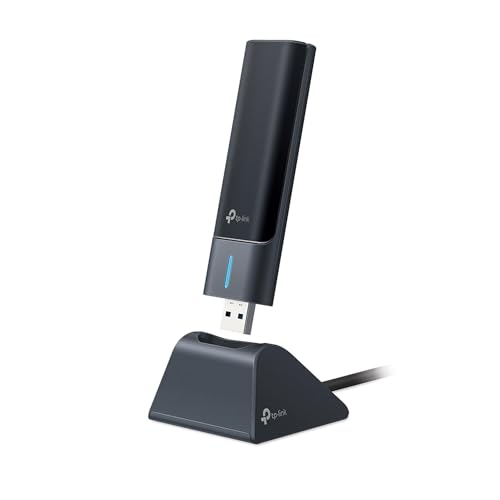
Techkey uses Class 1 radio technology and a 5dBi antenna, with a stated open-area range of up to 600 feet. Hakimonoe uses Class 1 radio technology and an enhanced 5dBi antenna, with a stated open-area range of up to 492 feet. ORICO lists a 30-meter range and a compact body. These figures are listing specifications for open or stated conditions, not indoor distance results; walls, physical obstructions, and wireless interference may reduce the result.
Check setup and existing Bluetooth hardware
Many of the selected adapters are described as plug and play on specified Windows versions. UGREEN, ORICO, Avantree, and TP-Link provide direct Windows setup language. Drivers may still matter for older systems: TP-Link identifies a Windows 7 driver, Edimax provides Linux driver information, and Hakimonoe notes driver requirements for Windows 7.
Several listings instruct users to disable an existing internal Bluetooth device before inserting the USB adapter. This appears in the TP-Link, UGREEN, and Archer T2UB documentation. That step can help avoid driver conflicts, but follow the product’s own instructions rather than assuming every computer requires it. Also remember that a Bluetooth adapter is not automatically a Wi-Fi adapter. The Archer T2UB Nano is the selected exception because it explicitly combines Bluetooth and dual-band Wi-Fi.
Final recommendation
Techkey Bluetooth 6.0 Long-Range Adapter ranks first overall in this specification-based comparison.
The final choice among the best bluetooth usb network adapters depends on the documented features that match your intended use.
Techkey Bluetooth 6.0 Long-Range Adapter is the highest-scoring returned product and the first overall specification-based choice. Its Class 1 radio, 5dBi antenna, stated open-area range, Bluetooth 6.0 support, and seven-device capacity give it a complete documented feature set for coverage-oriented use.
For a compact model with Linux support, ASUS USB-BT600 is a better fit. Hakimonoe BT09 is the closest alternative when an antenna and extended coverage matter. ORICO BTA-60 and UGREEN Bluetooth 6.0 offer compact Windows-focused designs with current Bluetooth specifications, while TP-Link UB500 is a particularly small choice for supported Windows systems. Edimax BT-8500 and StarTech.com USBBT2EDR4 are more suitable when Linux, macOS, or older Bluetooth generations are central requirements. Avantree DG45 suits mixed audio and input peripherals, and TP-Link Archer T2UB Nano is the practical choice when Bluetooth and Wi-Fi must share one USB adapter. Together, these are the top bluetooth usb network adapters for distinct documented needs rather than identical use cases.
Frequently Asked Questions
What should I check before choosing the best bluetooth usb network adapters?
Check the computer’s operating system first, then compare the adapter’s Bluetooth version, backward compatibility, device capacity, and stated range. Also determine whether you need a nano body, an antenna, or a combined Wi-Fi and Bluetooth adapter. Do not assume macOS, Linux, consoles, televisions, or car stereos are supported unless the listing says so.
Do these Bluetooth USB adapters also provide Wi-Fi?
Most selected products are Bluetooth-only USB adapters. TP-Link Archer T2UB Nano is the exception: its listing documents Bluetooth 4.2 and dual-band AC600 Wi-Fi in one device. Its Bluetooth and Wi-Fi functions have separate operating-system notes, and the listing advises disabling existing internal radios when using the corresponding function.
Is Bluetooth 6.0 always the right choice?
Not necessarily. Bluetooth 6.0 is documented on Techkey, ASUS USB-BT600, ORICO BTA-60, and UGREEN Bluetooth 6.0, but host compatibility and design still matter. A Bluetooth 5.4 antenna-equipped model may be more suitable for extended coverage, while StarTech.com may be a better match for older macOS or Windows systems.
Can one adapter connect several devices at once?
The answer depends on the model and device mix. Techkey, Hakimonoe BT09, ASUS USB-BT600, ORICO BTA-60, and Avantree DG45 list up to seven devices. UGREEN lists up to five different device types. Avantree also notes a one-audio-device condition, so read the model-specific limitations when planning to use multiple headsets or speakers.