Buying Guide
Choosing among the best bluetooth network cards starts with the computer rather than the advertised maximum connection figure. These products are desktop expansion cards, and the practical fit depends on the available slot, case bracket, operating system, antenna location, and motherboard connection required for Bluetooth.
Choose the wireless generation
Wi-Fi 7 cards are the newest designs in this comparison. The GIGABYTE GC-WIFI7, ASUS PCE-BE6500, FENVI FV-BE6500Pro, UGREEN BE6500, and Ubit BE7925S document Wi-Fi 7 features. Depending on the model, those features include tri-band operation, 320MHz channels, 4096-QAM or 4K-QAM, Multi-Link Operation, Multi-RU, OFDMA, and MU-MIMO. A compatible Wi-Fi 7 router is needed to use the newer capabilities described in the listings.
Wi-Fi 6E cards add the 6GHz band while retaining 5GHz and 2.4GHz operation. The additional band can provide access to more spectrum, but the router and regional wireless configuration must support 6GHz. If your network equipment is limited to earlier standards, a newer card may still connect, but its newer band features will not be used.
The BZIZU TXA076 is the selected dual-band Wi-Fi 6 option. It does not list 6GHz access, but it documents Wi-Fi 6, WPA3, OFDMA, and MU-MIMO. That makes it a straightforward choice for a Windows desktop that needs modern dual-band wireless and Bluetooth without moving to Wi-Fi 6E or Wi-Fi 7.
Check Bluetooth details
Bluetooth versions range from 5.2 to 5.4 in this group. The ASUS PCE-BE6500, FENVI FV-BE6500Pro, UGREEN BE6500, and Ubit BE7925S list Bluetooth 5.4. Bluetooth 5.3 appears on the GIGABYTE GC-WIFI7, both selected WAVLINK cards, the OKN card, and the FENVI FV-AXE3000. The BZIZU TXA076 lists Bluetooth 5.2.
Version alone does not confirm every device feature or operating behavior. Also check whether the card needs a cable from the adapter to an internal motherboard header. The BZIZU listing explicitly requires its supplied Bluetooth cable to connect to the F_USB port. Before installation, confirm that the header is available and that the cable can reach it without interfering with other components.
Match the operating system
Operating-system support separates the cards sharply. The ASUS PCE-BE6500, UGREEN BE6500, and Ubit BE7925S list Windows 11-only support. The FENVI FV-BE6500Pro, OKN AX5400, WAVLINK AX5400M, FENVI FV-AXE3000, and BZIZU TXA076 list Windows 10/11 64-bit support. The WAVLINK WN675X3-A additionally lists Linux desktop support.
The GIGABYTE GC-WIFI7 listing supplied here does not identify an operating system, so verify driver support before choosing it. This is also a reminder not to assume that a chipset or wireless generation guarantees support for a particular system. Download the applicable driver identified by the manufacturer or chipset documentation and confirm the card’s requirements before opening the case.
Inspect slot and bracket fit
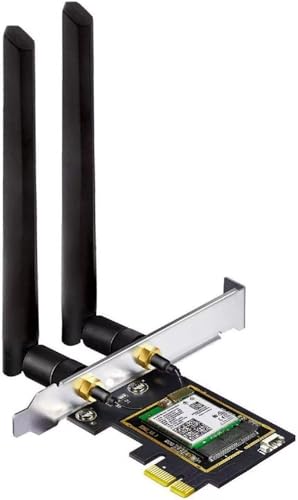
Most selected models are PCIe cards and list compatibility with several PCIe slot sizes. The OKN AX5400 and WAVLINK AX5400M specifically mention x1, x4, x8, and x16 slots, while the WAVLINK AX5400M warns that it is not for a PCI slot. A physically available slot is therefore essential, and the slot type should be checked against the listing.
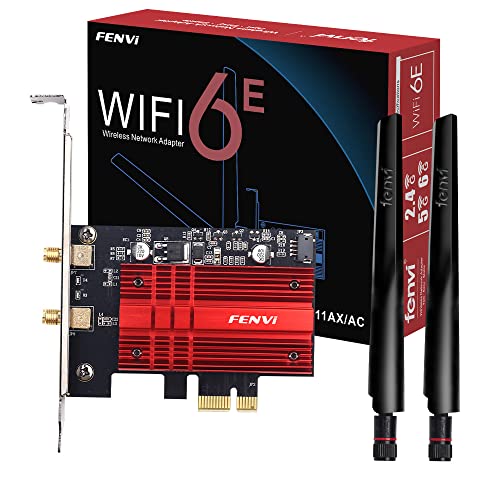
Small-form-factor cases may need a low-profile bracket. The FENVI FV-BE6500Pro, WAVLINK AX5400M, OKN AX5400, and FENVI FV-AXE3000 document standard and low-profile bracket options. The BZIZU TXA076 also lists both formats. Cards without stated bracket information should not be assumed to include a replacement bracket.
Position the antennas
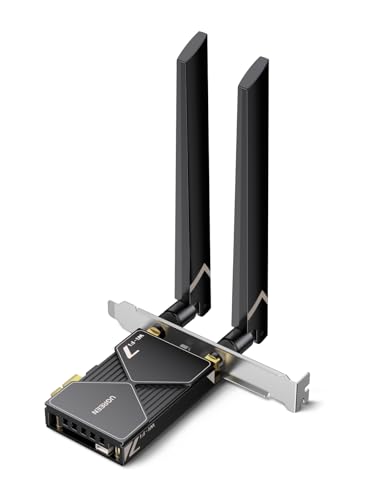
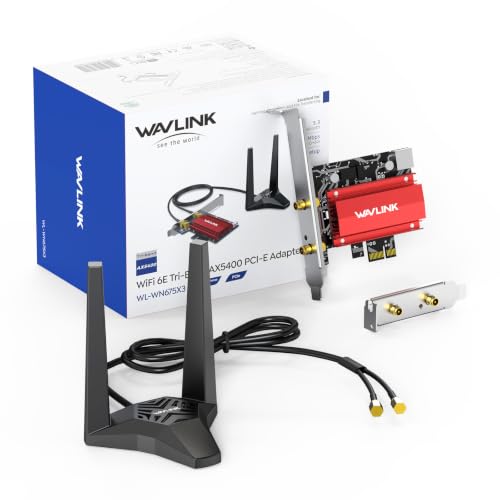
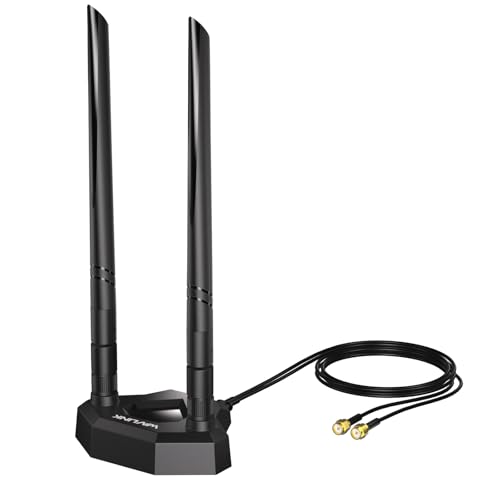
External antennas can be attached directly at the rear or placed away from the chassis, depending on the design. The WAVLINK WN675X3-A documents a magnetic base and 3.6-foot RF cable. The Ubit BE7925S also lists a magnetized antenna base, while the UGREEN BE6500 documents flexible dual 6dBi antennas. The ASUS PCE-BE6500 lists adjustable external antennas.
These designs can make positioning easier when the computer sits near metal, inside a desk, or in a constrained location. The other selected cards document external or high-gain antennas but do not all specify a remote base or cable. Check the included antenna arrangement and available desk space before deciding.
Consider security and multi-device features
WPA3 appears across many of the selected cards, including Wi-Fi 7 and Wi-Fi 6E models. OFDMA and MU-MIMO are also common in the listings. These features relate to network security or how a compatible network handles multiple devices, but the card is only one part of the connection. Router support and system configuration also matter.
Final Recommendation
FENVI BE6500 WiFi 7 PCIe Network Card for Desktop PC,Tri-Band 2.4G/5G/6GHz ranks first overall in this specification-based comparison under the published weighted criteria.
The GIGABYTE GC-WIFI7 is the first overall specification-based choice among these best bluetooth network cards because it documents Wi-Fi 7, tri-band access, 320MHz bandwidth, 4K-QAM, MLO, and MRU.
For a Windows 11-only build, UGREEN and Ubit provide Wi-Fi 7 with Bluetooth 5.4 and distinctive antenna arrangements. For Wi-Fi 6E, the WAVLINK WN675X3-A is notable for Linux support and a magnetic antenna base, while the WAVLINK AX5400M, OKN AX5400, and FENVI FV-AXE3000 offer low-profile installation details. The BZIZU TXA076 remains the most suitable selected design when dual-band Wi-Fi 6 is enough and 6GHz is unnecessary. These are the top bluetooth network cards here based on documented specifications, not hands-on testing.
Frequently Asked Questions
What should I check before installing one of the best bluetooth network cards?
Confirm the computer has a compatible PCIe slot, the case accepts the card’s bracket, and the operating system appears in the product listing. Also check whether Bluetooth needs an internal USB-header cable, as with the BZIZU TXA076. Make sure the antenna cables can be routed safely and that the required drivers are available for your system.
Is Wi-Fi 7 necessary for Bluetooth connectivity?
No. Bluetooth is listed separately from the Wi-Fi generation. The BZIZU TXA076 combines Wi-Fi 6 with Bluetooth 5.2, while the FENVI FV-AXE3000 and WAVLINK AX5400M combine Wi-Fi 6E with Bluetooth 5.3. Wi-Fi 7 matters primarily for the wireless-network features documented by the card and supported by the router; it is not a requirement for adding Bluetooth.
Should I choose Wi-Fi 6E or Wi-Fi 7?
Choose Wi-Fi 6E when you want documented 6GHz access and broad Windows 10/11 options such as the OKN AX5400 or FENVI FV-AXE3000. Choose Wi-Fi 7 when your router and operating system support the newer standard and you specifically want features such as MLO, 320MHz channels, or 4096-QAM. The ASUS PCE-BE6500, FENVI FV-BE6500Pro, and GIGABYTE GC-WIFI7 document those newer capabilities.
Do all desktop Bluetooth cards use the same antenna setup?
No. The selected designs range from external antennas to flexible antennas and magnetic bases. UGREEN lists flexible dual 6dBi antennas, while Ubit and WAVLINK document magnetized bases. Others provide external antennas without stating a remote base. Review the included antenna arrangement and cable details so it matches your case position and available workspace.