Buying Guide
Choosing among the best desktop label makers starts with the label itself. A home organizer may need narrow tape and a built-in keyboard, while a shipping or inventory workflow may need wider rolls, computer integration, or barcode support. The products here are ranked from supplied specifications and feature descriptions, not hands-on testing.
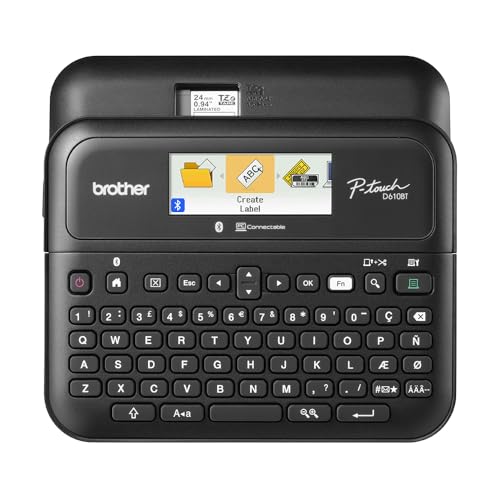
Tape and roll compatibility are not interchangeable. The Brother PT-D610BT and Brother PT-D410 use TZe tape, with the PT-D610BT supporting labels up to 1 inch and the PT-D410 supporting approximately 18mm tape. The Brother P-Touch CUBE Plus PT-P710BT also reaches 24mm with TZe tape. These are useful choices when you want colored or specialty tape options documented in the listings.
For the widest selected format, consider the Brother QL-600, which accepts continuous tapes, film labels, and pre-sized paper labels up to 2.4 inches wide. It is better aligned with files, shipping, banners, and other desktop tasks than with small decorative labels. The DYMO LabelWriter 550 Turbo is another dedicated roll printer, supporting shipping, file-folder, name-badge, and barcode formats.
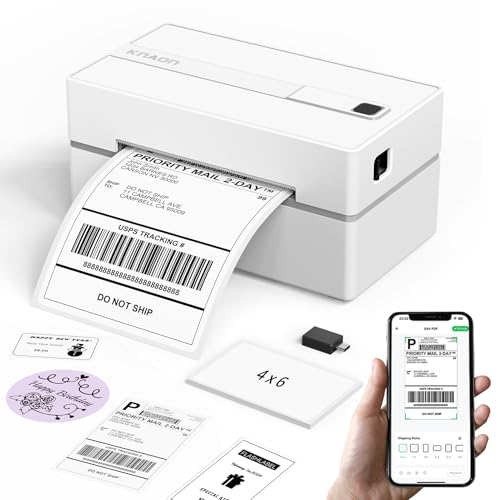
The SUPVAN T50M Pro covers 3/4- to 2-inch labels and specifically lists square, round, address, cable, jewelry, and file formats. That breadth can be useful for small-business packaging or product identification. By contrast, the DYMO LabelManager 360D supports D1 tape widths from 1/4 to 3/4 inch, and the Makeid E1 supports 9mm, 12mm, and 16mm labels.
Decide between a keyboard and connected design
A keyboard-equipped machine can be convenient when you want to type and print without another device. The Brother PT-D610BT, Brother PT-D410, DYMO LabelManager 360D, and Makeid E1 all document QWERTY-style or QWERTY keyboards. The Makeid E1 adds an app, while the PT-D610BT adds Bluetooth and USB, so those models offer more than one creation route.
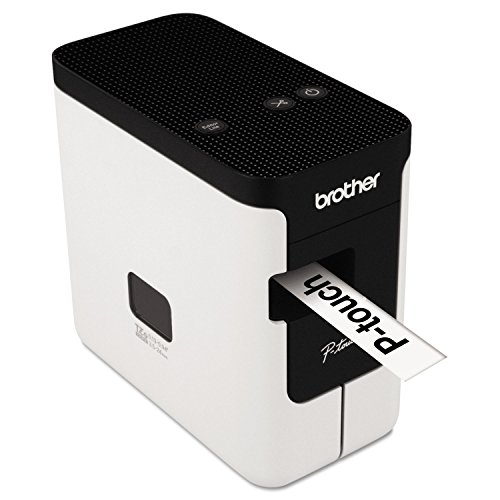
Computer-connected models are useful when labels must include logos, graphics, spreadsheets, or repeated business information. The Brother PT-P700 connects by USB and supports computer customization, while the DYMO LabelManager Plug N Play connects to a PC or Mac and supports fonts and graphics. The Brother QL-600 uses P-touch Editor and integrates with Microsoft applications such as Word, Excel, and Outlook.
Mobile-first models can be more flexible for quick work away from a desk. The Brother P-Touch CUBE Plus PT-P710BT supports Apple, Android, and desktop devices through Bluetooth. The SUPVAN T50M Pro uses an app for images, fonts, frames, icons, barcodes, and QR codes. Select this type when your designs already live on a phone or tablet.
Match controls to the amount of customization
Basic organization does not require hundreds of symbols, but templates and preview screens can reduce repeated setup. The PT-D610BT has 17 fonts, 17 styles, 160 frames, 900 symbols, and 175 business templates. It also stores up to 90 frequently used labels. The PT-D410 provides 15 fonts, 13 styles, 120 frames, 700 symbols, and 30 templates.
The DYMO LabelManager 360D focuses on fast editing through one-touch formatting keys and documents more than 30 formatting options, plus more than 200 symbols and clip art elements. The Makeid E1 uses a large four-line backlit screen and supports additional app resources. For barcode-focused work, the DYMO LabelManager Plug N Play lists UPC-E, Code 39, Code 128, EAN 13, EAN 8, and UPC-A support.
Consider workflow speed and repeat jobs
Automatic or built-in cutting is useful when producing a sequence of labels. The PT-D610BT, Brother QL-600, Makeid E1, and Brother PT-N20 listings document cutting features, though the PT-N20 was not selected for this comparison. The DYMO LabelManager 360D and DYMO LabelManager Plug N Play both document printing up to 10 copies at a time, which may help with repeated labels.
For data-driven office work, the Brother QL-600’s Microsoft application integration is the clearest fit in this selection. For frequent label retrieval, the PT-D610BT’s memory for up to 90 labels and the PT-D410’s templates provide documented shortcuts. Always confirm the required software and operating-system compatibility before buying.
Check power and placement
Power design affects where the machine can be used. The DYMO LabelManager 360D, DYMO LabelManager Plug N Play, Brother P-Touch CUBE Plus PT-P710BT, and Makeid E1 document rechargeable batteries. The Brother PT-P700 lists an included AC adapter and optional AA battery operation. The Brother PT-D220, which is not selected here, documents six AAA batteries or an optional adapter, illustrating why power details should be checked model by model.
Dedicated desktop printers such as the Brother QL-600 and DYMO LabelWriter 550 Turbo are best placed near a computer or shared office station. Compact keyboard or Bluetooth units can move between rooms, but small dimensions do not by themselves establish print speed or durability. This guide does not infer those qualities beyond the supplied evidence.
Methodology
The ranking uses five category-specific criteria: label format range, connectivity flexibility, design and editing controls, workflow productivity, and power and portability. Each product received a 0.0-to-10.0 score for every criterion using only the supplied feature and specification fields. The weighted editorial scores use weights of 25, 20, 20, 20, and 15 percent respectively. Marketplace ratings, review activity, purchase activity, prices, and marketplace labels were not used as public criteria. This is a specification-based comparison, not a hands-on test.
Final Recommendation
Brother P-Touch PT-D610BT ranks first overall in this specification-based comparison under the published weighted criteria.
The Brother P-Touch PT-D610BT is the highest-scoring returned product and the first overall specification-based choice among these best desktop label makers. Its combination of Bluetooth and USB, 1-inch tape support, business templates, large preview screen, automatic cutter, and label memory gives it the broadest documented office toolkit.
The Brother QL-600 is the stronger fit for wide desktop rolls, Microsoft application integration, and banner-style work. Choose the DYMO LabelWriter 550 Turbo when LAN connectivity and automatic label recognition matter. For a keyboard-centered setup, the DYMO LabelManager 360D is a practical rechargeable option, while the Brother PT-D410 offers more extensive documented text and template controls.
Among the top desktop label makers for mobile workflows, the Brother P-Touch CUBE Plus PT-P710BT offers the clearest mix of Bluetooth, software choices, rechargeable power, and 24mm tape support. The SUPVAN T50M Pro is the more format-oriented app choice for specialty labels, while the Makeid E1 is the better documented dual-input option when a physical keyboard and a phone app are both useful.
Frequently Asked Questions
What should I look for in the best desktop label makers?
Start with tape or roll width, then check whether the device has a keyboard, USB, Bluetooth, or LAN. Also review cutter operation, templates, memory, barcode support, power source, and the software or operating systems named in the listing. The right combination depends on whether you label files, assets, products, storage containers, or shipping materials.
Are keyboard label makers better than Bluetooth models?
Neither design is universally better. Keyboard models such as the Brother PT-D410 and DYMO LabelManager 360D can create labels directly on the machine. Bluetooth models such as the Brother P-Touch CUBE Plus PT-P710BT and SUPVAN T50M Pro can offer app-based templates, images, and symbols. A hybrid model such as the Brother PT-D610BT provides both Bluetooth and USB, while the Makeid E1 documents a keyboard and app connection.
Which selected model supports the widest labels?
The Brother QL-600 documents support for paper and film labels up to 2.4 inches wide. The SUPVAN T50M Pro follows with a documented range of 3/4 to 2 inches. These formats differ from narrow tape systems, so confirm whether you need continuous rolls, die-cut labels, or cartridge-style tape before choosing.
Do desktop label makers need ink?
Several selected products document thermal or direct thermal printing that does not require ink or toner. The Brother QL-600, DYMO LabelWriter 550 Turbo, SUPVAN T50M Pro, and Makeid E1 are examples. Tape and roll requirements still vary, and the supplied evidence does not establish that every compatible label type has identical properties.
Can these label makers print barcodes?
The supplied listings specifically document barcode support for the Brother QL-600, DYMO LabelManager Plug N Play, Makeid E1, and SUPVAN T50M Pro. The QL-600 also integrates with Microsoft applications, while the DYMO Plug N Play lists several barcode formats. Confirm the required barcode type and software workflow before purchase.