Buying Guide
Choosing among the best fingerprint time clocks starts with the way your workplace handles attendance records. A small office that exports a spreadsheet once a week has different needs from a restaurant with overnight shifts, a warehouse with several departments, or a business that wants managers to review punches remotely. The products above all document fingerprint attendance, but their workflows differ substantially.
Standalone or cloud-connected operation
Standalone clocks keep the core attendance process on the device. The Acroprint BioTouch, Diseleri AF012, and KUIIYER KU066 describe local operation and computer or USB-based report handling. This approach can suit a workplace that does not want Wi-Fi at the clock or does not need remote access. It also makes the transfer routine important: confirm that the person handling payroll is comfortable collecting files and reviewing exported records.
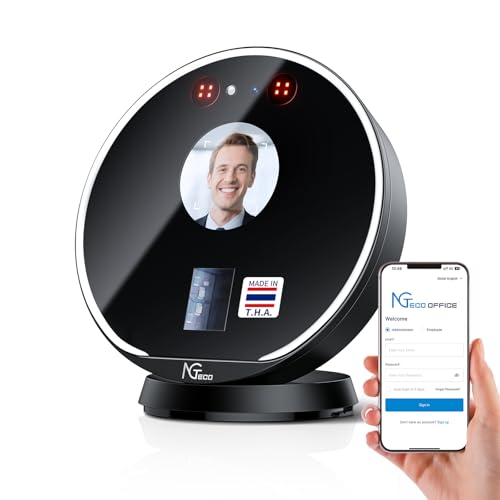
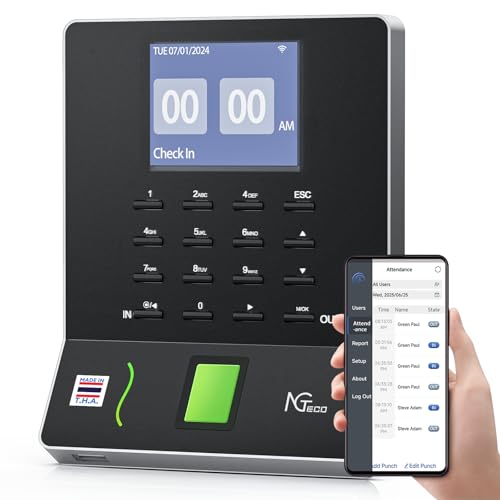
Cloud-connected models put more management tools outside the clock. The uAttend JR2000 and BN6500 describe real-time access, cloud backups, reporting, and payroll-related functions. The ANVIZ W1 Pro and NGTeco NG-TC7 also document browser, web, or app access. These designs can be useful when managers work away from the clock, but they introduce service and connectivity considerations. Check whether the required features are included in the listed service and whether your site has a compatible network.
Some clocks offer a middle ground. The Tymelix KNT313 operates without Wi-Fi or cloud subscriptions but can sync directly with a phone app, while the NGTeco NF-W2-MG documents app editing and synchronization on the same local network. These options may work well when you want mobile review without putting attendance records in a cloud platform.
Fingerprint access and backup methods
Fingerprint authentication is the central category feature, but backup methods matter in daily use. The Acroprint BioTouch adds RFID and PIN access. The ANVIZ W1 Pro supports RFID cards, fobs, and PINs. The Tymelix KNT313 adds IC cards and PINs, and the NGTeco NF-W2-MG adds PIN access. A backup method gives employees another way to punch when a fingerprint is temporarily difficult to read or when a workplace policy calls for alternatives.
The broadest biometric choice comes from the KUIIYER KU066 and Allied Time USA CB4000. KUIIYER lists face, palm, fingerprint, and PIN recognition, while Allied Time USA lists face, palm, fingerprint, PIN, and RFID. These designs can accommodate varied preferences, but they may require more enrollment and administration than a simple fingerprint-and-PIN model. Choose the extra methods only when your workforce can use them and your managers will maintain the associated records.
Scheduling and payroll rules
Basic clocks record punches; more advanced models calculate working time. The Tymelix KNT313 goes further by listing multi-level overtime, lunch and break deductions, overnight shifts, department transfers, and tip tracking. The NGTeco NF-W2-MG and NG-TC7 also document overnight or night-shift support.
Look for direct support for your pay cycle and schedule pattern. Several selected products list weekly, biweekly, semimonthly, or monthly reporting. If your business operates across midnight, do not assume a basic clock will handle it automatically; select a model whose listing specifically documents overnight or night-shift support. Likewise, department rules and transfers are valuable only if your business actually needs separate treatment for teams or job areas.
Reports, exports, and record editing
USB or spreadsheet exports are sufficient for many small operations. The Diseleri AF012, Acroprint BioTouch, and KUIIYER KU066 describe transferring or downloading attendance data, while the ANVIZ CX-style products were not selected because the comparison favors models with stronger documented workflow breadth. The selected ANVIZ W1 Pro, uAttend clocks, and NGTeco NG-TC7 describe online or cloud reports instead.
Editing is another important distinction. The Tymelix KNT313 documents adding missing punches through its phone app, and the NGTeco NF-W2-MG describes attendance editing through its mobile app. By contrast, a simple standalone design may require an administrator to handle corrections after exporting data. Before buying, identify who will fix missed punches and whether that person needs access from outside the workplace.
Capacity and data protection
Capacity should be compared using the figures the listing actually provides. ANVIZ W1 Pro lists 500 users and 50,000 logs; KUIIYER lists up to 1,000 face and palm users, 3,000 fingerprints, and 1,000 PIN users. These figures are not interchangeable, so match the relevant biometric capacity to your staffing plan. Models without a stated capacity should not automatically be treated as smaller; the supplied evidence simply does not specify the limit.
Power-loss protection, offline fallback, and automatic backups reduce the chance of losing punches. Tymelix KNT313, Diseleri AF012, and NGTeco NF-W2-MG document local or backup protection. The ANVIZ W1 Pro, uAttend JR2000, uAttend BN6500, and NGTeco NG-TC7 describe cloud storage or backup features. Decide whether local control, cloud redundancy, or both fit your record-retention policy.
Final recommendation
Tymelix KNT313 Fingerprint Time Clock ranks first overall in this specification-based comparison under the published weighted criteria.
The final choice among the best fingerprint time clocks depends on the documented features that match your intended use.
Tymelix KNT313 is the highest-scoring returned product and the first overall specification-based choice. It offers the most specification-aligned documented combination of fingerprint access, offline operation, customizable rules, mobile review, payroll reports, overnight handling, and local protection. For a cloud-first setup, the uAttend JR2000, ANVIZ W1 Pro, and NGTeco NG-TC7 are sensible alternatives based on their listed remote-management features. For a simpler standalone workflow, consider the Acroprint BioTouch or Diseleri AF012. Businesses needing the widest biometric choice should examine the KUIIYER KU066 or Allied Time USA CB4000.
Among the top fingerprint time clocks, the right choice depends less on the number of access methods than on how your team will export, correct, protect, and review attendance data. Treat subscription requirements, network needs, capacity, and overnight scheduling as separate purchase checks.
Frequently Asked Questions
Are the best fingerprint time clocks always cloud-based?
No. The Acroprint BioTouch, Diseleri AF012, and KUIIYER KU066 document standalone or USB-oriented workflows, while the uAttend, ANVIZ W1 Pro, and NGTeco NG-TC7 emphasize cloud or remote access. Select based on whether managers need off-site visibility and whether your workplace wants network-dependent administration.
Do fingerprint clocks offer backup ways to punch in?
Many do, but the available methods vary. The Tymelix KNT313 and NGTeco NF-W2-MG list PIN or card alternatives. The Acroprint BioTouch lists fingerprint, RFID, and PIN. KUIIYER KU066 and Allied Time USA CB4000 document several biometric and non-biometric methods. Confirm the exact options before purchase rather than assuming every model includes cards or PIN access.
Which clock is suited to overnight shifts?
The Tymelix KNT313, NGTeco NF-W2-MG, ANVIZ W1 Pro, and NGTeco NG-TC7 explicitly document overnight or night-shift support. This is a specification-based distinction, not a hands-on performance claim. Businesses with shifts crossing midnight should prioritize a model whose listing names that workflow and then verify the rules during setup.
Can these clocks export payroll data?
Yes, the supplied listings describe several export paths. Diseleri AF012 uses USB and Excel reports; Acroprint BioTouch transfers time-card data to a computer; KUIIYER KU066 uses USB report management; and multiple cloud models describe payroll exports or integration. Check the supported file format and the payroll system you use before committing.
What should I check before installing a biometric clock?
Check the mounting location, power access, network requirements, enrollment process, backup punch methods, storage capacity, report workflow, and any required service. Also establish who can edit records and how long attendance data should be retained. These operational details often matter as much as the fingerprint sensor itself.