Buying Guide
The best intel core i7 processors are not interchangeable parts. The model number identifies the family, but the generation, suffix, socket, graphics capability, and cooling package determine whether a processor fits a particular desktop. Use the specifications below as a compatibility checklist rather than treating the Core i7 name as a complete performance description.
Start with the core layout
Core and thread capacity is the clearest differentiator in this comparison. The Core i7-14700K, i7-14700KF, i7-14700, and i7-14700F each list 20 cores and 28 threads, using 8 P-cores and 12 E-cores. The Core i7-13700K lists 16 cores and 24 threads, while the i7-12700K and i7-12700KF list 12 cores and 20 threads. These hybrid designs document separate performance and efficiency core groups, which is a meaningful distinction from the 8-core 11th Gen and 10th Gen models.
The i7-11700K, i7-11700, and i7-10700F each list eight cores. The i7-10700F specifies 16 threads, while the supplied i7-11700 listings do not provide a thread count in their description points. For workloads that regularly combine gaming with streaming, compiling, rendering, or other concurrent tasks, the documented higher-core models provide more parallel capacity on paper. A specification list cannot establish real-world speed, so treat this as a way to sort configurations, not as a substitute for testing.
Compare boost frequency and unlocked suffixes
The K and KF suffixes identify unlocked desktop processors in the supplied listings. The i7-14700K and i7-14700KF list boosts up to 5.6 GHz, while the i7-13700K lists up to 5.4 GHz. The i7-14700 and i7-14700F list up to 5.4 GHz, and the i7-12700K and i7-12700KF list up to 5.0 GHz. The i7-11700K also lists up to 5.0 GHz.
An unlocked processor is a configuration choice, not a guarantee of a particular result. It may require a motherboard with suitable firmware and a cooling setup appropriate to the intended operating conditions. The supplied product details specifically identify unlocked models, but they do not provide overclocking results or sustained operating measurements.
Check socket and chipset compatibility
The 14th Gen and 13th Gen selections in this list document compatibility with Intel 600-series, sometimes with a BIOS update, or 700-series chipset-based motherboards. The 12th Gen i7-12700K and i7-12700KF also list Intel 600- and 700-series support. Confirm the exact motherboard model and firmware before selecting one of these processors.
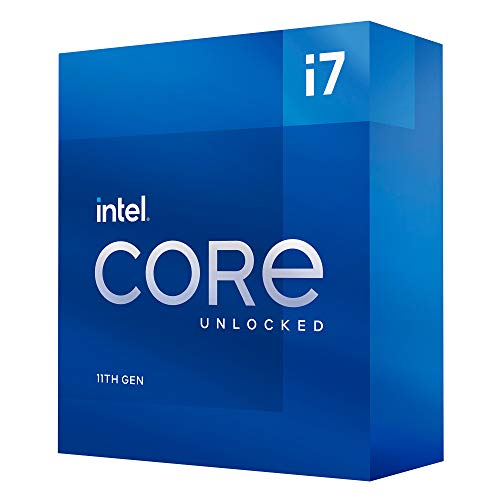
The i7-11700K and i7-11700 use the LGA1200 platform and list Intel 500-series and select 400-series chipset compatibility. The i7-10700F also uses LGA1200 but lists Intel 400-series compatibility. Older alternatives use different platforms: the i7-9700K and i7-9700F document LGA1151 and 300-series support, while the i7-8700K is limited to 300-series chipsets. Those platform distinctions matter more than a small clock difference when upgrading an existing desktop.
Decide whether integrated graphics matter
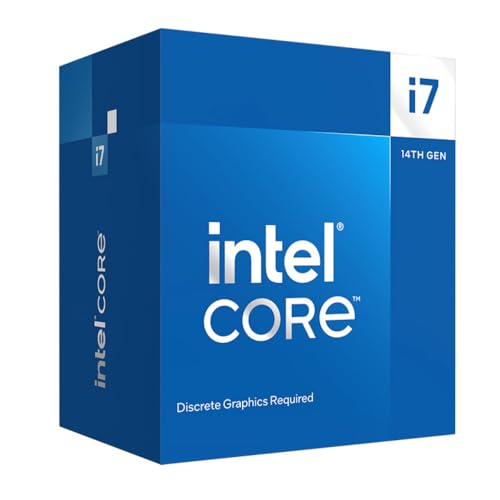
The i7-14700K, i7-14700, i7-13700K, and i7-12700K list Intel UHD Graphics 770. The i7-11700 listing includes integrated graphics in its product details. In contrast, the i7-14700KF, i7-14700F, i7-12700KF, and i7-10700F specify that discrete graphics are required or describe the processor as without processor graphics.
Choose an integrated-graphics model if the system must produce display output without a separate graphics card, or if you want a basic fallback display path for troubleshooting. Choose an F or KF model only when the rest of the build already accounts for discrete graphics. The supplied evidence does not establish gaming performance for any integrated or discrete graphics configuration.
Account for memory and expansion support
The 14th Gen models and the i7-13700K list DDR4 and DDR5 support, giving builders a choice of motherboard memory type. Memory support is tied to the motherboard, so the processor alone does not make DDR4 and DDR5 interchangeable on one board. The 14th Gen listings also document PCIe 5.0 and 4.0 support, while the i7-13700K lists PCIe 5.0 and 4.0 and the i7-11700 models list PCIe Gen 4.0.
Older listings provide narrower platform details. The i7-9700K documents DDR4-2666 and a maximum memory capacity of 64GB, while the i7-8700K lists DDR4-2666. Check the motherboard manual for its actual memory slots, supported capacities, and expansion layout.
Plan cooling and included accessories
The supplied listings differ on thermal hardware. The i7-14700 includes an Intel Laminar RM1 cooler, and the i7-11700 and i7-10700F listings state that a thermal solution or cooler is included. The i7-13700K, i7-11700K, and i7-12700K do not list an included thermal solution, while the i7-14700K, i7-14700KF, and i7-12700KF listings likewise do not provide one.
An included cooler can simplify a compatible build, but the listing evidence does not establish its sustained thermal behavior. For unlocked or higher-core processors, verify the motherboard, case clearance, and cooling requirements before assembly. Also remember that a processor listing’s warranty terms may vary by model and packaging.
Final recommendation
Intel Core i7-14700K ranks first overall in this specification-based comparison under the published weighted criteria.
The final choice among the best intel core i7 processors depends on the documented features that match your intended use.
Intel Core i7-14700K is the highest-scoring returned product and the first overall specification-based choice. It combines the largest documented core and thread count with the highest listed boost frequency, integrated UHD Graphics 770, DDR4 and DDR5 support, and PCIe 5.0 and 4.0 support. Select the i7-14700KF instead when a dedicated graphics card is already part of the system and integrated graphics are unnecessary.
The i7-14700 is the more practical 20-core alternative when an included Laminar RM1 cooler and integrated graphics are useful. The i7-14700F preserves the same core count and broad platform support for a discrete-graphics build. For a slightly older but still well-documented hybrid design, the i7-13700K provides 16 cores, 24 threads, and integrated graphics.
Among the 12th Gen options, the i7-12700K is preferable when integrated graphics are wanted, while the i7-12700KF suits a discrete-GPU system. The i7-11700K and i7-11700 are platform-specific choices for LGA1200 boards, and the i7-10700F is the selected older option for an Intel 400-series build with separate graphics. These are the top intel core i7 processors in this comparison by documented specifications, but motherboard and graphics requirements should decide the final match.
Frequently Asked Questions
What should I check before choosing among the best intel core i7 processors?
Confirm the socket and chipset first, then check BIOS requirements, memory type, graphics needs, and cooling. The 14th Gen, 13th Gen, and 12th Gen selections document LGA1700-era 600- and 700-series compatibility, while the 11th Gen and 10th Gen selections use LGA1200. Older i7-9700 and i7-8700 models use 300-series platforms. A processor must match the motherboard; a similar model number does not overcome a socket mismatch.
What is the difference between Intel Core i7 K, KF, F, and standard models?
The supplied listings identify K models as unlocked and KF models as unlocked processors that require discrete graphics. F models also require discrete graphics in the documented listings. Standard models such as the i7-14700 and i7-11700 list integrated graphics. Verify each specific product page because the suffix describes a general configuration, while the supplied evidence determines what is documented for that listing.
Do I need a dedicated graphics card for these processors?
Not for the i7-14700K, i7-14700, i7-13700K, or i7-12700K, whose listings include Intel UHD Graphics 770. The i7-14700KF, i7-14700F, i7-12700KF, and i7-10700F listings specify that discrete graphics are required or that processor graphics are absent. The i7-11700 listing includes integrated graphics, while the i7-11700K entry supplied here does not explicitly list them, so verify the exact processor documentation before building.
Is DDR4 or DDR5 better for a Core i7 desktop?
The supplied 14th Gen and i7-13700K listings support both DDR4 and DDR5, but the motherboard still determines which memory type the system accepts. DDR4 can be appropriate when retaining a compatible platform, while DDR5 requires a board designed for DDR5. The evidence does not provide comparative performance measurements, so select based on the complete motherboard and memory configuration rather than the processor label alone.
Are older Core i7 processors still worth considering for an existing system?
They may make sense when the motherboard already matches the documented platform. The i7-11700K and i7-11700 use LGA1200, the i7-10700F lists Intel 400-series compatibility, and the i7-9700 models use LGA1151 with 300-series chipsets. These processors have fewer cores or older connectivity than the newer selections, but a compatible existing platform can be a relevant factor. Check BIOS support, graphics requirements, memory limits, and cooling before changing processors.