Buying Guide
Choosing among the best intel core i5 processors starts with the rest of the desktop rather than the model number alone. The selected processors use different core layouts, sockets, graphics configurations, and thermal-solution arrangements. A good match depends on whether you are assembling a new LGA1700 system, maintaining an LGA1200 system, using a discrete graphics card, or relying on integrated graphics.
Start with the core layout
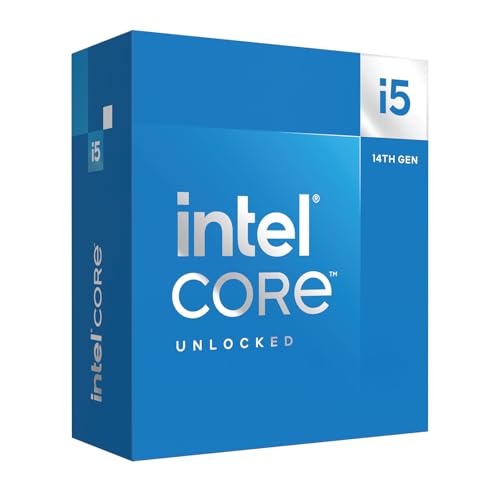
The i5-14600K, i5-14600KF, i5-13600K, and i5-14500 each document 14 cores and 20 threads. Their hybrid layouts combine performance cores and efficiency cores, with the selected 14th-generation processors listing 6 P-cores and 8 E-cores. That gives these models the broadest documented core capacity in this comparison.
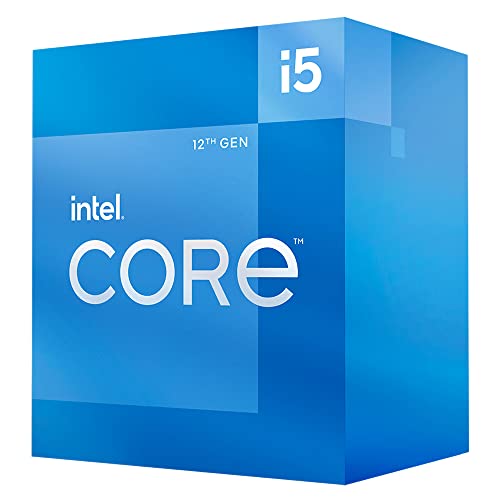
The i5-12600K uses 10 cores and 16 threads, with 6 P-cores and 4 E-cores. The i5-14400 and i5-14400F also specify 10 cores and 16 threads. The i5-12400, i5-12400F, and i5-11400 use six cores and 12 threads. For multitasking, streaming, and other workloads that can use multiple cores, the 14-core group has the clearest specification advantage. Six-core models remain distinct choices when the target system already fits their socket and chipset requirements.
Compare maximum clock speed carefully
The i5-14600K and i5-14600KF list the highest maximum turbo frequency in this group at up to 5.3 GHz. The i5-13600K reaches up to 5.1 GHz, while the i5-14500 lists up to 5.0 GHz. The i5-12600K reaches 4.9 GHz, and the i5-14400 and i5-14400F list up to 4.7 GHz.
These figures are specification points, not a promise of a particular application result. They are most useful when comparing processors from the same desktop family and checking whether the selected motherboard and cooling arrangement fit the processor’s requirements. The unlocked K and KF models are also explicitly positioned for configurable builds, but the supplied listings do not include performance testing.
Check integrated graphics versus discrete graphics
Graphics configuration is one of the simplest ways to narrow the list. The i5-14600K, i5-13600K, i5-12600K, i5-14400, and i5-12400 document integrated Intel graphics. The i5-11400 also lists integrated Intel UHD Graphics 730 and support for up to three monitors. These models can support a desktop design without a separately specified graphics card, subject to the motherboard’s display outputs and the intended workload.
The i5-14600KF, i5-14400F, and i5-12400F explicitly require discrete graphics. That is not a defect; it is a design distinction. Choose an F or KF model when the build already includes a dedicated graphics card and you do not need processor-based display output. Choose a model with listed integrated graphics when troubleshooting flexibility or a simpler display setup matters.
Confirm the socket and chipset
Most of the selected newer processors use the LGA1700 desktop platform. The i5-14600K, i5-14600KF, i5-13600K, i5-14500, i5-14400, i5-14400F, i5-12600K, i5-12400, and i5-12400F list compatibility with Intel 600-series and/or 700-series chipset-based motherboards. Several listings caution that an Intel 600-series board may need a BIOS update, so checking the motherboard support list is important before installation.
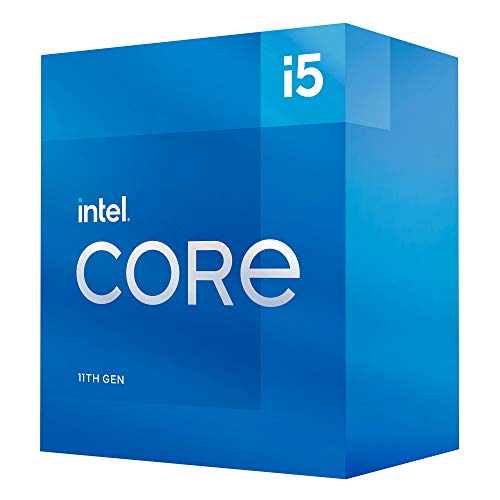
The i5-11400 is different: it uses LGA1200 and is listed for Intel 500-series and selected 400-series chipsets. It should therefore be considered for an existing compatible platform rather than treated as interchangeable with the LGA1700 models. Socket compatibility must be confirmed before choosing any processor.
Review memory and expansion support
The i5-14600K, i5-14600KF, i5-13600K, i5-14500, i5-14400, and i5-14400F list support for DDR4 and DDR5 memory. That gives a builder more documented memory-platform options, although the motherboard still determines the actual memory type supported by the completed system.
PCIe support is another useful distinction. The i5-14600K, i5-13600K, i5-14500, i5-14400, and i5-14400F list PCIe 5.0 and PCIe 4.0 support. The i5-14600KF listing documents DDR4 and DDR5 support but does not separately state PCIe versions in the supplied feature points, so it should be checked against the board specification. The i5-12600K lists PCIe 5.0 and 4.0 support, while the i5-12400 and i5-11400 listings emphasize their respective graphics and platform details.
Account for cooling and installation details
The i5-14500 and i5-14400 listings include an Intel Laminar RM1 cooler. The i5-14400F listing also states that an RM1 thermal solution is included. By contrast, the i5-13600K listing explicitly says no thermal solution is included, and the i5-14600K and i5-14600KF listings do not document an included cooler.
This difference affects the parts checklist for a new build. It does not establish a tested temperature or noise result, and the supplied evidence does not provide those measurements. Treat the cooler information as a documented packaging distinction, then follow the motherboard and processor installation guidance.
Final Recommendation
Intel Core i5-14600K ranks first overall in this specification-based comparison under the published weighted criteria.
The final choice among the best intel core i5 processors depends on the documented features that match your intended use.
The Intel Core i5-14600K is the highest-scoring returned product and the first overall specification-based choice. It combines 14 cores, 20 threads, up to 5.3 GHz, integrated graphics, DDR4 and DDR5 support, and PCIe 5.0 and 4.0 support. The i5-14600KF is the better-differentiated alternative for a system that already requires discrete graphics, while the i5-13600K adds integrated UHD Graphics 770 and a 24 MB cache.
Among the top intel core i5 processors, the i5-14500 stands out for pairing 14 cores and 20 threads with an included RM1 cooler. The i5-14400 and i5-14400F provide a 10-core option with current LGA1700 compatibility, and the F version is specifically suited to discrete-graphics systems. The i5-12400 and i5-12400F remain clearly separated by graphics configuration, while the i5-11400 is the selected LGA1200 choice for a compatible older platform.
Before ordering, verify the motherboard socket, chipset support, BIOS status, memory type, display outputs, and cooling arrangement. Those checks are more important than treating every Core i5 label as interchangeable. This comparison uses public listing specifications and does not represent hands-on testing or customer-opinion analysis.
Frequently Asked Questions
Which of the best intel core i5 processors has the highest listed clock speed?
The Intel Core i5-14600K and Intel Core i5-14600KF both list a maximum turbo frequency of up to 5.3 GHz. Their listings also specify 14 cores, 20 threads, and unlocked designs. The i5-14600K documents integrated graphics, while the i5-14600KF requires discrete graphics.
Which selected Core i5 processors include integrated graphics?
The i5-14600K, i5-13600K, i5-12600K, i5-14400, i5-12400, and i5-11400 list integrated Intel graphics. The i5-14600KF, i5-14400F, and i5-12400F explicitly require discrete graphics. Confirm motherboard display connectivity separately because the processor listing does not establish the board’s available video outputs.
Do these processors use the same motherboard socket?
The i5-14600K, i5-14600KF, i5-13600K, i5-14500, i5-14400, i5-14400F, i5-12600K, i5-12400, and i5-12400F are listed for Intel LGA1700-compatible desktop chipsets. The i5-11400 uses LGA1200 and is listed for Intel 500-series and selected 400-series chipsets. These sockets are not interchangeable.
Which selected models list DDR4 and DDR5 support?
The i5-14600K, i5-14600KF, i5-13600K, i5-14500, i5-14400, and i5-14400F list support for both DDR4 and DDR5 memory. The compatible motherboard determines which memory type the finished system uses, so check the board documentation before selecting modules.
Which models list an included cooler?
The i5-14500, i5-14400, and i5-14400F listings include an Intel Laminar RM1 thermal solution. The i5-13600K listing says no thermal solution is included, and the supplied listings for the i5-14600K and i5-14600KF do not document one. Verify the package contents and plan cooling accordingly.