Buying Guide
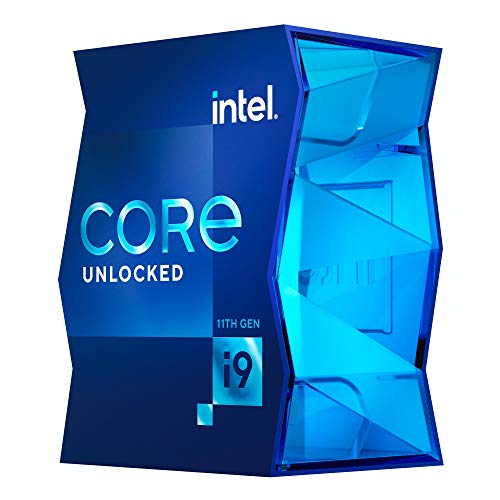
Choosing among the best intel core i9 processors starts with compatibility rather than the model number alone. Intel’s Core i9 range in this comparison covers LGA1151, LGA1200, LGA1700, LGA2066, and newer platforms outside the selected list. A processor must match the motherboard socket and chipset family. The 14900K, 14900, and 14900KF document compatibility with Intel 600- and 700-series chipsets, while the 12900K and 12900KF use LGA1700. The 11900K uses LGA1200 with Intel 500-series and select 400-series chipsets. Older models require still older platform families.
Match the processor to the workload
Core and thread capacity is the clearest specification difference across these products. The Core i9-14900K, 14900, and 14900KF each list 24 cores and 32 threads, using 8 P-cores and 16 E-cores. The 13900K and 13900KF use the same 24-core, 32-thread arrangement. These are the most suitable specifications in the list for users who want substantial parallel capacity for multitasking, streaming, creation work, and demanding desktop applications.
The 12900K and 12900KF step down to 16 cores and 24 threads, with 8 P-cores and 8 E-cores. That remains a substantial hybrid design, but it is a different capacity tier from the 13th and 14th Gen selections. The 10980XE takes another route: its 18 cores and 36 threads favor a workstation-style thread count on the LGA2066/X299 platform. Core and thread totals should therefore be read alongside the software and motherboard you intend to use.
Compare maximum clock specifications carefully
The supplied listings show maximum clocks from 4.8 GHz on the 10980XE to 6.0 GHz on the 14900K and 14900KF. The 14900 lists up to 5.8 GHz, as do the 13900K and 13900KF. The 12900K and 12900KF list up to 5.2 GHz, while the 10900K and 11900K list up to 5.3 GHz.
A maximum boost figure is a useful comparison point, but it is not a complete description of system behavior. It should be considered with core count, motherboard support, cooling provisions, and the processor’s intended platform. Unlocked models such as the K and KF selections are identified as unlocked in the supplied evidence. That gives them a different configuration profile from models without that designation, but the listing does not establish a particular overclocking result.
Decide whether integrated graphics matter
Graphics flexibility separates the K and non-F choices from the KF choices in several generations. The 14900K, 14900, 13900K, 13900K, and 12900K listings document Intel UHD Graphics 770. The 14900KF, 13900KF, and 12900KF explicitly require discrete graphics. The 10900K listing does not explicitly state integrated graphics in its description points, so buyers should verify the exact configuration before relying on onboard display output.
An integrated graphics processor can be useful when a system does not use a separate graphics card, when a discrete card needs troubleshooting, or when the motherboard’s display outputs are part of the planned setup. A KF processor is more narrowly suited to a build that already includes a discrete GPU. That distinction is a practical selection filter, not a performance claim.
Check memory and expansion support
The 14900K, 14900, and 14900KF listings document DDR4 and DDR5 platform support. This gives builders more memory-generation flexibility, although the motherboard still determines the actual memory type supported by the system. The 13900K and 13900KF also document compatibility with Intel 600- and 700-series motherboard families, and the KF listing includes PCIe 5.0 and 4.0 support.
The 14900 listing documents PCIe 5.0 and 4.0 support, as well as Turbo Boost Max Technology 3.0. The 12900K listing provides 30MB of L3 cache, while the 13900K and 13900KF list 36MB cache. Cache capacity is only one specification, but it helps distinguish these generations when comparing otherwise similar product names. The 11900K explicitly lists PCIe Gen 4.0 support, making that detail especially relevant for an LGA1200 build.
Account for thermal hardware
Thermal hardware is not uniform across the selection. The Core i9-14900 listing specifically includes an Intel Laminar RH1 cooler. The 13900KF and 11900K listings state that no thermal solution is included, and the 10980XE listing does not document a fan or heat sink. The supplied listing for the 12900K does not provide a cooler detail in its description points.
Before choosing a processor, confirm what cooling equipment your system uses and what the processor listing includes. This is particularly important when comparing boxed configurations with models where the evidence explicitly says that a thermal solution is absent. The comparison does not infer a particular cooler requirement or temperature result beyond those supplied facts.
A processor can be attractive on specifications and still be unsuitable for an existing motherboard. The 14900K family belongs to a different compatibility discussion from the 11900K, 10900K, and 10980XE. Check socket, chipset, BIOS requirements, memory type, expansion support, and graphics needs together. Some listings mention that a BIOS update may be needed for certain older chipset combinations.
For a new system, the 14900K, 14900, and 14900KF provide the most extensive documented core and clock specifications in this group. For an existing LGA1700 system, the 12900K and 12900KF offer a clear 600- or 700-series path. For an LGA1200 or X299 system, the 11900K, 10900K, or 10980XE may be more relevant because platform compatibility becomes the deciding constraint.
Final Recommendation
Intel Core i9-14900K ranks first overall in this specification-based comparison under the published weighted criteria.
The final choice among the best intel core i9 processors depends on the documented features that match your intended use.
Intel Core i9-14900K is the first overall specification-based choice among the selected products. It combines 24 cores, 32 threads, up to 6.0 GHz, integrated UHD Graphics 770, DDR4 and DDR5 support, and compatibility with Intel 600- and 700-series chipsets. Those specifications give it the broadest documented combination in this comparison.
The Core i9-14900 is a strong alternative when the listed Laminar RH1 cooler and integrated graphics are useful to the planned build. Choose the 14900KF when a discrete GPU is already part of the system and the 6.0 GHz specification matters. The 13900K and 13900KF retain the 24-core layout at up to 5.8 GHz, while the 12900K and 12900KF suit LGA1700 systems with a smaller 16-core design.
Among the top intel core i9 processors for older platforms, the 10900K and 11900K are LGA1200 options, with the 11900K explicitly documenting PCIe 4.0. The 10980XE is the specialist choice for an LGA2066/X299 workstation configuration because it lists 18 cores and 36 threads. Always confirm socket, chipset, memory, graphics, and cooling details before selecting a processor.
Frequently Asked Questions
Which of the best intel core i9 processors has the highest listed maximum clock?
The Core i9-14900K and Core i9-14900KF both list a maximum clock of up to 6.0 GHz. Both also list 24 cores and 32 threads. The 14900K documents integrated UHD Graphics 770, while the 14900KF requires discrete graphics.
Which selected processors include integrated graphics?
The supplied evidence documents integrated Intel UHD Graphics 770 for the Core i9-14900K, 14900, 13900K, and 12900K. The KF models selected here explicitly require a discrete graphics card. Check the exact processor listing and motherboard display connections before building around integrated graphics.
Can a 12th, 13th, or 14th Gen Core i9 use the same motherboard?
The selected listings document Intel 600- and 700-series compatibility for the 14900K family, 13900K family, and 12900K family, with possible BIOS-update considerations on some combinations. Compatibility still depends on the specific motherboard, firmware, socket, and memory configuration.
Which Core i9 is documented with the most threads?
The Core i9-10980XE lists 18 cores and 36 threads, which is the highest thread count among the selected products. It uses the LGA2066 socket and X299-series platform, so it is not a drop-in option for LGA1200 or LGA1700 motherboards.
What should be checked before choosing a KF processor?
The selected KF listings explicitly require discrete graphics. Also check the motherboard chipset, socket, memory generation, PCIe support, and thermal solution. The 13900KF and 12900KF listings state that no thermal solution is included, so the complete build configuration should be confirmed before purchase.