Buying Guide: best skype webcams
Choosing among the best skype webcams starts with the way the camera will be used. A solo caller sitting close to a laptop has different needs from a household sharing one frame or a presenter moving around a desk. The specifications below provide a practical way to narrow the list without treating the comparison as a hands-on test.
Match resolution to the call
Resolution describes the amount of image detail the camera can capture, but it is not the only factor in a useful Skype image. The DEPSTECH DW49 and AOC AC310 document 4K video, while the NexiGo N940P and Anker PowerConf C200 document 2K resolution. Several selected models document 1080p, including the C920S, C925-E, N960E, N980P, N660P, and AF640.
For ordinary one-person calls, 1080p provides a clear Full HD specification. Higher-resolution models may be more appropriate when cropping, presenting objects, or preserving extra detail is part of the intended setup. Check the application and computer connection before assuming a call will use the camera’s maximum listed resolution.
Frame rate is another separate consideration. The N960E, N980P, N660P, and AF640 list video up to 60fps, while the C920S, C925-E, N940P, DW49, and other models specify 30fps for particular modes. A higher frame rate can be relevant for movement, demonstrations, or streaming-style use, but the listing data does not establish how Skype itself will configure every camera.
Choose the right field of view
Field of view determines how much of the room enters the image. Narrower views generally suit a single speaker seated near the camera. Wider views can include additional participants, a whiteboard, or more of a workspace, though they may also show more background.
The NexiGo N980P documents a 120-degree lens, and the AF640 documents 90 degrees. The C925-E lists 78 degrees, while the Anker C200 provides software-selectable 65-, 78-, and 95-degree angles. The N940P adds 3x digital zoom through its remote, which gives the user a way to adjust framing without physically moving the webcam.
The C930e is another framing-oriented option, with a 90-degree view plus pan, tilt, and 4x digital zoom. It is not included in the selected ten, so it is not discussed as a recommendation here. When comparing the returned products, use the stated field-of-view numbers as guides rather than assuming a wider image is automatically preferable.
Consider autofocus and lighting support
Autofocus helps when the subject or camera distance changes. The N940P, DW49, N960E, C925-E, and C920S list autofocus or an autofocus-related feature. The other selected products document automatic light, brightness, color, white-balance, or exposure adjustments instead. These are different functions: image adjustment can help adapt to a room, while autofocus concerns what the lens keeps sharp.
Lighting support varies considerably. The N960E includes a three-level ring light with adjustable brightness, making it the clearest built-in-light choice in this group. The AOC AC310, Anker C200, C925-E, C920S, N660P, and AF640 document automatic image adjustments for lighting or exposure. The N940P documents low-light performance through its sensor, while the DW49 lists clear video in low light.
A built-in light does not replace thoughtful placement. Positioning the camera so a window or lamp is in front of the speaker can still matter, but the supplied evidence only supports the listed lighting features and does not establish real-world image results.
Evaluate the microphone specification
Every selected webcam includes an integrated microphone, but the designs differ. The C920S lists stereo audio through dual microphones. The Anker C200 lists dual microphones with AI noise cancellation. The N660P specifies dual stereo noise-canceling microphones, while the N940P, N960E, C925-E, DW49, and AF640 document dual or noise-reduction microphone features.
Microphone terminology should be read carefully. A listing that says noise cancellation or noise reduction documents a feature, but it does not provide a measured noise-removal result. If the room is busy, a headset or separate microphone may still be worth considering; that accessory decision is outside this webcam comparison.
Check privacy and connection details
Physical lens covers are useful when the camera is not in use. The N940P, Anker C200, DW49, AOC AC310, N960E, N660P, C925-E, C920S, and AF640 all document a privacy cover or shutter. The cover styles differ, so check whether the product uses a sliding cover, fitted shutter, or included cover before choosing.
Connection details also affect setup. The AOC AC310 documents USB-C with a USB-A adapter, and the N940P supports USB-A or USB-C with an adapter. Most other selected models specify USB-A or standard USB plug-and-play operation. The N660P lists a 6.5-foot cable, which may be useful when the computer is not directly behind the display.
Operating-system support is not uniform. The N940P, N980P, N960E, N660P, and AF640 list compatibility across multiple systems, while the Anker C200 specifically lists Windows and macOS versions. Confirm the operating system and available port before selecting a camera.
Decide whether software controls matter
Some webcams are designed to work immediately without extra drivers, while others add optional software controls. The N940P uses a remote for camera functions, the Anker C200 offers selectable viewing angles through software, and the C925-E lists Logi Tune controls for zoom, colors, focus, and updates. These features can help users who regularly adjust framing or image settings.
If the priority is a simple call station, plug-and-play operation may be enough. If the camera will serve several positions or users, controls for zoom, angles, and color can be more useful. The listing data supports the presence of these controls, not a particular workflow or performance outcome.
Final Recommendation
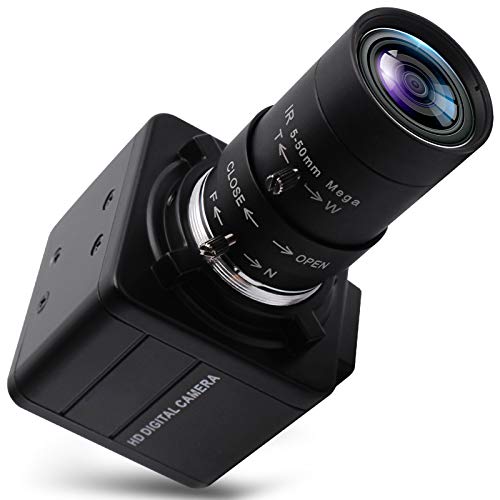
DEPSTECH DW49 4K Webcam ranks first overall in this specification-based comparison under the published weighted criteria.
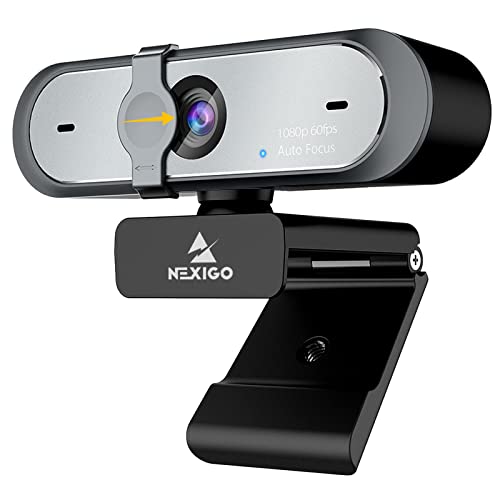
The NexiGo N940P (Gen 2) 2K Zoomable Webcam is the first overall specification-based choice among these best skype webcams. Its 2K Sony Starvis sensor, autofocus, remote-controlled framing, privacy cover, dual stereo microphone, and USB-A or USB-C support give it the most complete combination of documented features in this comparison.
The DEPSTECH DW49 is the better fit for shoppers focused on documented 4K detail, while the NexiGo N980P is the clearest choice for a 120-degree group frame. The AOC AC310 adds 4K video and extensive physical positioning, and the Anker PowerConf C200 is especially adaptable when selectable viewing angles and AI noise cancellation matter. For a built-in light, consider the NexiGo N960E. For H.264 encoding and business-oriented controls, the Logitech C925-E is the more relevant design.
These top skype webcams are not interchangeable in every workspace. Review the resolution mode, field of view, microphone design, cover type, connector, and operating-system support that match the intended call setup. The ranking is based on supplied public specifications and editorial weighting, not hands-on testing.
Frequently Asked Questions
Among the best skype webcams, what resolution should I look for in a Skype webcam?
The selected products range from 1080p to 4K. A 1080p model such as the Logitech C920S, Logitech C925-E, NexiGo N960E, NexiGo N980P, NexiGo N660P, or AUSDOM AF640 documents Full HD video. The DEPSTECH DW49 and AOC AC310 document 4K, while the NexiGo N940P and Anker PowerConf C200 document 2K. Choose based on the detail and framing needs of the call, while remembering that the application may not use every camera’s maximum mode.
Which selected webcam has the widest documented view?
The NexiGo N980P has the widest documented field of view among the selected products at 120 degrees. It is intended for broader framing, such as a call with multiple people or more of a workspace. The AUSDOM AF640 and AOC AC310 list 90 degrees, while the Anker PowerConf C200 lets users select 65, 78, or 95 degrees through software.
Which of these webcams includes a built-in light?
The NexiGo N960E documents a built-in ring light with three modes and adjustable brightness. This makes it the most clearly specified choice for a setup where front illumination is part of the camera. Other selected models document automatic light correction, low-light support, brightness adjustment, or exposure control, but those features do not indicate an integrated lamp.
Do these webcams include privacy covers?
Most of the selected models document a physical cover or shutter. The NexiGo N940P, Anker PowerConf C200, DEPSTECH DW49, AOC AC310, NexiGo N960E, NexiGo N660P, Logitech C925-E, Logitech C920S, and AUSDOM AF640 list one. The cover style varies by model, so check whether it is described as a sliding lens cover, privacy shutter, or attached cover.
What should I check before connecting a webcam?
Check the connector, operating system, and available USB port. The AOC AC310 lists USB-C with a USB-A adapter, and the NexiGo N940P lists USB-A or USB-C support with an adapter. Other selected webcams primarily document USB-A or standard USB plug-and-play use. Also confirm the operating-system version because compatibility details differ across products.