Buying Guide
Choosing among the best surface tablet keyboards starts with the exact Surface model. Surface Pro and Surface Go keyboards are not interchangeable simply because they use similar magnetic cover formats. The listings in this comparison separate 13-inch Surface Pro generations from the smaller Surface Go line, and several products explicitly warn that they do not fit other series. Check the model name and generation in the tablet settings before comparing features.
Match the keyboard to your Surface generation
For newer 13-inch Surface Pro tablets, the Microsoft Surface Pro Keyboard with Pen Storage, Microsoft Surface Pro 13-inch Keyboard, Sooguard Surface Pro Detachable Keyboard, ORDA Surface Pro Keyboard Case, Yadkbo Surface Pro Keyboard with Pen Holder, and Xotauoeu Surface Pro Keyboard document compatibility with current Pro models. Most list Surface Pro 8, 9, 10, 11, or X coverage, although the exact combination differs.
Older Surface Pro owners have additional options. Arteck Surface Pro Type Cover targets the latest Surface Pro in its supplied description, while Zoof Surface Pro Bluetooth Type Cover and Inateck Surface Pro Keyboard with 7-Color Backlight specifically list older Pro generations. Zoof covers Pro 3 through Pro 7+, and Inateck covers Pro 4 through Pro 7+. Those distinctions matter more than a general “Surface Pro” label.
Surface Go buyers should focus on products that explicitly identify the Go line. Inateck Surface Go Keyboard with Trackpad lists Surface Go 1 through 4, making it the selected Surface Go option in this comparison. Its smaller format is not a substitute for a Pro keyboard, even when the feature lists look similar.
Compare typing feel and keyboard layout
The evidence describes several keyboard mechanisms. Microsoft’s two covers use full mechanical keysets, while Arteck lists mechanical keys and several alternatives specify scissor-switch construction. Scissor-switch designs appear in Sooguard and Yadkbo, and the supplied descriptions characterize them as quiet or responsive. These are specification descriptions, not hands-on findings, so treat them as design guidance rather than a guarantee of personal typing comfort.
Key spacing also deserves attention. The Microsoft Surface Pro Keyboard with Pen Storage lists optimal spacing, and the Microsoft Surface Pro 13-inch Keyboard lists ideal key spacing. Those details may matter for users moving from a desktop-style keyboard. A compact cover remains easier to carry, but its reduced footprint can feel different from a full-size board.
Decide whether you need a trackpad
Every selected product lists a trackpad or touchpad, but the feature descriptions differ. Microsoft’s 13-inch keyboard has a large glass touchpad. Sooguard lists a large precision touchpad with 12 gestures, while ORDA, Yadkbo, Xotauoeu, and the Inateck models describe multi-touch or gesture support. Arteck lists an extra-large trackpad. These controls can reduce dependence on touch gestures, but the supplied evidence does not establish how every gesture behaves across every Windows configuration.
A detachable Bluetooth keyboard can also be used away from the tablet. Sooguard, ORDA, Yadkbo, and Xotauoeu describe wireless operation when separated; in the final selection, those products document that flexibility. The selected products use different attachment and wireless implementations, so verify the included instructions and pairing requirements for the exact model.
Consider backlighting and shortcut controls
Backlighting is common in this group but not universal. The Microsoft covers, Sooguard, ORDA, Yadkbo, Xotauoeu, Inateck Surface Go Keyboard with Trackpad, and Inateck Surface Pro Keyboard with 7-Color Backlight list illuminated keys. Color options range from seven colors to ORDA’s 11-color system, and several products provide three brightness levels.
Zoof is the clear exception: its listing explicitly says the keyboard does not have backlighting. That can be a reasonable design choice if illuminated keys are unnecessary, but it should not be overlooked when comparing feature lists.
Shortcut controls vary as well. The Microsoft Surface Pro Keyboard with Pen Storage lists Copilot, microphone mute, and snipping keys. Inateck Surface Go Keyboard with Trackpad lists independent shortcut keys for screenshots, locking, and volume adjustment. ORDA lists up to 12 independent shortcut keys. These controls can reduce dependence on touchpad gestures, but the supplied evidence does not establish how every shortcut behaves across every Windows configuration.
Review attachment, angles, and protection
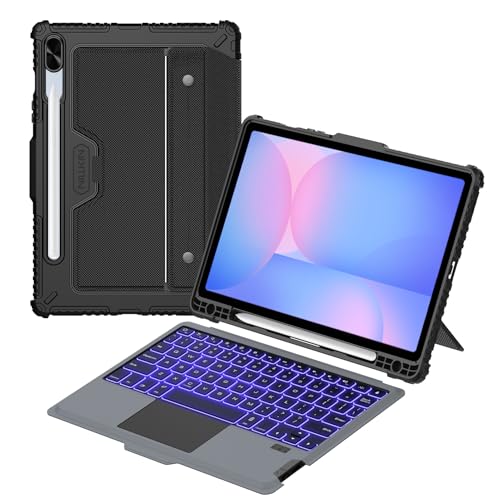
Magnetic attachment is a recurring design feature. Microsoft’s cover clicks into place and works with the Surface kickstand. Sooguard, ORDA, Yadkbo, Zoof, and the Inateck models describe magnetic strips or attachment, with some allowing the keyboard to be detached for separate use. Microsoft’s cover can fold back completely or close over the display, while several alternatives list adjustable or multiple typing angles.
Standalone type covers are the main format represented here. They attach magnetically, add a keyboard and pointing surface, and can often be detached when the tablet is being used without typing. That format may be preferable for users who already use a separate tablet case or want less integrated bulk.
Check charging and wireless details
Battery information is uneven across the category. Arteck lists up to 50 hours of uninterrupted use after a one-hour charge. Xotauoeu lists 80 hours of use, and Inateck Surface Go Keyboard with Trackpad lists about five hours of continuous work with the backlight on plus up to 180 days of standby. Zoof lists more than three months of standby, but not continuous-use time.
Several products use USB-C charging, including Zoof and Xotauoeu. Inateck Surface Go Keyboard with Trackpad states that it needs separate charging, and the Microsoft entries do not provide a battery-runtime figure in the supplied evidence. Wireless range is also product-specific: Sooguard, ORDA, Yadkbo, and Xotauoeu list operation up to 33 feet when detached. Treat all runtime and range figures as listed specifications rather than independent measurements.
Final Recommendation
Microsoft Surface Pro Keyboard with Pen Storage ranks first overall in this specification-based comparison under the published weighted criteria.
Microsoft Surface Pro Keyboard with Pen Storage is the first overall specification-based choice among the best surface tablet keyboards. It combines broad current Surface Pro compatibility, a full mechanical keyset, backlighting, a large trackpad, dedicated controls, magnetic stability, and a protective folding design.
For a 13-inch Microsoft-made alternative, Microsoft Surface Pro 13-inch Keyboard is the most direct fit-focused option in this selection. Sooguard Surface Pro Detachable Keyboard is a strong choice for a pen-storage slot and 12-gesture touchpad, while ORDA Surface Pro Keyboard Case stands out for its 11-color lighting system. Xotauoeu Surface Pro Keyboard is the easiest to compare for a stated 80-hour use figure.
The top surface tablet keyboards for older Pro devices include Zoof Surface Pro Bluetooth Type Cover for a non-backlit design and Inateck Surface Pro Keyboard with 7-Color Backlight for illuminated shortcut access. For Surface Go, Inateck Surface Go Keyboard with Trackpad is the selected option. Always confirm the exact model before selecting a cover.
Frequently Asked Questions
Which of the best surface tablet keyboards fits Surface Go models?
Inateck Surface Go Keyboard with Trackpad lists compatibility with Surface Go 1, 2, 3, and 4. Its evidence specifically identifies the Go line, unlike the selected Surface Pro covers.
Do all selected Surface keyboards have backlighting?
No. Zoof Surface Pro Bluetooth Type Cover explicitly states that it does not have backlighting. The other selected products list backlighting, though the number of colors and brightness settings differs.
Xotauoeu Surface Pro Keyboard lists 80 hours of use and USB-C charging. Arteck Surface Pro Type Cover lists up to 50 hours after a one-hour charge, while Inateck Surface Go Keyboard with Trackpad lists about five hours with its backlight on.
Can these keyboards be used detached from the tablet?
Several can. Sooguard, ORDA, Yadkbo, Xotauoeu, Zoof, and the selected Inateck models describe detachable or attached use. Bluetooth range and reconnection details vary, so check the specific product listing.
Do Surface keyboard pen holders charge a stylus?
The listed pen holders are generally for storage. Sooguard and Xotauoeu explicitly state that their holders do not charge the pen, and the Sooguard slot does not include a pen. Verify this detail if in-keyboard stylus charging is important.