Buying Guide
Choosing among the best wireless graphics tablets starts with the way you draw, edit, and move between devices. A wireless tablet is still an input surface rather than a screen: you view the canvas on a connected computer, phone, or tablet while controlling it with the included stylus. The right specification mix depends on workspace, pen response, shortcuts, operating-system support, and how often you work away from a desk.
Choose the wireless connection type
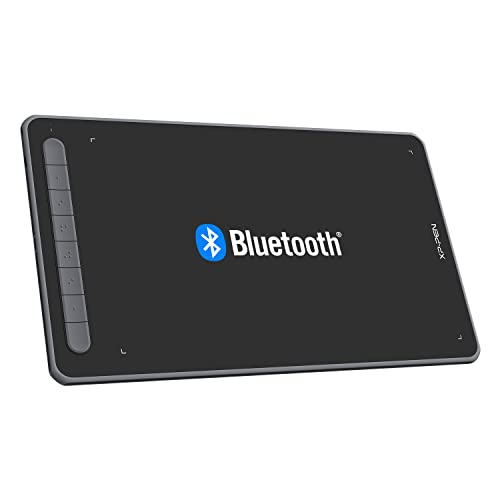
The products in this comparison document several wireless approaches. Bluetooth appears across the XP-Pen Deco Pro LW (Gen 2), XP-Pen Deco LW, Huion Inspiroy Dial 2, Wacom Intuos Medium, and other selections. Some models also include a USB wireless receiver, while others provide Bluetooth and USB-C wired operation. Multiple connection methods can be useful if you want wireless operation at a desk but prefer a cable for a fixed setup.
Battery details vary. The XP-Pen Deco mini7W V2 lists up to 13 hours of continuous work, the Huion Inspiroy Dial 2 and GAOMON WH851 list up to 18 hours, and the Huion Inspiroy Frego Medium lists up to 24 hours. The Xencelabs Wireless Pen Tablet 12-inch listing identifies Bluetooth wireless operation but does not provide a runtime in the supplied evidence. Treat stated runtime as a specification reference rather than an expectation for every workflow, since software, connection mode, and usage patterns can affect operation.
Match the active area to your movements
A larger active area gives your hand more room for broad strokes and can be useful with large or multiple monitors. The XP-Pen Deco Pro LW (Gen 2) has a design described as meeting standard A3 paper size, while the XP-Pen Deco LW provides a 10-by-6-inch area. The Huion Inspiroy Frego Medium is close in format at 10 by 6.25 inches, and the Huion Inspiroy Dial 2 lists a 10.5-by-6.56-inch area.
Compact tablets can be easier to carry and place beside a laptop. The XP-Pen Deco mini7W V2 has a 7-by-4.37-inch area, and the GAOMON WH851 lists 8 by 5 inches. The Wacom Intuos Medium sits between compact and large options, though the supplied information does not state its active-area dimensions. When comparing size, distinguish the tablet body from the active area: the outside dimensions include bezels and controls and do not directly describe drawing space.
Compare pen technology and control features
Pressure sensitivity is one of the clearest specification differences. The XP-Pen Deco Pro LW (Gen 2), GAOMON WH851, and XP-Pen Deco mini7W V2 list 16,384 pressure levels. Several others list 8,192, including the XP-Pen Deco LW, Huion Inspiroy Dial 2, Huion Inspiroy Keydial KD200, and Xencelabs Wireless Pen Tablet 12-inch. The Wacom Intuos Medium listing confirms battery-free EMR technology but does not state a pressure-level figure in the supplied evidence.
Tilt support can help represent angled pen movement. It is documented for the XP-Pen Deco Pro LW (Gen 2), XP-Pen Deco LW, Huion Inspiroy Dial 2, Huion Inspiroy Keydial KD200, GAOMON WH851, and XP-Pen Deco mini7W V2. The Xencelabs Wireless Pen Tablet 12-inch also lists tilt recognition. A battery-free stylus removes the need to maintain a pen battery; that design is documented on many of these models, including the XP-Pen and Xencelabs selections.
Decide how many shortcuts you need
Shortcut controls range from a clean, key-free surface to extensive application-specific command systems. The Huion Inspiroy Frego Medium has no physical shortcut keys, but its pen includes two programmable side keys. That arrangement may suit users who prefer an uncluttered canvas. The Wacom Intuos Medium is described with included software and broad application use, but the supplied evidence does not specify its shortcut-key count.
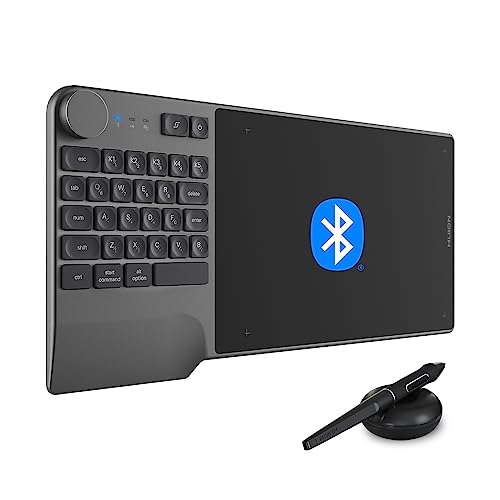
For tactile editing, the Huion Inspiroy Dial 2 has dual dials and six press keys. The GAOMON WH851 has a center dial and eight customizable keys. The Huion Inspiroy Keydial KD200 goes further with 23 standard keyboard keys, a dial, and five customized keys. The Xencelabs Wireless Pen Tablet 12-inch pairs the tablet with Quick Keys offering five sets of eight programmable functions and an OLED display. The XP-Pen Deco Pro LW (Gen 2) includes a 10-key shortcut remote with four customizable sets.
Check software and device compatibility
Compatibility can determine whether wireless features work on your preferred device. The XP-Pen Deco LW supports Windows, Mac, Android, and ChromeOS, while the Deco mini7W V2 additionally lists Linux. The Huion Inspiroy Dial 2 supports Windows, Mac, Android, Linux, ChromeOS, and selected iPadOS software. The Huion Inspiroy Frego Medium documents wired support for Windows, macOS, and Ubuntu, with Bluetooth support for Windows, macOS, and Android, plus selected iPhone and iPad app use.
The Xencelabs models in this list focus on Windows, Mac, and Linux. The Wacom Intuos Medium supports wireless or USB-A operation and is described for drawing, painting, photo and video editing, design, and document markup. Always compare the listed operating-system requirements with the exact device and software version you plan to use. A tablet may support a platform in wired mode while imposing different requirements for Bluetooth operation.
Consider physical design and handling
Design details matter during long sessions. The Huion Inspiroy Frego Medium lists curved edges, a wrist-rest design, symmetrical construction, and a built-in nylon pen holder. The Xencelabs Wireless Pen Tablet 12-inch includes a gently curved palm rest and slim profile. The XP-Pen Deco Pro LW (Gen 2) lists a metal back plate and an X-edge design intended to address wrist tension. Compact models such as the XP-Pen Deco mini7W V2 and GAOMON WH851 may fit more easily into a portable workstation, while the larger XP-Pen Deco Pro LW (Gen 2) is oriented toward a more expansive drawing surface.
Final Recommendation
XP-Pen Deco Pro LW (Gen 2) ranks first overall in this specification-based comparison under the published weighted criteria.
The XP-Pen Deco Pro LW (Gen 2) is the first overall specification-based choice among these best wireless graphics tablets. Its combination of a large work area, 16,384-level battery-free stylus, tilt support, Bluetooth, receiver and wired connectivity, two-device pairing, and included shortcut remote gives it the most complete documented feature combination in this comparison.
The Xencelabs Pen Tablet Medium v2 is the more focused pen-centric alternative, especially for users who value two pen shapes and an etched surface. Choose the Xencelabs Wireless Pen Tablet 12-inch if extensive programmable commands and OLED shortcut feedback matter most. For tactile editing in a symmetrical body, the Huion Inspiroy Dial 2 is suitable, while the XP-Pen Deco LW balances area, wireless flexibility, and mobile support.
Among the top wireless graphics tablets for compact workspaces, the XP-Pen Deco mini7W V2 and GAOMON WH851 emphasize portability. The Huion Inspiroy Frego Medium keeps the surface clean and adds long listed battery operation, and the Huion Inspiroy Keydial KD200 is the distinctive choice for an integrated keyboard-and-dial workflow. The Wacom Intuos Medium remains a straightforward general-purpose option with battery-free EMR and included software access.
Frequently Asked Questions
What are the best wireless graphics tablets for a large drawing area?
The XP-Pen Deco Pro LW (Gen 2) is the largest-format choice documented here, with a design described as meeting standard A3 paper size. The XP-Pen Deco LW, Huion Inspiroy Frego Medium, and Huion Inspiroy Dial 2 also provide approximately 10-inch-wide active areas.
Do wireless graphics tablets need a battery-powered pen?
Not necessarily. The XP-Pen Deco Pro LW (Gen 2), XP-Pen Deco LW, Xencelabs Wireless Pen Tablet 12-inch, Huion Inspiroy Dial 2, Huion Inspiroy Keydial KD200, GAOMON WH851, and XP-Pen Deco mini7W V2 all document battery-free stylus designs. The wireless battery applies to the tablet or connection system, not automatically to the pen.
Which tablet has the most shortcut controls?
The Xencelabs Wireless Pen Tablet 12-inch includes a Quick Keys controller with five sets of eight programmable functions and an OLED display. The Huion Inspiroy Keydial KD200 combines 23 keyboard keys with a dial and five customized keys, while the XP-Pen Deco Pro LW (Gen 2) includes a 10-key shortcut remote.
Are wireless tablets compatible with phones and tablets?
Some are, but support differs by model and connection mode. The XP-Pen Deco LW lists Android support, the Huion Inspiroy Dial 2 lists Android and selected iPadOS software, and the Huion Inspiroy Frego Medium documents Android plus selected iPhone and iPad apps. Check the individual operating-system and application requirements before setup.
Is a compact tablet suitable for detailed digital art?
A compact model can work well when desk space and portability matter, but its smaller active area gives your hand less room for broad movements. The XP-Pen Deco mini7W V2 and GAOMON WH851 add pressure, tilt, and shortcut features in smaller formats, while larger models may be more comfortable for expansive illustration.