Buying Guide
The best wall projector mounts should be selected by matching the projector’s mounting method to the bracket’s documented fit. A mount may be described as universal, but the actual limits still depend on hole spacing, screw type, projector weight, and the surface receiving the fasteners. Review those details before choosing.
Match the mounting pattern
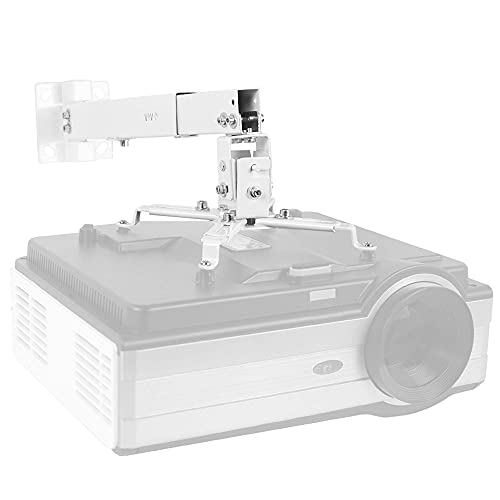
Most selected multi-arm brackets specify a range between mounting holes. Mount-It!, WALI, and VIVO MOUNT-VP06W provide ranges around 8.9 to 12.4 inches, while VIVO MOUNT-VP01W and VIVO MOUNT-VP02B cover smaller patterns when their arms are configured appropriately. HISUNSING provides a 7.85- to 12.2-inch diagonal range. These figures are not interchangeable, so measure the projector’s mounting points rather than relying only on its brand.
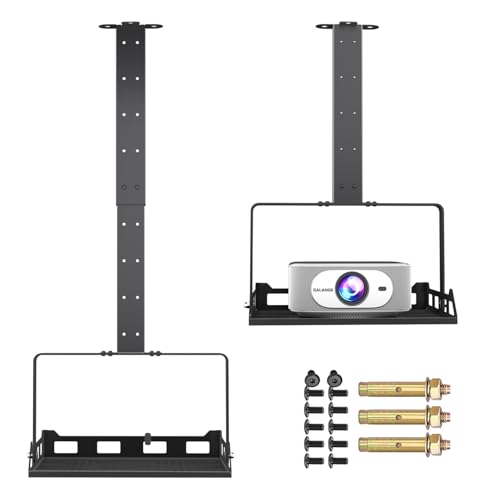
A quarter-inch screw design is different. Salange PCM20B uses a tray-style platform, while PUTORSEN EMPJ-02 uses a standard quarter-inch screw. These approaches can help with projectors that do not use the same multi-hole pattern, but the tray dimensions or screw specification still need to match.
Choose wall, ceiling, or 3-in-1 installation
If the room layout may change, a 3-in-1 system offers the most documented placement choices. Mount-It!, WALI, HISUNSING, Tonalee, and Salange PCM20B describe flush ceiling, telescoping ceiling, and wall installation. That flexibility can help when a ceiling joist, wall stud, or screen position determines the final location.
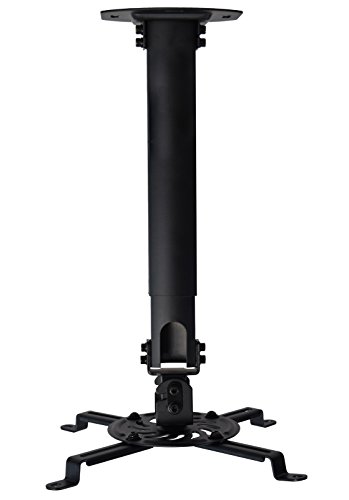
For a dedicated ceiling setup, VIVO MOUNT-VP01W is a low-profile option, while VIVO MOUNT-VP02B provides a longer 15- to 23-inch drop. ONKRON K3A-W occupies a middle range of 11.4 to 15.3 inches. Wall installation still requires appropriate structure: the selected products identify wood studs, concrete, brick, or solid walls and may caution against unsupported drywall or vaulted ceilings.
Compare adjustment range
Tilt and swivel determine how easily the lens can be aimed at the screen. Tonalee documents up to 30 degrees of tilt and swivel, and ONKRON lists a -30 to +30-degree tilt range. Mount-It!, WALI, and HISUNSING provide more moderate tilt and swivel figures paired with extension adjustment. PUTORSEN EMPJ-02 adds five inches of horizontal slot adjustment, which can help center the image after the wall holes are established.
Rotation does not replace correct mounting; it simply gives the installer another positioning axis. Extension is especially important when the projector must clear furniture, shelving, or a room’s seating line. VIVO MOUNT-VP01W suits a short ceiling drop, while VIVO MOUNT-VP02B is designed for a longer ceiling reach.
Check the load limit and mounting surface
Use the lower applicable limit when a product gives separate wall and ceiling capacities. WALI and VIVO MOUNT-VP06W specify up to 44 pounds. Mount-It!, HISUNSING, and Tonalee specify capacities around 40 to 44 pounds, although Tonalee separately states 20 pounds for wall mounting. PUTORSEN EMPJ-02 specifies 22 pounds on a wall and 13.2 pounds on a ceiling. Salange PCM20B includes both 22- and 25-pound capacity references, so that discrepancy should be resolved before installation.
The projector’s weight is only one part of the decision. The bracket must also be fixed to a suitable structural surface with appropriate hardware. The selected products distinguish solid walls, concrete, brick, and wood studs from unsupported surfaces. Follow the product’s stated surface restrictions and verify every fastener location.
Look for practical installation features
Cable management can make a fixed installation neater. Mount-It!, VIVO MOUNT-VP06W, HISUNSING, and Salange PCM20B document built-in, concealed, or channeled cable routing. Quick-release hooks appear on several VIVO, HISUNSING, and Tonalee models and may make projector removal more convenient, but they do not eliminate the need to tighten and secure the mount correctly.
A drilling template is specifically included with HISUNSING, while PUTORSEN EMPJ-02 uses slotted holes for lateral centering. Tray designs can be useful for equipment with a single mounting point or a less conventional footprint, but confirm that the platform fully supports the projector base and that the stated capacity applies to the intended orientation.
Final Recommendation
HISUNSING 3-in-1 Projector Mount ranks first overall in this specification-based comparison under the published weighted criteria.
HISUNSING 3-in-1 Projector Mount is the highest-scoring returned product and the first overall specification-based choice. It combines three installation modes, broad mounting-hole compatibility, substantial extension, full-motion positioning, cable management, and a 44-pound stated capacity.
The top wall projector mounts still differ by room constraints. Choose WALI PM-003-W or VIVO MOUNT-VP06W when a 44-pound capacity is central, Tonalee when wider angle adjustment is useful, VIVO MOUNT-VP01W for a low-profile ceiling position, and VIVO MOUNT-VP02B for a longer ceiling drop.
For a wall installation that needs horizontal centering, PUTORSEN EMPJ-02 has documented five-inch slot adjustment. Salange PCM20B is the tray-style choice, but its conflicting capacity references warrant confirmation. Before finalizing any of the best wall projector mounts, verify the projector’s weight, hole pattern or screw type, extension needs, and wall construction.
Frequently Asked Questions
How do I choose the best wall projector mounts for my projector?
Start with the projector’s mounting-hole spacing, screw type, and weight. Compare those measurements with the selected mount’s stated range and load limit. Then confirm whether the intended surface is a wood stud, concrete, brick, or another supported structure. A universal description does not remove the need to check these specifications.
Are wall and ceiling projector mounts interchangeable?
Some are. Mount-It!, WALI, VIVO MOUNT-VP06W, HISUNSING, Tonalee, and Salange PCM20B document both wall and ceiling installation. VIVO MOUNT-VP01W and VIVO MOUNT-VP02B are described primarily for ceiling use, while ONKRON K3A-W and PUTORSEN EMPJ-02 document wall or ceiling installation. When capacities differ by installation direction, use the limit for the actual wall or ceiling position.
Is a tray mount suitable for a mini projector?
A tray can be suitable when the projector fits the platform and remains within the documented capacity. Salange PCM20B describes a broad tray and compatibility with most mini projectors. Confirm the tray dimensions, projector footprint, and orientation-specific capacity before mounting.
What wall surface is suitable for these mounts?
The selected products commonly identify wood studs, concrete, brick, and solid walls as supported surfaces. Several also exclude regular drywall or vaulted ceilings. Check the individual product instructions and locate structural support before drilling. The wall material and fastener installation are as important as the bracket’s stated capacity.
Why does adjustment range matter?
Tilt, swivel, rotation, height, and horizontal slots each address a different positioning need. Extension changes the projector’s distance from the mounting surface; angle controls aim; rotation changes orientation; and lateral slots help center the image. Select the combination that matches the room rather than assuming the largest adjustment range is always necessary.