Buying Guide
Choosing among the best ethernet port access points starts with the wired side of the network. An AP is not only a radio: its Ethernet interface carries backhaul traffic and may connect nearby wired equipment. The right model depends on port speed, port count, power delivery, placement, wireless generation, and the way you plan to administer one or several units.
Match Ethernet speed to the network
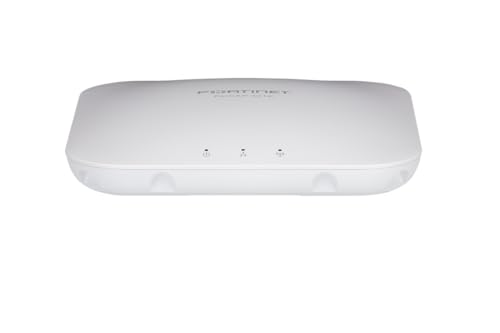
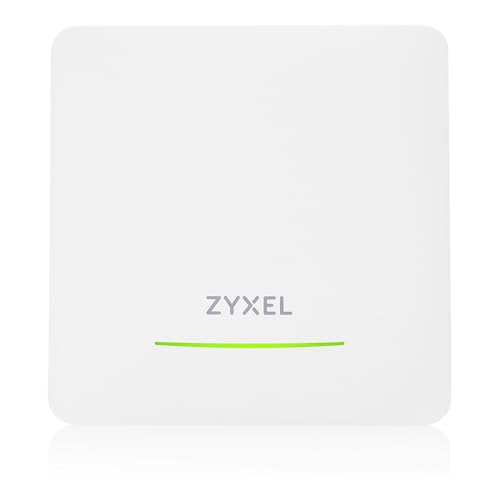
Start by checking the speed of the upstream switch and cabling. The Fortinet FortiAP 441K lists two 10 Gigabit Ethernet ports, making it the clearest fit for an infrastructure built around very high-speed uplinks. The Zyxel NWA130BE lists two 2.5G ports, while the NETGEAR WBE710 and Zyxel NWA50BE each identify a 2.5G connection. These models leave more room for Wi-Fi 7 traffic than a single Gigabit uplink.
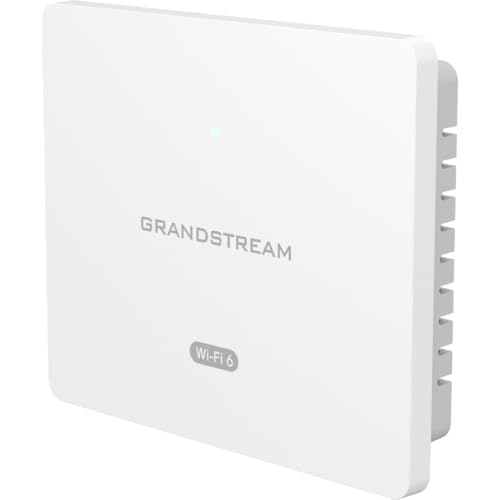
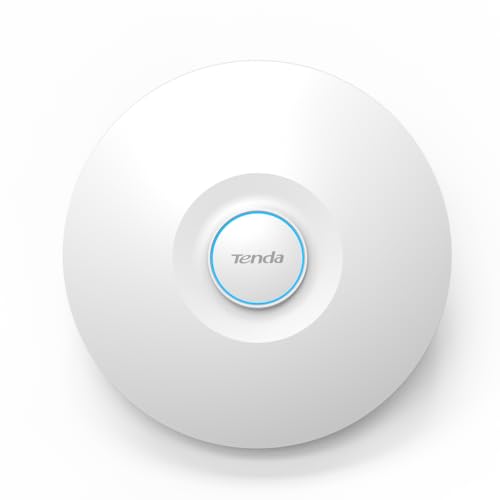
Four Gigabit ports are more useful when the AP also serves nearby wired devices. The TP-Link Festa F65-Wall, TP-Link EAP615-Wall, and Grandstream GWN7604 each list four ports. The two in-wall TP-Link models also document downlink PoE behavior, so a connected device may receive power through the AP. The Tenda I29-V2.0 lists two Gigabit ports, which can be sufficient when only one additional wired connection is needed.
Placement affects both coverage planning and cable work. The TP-Link Festa F65-Wall and TP-Link EAP615-Wall are in-wall products designed for room-level installations. They suit offices, cubicles, and hotel-style rooms where local Ethernet access matters and a wall outlet is preferable to a tabletop enclosure.
Ceiling or wall mounting is documented for the NETGEAR WBE710, and the Tenda I29-V2.0 is described as a ceiling-mount business AP. The Omada EAP650 and EAP610 use slim enclosures intended to blend into offices, classrooms, hotels, and cafes, although the supplied listings do not provide the same mounting detail for every model. Confirm the included hardware and physical dimensions before planning a specific location.
Check the power method
Power over Ethernet can simplify installation by carrying network data and electrical power over one cable. The NETGEAR WBE710 supports PoE+ and has an optional AC adapter. The Tenda I29-V2.0 is PoE+ powered. The TP-Link EAP650 and EAP610 list 802.3at PoE+, passive PoE, and DC power options. The Grandstream GWN7604 automatically detects PoE or PoE+ from the power-sourcing equipment.
The in-wall TP-Link models document PoE input and pass-through. That is valuable when a wall-mounted access point must also feed a wired endpoint. It also means the switch, injector, and endpoint power requirements should be checked together. Do not assume that every Ethernet port provides power output simply because the AP itself supports PoE.
Compare Wi-Fi generation and radio layout
Wi-Fi 7 is represented here by the Fortinet FortiAP 441K, NETGEAR WBE710, Zyxel NWA130BE, and Zyxel NWA50BE. The supplied evidence identifies 6 GHz support for Fortinet, tri-band operation for the NETGEAR and NWA130BE, and MLO or backward compatibility for the Zyxel models. These specifications make them appropriate for networks designed around newer client devices and multi-gigabit links.
The TP-Link Festa F65-Wall, TP-Link EAP615-Wall, TP-Link EAP650, TP-Link EAP610, Tenda I29-V2.0, and Grandstream GWN7604 use Wi-Fi 6 specifications. Wi-Fi 6 remains a useful match for mixed-device networks, especially when the upstream connection is Gigabit and the main requirement is efficient access for many simultaneous clients rather than 6 GHz operation.
Review management and roaming requirements
Management features vary significantly. Zyxel’s NebulaFlex models can switch between local and cloud management. The Omada EAP650 and EAP610 support Omada cloud, software, or hardware controller options, with standalone operation listed for both. The Festa F65-Wall instead requires Festa Cloud and does not work with Omada controllers.
Roaming is also implementation-specific. The Zyxel NWA50BE lists 802.11r/k/v fast roaming, the Zyxel NWA130BE lists the same standards, and the Tenda I29-V2.0 lists 802.11k/v. Omada mesh and seamless roaming are documented for the EAP650 and EAP610, but the listings state that those functions require Omada SDN controllers. Select a product family that matches the management system already used by the network.
Consider security and client scale
The selected models document different security and capacity features. WPA3 is listed for the NETGEAR WBE710, Zyxel NWA50BE, Zyxel NWA130BE, TP-Link EAP650, TP-Link EAP610, and Tenda I29-V2.0. The Tenda listing gives a capacity figure of up to 254 clients in one section and 150 in another, so treat that information carefully. The NETGEAR WBE710 and Grandstream GWN7604 each list support for up to 256 clients.
Client counts are specifications, not a promise of identical service under every workload. Device mix, channel planning, backhaul speed, and building construction still matter. For a business network, prioritize the combination of documented security, management, wired capacity, and deployment method rather than focusing on one headline number.
Final Recommendation
Zyxel NWA130BE ranks first overall in this specification-based comparison under the published weighted criteria.
The final choice among the best ethernet port access points depends on the documented features that match your intended use.
The Fortinet FortiAP 441K is the highest-scoring returned product and the first overall specification-based choice for enterprise networks that can use its two 10 Gigabit ports, four radios, and 6 GHz support. Among the top ethernet port access points, the NETGEAR WBE710 is a strong fit for a mounted Wi-Fi 7 installation with PoE+, WPA3, and a 2.5G port. The Zyxel NWA130BE is the more distinctive option when two 2.5G Ethernet connections are important.
For room-level wired connectivity, choose the TP-Link Festa F65-Wall or TP-Link EAP615-Wall. The Omada EAP650 and EAP610 are better aligned with networks already using Omada administration. The Tenda I29-V2.0 emphasizes PoE+ and broad listed coverage, while the Grandstream GWN7604 provides four Gigabit ports and an integrated PoE switch. Match the final selection to the switch, cable, power source, and controller ecosystem already in place.
Frequently Asked Questions
What makes an access point useful for wired devices?
An access point with multiple Ethernet ports can provide local connections for computers, cameras, phones, switches, or other network equipment while also supplying wireless access. The TP-Link Festa F65-Wall, TP-Link EAP615-Wall, and Grandstream GWN7604 each list four ports, while the Fortinet FortiAP 441K lists two 10 Gigabit ports.
Do the best ethernet port access points need PoE?
No. PoE is a deployment option rather than a universal requirement. The NETGEAR WBE710, Tenda I29-V2.0, TP-Link EAP650, TP-Link EAP610, and Grandstream GWN7604 document PoE-related support. The EAP650 and EAP610 also list DC power options, and the WBE710 identifies an optional AC adapter.
When should I choose Wi-Fi 7 instead of Wi-Fi 6?
Choose Wi-Fi 7 when the network can use its newer radio features and multi-gigabit Ethernet connections. The Fortinet FortiAP 441K, NETGEAR WBE710, Zyxel NWA130BE, and Zyxel NWA50BE document Wi-Fi 7. Wi-Fi 6 models may be a better fit for networks built around Gigabit switching and mixed-generation client devices.
Which selected AP is designed for in-wall installation?
The TP-Link Festa F65-Wall and TP-Link EAP615-Wall are the selected in-wall models. Both list four Gigabit ports, with PoE input and downlink functionality. The Festa model requires Festa Cloud, while the EAP615-Wall is integrated into the Omada SDN platform.
Can one access point provide seamless roaming by itself?
Roaming generally concerns coordination among access points and client devices. The Zyxel NWA50BE and NWA130BE list 802.11r/k/v support, while the Tenda I29-V2.0 lists 802.11k/v. The Omada EAP650 and EAP610 document seamless roaming through Omada SDN controllers, so verify the required controller arrangement before deployment.