Buying Guide
The best fire tv stick remote controls are not interchangeable in every setup. A remote may work with a recent Stick 4K Max but exclude a first-generation Stick, a Fire TV Edition television, or a particular smart-TV brand. Start with the model and generation printed on your streaming device or shown in Fire TV settings, then compare that information with the compatibility list.
Match the device before comparing features
Compatibility is the first filter. Amazon Alexa Voice Remote Pro and the standard Amazon Alexa Voice Remote provide official compatibility lists, but both identify older devices that are not supported. The third-party options also use generation-based limits. B BraiNice, WOLAOYNN, Trado, and SZILBZ list multiple Stick and Cube generations, while ORQRQO focuses more heavily on newer models.
A broad phrase such as “all Fire series” should not replace model checking. The supplied listings show that broadly described replacements can exclude first-generation hardware or Fire TV Edition televisions. If the remote is intended for a television rather than a separate Stick, verify the television brand and series as well as the streaming-device generation.
Decide whether voice control matters
The selected remotes document voice functionality, but the exact wording varies. The Amazon models use Alexa for searching, launching apps, adjusting compatible equipment, and other commands. Replacement models describe voice search for movies, weather, music, apps, or playback. Voice capability still depends on successful pairing and device compatibility, so it should be treated as a feature to verify rather than an automatic guarantee.
For a replacement remote, check whether the listing explains how to activate voice control. Koepluoo, WOLAOYNN, Trado, and SZILBZ provide Home-button pairing instructions. ORQRQO notes that pairing methods differ between streaming devices and televisions. Acoyer also says that voice activation follows the included instructions.
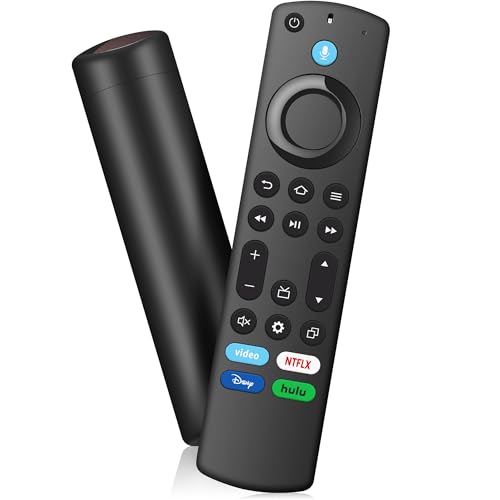
Shortcut buttons reduce navigation through the Fire TV interface. The standard Amazon remote includes preset app buttons, while many replacements provide four preset shortcuts. OROSAUR specifically lists Prime Video, Netflix, Disney+, and Hulu.
Acoyer documents four shortcut buttons plus two customization buttons. Amazon Alexa Voice Remote Pro also offers two customizable buttons, along with a dedicated headphone-menu shortcut. Do not assume that similarly shaped replacement remotes offer the same programming options; use the individual listing as the source of truth.
Look for TV controls when one remote should do more
If the remote will operate both a Fire TV Stick and a television, dedicated TV controls can reduce the need to switch handsets. The Amazon Alexa Voice Remote Pro lists power, volume, channel, and mute controls. The standard Amazon Alexa Voice Remote lists power, volume, and mute for compatible TVs, soundbars, and receivers, along with a guide button.
Several replacements are described as compatible with smart TVs, but their evidence does not always enumerate the same controls. A compatibility claim for an Insignia, Toshiba, Pioneer, Omni, or other television family does not by itself prove that every television function will work. Buyers who specifically need volume or power control should prioritize a listing that names those functions or confirm the exact replacement model number.
Consider setup, batteries, and support terms
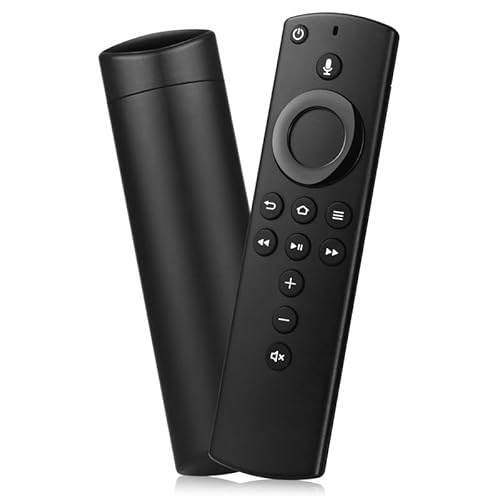
Most of the third-party remotes require batteries that are not included. The standard Amazon Alexa Voice Remote explicitly includes two AAA batteries. Pairing is commonly handled by pressing and holding Home for about 10 to 15 seconds, but the surrounding process can differ. Some listings instruct the user to restart or reconnect the Fire TV device, remove the old remote’s batteries, or wait for the LED to flash.
Warranty and support terms also vary. Koepluoo, WOLAOYNN, Trado, Acoyer, B BraiNice, and SZILBZ list one-year coverage. These are listing details, not independent quality tests, but they can help distinguish a basic replacement from one with a documented support period.
The Pro model is documented with a remote-finder feature and motion-activated backlight. Those extras are relevant for dark rooms or households where the handset often disappears between cushions. B BraiNice documents a 40-foot operating-distance claim, while OROSAUR describes energy-saving technology without giving a battery-life figure. Treat such claims as specification information, not as verified test results.
For most buyers, the practical priority is compatibility followed by voice control, TV commands, and shortcut layout. A remote with fewer extras may be the better fit if it is the one that matches the exact Fire TV generation.
Final Recommendation
Amazon Alexa Voice Remote Pro ranks first overall in this specification-based comparison under the published weighted criteria.
Amazon Alexa Voice Remote Pro is the first overall specification-based choice in this comparison.
Amazon Alexa Voice Remote Pro is the highest-ranked option among these best fire tv stick remote controls because its documented remote finder, backlight, two customizable buttons, headphone shortcut, Alexa support, and TV controls provide a useful combination of features. Confirm its compatibility exclusions before ordering.
The standard Amazon Alexa Voice Remote is the straightforward official alternative for recent Fire TV devices. For replacements, B BraiNice offers a mix of four shortcuts and stated range information, while Acoyer is suited to users who want programmable buttons. WOLAOYNN and SZILBZ are useful when compatibility with several television families matters. Buyers comparing the top fire tv stick remote controls should verify the exact model, generation, and battery requirements before selecting any option.
Frequently Asked Questions
What should I check before buying the best fire tv stick remote controls?
Check the exact Fire TV Stick or Cube generation first. Then review whether the listing excludes your device, Fire TV Edition televisions, or your television brand. Confirm whether voice control, TV power and volume buttons, shortcut keys, and batteries are documented for that specific remote.
Do replacement Fire TV remotes need pairing?
Most selected replacements require pairing. Several listings describe holding the Home button for 10 to 15 seconds until an LED flashes, while some also instruct users to restart the Fire TV device or remove batteries from the old remote. Follow the supplied instructions for the selected model.
Are batteries included with these remotes?
The standard Amazon Alexa Voice Remote explicitly includes two AAA batteries. The selected third-party replacements generally state that batteries are not included, so check the individual listing before ordering.
Can one remote control both a Fire TV Stick and a television?
Some selected models document compatibility with both streaming devices and smart TVs. The Amazon Alexa Voice Remote Pro and standard Amazon Alexa Voice Remote also list dedicated TV controls. For third-party replacements, verify the television brand and series because compatibility and available functions may differ.
Which remote is best for custom shortcuts?
Acoyer and Amazon Alexa Voice Remote Pro both document two customizable buttons. Acoyer also lists four preset shortcut buttons, while the Pro model adds a dedicated headphone-menu shortcut. These are specification-based distinctions; confirm that the desired Fire TV device supports the selected remote.